
A 2024 Home Services Marketing Study reported that 86% of respondents started searching for a home-services company online, while only 14% began offline. Among those online searchers, 61% used a traditional search engine such as Google or Bing, and 64% used Google when they wanted reviews. More leads are not the win. Map visibility, proof, and a five-minute answer decide whether the spend pays.
Table of Contents
- Why Contractor Jobs Now Start Online
- A 90 Day Order of Work and Budget
- Win the Map Pack Before You Buy Ads
- Answer Every Lead in Five Minutes
- Local Ads That Match the Job Type
- Proof Content and AI Search Visibility
- Measure Completed Jobs and Start This Week
Why Contractor Jobs Now Start Online
Say a homeowner's water heater dies on a Tuesday night. They don't drive the commercial strip. They pull out a phone, type a trade plus a city, and judge the first names that look real.
For a plumber, electrician, roofer, or remodeler, the Google Business Profile and the website are the front door. The truck, the yard sign, and the referral still matter. They just show up later, after someone has already picked a short list.
Write four numbers before you buy a single click.
- Service area: the cities, or the miles, you will drive.
- Average job value: a typical ticket, not your best month.
- Estimate-to-signed close rate: signed jobs divided by estimates you ran.
- Calendar capacity: how many new jobs the crew can hold in the next 90 days.
Pick one 90-day outcome from those numbers. Usually that is booked estimates the crew can staff, not a traffic goal.
And split the work. An emergency call and a planned remodel do not share a promise, a keyword, or an acceptable wait. One needs a person who rolls now. The other needs financing, photos, and a date on the calendar.
If nobody on the team can say those four numbers – stop buying traffic.
The order that follows is the order that keeps you from paying for calls you can't catch. Map and reviews first. Then a site that converts. Then ads matched to the job type. Then proof, including how AI tools describe you. Then tracking through completed jobs, not clicks.
A 90 Day Order of Work and Budget
Map and reputation come before ads because that is where the click already happens. Industry reporting citing Backlinko states that 42% of people conducting a local search click a result in Google's Map Pack, and that 46% of Google searches have local intent, according to Storebox's local SEO notes for contractors. A thin profile means paid clicks land on a business people still don't trust.
| Phase | Work | Budget share | Done when |
|---|---|---|---|
| Days 1-14 Map and reputation | Verify the Business Profile, categories, service area, photos, citations, and a review request after each job | Mostly staff time, about 10% of spend on listings and review tools | Calls and direction requests are tracked |
| Days 15-30 Site and speed to lead | Click-to-call, a short quote form, one CRM, and a text or call inside five minutes | About 15% | Median first response is under five minutes |
| Days 31-60 Local search ads | Separate emergency and planned campaigns with matching landing pages | 50-60% of the media budget | Cost per booked estimate, not cost per click |
| Days 31-90 Proof and answers | Project pages, homeowner FAQs, and public review replies | 15-20% | Service-area pages are earning calls |
| Ongoing scoreboard | Tie source, response time, estimates, and completed jobs together | About 10% for tracking and reporting | Cost per completed job is known by channel |
Move to the next row only when the Done when cell is true. And the budget moves only after the previous row's signal exists.
What the first two weeks actually cost
Treat the dollar bands as planning, not a promised cost per lead. A single-location crew often starts media around $1,500 to $4,000 a month once ads turn on. A competitive metro, or several locations, more often plans $5,000 to $12,000, split by city rather than one blended campaign.
About half to 60% of media goes to search ads after the profile and the site can catch the call. Tools, proof content, and reporting take the rest. A lot of the first two weeks is labor, not media. Someone has to verify hours, shoot job photos, and fix a phone number that still points at a retired cell.
When you are allowed to open the next row
Days 1-14 are done when map calls and direction requests show up in a report you can open. Not when the profile "looks full."
Days 15-30 are done when the median first response is under five minutes on a normal weekday, including the hour the crew is on a roof. If that number is missing, ads will only make the hole more expensive.
Multi-location operators repeat the profile, the citations, and the landing page per location. They don't paste one city name across every page. A Pensacola crew and a Dallas crew do not share a service area, a review pile, or a phone tree.
Done, for the whole 90 days, means each row has a signal. Tracked map actions. A median response under five minutes. Cost per booked estimate. Later, cost per completed job. If you want a cleaner way to split that spend across channels, the notes on marketing budget allocation are a useful cross-check before you lock a monthly number.
Win the Map Pack Before You Buy Ads
Google says local rankings rest on relevance, distance, and prominence. Google's local ranking guidance is plain about it. Relevance is how closely the Business Profile matches the search. Distance is calculated from the searcher's location, or from the location Google can infer. Prominence is how well known the business is, including links, review volume, and positive ratings. Google does not publish a review count that guarantees a rank.
Distance is mostly the searcher's problem. Your controllable work is a complete profile and real prominence.

Six actions, in order
- Claim and verify the profile for the service location. Use a service-area setting if there is no public storefront. A P.O. box is not a shop.
- Pick the most specific primary category, and only the services the crew performs. A roofer who lists "general contractor" for every adjacent trade confuses the match.
- Write the service area as the cities you will drive. Make the name, address, and phone match the website and the major directories. One mismatch is enough to split your citations.
- Add recent job photos, accurate hours, and a phone number answered by a person. Stock skies over a stock house do not count as proof.
- After a verified milestone, text a direct review link. Log the request date and the job type so you can see which work earns feedback.
- Reply to every review, good or bad, with a specific human note. Never include the address, the price, or personal details.
Response rule: The benchmark is response coverage, not a magic star count. Every new review gets a timely, human reply. A bad experience goes to a private fix. You still leave a legitimate public review where the customer put it.
BrightLocal's 2025 survey of 1,026 U.S. adults found that 89% were more likely to use a business that responds to all reviews, while 56% were more hesitant to use one that did not respond. That is a conversion fact, not a vanity score.
Skip bought reviews. Skip identical replies. Skip asking only the happy customers for five stars. Those shortcuts are how a profile gets distrusted right when you start paying for clicks.
If the profile work feels fuzzy, a practical pass on local search optimization covers categories, service area, and citations without turning it into a link scheme. Do that pass before the ad account gets a budget.
Answer Every Lead in Five Minutes
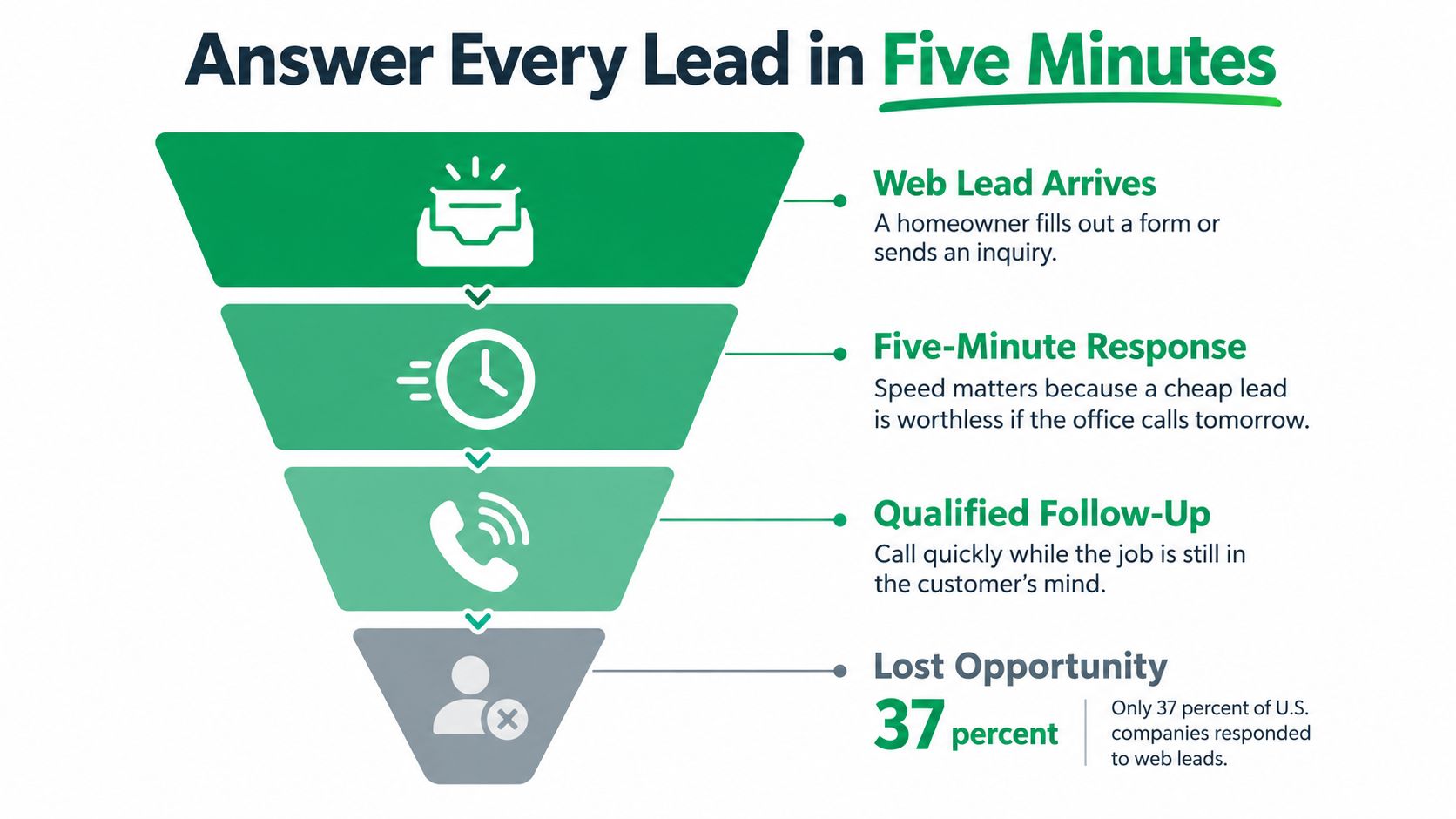
Five minutes is the response target. A prospect comparing contractors may call the first business that answers, even if another company's estimate was lower. More leads do not guarantee more booked work. Fast, accountable follow-up turns visibility into conversations.
Build the page for a thumb
Design for someone on a phone, possibly standing in a driveway with one hand free. Put the service, cities covered, license or insurance details, and a realistic response-time promise near the top. Mention financing or a guarantee only if you offer it. Show finished work, not a logo on a white field.
Use one click-to-call button and one short form. Skip the essay and the “tell us about your dream project” box on an emergency page.
Accessibility improves the same mobile experience. WCAG 2.2 requires text alternatives for non-text content so people can use large print, speech, or simpler language, as the W3C WCAG 2.2 specification explains. Write useful alt text for service photos and project galleries; leave decorative icons empty for screen readers. Put the phone number in plain text on the button and make form labels easy to read.
The follow-up, not another inbox
- Send website, call-tracking, and ad leads to one CRM. A shared email folder lets inquiries sit unnoticed.
- Trigger an immediate text or call, and assign a named owner. “The office” is not an owner.
- Schedule follow-ups by phone, text, and email. Record each attempt; three documented tries beat one voicemail.
- Set up call overflow for times when the crew is on a roof. A missed call can send a job to another contractor.
- Record every lead. Track median response time, connection rate, qualified leads, booked estimates, and revenue by source.
Use separate scripts for emergency work and remodels. An emergency call needs the address, shutoff status, and arrival details. A remodel inquiry needs the scope, budget, and a site visit. Pause extra ad spend when the calendar is full. Missed-call text-back gives unanswered callers a next step, but a person still needs to take ownership of the lead.
An inexpensive lead has little value if nobody follows up. Cost per lead does not show whether your team answered. Median response time does.
Use marketing automation to route new leads into a text and a named owner. Automation keeps an inquiry from sitting in an inbox until Thursday; the person assigned to it still has to respond.
Local Ads That Match the Job Type
Google does not rank a contractor ad by bid alone. For every search, Google's Ad Rank explanation says it first matches eligible keywords, removes ads that target the wrong country or violate policy, and then allows only ads with high enough Ad Rank to show. Ad Rank mixes the bid with ad quality, thresholds, search context, and the expected effect of assets such as sitelinks or call extensions. A rival can bid more and still sit below a tighter ad, sometimes at a lower price.
Each search is a new auction. Position and cost move with competition, device, location, time, and the query. There is no published dollar figure that buys first place, and you do not pay your bid alone. Google's notes on Ad Rank thresholds say those thresholds shift with quality, the position, user signals such as location and device, and the nature of the search. If yours is the only eligible ad, you pay the reserve, not a number you invented in a spreadsheet.

Build two campaigns. Don't blend them because the dashboard looks tidier.
| Dimension | Emergency campaign | Planned campaign |
|---|---|---|
| Trigger | Urgent service search such as "emergency plumber" | Project search such as reroof or kitchen remodel |
| Ad promise | Rolling now, with after-hours coverage | Financing, guarantees, and project photos |
| Landing page | Dedicated emergency page | Dedicated project page with gallery |
| Acceptable response window | Minutes, including after hours | Same business day for first contact, then a scheduled estimate |
| Success measure | Booked emergency calls by city | Booked estimates and completed projects by city |
How the two campaigns should feel different
The emergency campaign is a dispatch promise. After-hours coverage, a page that says you roll now, call and location assets, and a keyword list you would answer at 9 p.m. Send that ad to the emergency page. Never the homepage.
The planned campaign sells a project. Reroofs, panel upgrades, kitchens. Financing, a guarantee if you have one, and a photo gallery of finished work. The click should land on that project, not on a menu of every trade you have ever touched.
Negate the jobs you will not take. DIY parts. Trades you don't hold a license for. Cities outside the drive. Check search terms every week and add the junk as negatives the same day.
Judge the account on booked estimates and completed jobs by city, not on impressions. If crews can't answer, lower the budget before you raise it. A tighter account often beats a louder one, which is the practical point of PPC for lead generation once the pages can hold the click.
Proof Content and AI Search Visibility
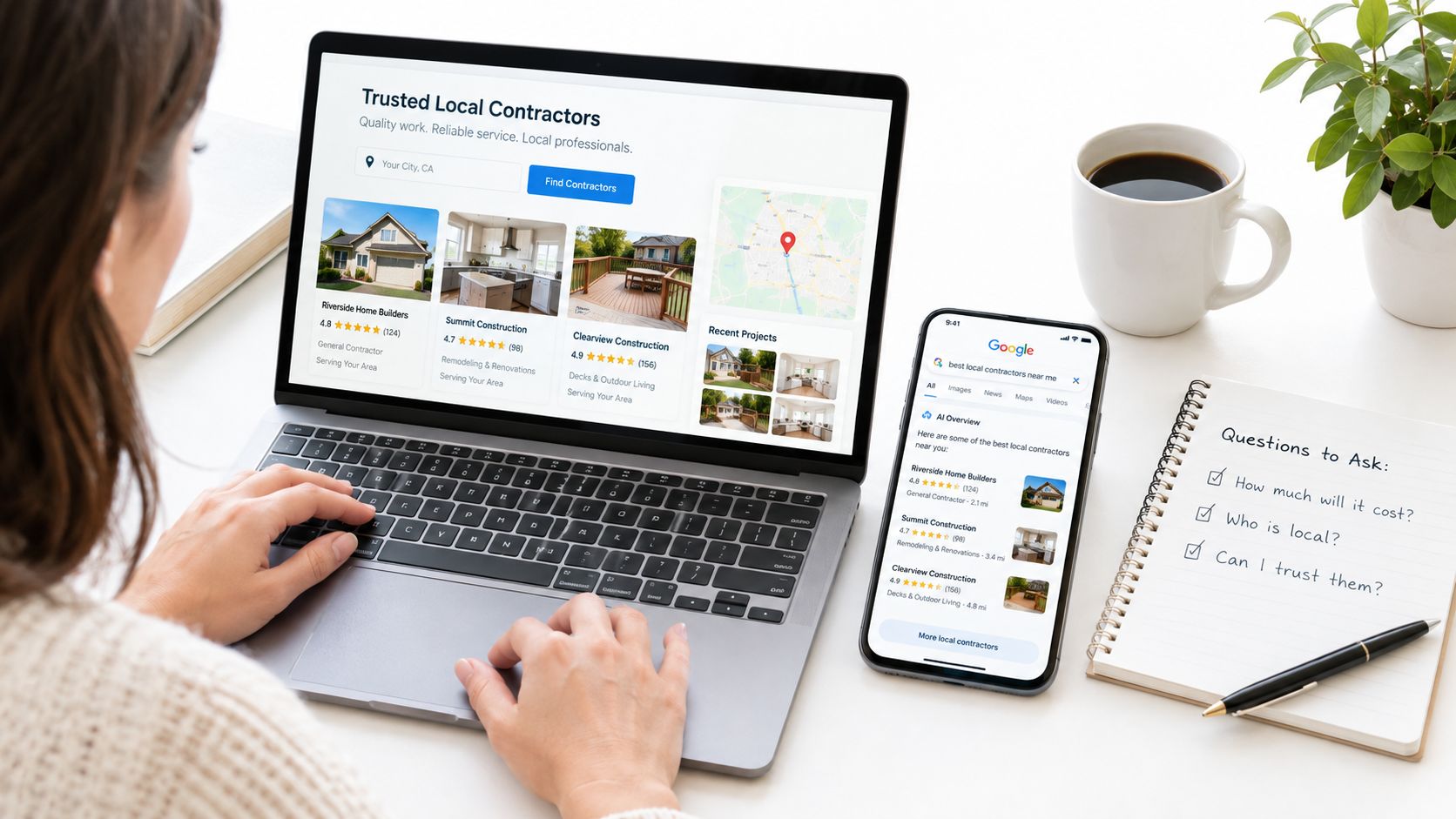
A homeowner who asks an AI tool for a contractor still needs evidence before calling. BrightLocal data cited in recent industry coverage reports that 45% of consumers used AI tools such as ChatGPT to find local businesses in 2026, compared with 6% the previous year, as covered in Elsner's contractor marketing notes.
AI visibility depends on clear, consistent details: the services you offer, the cities you serve, your license, real project evidence, reviews, and mentions on other sites. Keep those details aligned across your website and business listings. A strong service page should show the work, not just name the trade.
The short library worth writing
- One page per core service. Explain the homeowner's problem, your process, and three finished jobs. A roofing page without a roof on it reads like a brochure.
- A few service-area pages. Name real neighborhoods and constraints, such as historic districts or steep lots. Avoid swapping city names into a template.
- FAQ blocks. Answer questions about cost factors, timing, and the work your crew will not take on. “We don't patch a roof we would condemn” is more useful than a stuffed near-me paragraph.
- Social posts that prove the work. Share before-and-after photos, the crew on site, and a short owner answer. Link each post to the relevant service page.
Once a month, search for your trade and city in Google and a chat tool. Note any wrong services or cities, then correct the website, business profile, or directory listing responsible. Informational answers and clear service pages give search systems useful details to draw from. A near-me page with no project evidence gives homeowners little reason to trust it.
Mr. Green Marketing, LLC offers strategy-led support across web design, SEO, and GEO optimization. Contractors can also use the monthly search check themselves, following this guide to optimizing for AI search. The useful outcome is a corrected service detail or stronger project proof, not another ranking screenshot.
Measure Completed Jobs and Start This Week
Open five numbers every week. If a channel looks cheap on cost per lead and ugly on these, the channel is not cheap.
| Metric | Practical target | Where to read it |
|---|---|---|
| Median first response | Under 5 minutes | CRM timestamps |
| Connection rate | Missed calls get a text back the same day | Call tracking |
| Review response coverage | 100% of new reviews get a human reply | Google Business Profile |
| Booked-estimate rate | Beat the prior 30-day rate for that city | CRM stages by channel and city |
| Cost per completed job | Known by channel before you add spend | Ad cost plus closed revenue by source |
Compare a channel only after the same follow-up rules apply to every source. Allow for seasonality before you kill a campaign. A slow December is not the same failure as a slow office in June.
Attribution before you add spend
Put a tracking number on the profile, the site, and every ad. Record the source in the CRM. Match each completed job back to its first touch so revenue lands on the right channel. Without that match, the scoreboard is a trophy for whoever shouted last.
This week, do four things and nothing else.
- Verify the Business Profile and the phone number on the site. Call it yourself.
- Turn on call tracking into one inbox, including the after-hours line.
- Send the review link on the last three finished jobs, and log the job type.
- Write the emergency offer and the planned-work offer on two separate pages.
If the crew is multi-location, do that work once per city before you merge the reports. When the profile, the pages, and the five-minute rule are in place, add search ads. The next job is already being searched. Answer faster than the other truck.
Mr. Green Marketing, LLC builds the contractor stack this playbook depends on, from Google Business Profile and review workflows to conversion-focused sites, paid search, and GEO for AI answers. If your crew is buying clicks it can't answer, start with a free audit and a performance report instead of another campaign. Visit Mr. Green Marketing, LLC and ask for the gaps in map visibility, response time, and completed jobs.
Leave a Comment
sing in to post your comment or sign-up if you dont have any account.