
Your profile is claimed, the hours are right, the photos are current, and your rating sits at 4.6. The problem is the date on the last review. It's four months old, and three competitors down the street picked up a dozen new ones in the same stretch.
So you do what most owners do. You ask a happy customer at the counter to leave a review. They say yes, they mean it, and nothing shows up. Multiply that by twenty and you have a profile that looks like a business that stopped caring somewhere around March.
Getting more Google reviews isn't a persuasion problem. It's plumbing. The request has to reach the customer at the right moment, through a link that opens the review box, worded so nobody feels steered. And then it has to happen again next week, at every location, whether or not anyone remembers to ask.
Table of Contents
- How to Find Your Google Review Link and QR Code
- Google's Rules for Asking Customers Without Crossing the Line
- When and How Often to Send Review Requests
- What to Expect from Review Requests and Why Freshness Matters
- Track Review Quality and Answer Negative Feedback
How to Find Your Google Review Link and QR Code
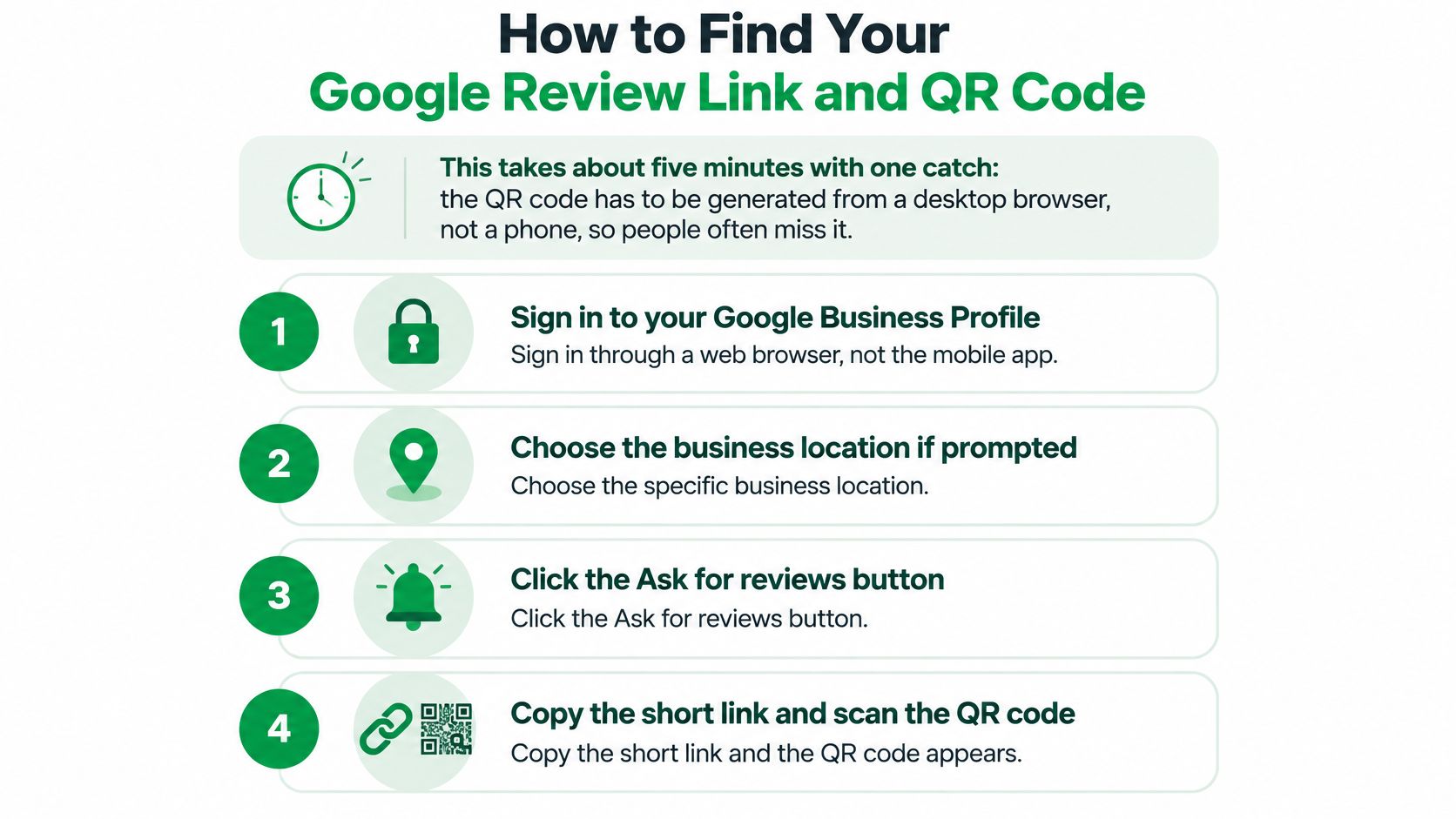
The setup takes about five minutes. There's one catch that trips up almost everyone: the QR code has to be generated from a desktop browser. Do it on your phone and the option isn't there, which is why so many owners give up and start telling customers to "just search us on Google." That instruction loses half the people who were willing thirty seconds earlier.
Here's the sequence, done from a computer.
- Sign in at business.google.com in a browser. Not the mobile app. Google's own help page on sharing a review link confirms the QR code step only renders in a desktop browser.
- Open the exact location you want reviews for. A five-site franchise has five separate links, and sending a customer to the wrong profile wastes the ask entirely.
- Choose Read reviews, then Get more reviews. This is the panel that holds both assets, the short link and the downloadable code.
- Copy the link, or right-click the QR image and save it. The link goes into emails, texts, invoice footers and SMS follow-ups. The QR goes on counter cards, table tents, receipts and the back of the work order.
- Test it on your own phone, signed out. Owners see a management view that customers never see. Open the link in a private window or hand your phone to a staff member and confirm the review box opens on your business, not a general search results page.
- Save both files in a shared folder, labelled by location. If the link lives in one person's inbox, the request stops the day that person takes a holiday.
A shared, direct link does two jobs at once. It removes the friction of hunting for your listing, and it keeps the request neutral, because every customer gets the identical destination with no one pre-screening the outcome. If you're placing that code anywhere physical, the QR code marketing strategy guide covers placement and sizing in more detail.
A five-minute checklist before you send anything
- Link opens on mobile: tested on a phone that isn't signed in as the owner.
- Saved per location: one folder, clear names, no version confusion.
- Staff know where it lives: the front desk and the field team can find it without asking you.
- Message written: one short neutral line, no requested wording, ready to paste.
That's the whole foundation. Everything after this is repetition.
Google's Rules for Asking Customers Without Crossing the Line
The most common mistake is a reward. "Leave us a five-star review and get 10% off your next visit." It feels generous, it's written on a chalkboard in thousands of shops, and it's the fastest way to lose reviews you already earned.
In the United States the line is now legal, not just a platform preference. The FTC's Consumer Reviews and Testimonials Rule took effect on October 21, 2024. It prohibits creating, buying or procuring fake reviews, including reviews from people who never experienced the business, and it specifically bans buying reviews conditioned on sentiment, such as paying only when the review is positive. Undisclosed insider reviews and certain review-suppression practices are covered too, and knowing violations can expose a business to civil penalties.
The exchange is simple. Honest feedback is allowed. Buying an outcome is not.
Google enforces its own version in parallel. Incentives offered in exchange for reviews count as fake engagement, and Google's contributor policies allow the company to remove reviews and restrict a profile, including temporary limits on receiving new reviews or unpublishing existing ones. A removed review is a small loss. A restricted profile in your busiest month is not.
| Topic | Allowed | Not allowed |
|---|---|---|
| Who you ask | Every eligible customer through the same process | Only customers you expect to give five stars |
| Message wording | Neutral invitation with the review link | Asking for specific keywords, staff names or a star rating |
| Incentives | Thanks with no reward attached | Discounts, gifts or prizes tied to posting a review |
| Where and how | Link on receipts, email or a printed QR code | Pressuring a customer to review on-site in front of staff |
| Negative feedback | Separate service recovery and an open invitation to leave any review | Discouraging critical reviews or asking for them to be changed |
| Customer data | Only the contact details needed to send the request | Requesting financial details, IDs or sensitive records |
Read the middle column back to yourself. Nothing in it is difficult. The reason businesses drift into the right-hand column is that the left column requires patience, and the right column produces a nice week.
The test I use on any template: if a customer would feel steered by the request, rewrite it. If a customer reading it would assume a five-star rating is expected, delete it and start again.
The neutral version reads like this: "Thanks for your business today. If you have a minute, an honest review helps other people decide. Here's the link." No star count, no keywords, no staff name, no deadline. Send it to everyone or send it to no one. Get that message right and it still lands on a profile that has to be worth the visit, which is where the broader work of local search optimization picks up.
When and How Often to Send Review Requests
Timing beats wording. A plain three-line message sent hours after the job finishes does more than a beautifully designed email that lands eleven days later, because by then the customer has stopped thinking about you.
The rule is a two-stage workflow, and it ends after stage two. Stage one goes out at the exact moment a genuine interaction finishes: delivery, payment, installation, or a support ticket marked resolved. Use the direct link or the QR code while the details are still fresh enough for the customer to describe them. Stage two is one short reminder through a channel the customer already uses, the same email thread or the same text number, a few days later. Then stop. A third message isn't persistence, it's noise, and it's the point where people start reporting messages as spam.
Google's guidance on asking for reviews sets the compliance frame around that workflow. The link and QR approach is explicitly supported. What isn't supported is offering anything in exchange, asking for particular wording or star ratings, pressing someone to review on-site, or selectively asking only the customers you expect to be delighted.
| Customer moment | Channel | Message | Timing |
|---|---|---|---|
| Service, delivery or payment complete | In person QR code, receipt or same email thread | Thanks plus the direct review link | Same day |
| No response to first request | Same channel the customer already uses | One short reminder with the same link | A few days later, then stop |
| Repeat customer | Email or text with existing consent | Brief neutral request, not after every visit | Spaced out rather than per visit |
| Complaint or service recovery | Direct contact from the owner or manager | Resolve the issue first; keep it separate from the review request | Before any review request is sent |
Build a rhythm instead of a campaign
Twenty reviews in one week looks like manipulation to Google and to any reader who checks the dates. It usually comes from a staff contest or a holiday push, and it produces a spike followed by four silent months. A steady trickle does more for you, and it's harder to fake, which is exactly why it works.
Give the front desk and the field team one neutral script. Put the link as a standard line on every invoice, or print it on a card that goes into the work order. Make the request a step in the job, not a favour someone remembers to do. Then run it every week at every location, mapped against the stages of your customer journey so nobody gets asked twice for the same visit.
To check the rhythm, compare each location's weekly count against its own baseline, never against another site. If one location suddenly jumps, pause new requests there and audit consent, eligibility and message wording before you resume. Track the funnel as requests sent, then link visits, then published reviews, split by channel, location and days since service. Test timing and phrasing with randomized splits if you want, but keep the underlying request equally available to every eligible customer. Google publishes no benchmark conversion rate for review requests, so treat anyone quoting one as a guess.
What to Expect from Review Requests and Why Freshness Matters
Set the expectation before you judge the process. Most customers won't review, and that's normal. BrightLocal's 2024 survey of 1,141 U.S. consumers found that 19% said they always left a review when prompted, up from 12% in 2023. That's the honest ceiling for a single well-timed ask: roughly one in five. Volume arrives through repetition across hundreds of customers, not through one clever message.
And Google is still where they look. The 2025 Local Consumer Review Survey found that 81% of consumers used Google to find reviews in 2025, down from 87% in 2023. The same survey shows why a headline number isn't enough: the share who trust online reviews as much as personal recommendations fell from 79% in 2020 to 42% in 2025.
Read that again. People are reading reviews more carefully and trusting them less. Which means a detailed, specific review carries more weight than a generic five-star line, and a profile full of old praise carries very little.
Freshness is the part most guides skip. Recent UK evidence cited by CGA by NIQ and Reputation, in a practical guide to Google reviews for UK businesses, found that 73% of surveyed consumers did not trust reviews older than three months to accurately describe a restaurant, pub or bar. That figure is specific to one category and one market, so don't lift it as a universal rule. The logic underneath it travels: a review describes the service at the moment it was written, not the service today.
So change the target you're chasing. Count reviews that arrived in the last ninety days at each location, not the lifetime total, and treat a shrinking recent count as the signal to restart the workflow. If you're also chasing the opposite problem, reviews that never appear at all, troubleshooting missing Google reviews is a separate job from getting more of them.
A single line I'd put in any owner's monthly report: how many reviews came in during the last 90 days, and what did those customers complain about?
Track Review Quality and Answer Negative Feedback
Chasing a perfect 5.0 is the wrong target, and the research is unusually clear about it. Northwestern's Spiegel Research Center found that purchase likelihood for a product with five reviews was 270% higher than for one with none, while the marginal benefit of additional reviews dropped off quickly after the first five. Its analysis also found purchase likelihood generally peaked around a 4.0 to 4.7 rating, not at an exact 5.0.
A handful of honest critical reviews is a feature. It signals that the rating is real.
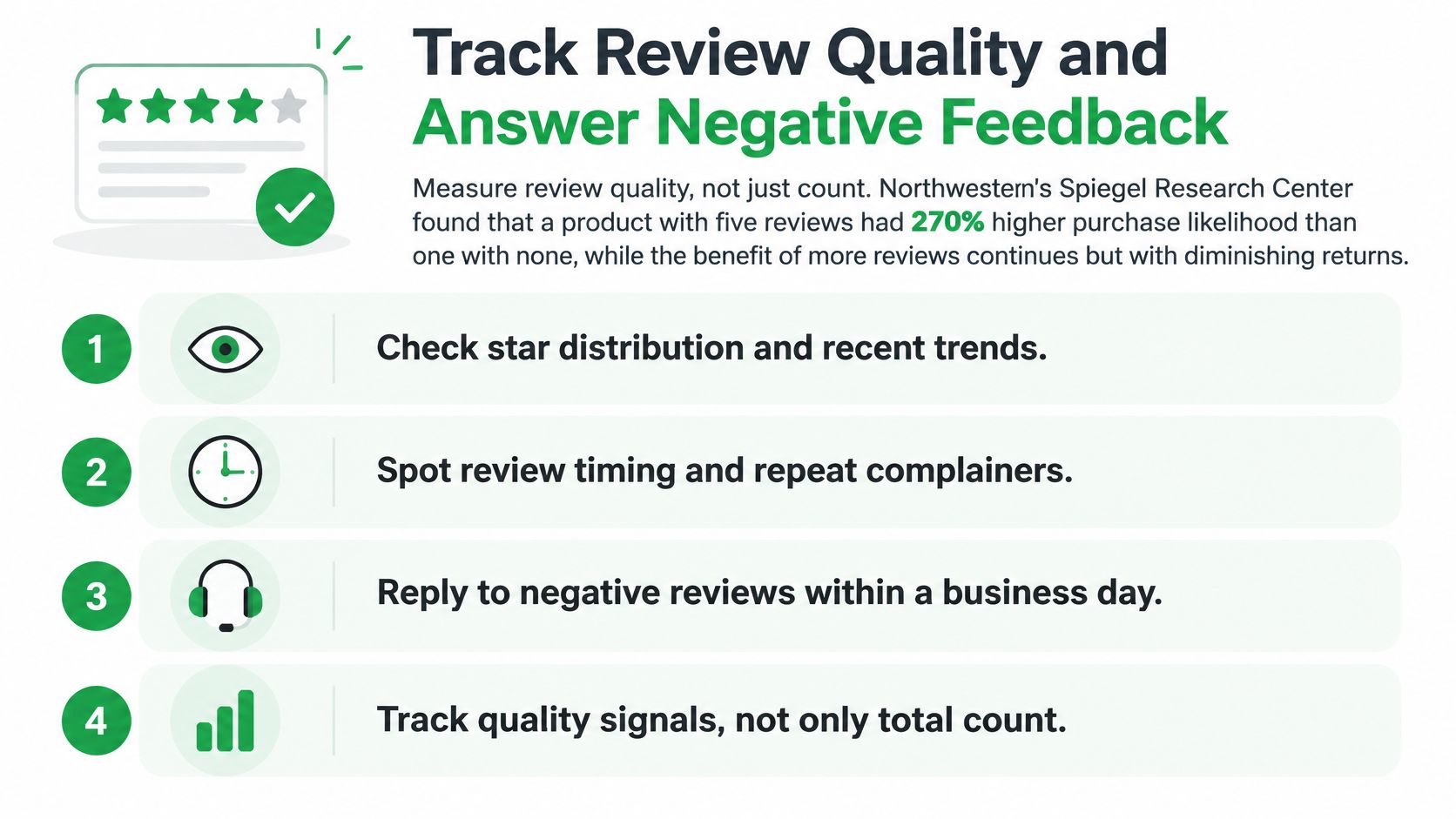
So measure the right things. Baseline each location on review count, average rating, median response time and review-to-lead rate, then prioritise the sites with low volume plus verified completed jobs. Report monthly by location, not as a company-wide number that hides your weakest branch.
| Metric | What it shows | How to read it |
|---|---|---|
| Review count per location | Volume compared with the location's own baseline | Focus effort on low-volume locations with verified completed service |
| Average rating | Overall trust signal | Aim for a believable 4.0 to 4.7 rather than chasing a perfect 5.0 |
| Rating distribution | Whether negative reviews are being published | A few honest critical reviews are normal and useful |
| Median response time | How quickly you answer reviews | Lower is better; watch the monthly trend |
| Review-to-lead rate | Whether reviews produce calls or form submissions | Compare month to month for each location |
Reply, and don't bargain with critics
Reply to everything, positive and critical, in a few sentences that reference what the customer described. Never offer to remove or revise a review in exchange for fixing a problem. That trade reads as extortion to everyone who scrolls past it later, and it isn't allowed. If you'd rather not write each reply from a blank page, this set of approaches to responding to negative Google reviews covers tone, structure and what to leave out.
Readers are watching for exactly this. A Reputation survey reported by Customer Experience Dive found that 85% of consumers said seeing whether a company responds to negative reviews was important in their purchase process, per 2024 findings.
If a review breaks a rule, report it. Google's policy on prohibited and restricted content is narrow: only reviews that violate content policies are eligible for removal, so document the violation, report it through the Business Profile and wait for the decision. Ordinary criticism isn't a violation, and treating it like one wastes your credibility.
One number to change your week: time from a negative review appearing to your public reply. Get that under one business day and it stops being a crisis.
Catching a problem before it lands on Google is cheaper than answering it there. That's the logic behind Mr. Green WiFi's satisfaction check-ins, which are triggered by a guest visit and can route a positive response toward a review site. For the Pieology franchises, that approach produced an average rating of 4.6 across 288 reviews, with 51 negative reviews intercepted before they were published.
Start with one location, not the whole estate
Pick the site with the lowest recent review volume and the highest number of verified completed jobs. Run the link plus the two-stage request there for four weeks. Then read the result against that location's own baseline: requests sent, link visits, published reviews, response time, and complaint themes. Roll it out to the second site only after you've watched the first one behave.
If the plumbing is what's failing, Mr. Green Marketing, LLC builds the systems that keep requests flowing without crossing a line: review-generation workflows that send requests by email or SMS after a purchase or service, plus the QR codes and printed assets that make leaving a review a two-tap job for the customer. Mr. Green WiFi goes a step further by checking in with guests at the visit itself, so a bad experience gets handled privately and a good one has a clear path to Google. Visit Mr. Green Marketing, LLC to request a free audit and see where your review flow is leaking.
Leave a Comment
sing in to post your comment or sign-up if you dont have any account.