
You've just asked a happy customer to leave a Google review. They tell you it's posted, you check your Business Profile, and nothing has changed. The customer can't find it publicly either, or you can see it only while signed in. Frustrating, yes. But it doesn't automatically mean the customer made a mistake or that Google has singled out your business.
When my Google reviews are not showing up, I treat the problem as a moderation and profile-diagnostics issue first. The useful question isn't “Why did my customer fail?” It's “What signal did Google see, and is the problem limited to one review or affecting the entire listing?”
Table of Contents
- Why Your Google Reviews Disappear
- Policy Triggers That Silently Filter Feedback
- Technical Delays and Profile Restrictions
- How to Recover Missing Reviews
- Building a Filter-Proof Review Strategy
- Protecting Your Local Search Reputation
Why Your Google Reviews Disappear
Google checks reviews before displaying them publicly. Its Business Profile guidance says legitimate reviews may take several days to appear because the platform screens submissions for policy compliance. A delay, therefore, is different from a permanent removal, even though both look identical from the business owner's dashboard. Google explains the review screening process and normal delays.
That distinction matters. A customer may have completed the submission correctly, but Google's systems still need to assess the wording, account activity, location, and broader contribution pattern. If the review passes, it can appear later. If it triggers a policy concern, Google may remove it instead of publishing it.
Practical rule: Don't ask the customer to rewrite and resubmit immediately. First establish whether the review is delayed, filtered, or attached to the wrong profile.
Start with a simple comparison. Ask the reviewer whether they can see the post from their own account, then check the public Business Profile in an incognito browser or while signed out. Look at the review count, rating total, and review list. A customer's confirmation proves that they attempted to publish, not that Google accepted the content for public display.
The timing and pattern provide useful clues:
- One new review is absent: A moderation queue or content filter is plausible.
- Several reviews disappeared together: Investigate a profile-level restriction, merge, or policy event.
- Reviews vanished after a listing change: Check whether Google recently merged or altered Business Profiles.
- Only reviews from one campaign are missing: Audit the request method and wording for repeated or coordinated signals.
Keep your broader local visibility work organized too. A review issue often appears alongside listing inconsistencies, duplicate profiles, or weak citation management, so an audit of your local SEO citations can reveal related problems.
Policy Triggers That Silently Filter Feedback
Google's filters are designed to protect the credibility of Maps, but they can catch legitimate feedback when a submission resembles spam or manipulation. The safest approach is to audit both the review itself and the way you requested it.
Google prohibits fake or misleading reviews, copied or stolen content, off-topic material, personal attacks, defamatory language, and review manipulation. It generally removes the entire post when one component violates policy, as explained in Google's Maps user-contributed content policy.
Audit the customer's experience
Ask whether the reviewer had a real interaction with the business and whether the review describes that specific location. A post written by an employee, owner, agency participant, or competitor creates an obvious authenticity problem. The same applies to a reviewer who never visited or purchased from the business.
Then inspect the wording. Copied text, repeated templates, promotional language, irrelevant commentary, personal attacks, and defamatory claims can all create filtering risk. A customer doesn't need polished marketing copy. Natural, first-hand detail is safer than language that sounds coached.
Audit your request process
Review request messages should invite honest feedback, not dictate the outcome. Avoid asking several customers to use the same sentence, paste identical phrasing, or mention a promotion. Don't offer a discount, gift, reimbursement, or other benefit in exchange for a review. Don't ask employees or business partners to participate.
The objective isn't to make every review positive. It's to make every request authentic, voluntary, and connected to a real customer experience.
A review can also look suspicious because of the surrounding activity. A sudden burst of similar submissions, requests sent through a public campaign, or several posts that share unusual phrasing may prompt additional scrutiny, even when customers are real. That doesn't prove wrongdoing, but it does justify a process audit.
Use third-party verification guidance as a reminder to separate customer identity, transaction evidence, and review content. Verification won't force Google to restore a post, but it helps you distinguish an authentic missing review from one that was never eligible for publication.
Technical Delays and Profile Restrictions
Not every missing review is a content problem. Google may temporarily disable user-generated content for a Business Profile or business category when it needs to protect businesses from abuse. It can also restrict review activity at the listing level when a location attracts harmful, irrelevant, or abnormal contributions. Google describes listing-level restrictions and temporary posting limits.
That changes the diagnosis. If one customer's post is missing, review the submission. If many customers report that they can't post, or if multiple existing reviews vanish together, investigate the profile itself.
Separate delay from a listing restriction
A normal moderation delay usually affects an individual submission. A profile restriction affects the location's ability to receive or display user-generated content. Google may apply short-term restrictions during a spike in offensive or off-topic activity. It may also apply longer restrictions to categories that attract persistent low-value contributions, including schools or government buildings.
Recent profile changes deserve special attention. Google says reviews from recently merged Business Profiles may take several days to appear across Search and Maps. A rebrand, relocation, duplicate cleanup, ownership change, or merge can therefore create a temporary mismatch between the review history and the visible listing.
| Pattern you see | More useful first check |
|---|---|
| One review is missing | Review timing, wording, and authenticity |
| Several reviews disappeared | Profile restriction or policy enforcement |
| Reviews changed after a merge | Business Profile synchronization |
| Customers can't submit reviews | Listing-level posting restriction |
| Review count and location look wrong | Duplicate or incorrect profile |
Don't respond to a profile-level problem by generating replacement reviews. That can add more activity to a listing already under scrutiny. Confirm the correct profile, document the pattern, and resolve the structural issue before asking more customers for feedback.
A broader Google Search visibility audit can help identify whether the review disappearance is part of a larger profile problem. Check the public listing, ownership access, location details, duplicates, and recent changes together. The profile is the unit of investigation, not just the individual review.
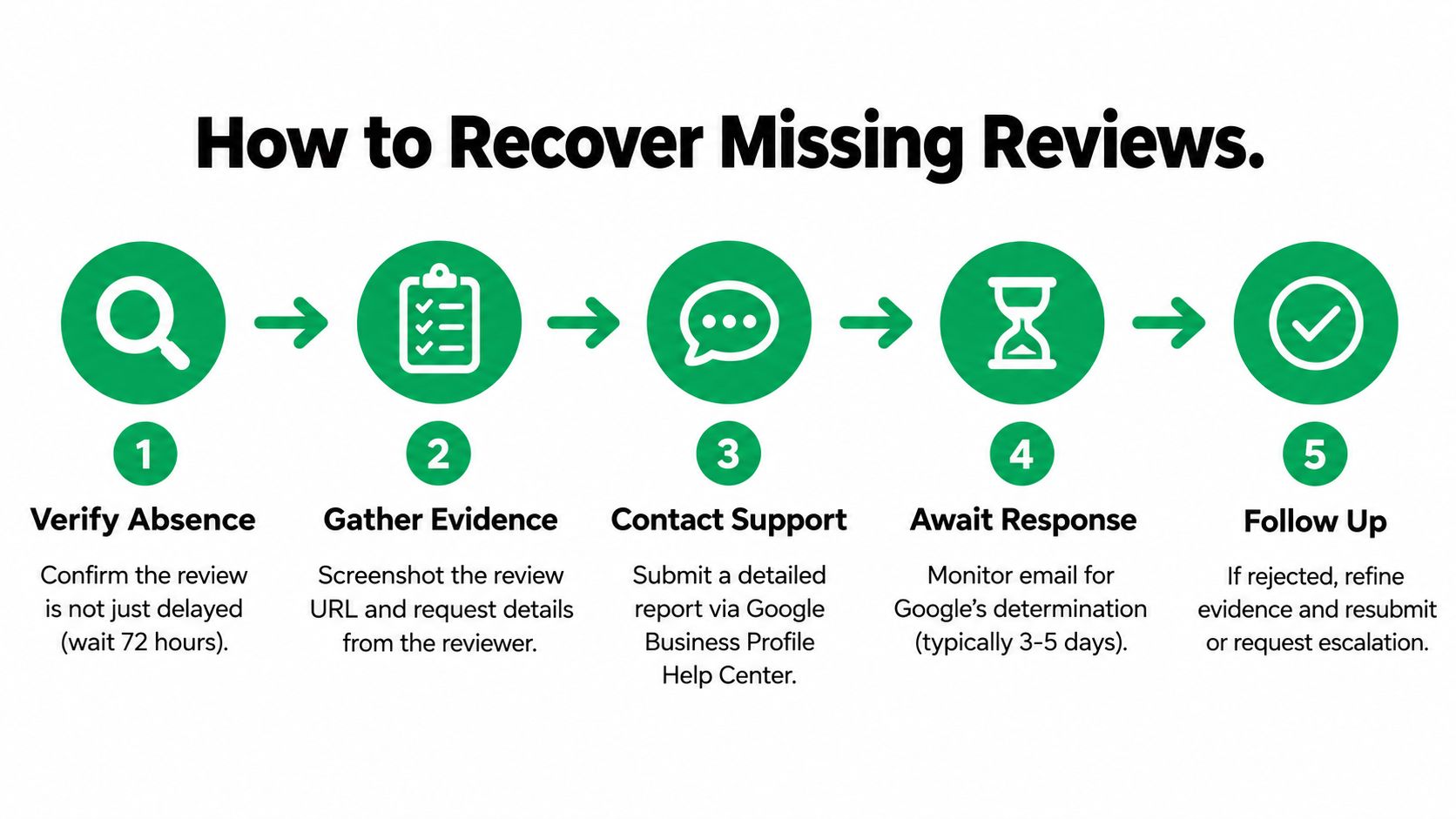
How to Recover Missing Reviews
Once you've confirmed that the review is genuinely absent, build an evidence file before contacting Google. “A customer says they posted” isn't enough for a useful investigation. Support needs a way to identify the correct profile, locate the missing contribution, and understand why you believe it was legitimate.
Google recommends reporting a missing review with details such as the Business Profile ID, number of missing reviews, timing, reviewer names, and screenshots when available. Google's Maps transparency guidance explains the information useful for disputed removals.
Step one, prove the review existed
Ask the reviewer for a screenshot of the submitted review or the email notification they received. Ideally, the image should show the reviewer's name, the review text, and enough interface context to connect it to Google Maps or the relevant Business Profile.
Record the exact date and time of submission. Capture the public profile URL, the reviewer's profile name, and the affected location. If the business has multiple locations, include the address and Business Profile ID so support doesn't investigate the wrong listing.
Step two, connect the review to a real transaction
Preserve evidence that the reviewer had a genuine interaction with the business. Depending on the business model, that may include a booking record, invoice, appointment confirmation, order record, or customer-service thread. Don't send unnecessary private information. Keep the evidence relevant and redact sensitive details where appropriate.
Your internal case file should include:
- Business Profile details: Profile ID, public URL, business name, and location.
- Review details: Reviewer name, text, submission timing, and screenshot.
- Customer relationship: Transaction, booking, visit, or service evidence.
- Policy check: Confirmation that the reviewer wasn't an employee, owner, competitor, or paid participant.
- Pattern evidence: Whether other reviews disappeared or customers also can't post.
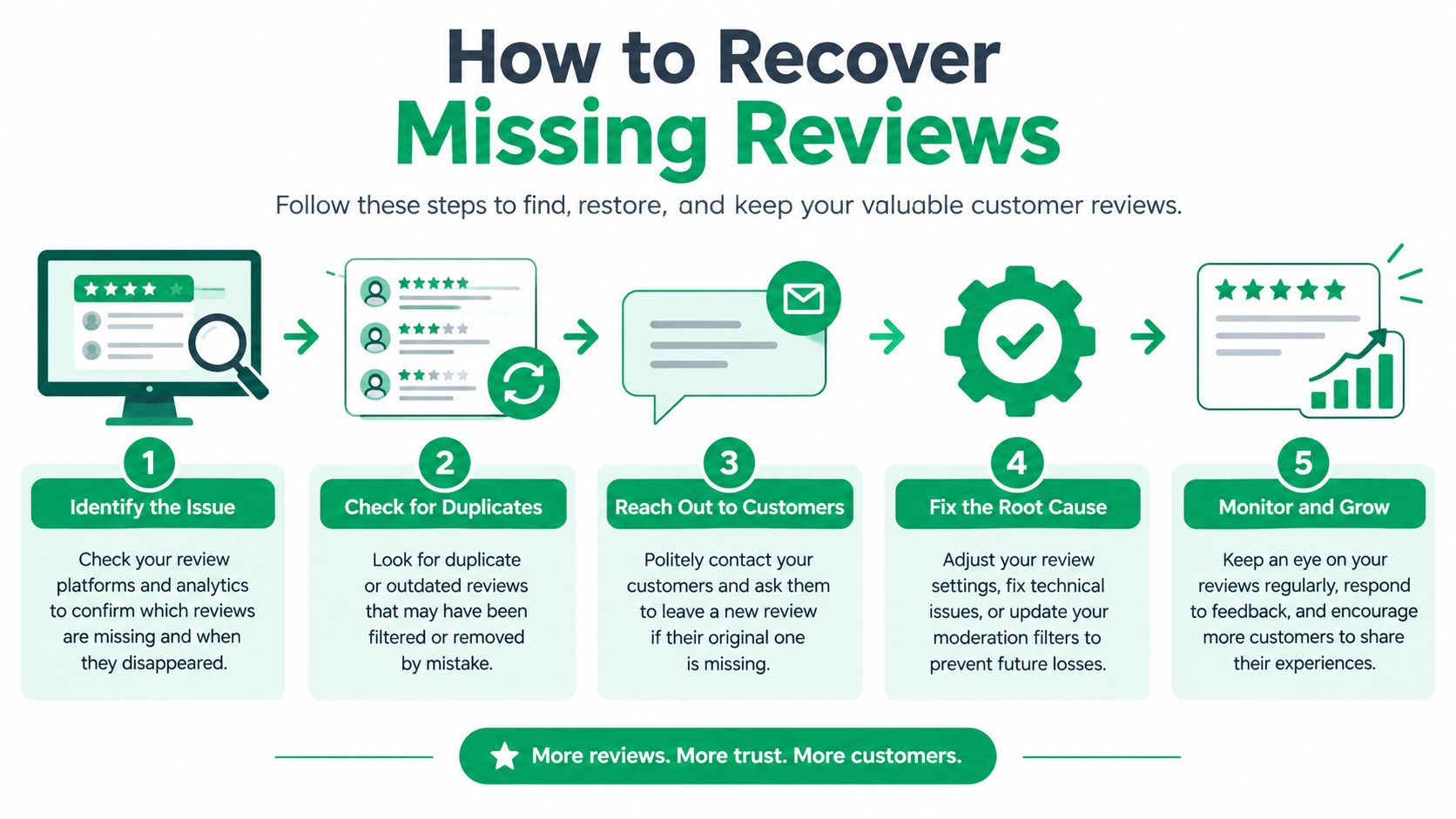
Step three, request investigation rather than replacement
Use Google Business Profile support and describe the issue as a missing or disputed review. State the facts plainly. Explain that the reviewer had a real customer interaction, identify the affected profile, list the missing contribution, and attach the available evidence.
Avoid emotional language, accusations, and repeated tickets that contain different explanations. Google's moderation is opaque, so you may not receive a detailed reason. A concise, consistent case gives support a better basis for checking the account and listing.
If the review violated policy, don't ask the customer to disguise it. If it was removed because of copied text, promotional content, or an incentive, creating a replacement review can deepen the problem. Fix the process, document the correction, and continue collecting feedback without manipulating the outcome.
For future requests, use a clear, location-specific Google review link and retain the request date. The link should make it easy for a real customer to reach the correct profile, not funnel unrelated people into a shared campaign.
Building a Filter-Proof Review Strategy
The strongest recovery strategy is prevention. You can't control every moderation decision, but you can remove avoidable signals that make genuine customer feedback look coordinated, promotional, or irrelevant.
Ask at a natural point in the customer relationship, such as after a completed appointment, delivery, installation, or resolved support interaction. The request should reference the customer's experience without scripting the answer. “Tell us how the visit went” is safer than “Please mention our fast service and leave five stars.”
A compliant workflow has several practical characteristics:
- Real customers only: Send requests to people with a genuine transaction or service interaction.
- Neutral language: Invite honest feedback without asking for a particular rating or sentiment.
- Original responses: Encourage customers to use their own words and describe the relevant location.
- No incentives: Don't exchange discounts, gifts, reimbursement, or other benefits for reviews.
- No internal participation: Exclude employees, owners, agencies, and other conflicted parties.
- Steady activity: Avoid broad blasts that create an unnatural burst of nearly identical submissions.
Quality beats volume because each review carries context. A detailed account of a real service experience gives prospective customers useful information, while a cluster of short, repetitive posts can look manufactured even when the underlying customers are genuine.
What works versus what creates risk
| Better practice | Riskier practice |
|---|---|
| Send a personal request after service | Send one mass message to an old customer list |
| Ask for an honest account | Ask for a five-star review |
| Use location-specific links | Reuse one public link across unrelated locations |
| Let customers write naturally | Provide a sentence to copy |
| Monitor missing posts | Assume every absent review is customer error |
Review management also includes responding professionally to published feedback. A measured response demonstrates that the business pays attention, while aggressive replies can create additional reputation and policy concerns. A structured social reputation management process keeps requests, responses, escalation, and evidence in one operational workflow.
Don't try to “beat” Google's filters. Build a process that remains defensible if a human reviewer examines it. That means authentic customers, neutral invitations, accurate profiles, and records that show how each review originated.
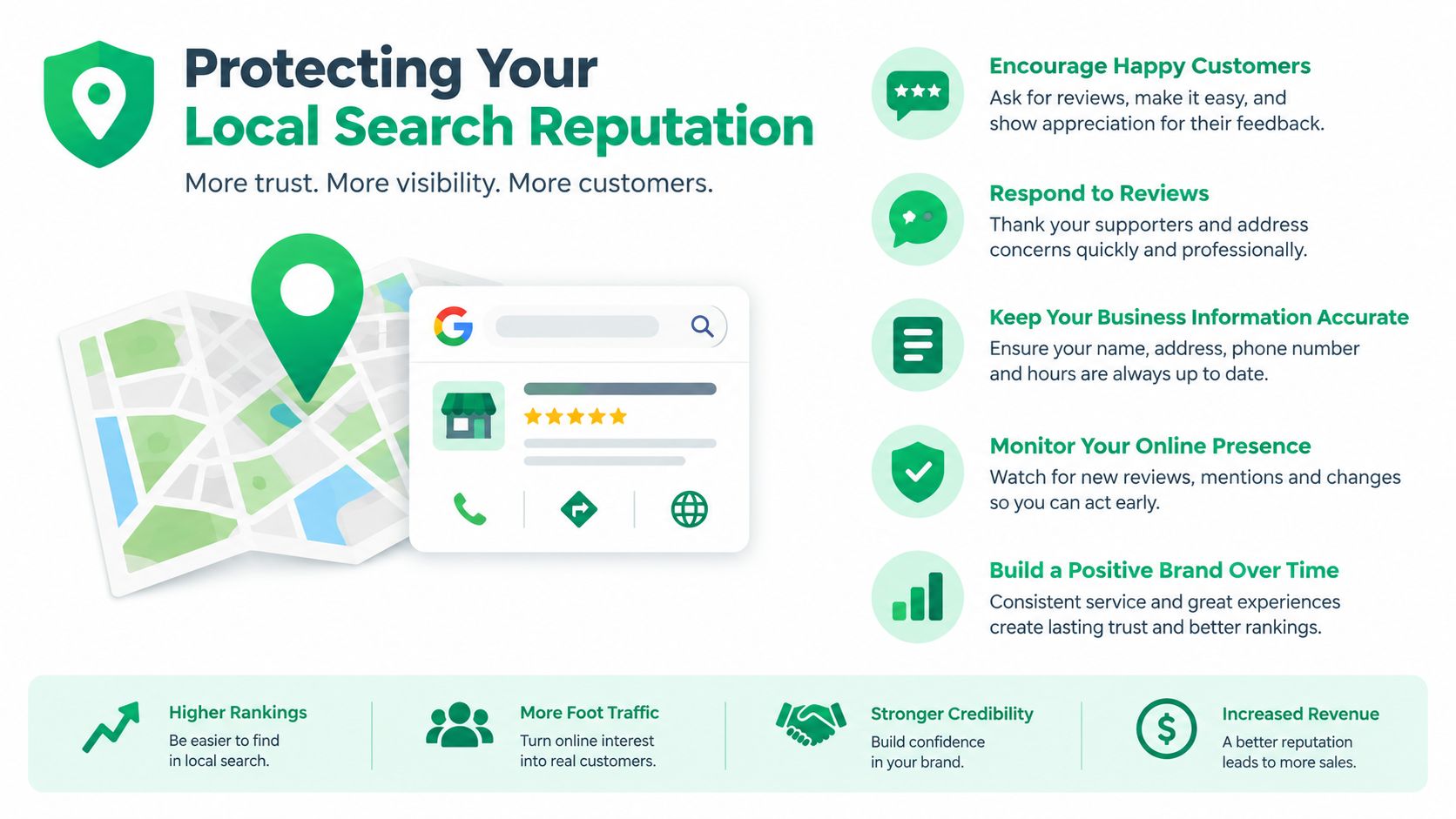
Protecting Your Local Search Reputation
A missing review deserves a calm diagnosis, not a panic campaign. Use this checklist whenever a customer says their feedback isn't visible:
- Confirm the absence: Check the public profile while signed out and ask the reviewer what they can see.
- Allow for processing: Google says legitimate reviews can take several days to appear during policy screening. Review Google's guidance on delayed and missing reviews.
- Check the pattern: One missing post suggests a submission issue. A group of missing posts may indicate a profile-level restriction or recent merge.
- Audit compliance: Look for copied wording, promotional content, conflicts of interest, irrelevant text, or incentives.
- Preserve evidence: Save screenshots, URLs, reviewer names, timestamps, profile identifiers, and transaction records.
- Contact support once with a complete case: Request an investigation instead of creating replacement reviews.
- Monitor the listing: Track future submissions, profile changes, duplicates, and customer reports that they can't post.
The useful mindset: A missing review is evidence about how Google interpreted the activity, not proof that your customer failed.
Ongoing monitoring matters because review visibility and listing health are connected. Keep ownership information current, watch for profile merges or duplicates, review unusual changes in customer activity, and maintain a neutral request process. When several reviews disappear at once, escalate the pattern as a possible profile issue rather than treating every customer as a separate failure.
If a review is merely delayed, patience is the correct response. If it never appears, the evidence framework above gives Google something concrete to investigate. And if the whole listing is affected, pause review generation until you understand the restriction and correct the underlying process.
Mr. Green Marketing, LLC helps businesses diagnose local visibility gaps, strengthen SEO and reputation workflows, and build practical systems for accurate review monitoring. Visit Mr. Green Marketing, LLC to request a free audit and performance report, then turn missing-review problems into a clear action plan.
Leave a Comment
sing in to post your comment or sign-up if you dont have any account.