
Why Is My Business Not Showing Up in Google Search? You search your business name. A competitor shows up. A directory page shows up. Maybe your Instagram profile shows up. But your actual business website, or your Google Business Profile, barely appears at all.
That’s usually the point where owners start asking the right question, even if they phrase it ten different ways: why is my business not showing up in google search?
I’ve seen this with local service companies, boutique retailers, professional firms, and multi-location brands. The pattern is familiar. The business is real, the offer is solid, customers exist, and yet Google either can’t understand the business clearly or doesn’t trust the signals it’s receiving.
The fix is rarely one magic tweak. It’s usually a stack of issues. Some are fast to correct. Others need a deeper audit. And some problems look like SEO issues when they are profile verification, indexing, duplicate listings, or site architecture problems.
Why Is My Business Not Showing Up in Google Search? Diagnosing Your Search Visibility Problem
The first diagnostic step is simple. Search for your exact business name, then search for your core service plus your city. Those are two very different tests.
If your business doesn’t appear for its own name, the issue is usually foundational. If it appears for branded searches but not for service searches, the problem is usually relevance, authority, or local optimization.
A lot of owners land here after a stressful moment. They’ve launched a new site, moved offices, changed phone numbers, or updated their Google listing. Then visibility dips and they assume Google penalized them. Sometimes that’s true. Often, it’s just a chain reaction caused by mismatched business data or a technical indexing block.
A practical framework is to sort the problem into six buckets:
- Profile problems. Your Google Business Profile isn’t claimed, verified, complete, or compliant.
- Citation conflicts. Your name, address, or phone number differs across your site, directories, and social profiles.
- Technical barriers. Google can’t crawl or index key pages because of noindex tags, robots rules, poor internal linking, or broken canonical signals.
- Content mismatch. Your pages don’t line up with what customers search.
- Penalty or trust issues. Manual actions, hacked pages, spammy backlinks, or thin content can suppress visibility.
- Local relevance gaps. You have a valid business, but weak location signals keep you out of Maps and local organic results.
One reason this issue feels confusing is that several of these can happen at once. And one weak point can drag the rest down.
If you want a second diagnostic lens before changing anything, this guide from Netco Design LLC is a useful outside reference: Fix: Why Is My Business Not Showing Up On Google?
Practical rule: Don’t start by rewriting your homepage. First confirm whether Google can trust, crawl, and connect your business across profile, website, and citations.
Why Is My Business Not Showing Up in Google Search: Quick Wins with Google Business Profile and Local Citations
For many small businesses, the fastest gains come from cleaning up Google Business Profile and the citation layer around it. Not glamorous. But it’s often the most impactful first hour.
Approximately 46% of all Google searches are local, yet over 80% of businesses fail to fully optimize their Google Business Profile, resulting in invisibility for local queries critical to small and medium-sized enterprises. That’s why profile hygiene comes first.
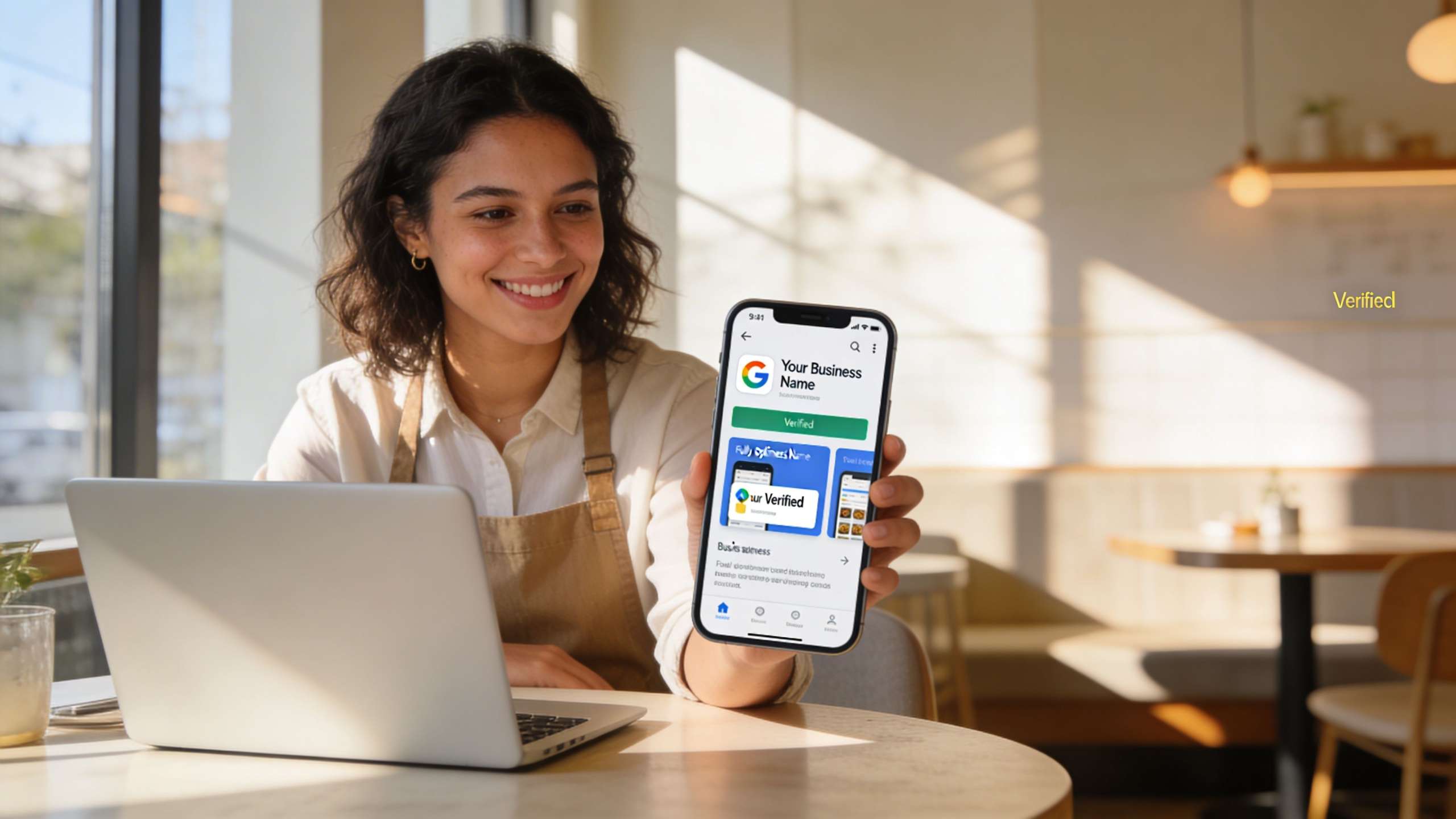
Claim and complete the profile first
Open your Google Business Profile dashboard and look for anything pending. Verification prompts, missing fields, suggested edits, category warnings. Those matter.
Start with the basics:
- Business name. Use your real-world name, not a stuffed version with extra keywords.
- Primary category. Pick the one that best describes the main service.
- Phone and address. Match your website exactly.
- Hours. Include regular hours and keep them current.
- Website URL. Send users to the most relevant page, often the homepage or a location page.
- Services and products. Fill these in if they apply to your business.
What works is completeness plus consistency. What doesn’t work is treating GBP like a set-it-and-forget-it listing.
Why Is My Business Not Showing Up in Google Search: Fix citation mismatches before building more
One of the most common audit findings is simple. The website footer has one phone number, Yelp has an old number, Facebook has an abbreviation variation, and a chamber directory still shows the previous address.
That’s enough to create trust friction.
Use a single master version of your NAP. Name, address, phone. Then compare it against your website, Google profile, Yelp, BBB, Facebook, Apple Maps, Bing Places, and major industry directories.
A quick way to stay organized is to keep a spreadsheet with these columns:
| Directory | Name | Address | Phone | Status |
|---|---|---|---|---|
| Google Business Profile | Exact match | Exact match | Exact match | Reviewed |
| Website footer | Exact match | Exact match | Exact match | Reviewed |
| Yelp | Check manually | Check manually | Check manually | Needs fix if different |
If you need a field-by-field prompt while doing this, Danny Avila’s Google Business Profile optimization checklist is a solid companion.
Reviews, photos, and activity matter
Once the profile is accurate, add proof that the business is active.
Upload fresh exterior and interior photos. Add staff or team photos if that fits your business. Publish updates when there’s something real to share, like a service launch, event, seasonal change, or offer.
Then ask happy customers for reviews in a normal, timely way. Not in a blast email to everyone you’ve ever met. Ask after a completed service, successful delivery, or positive support interaction.
A lot of local businesses improve visibility because they stop neglecting these signals.
For broader local marketing ideas tied to this work, it’s worth browsing A Guide to Local Business Online Marketing.
A short walkthrough helps if you’ve never edited the dashboard before:
Clean profiles win boringly. Correct category, matching NAP, current hours, real photos, and steady review flow. That’s usually more effective than clever tricks.
Why Is My Business Not Showing Up in Google Search: Performing a Technical Visibility Audit
Sometimes the business profile is fine and Google still won’t surface the website well. That’s when I stop looking at the listing and start checking the machine underneath it.
The goal of a technical visibility audit isn’t to impress anyone with jargon. It’s to answer one practical question. Can Google access, understand, and index the pages that should rank?
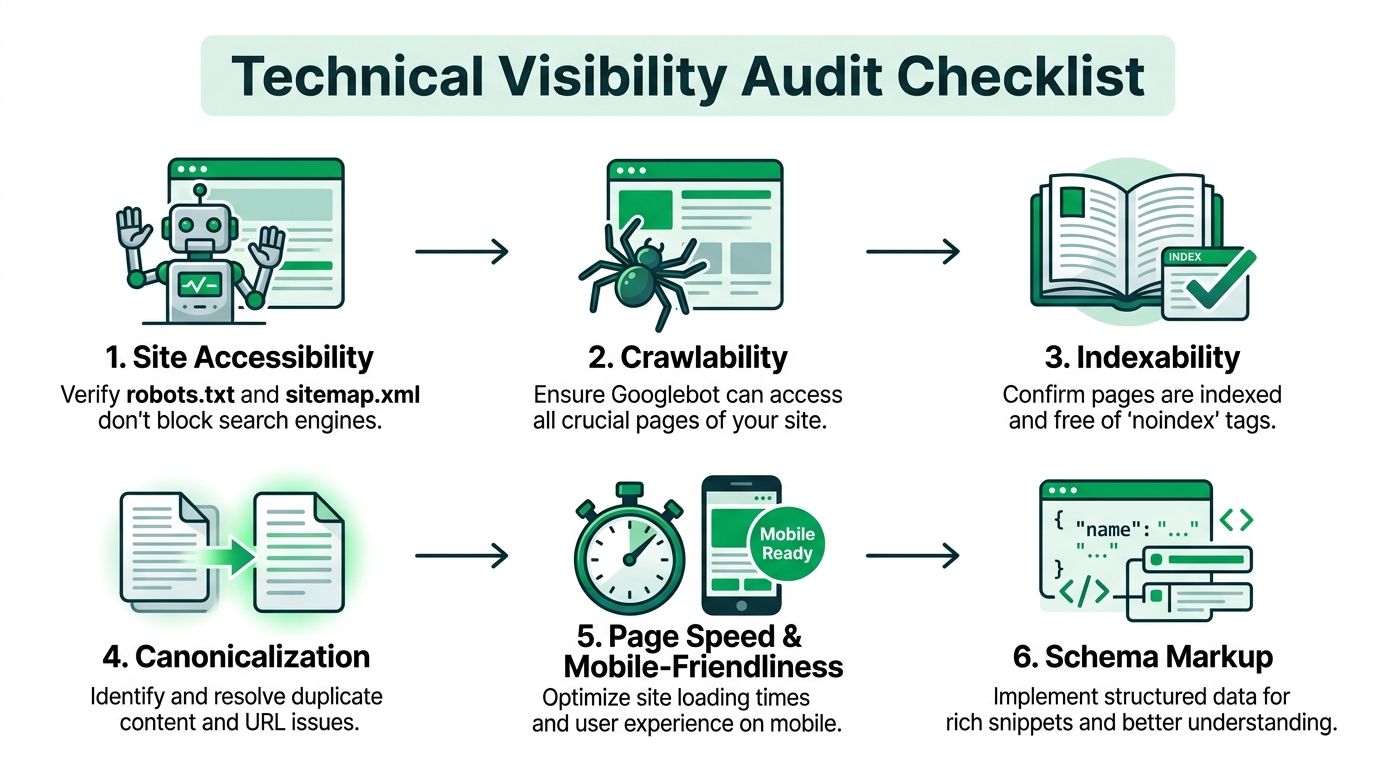
Start with the simplest checks
Before opening a dozen tools, run a few direct tests.
- Search your domain with a site query
Typesite:yourdomain.cominto Google. If very few pages appear, or none that matter, indexing is likely the issue. - Search for the exact page title
If a page exists but doesn’t appear, it may not be indexed or may be competing with another URL version. - Open Google Search Console
Check the indexing reports, page status, and any obvious exclusion reasons.
This first pass tells you whether you’re dealing with a page-level problem, a sitewide crawl issue, or weak relevance.
Why Is My Business Not Showing Up in Google Search: Check crawl blocks and indexing signals
A surprising number of sites hide from Google by accident. Redesigns, staging migrations, plugin settings, and template errors can all leave behind harmful instructions.
Look for these first:
- Robots.txt blocks. Make sure important sections aren’t being blocked.
- Noindex tags. These often get left on pages after development work.
- Canonical tags. Check whether important pages point to themselves or to the wrong URL.
- Sitemap issues. The XML sitemap should include live, indexable URLs, not junk pages or redirects.
Here’s how I prioritize findings during audits:
| Issue type | What it usually means | First action |
|---|---|---|
| Robots blocking key folders | Google can’t crawl important content | Review robots rules and remove accidental blocks |
| Noindex on service pages | Pages are intentionally excluded | Update page-level index settings |
| Canonical pointing elsewhere | Google is told another page is preferred | Correct canonical tags |
| Sitemap full of thin or broken URLs | Mixed signals and wasted crawl attention | Regenerate and resubmit the sitemap |
If you need a professional benchmark for what a structured audit covers, this page on Website SEO Audit Services is aligned with the same kind of checklist I’d expect in a proper review.
Inspect mobile usability and speed
A technically indexable site can still underperform because it’s frustrating to use. That’s where PageSpeed Insights, Chrome DevTools, and your own phone become useful.
Open your site on mobile and test like a customer would:
- Can you read the headline without pinching the screen?
- Are the tap targets easy to use?
- Does the main service page load cleanly?
- Is the phone number clickable?
- Do popups get in the way?
Then run PageSpeed Insights and look for obvious bottlenecks. Heavy hero images, bloated page builders, too many scripts, and poor font loading are common offenders.
A page doesn’t have to be perfect to rank. It does have to load reliably, render cleanly, and make the next step obvious.
Why Is My Business Not Showing Up in Google Search: Review internal linking and page hierarchy
One of the quieter technical failures is weak architecture. The pages exist, but nothing points to them clearly.
I see this often on small business sites with nice design and thin navigation. There’s one services page, a contact page, and a few blog posts. But the money pages aren’t internally linked well enough for Google to understand their importance.
Check these items:
- Navigation. Core services should be reachable from the main menu or a clear sub-menu.
- Footer links. Important location and contact pages should appear here.
- Contextual links. Blog posts and supporting pages should link to the relevant service pages naturally.
- URL structure. Keep it readable and consistent.
A practical example. If you offer SEO, PPC, and web design, don’t bury those under one vague “Solutions” page with minimal copy. Give each service a distinct page, then connect related articles and location pages back to those service URLs.
Schema and duplication checks
Structured data won’t rescue a weak site, but it can help Google understand the business more cleanly. For local businesses, LocalBusiness schema, organization details, and relevant service markup are worth reviewing.
Also check whether you have duplicate URL versions in play. Common cases include:
- HTTP and HTTPS versions
- www and non-www versions
- Trailing slash inconsistencies
- Printer-friendly or filtered URLs being indexed
Technical work is often where hidden blockers live. Not exciting. Very fixable, though.
Why Is My Business Not Showing Up in Google Search: Aligning Site Content with Target Keywords
A website can be crawlable, indexable, and still invisible for the searches that matter. That usually means the content isn’t aligned with the terms customers use.
Many businesses often stumble at this point. They write from the inside out. Industry language, internal labels, brand slogans. Customers search from the outside in. They type the problem, the service, the city, or the outcome they want.

Match pages to real search intent
Open your current pages and ask a blunt question. If someone lands here from Google, does the page answer the query they typed?
If the answer is fuzzy, the page probably isn’t tightly mapped.
A simple content mapping model looks like this:
| Search intent | Best page type | Common mistake |
|---|---|---|
| Branded search | Homepage or about page | Sending users to a generic directory profile instead |
| Core service search | Dedicated service page | Hiding the service under one broad page |
| Local service search | Location page or localized service page | Mentioning the city once in the footer and calling it done |
| Question-based search | FAQ or blog post | Forcing informational intent onto a sales page |
Google tries to match page format to user intent. If a person searches for a specific service, a vague homepage usually won’t compete well against a focused service page.
Rewrite weak titles and headings
You don’t need to stuff keywords into every line. You do need clear topical signals.
Look first at:
- Title tags
- H1 headings
- Intro paragraphs
- Image alt text where relevant
- Internal anchor text
A weak version might say “Solutions for Modern Growth.” That sounds polished and says almost nothing.
A stronger version says what the page is about in plain English. Think service, location, and benefit. Cleanly written. Not spammy.
If you’re auditing your page copy and need a straightforward companion resource, the post add keywords to website is useful for the mechanics of placing terms without overdoing it.
Why Is My Business Not Showing Up in Google Search: Build pages for gaps, not just for volume
One of the best content fixes is often structural. Not more blogging. Better coverage.
I’ve seen local service sites rely on a single “Services” page for everything they offer. That forces one URL to try ranking for several different intents. It rarely works well.
A better setup is:
- A focused page for each primary service
- A clear page for each major location, if location targeting is central to the business
- Supporting FAQ or blog content that answers pre-sale questions
- Strong internal links between them
Here’s what usually works versus what doesn’t:
Works
- One page per core service
- Specific copy that mirrors how customers search
- Subheadings that answer common objections
- Proof elements like reviews, photos, certifications, or process details
Doesn’t work
- Thin location pages spun from one template
- Keyword-stuffed titles
- Generic “welcome” copy with no service clarity
- Publishing blog posts while the service pages remain weak
If a page can’t answer “what do you do, where do you do it, and why should I trust you?” within a quick scan, it’s probably underbuilt.
Use customer language, not internal language
This point sounds minor until you audit actual sites. Businesses often label pages in a way customers never search for.
Law firms write “practice areas” when users search for legal help by issue. Contractors write “solutions” when customers search for roofing repair or kitchen remodels. Agencies write “growth partner” when buyers search for SEO agency, PPC management, or web design.
And yes, branding still matters. But ranking pages need language Google can connect to intent.
A good content pass is less about writing more. It’s about making the important pages unmistakably relevant.
Why Is My Business Not Showing Up in Google Search: Checking for Penalties and Manual Actions
Not every visibility drop is a penalty. In fact, most aren’t. But when rankings disappear suddenly, branded terms fall off, or indexed pages stop surfacing after being stable, it’s smart to rule this out early.
The first place to check is Google Search Console. Open the manual actions and security sections. If Google has flagged the site directly, you’ll see it there.
What a penalty looks like versus a normal drop
A normal ranking fluctuation usually looks uneven. A few pages slip. Some terms hold. Branded traffic stays intact.
A more serious trust issue often looks sharper:
- Key pages vanish from search
- Search snippets look wrong or hacked
- Google warns about security issues
- Traffic drops line up with obvious site changes or low-quality SEO work
That distinction matters because the response is different. You don’t submit reconsideration requests for ordinary underperformance. You fix relevance, content, or site quality instead.
Why Is My Business Not Showing Up in Google Search: Common causes worth checking
When I audit possible penalty cases, I look for a short list of repeat offenders.
- Unnatural backlink patterns. Paid links, junk directories, or sitewide anchor text abuse.
- Thin or duplicated pages. Especially large blocks of near-identical city or service pages.
- Hacked content. Spam pages, redirects, or injected content.
- Guideline violations on local profiles. Stuffed business names, fake locations, duplicate listings.
- Aggressive AI content publishing with no editorial control. Not because AI is automatically bad, but because low-quality pages pile up fast.
A useful way to think about it is this:
| Symptom | Likely type of issue | First move |
|---|---|---|
| Manual action notice in Search Console | Direct enforcement | Review notice and fix exactly what Google cites |
| Security warning or hacked pages | Site integrity issue | Clean the site, remove spam, secure access |
| Drop after low-quality link building | Algorithmic trust problem | Audit backlinks and stop harmful acquisition patterns |
| Large group of shallow pages not ranking | Quality issue | Consolidate, improve, or remove weak content |
What you can fix yourself
Some issues are manageable in-house, especially if the site is small.
You can usually handle these internally:
- Removing or improving thin pages
- Fixing hacked pages once access is restored and the site is cleaned
- Correcting spammy titles, duplicate content, or misleading structured data
- Cleaning up obvious local guideline violations on the business profile
What tends to need expert support is the messier stuff. Link profile cleanup, forensic security review, complicated reconsideration cases, or sites with years of layered SEO mistakes.
Don’t assume “penalty” because traffic dipped. Check Search Console first, compare the affected pages, and look for concrete evidence before taking drastic action.
Why Is My Business Not Showing Up in Google Search? Enhancing Local SEO with GEO Optimization
Once the basics are handled, local visibility usually improves through better GEO optimization. By that, I mean building stronger geographic relevance across your site, profile, and local signals so Google can connect your business to the places you serve.
This goes beyond listing your city once on the contact page.
84% of Google Business Profile users take action like visiting or calling after viewing a listing, but low optimization and review volume cause 65% of local businesses to rank outside the top 3 Map Pack positions. That’s why local SEO needs more than a claimed profile.
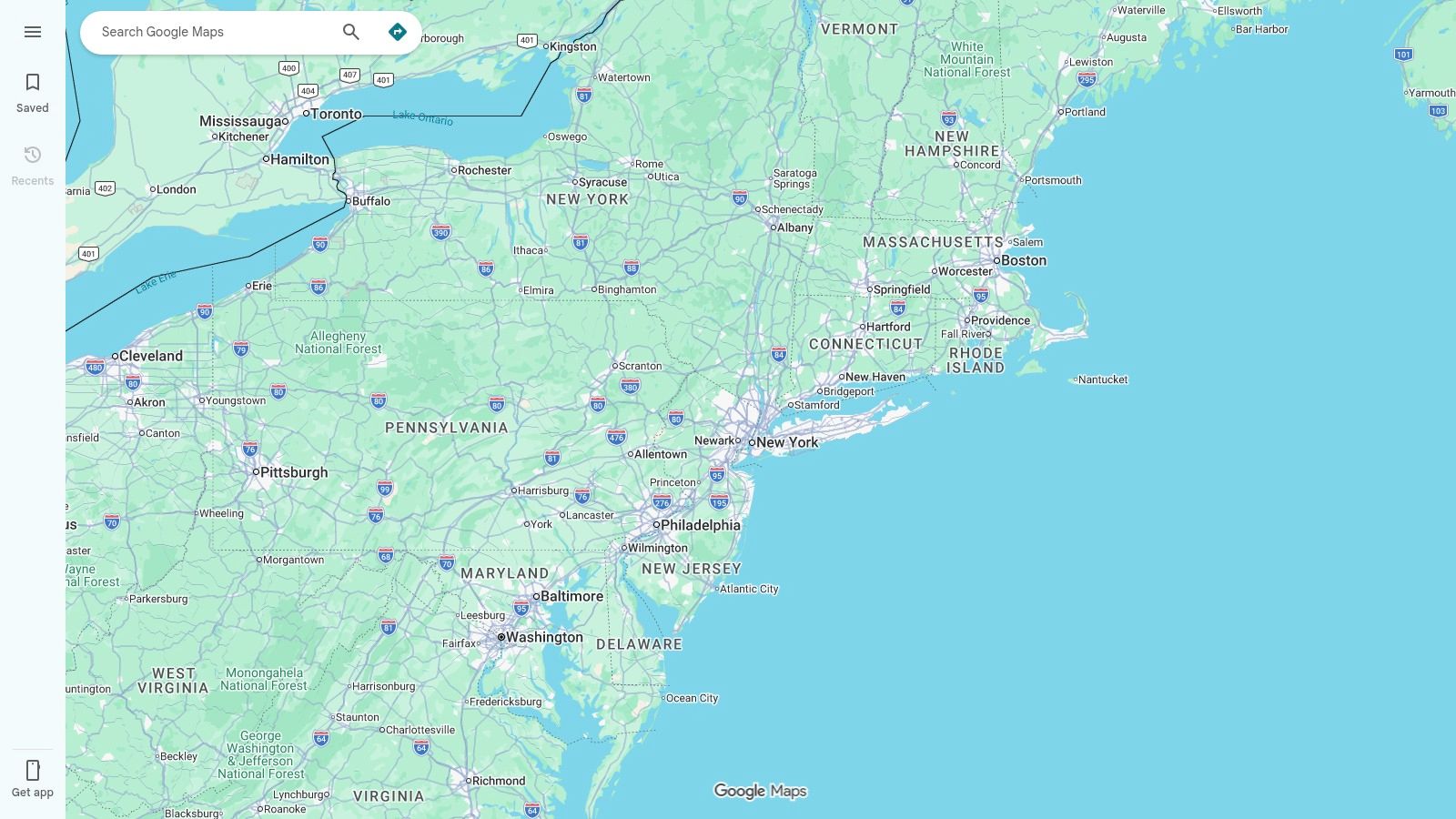
Build real location relevance on the site
If you serve one city, make that city unmistakable across the right pages. If you serve several areas, create pages that differ based on service realities, travel area, customer needs, and proof.
Good local pages usually include:
- The service and the place in the title and H1
- Useful details about how the service works in that market
- Photos, testimonials, or proof tied to that area when available
- Contact information that supports the location signal
- Internal links back to main service pages and related local pages
What fails is the usual template factory. Swap city names, repeat the same paragraph, publish twenty thin pages, then wonder why none of them rank.
Use local schema and entity signals
Structured data helps when it supports a clear site. It does not replace one.
For local businesses, review:
- LocalBusiness schema
- Organization details
- Address and contact details
- Opening hours
- Relevant service information
- SameAs links to major profiles when appropriate
The value here is clarity. Google gets a cleaner picture of the business and its location relationships.
Earn local links that make sense
Backlinks still matter, but local SEO rewards relevance over random volume.
Useful local link sources often include:
- Chambers and associations. Membership profiles can reinforce legitimacy.
- Community sponsorships. Local events, schools, nonprofits, or business groups.
- Industry partnerships. Manufacturers, vendors, or local referral partners.
- Local press and neighborhood publications. Especially when coverage is tied to a real announcement or contribution.
A boutique agency or service company often benefits more from a handful of credible local references than from a pile of generic SEO links.
Tune for Maps behavior and voice-style queries
Map visibility depends on relevance, proximity, and trust signals. You can’t control proximity, but you can improve the rest.
Strong local listings tend to have:
- Complete profile fields
- Review activity and responses
- Service details that align with search behavior
- Website pages that reinforce the same service-location combinations
- Clear business category choices
Voice-style searches often mirror natural language. Questions, urgent needs, nearby intent. So your page copy and FAQ sections should sound like something a customer would say, not just what your brand team likes.
The best GEO work feels obvious after you see it. Every signal points to the same truth about the business, where it operates, and what it’s known for.
Why Is My Business Not Showing Up in Google Search: Monitoring Progress and Next Steps with Expert Support
After fixes go live, most businesses make one of two mistakes. They either expect instant recovery, or they stop watching too soon.
Search visibility improves through feedback loops. Google recrawls pages, reprocesses site signals, reevaluates profile changes, and compares your business against competitors that are also moving. So the work isn’t finished when edits are published.
What to monitor every month
You don’t need an enterprise dashboard to track this well. A basic reporting rhythm in Google Search Console, Google Analytics, and your GBP dashboard is enough for most SMBs.
Watch these areas consistently:
- Indexing status. Are the right pages indexed, and are new pages being discovered?
- Search queries. Which branded and non-branded terms are gaining traction?
- Landing pages. Which service and location pages attract impressions and clicks?
- Profile activity. Calls, directions, website clicks, and listing visibility patterns.
- Lead quality. Not just volume. Are the right prospects finding you?
A simple monthly scorecard helps:
| Area | Healthy sign | Warning sign |
|---|---|---|
| Search Console indexing | Core pages indexed and stable | Important pages excluded or fluctuating |
| Organic landing pages | Service and location pages gaining impressions | Only branded traffic or irrelevant pages showing |
| GBP activity | Calls, clicks, and views trend in the right direction | Flat activity after profile cleanup |
| Lead flow | Better-fit inquiries | More traffic but poor-fit leads |
Set realistic timing expectations
This part matters because impatience causes bad decisions.
Google notes that new business rankings can take up to a month and profile changes require up to 3 days to appear, while combined re-verification delays when relocating can extend visibility recovery to 6 to 8 weeks. That means a business that changes address, updates branding, and edits profile details all at once may disappear longer than expected.
The practical lesson is simple. Don’t pile every major change into one chaotic week if you can help it.
If you’re relocating or rebranding, stage the work carefully:
- Confirm existing profile health first
- Prepare on-site updates before major profile edits
- Keep NAP changes synchronized
- Watch for re-verification prompts immediately
- Document what changed and when
That record helps you separate normal delay from a real issue.
Know when to bring in specialist help
Some visibility problems are straightforward. Others burn weeks because the root cause isn’t obvious.
Bring in expert support when:
- The site is indexed poorly and you can’t tell why
- You’ve changed business details and visibility collapsed
- There’s a manual action or security issue
- Rankings hold for branded terms only, despite strong pages
- You have multiple locations and inconsistent profiles
- Leads are falling even though traffic reports look stable
And sometimes the value isn’t just fixing the issue. It’s getting a prioritized sequence instead of trying ten things at once.
A smart search visibility process usually looks like this in practice:
- Stabilize the foundation. GBP, citations, indexing, and core service pages.
- Improve the architecture. Internal links, page targeting, content clarity.
- Strengthen local authority. Reviews, local links, localized content, schema.
- Monitor and adjust. Based on what improves visibility and lead quality.
That sequence saves time. This also keeps you from mistaking motion for progress.
If your business still isn’t showing up where it should, Mr. Green Marketing, LLC can help you sort the quick wins from the deeper issues. Their team offers audits, reporting, and hands-on support across local SEO, website optimization, PPC, and GEO strategy so you can fix the actual blockers instead of guessing.
Leave a Comment
sing in to post your comment or sign-up if you dont have any account.