
At 7:20 on a Tuesday morning, someone a few streets from your business searches for “coffee near me” or “dentist open today.” They may tap a familiar name to call or get directions, then head out without scrolling further. Local SEO helps your business appear in relevant searches by keeping its information clear and accurate wherever potential customers look.
Local SEO is the work of improving a business's visibility in geographically relevant search results, including Google Search and Google Maps. Many local searches don't name a place. “Plumber open now” or “dentist accepting new patients” can still signal local intent because the searcher is looking for a nearby option.
The task is broader than adding a city name to a page title. Customers may encounter your business in search results, on maps, or in other places they use to check practical details. Accurate information across those touchpoints helps them decide whether to call, visit, or keep looking.
Table of Contents
- What Local SEO Means in Plain Terms
- The Three Factors That Decide Local Rankings
- Why Local Searches Lead to Visits and Sales
- How Reviews and Profile Details Build Trust
- Where Customers Check Local Businesses Beyond Search
- Setting Up Location Data on Your Website
- Audit Your Local Presence Before You Spend
What Local SEO Means in Plain Terms
Think about a neighbourhood bakery. It will never be famous nationally, and it doesn't need to be. What it needs is to be the obvious answer when somebody two blocks away searches for a bakery at 8 a.m. with an empty stomach and twelve minutes to spare. Local SEO is the work of making that happen, using the same accurate information a customer would see if they walked in and asked.

For local queries, Google often shows a block of three map listings above the ordinary blue links. Each listing carries a pin, a rating, a distance and buttons for directions or a call. Owners call it the local pack. It takes up most of a phone screen, which is why being in it changes the day's takings and being below it usually doesn't.
Here's where people get confused. Many local searches never mention a place at all. "Plumber open now," "dentist accepting new patients," "car tyre fitting today" all carry location intent because Google already knows roughly where the searcher is standing. You don't need the words "near me" in a query for the query to be local.
The quick test for your own business: if your revenue arrives from people within a certain radius, whether they drive to you or you drive to them, local search is where those customers begin.
The misconception worth dispelling early is that local SEO means sprinkling a city name through your website copy. Google describes local ranking as a balance of relevance, distance and prominence, and says plainly that businesses cannot pay for a better organic local ranking (Google Business Profile help). Reviews, both how many you have and how they score, feed into that. The key asset isn't a keyword-stuffed page. It's the business data Google can see and trust, everywhere it looks.
Restaurants, retailers, clinics, trades, law firms, salons, gyms and anyone with a service area all depend on nearby customers. If that's you, the rest of this is your problem to solve, not somebody else's.
The Three Factors That Decide Local Rankings
Google names three factors for local results, and the useful question for each is simple. What does it measure, and what can you change about it?
| Factor | What It Measures | What You Control | Example |
|---|---|---|---|
| Relevance | How closely the profile matches what the searcher wants | Business categories, services, description and complete hours | A bakery that lists wedding cakes as a service appears for wedding cake searches |
| Distance | How far each result sits from the searcher or from a place named in the query | Address accuracy and service-area settings, since the building itself cannot move | A shop 2 km away is closer to the searcher than one 9 km away for the same query |
| Prominence | How well known the business is across the web | Reviews, links, directory listings and press mentions | A dental practice featured in a regional news story and listed in four industry directories outranks a rival with a thin web footprint |
Distance is the one that makes owners throw their hands up. You can't move the building, and you can't out-optimise geography. If the searcher is standing next to a competitor's door, that competitor has an advantage you cannot erase. What you can do is set your service area accurately, keep your address exact, and then compete hard on the two factors you do control. A business that ranks third by distance but first on relevance and prominence will still pull the call from anyone weighing two options.
Prominence is where most of the compounding happens. It's built from review signals, links from local sites, consistent directory mentions and any press coverage that ties your name to a place and a service. Citations, meaning your name, address and phone number listed across directories, are a plain example, and this guide to building and fixing local SEO citations covers how to keep them aligned when a suite number or phone line changes.
Two Plumbers, One Query
Say two plumbers both serve the same suburb. Both have websites. Search "emergency plumber" from a house between them, and plumber A appears in the map pack while plumber B sits below the fold.
Plumber A has the right primary category, a filled-out services list including burst pipes and same-day repairs, twelve recent reviews with replies, and listings in three trade directories that match exactly. Plumber B has a category set to "Contractor," four reviews from 2021, and a phone number that differs between the website and a directory. Nothing about the quality of their pipework decides that result. The data does.
Why Local Searches Lead to Visits and Sales
A homeowner with a burst pipe searches for help from the kitchen, bucket in hand. Three businesses appear. One is marked closed. Another has no visible phone number and unclear hours. The third shows that it is open, makes calling easy, and has information that matches what the homeowner needs.
The third listing is easier to act on. That is the practical value of local search: it connects someone with an immediate need to a nearby business, often while they are deciding where to go or whom to call.
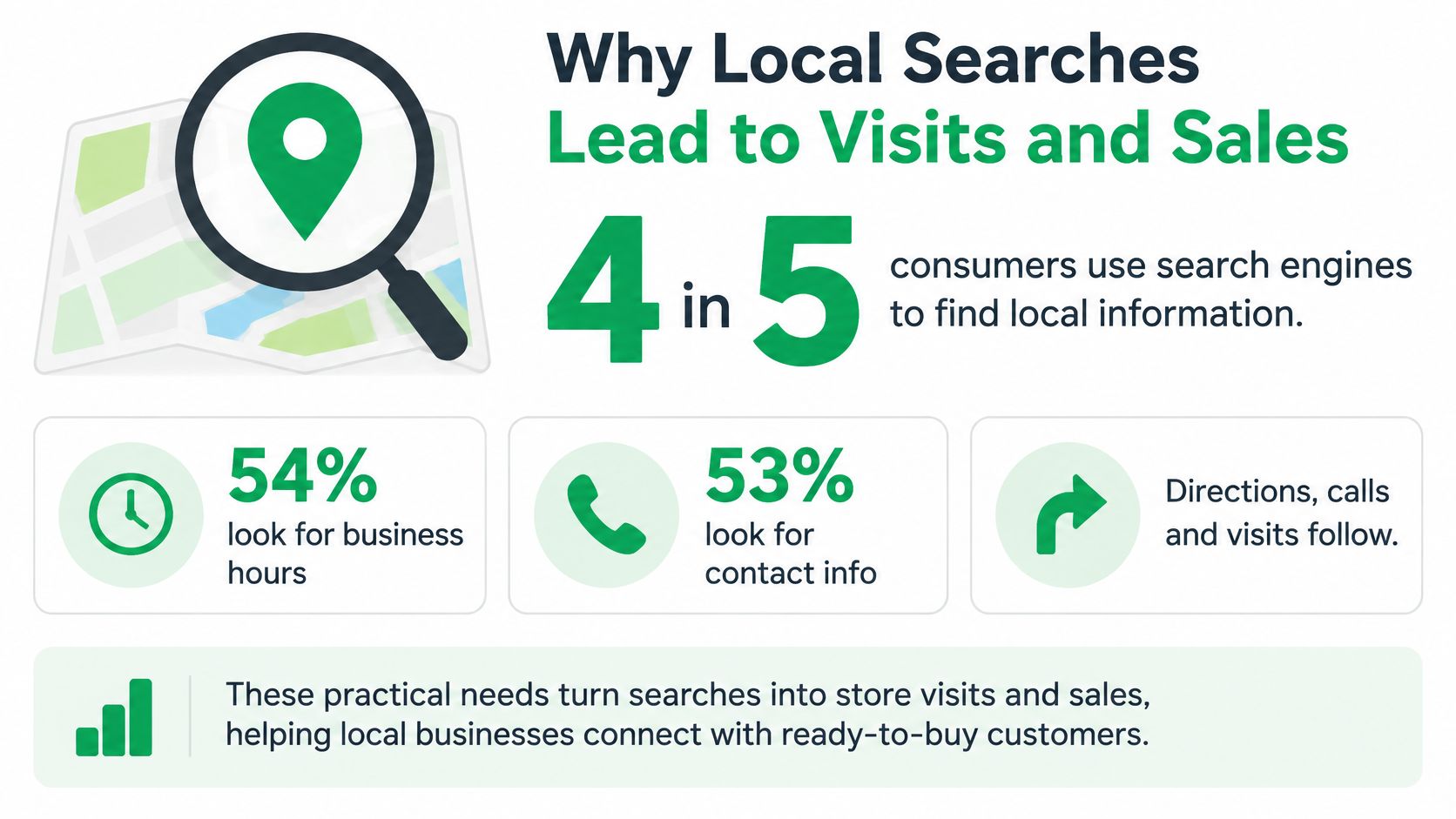
Google consumer research found that 4 in 5 consumers use search engines to find local information, including practical details such as hours, directions and addresses (Think with Google research on local search). A search for opening hours may determine whether someone sets off now. A request for directions can mean the visit is already being planned. A search for an address helps the customer get to the right place.
Local searches on smartphones can lead to visits and purchases much faster than non-local searches. The person is often looking for a solution they can act on now, rather than gathering ideas for later.
That makes accurate business information part of the customer's path to action. If the hours are wrong, the phone number is hard to find, or the address differs across listings, the customer has to pause and check. Each mismatch adds friction and may send them to a business whose details are clearer.
A local listing can make the next step obvious: call, get directions, check whether the business is open or visit in person. The website should continue that handoff, with contact details and useful service information easy to find. Local SEO can help a business appear for relevant searches, but it cannot guarantee a visit or sale. Clear, consistent information makes it easier for a ready customer to choose and act.
How Reviews and Profile Details Build Trust
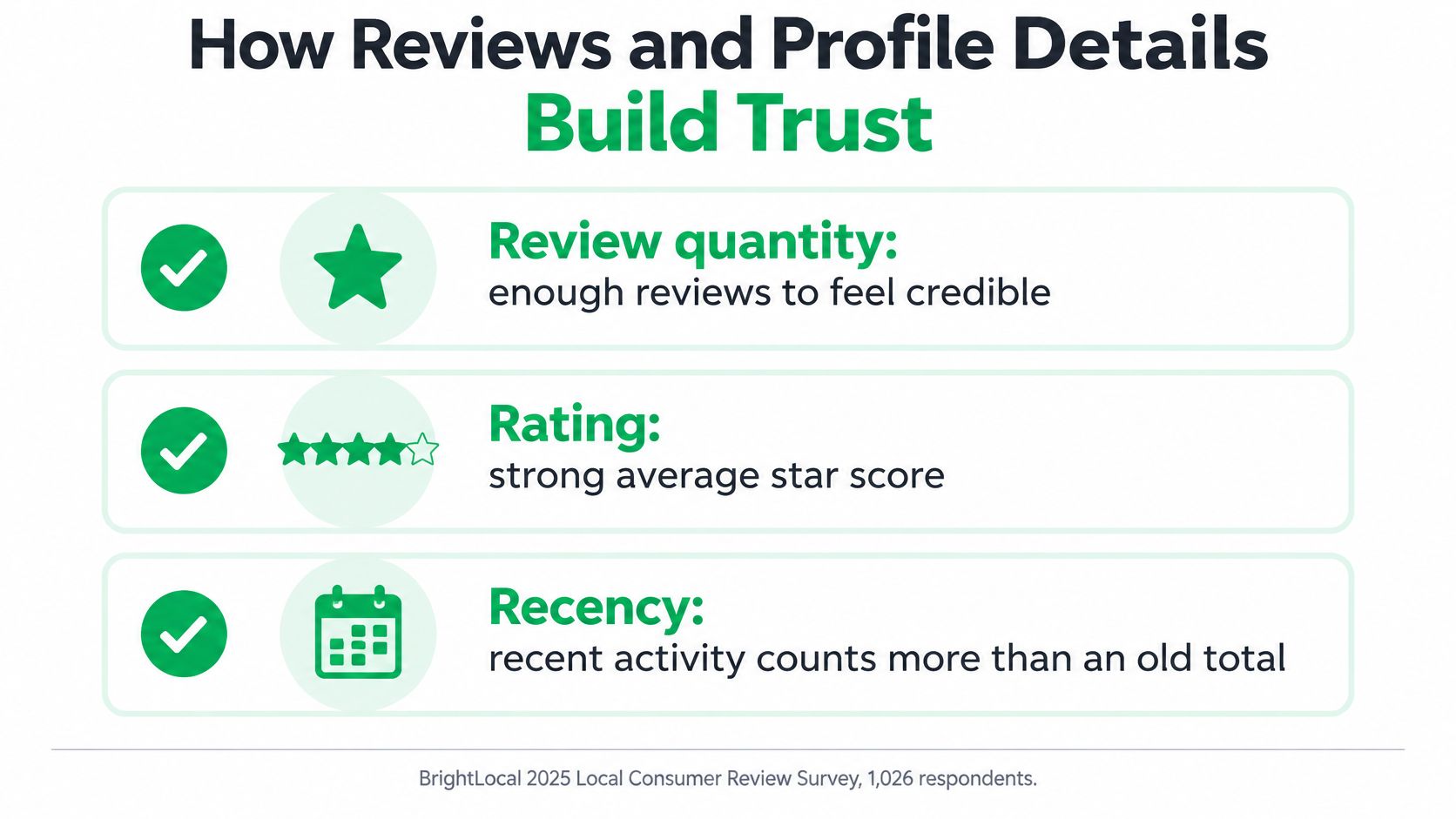
Reviews pull double duty in local search. They reassure the human deciding where to spend money, and they act as a ranking signal. BrightLocal's 2025 Local Consumer Review Survey, which polled a representative panel of 1,026 adults in the United States, examined how review rating, quantity and recency shape consumer decisions, and noted that those signals correlate with stronger local rankings.
Recency is the part most businesses ignore. A total of 80 reviews sounds impressive until a customer sorts by newest and finds the last one is from eighteen months ago, back when the previous owner ran the place. Steady recent activity says the business is alive and currently doing good work. A frozen archive says something else, whether or not that was the intent.
Actions You Can Take This Week
- Ask at the point of service. The moment a customer says "that was quicker than I expected" is the moment to hand over a review link. Not a week later by email.
- Reply to everything, including the review that stings. A calm, specific reply shows both the next customer and Google that someone is paying attention. Ignore the angry ones and the profile starts telling a one-sided story.
- Never buy or fake reviews. It breaks the platform's terms and it's obvious to readers when six five-star reviews arrive on the same afternoon from accounts with no history.
- Keep the request easy. A direct link to the review form removes the step where people give up, and this walkthrough of how to generate a Google review link covers the short version.
Then there's the profile itself, which is the cheapest relevance you'll ever buy. Set the primary category precisely and add the secondary ones that match real services. Fill in holiday and seasonal hours before the holiday, not after. Define service areas if you travel to customers. Add current photos rather than the same three from opening week. Answer the questions section, because anyone can post there and unanswered ones sit on your listing indefinitely.
Practical rule: every detail on your profile should be something a customer would want to know before turning up, and it should be true this month.
The survey's numbers are U.S.-focused, so treat the sample as a portrait of one market rather than a universal law. The mechanics it studies, that recent, credible, well-rated feedback helps both trust and visibility, travel well.
Where Customers Check Local Businesses Beyond Search
Here's the assumption worth challenging. Plenty of owners still think local discovery means Google's results page, full stop. It doesn't. BrightLocal's 2025 consumer search behaviour research found that 40% of surveyed U.S. consumers actively use generative AI within search, 20% conduct local searches directly in maps, and one in four Gen Z consumers uses social media as a primary local-search method. The same study found 85% consider contact information and opening hours important when researching a local business.
So a customer might ask an AI assistant for a dentist who takes evening appointments, check a map for distance, scroll a social profile for recent photos, read two reviews, then open your website. Five surfaces, one decision.
| Surface | What Customers Look For | What to Audit |
|---|---|---|
| Google Maps and business profile | Hours, phone number, directions and photos | Hours, categories, photos and service areas |
| Online directories | A consistent name, address and phone number | Matching name, address and phone across every listing |
| Social profiles | Recent posts, contact details and reviews | Bio details, website link and recent activity |
| AI-generated answers | Summaries of hours, services and reviews | Accurate business facts on the website and in listings |
| Business website | Full details, location pages and proof of trust | Location details, schedule, contact information and reviews |
The instinct when you see five surfaces is to produce more content for each one. Resist it. A plumber listed as "Smith Plumbing" on the website and "Smith Plumbing Co." with a different mobile number in a directory creates a small doubt at exactly the wrong moment. Two versions of your opening hours, one of them outdated, sends a customer to a competitor whose facts agree with themselves.
What to do instead of publishing another city page: pick one fact, such as your opening hours, and check it on every surface once a quarter. Then fix the mismatches you find.
That advice doesn't stop at search. Uberall's 2025 consumer report, based on 2,001 consumers in the United States, United Kingdom, France and Germany, found that 41.6% of consumers said they were most likely to check a business's website before visiting. The website is often the last stop before a decision, which is precisely why it has to carry the same facts as the profile. Social profiles belong in this loop too, and the same accuracy habit applies to Facebook search optimization when a customer lands there first.
Setting Up Location Data on Your Website
Structured data is code that labels your business facts so search engines can read them without guessing. Instead of hoping Google infers that your address belongs to a restaurant, you say so explicitly. Google's Local Business structured-data documentation sets the ground rules: define each location as its own LocalBusiness entity, use the most specific subtype available such as Restaurant, DaySpa or HealthClub, and include geographic coordinates through the geo property with precision to at least five decimal places.
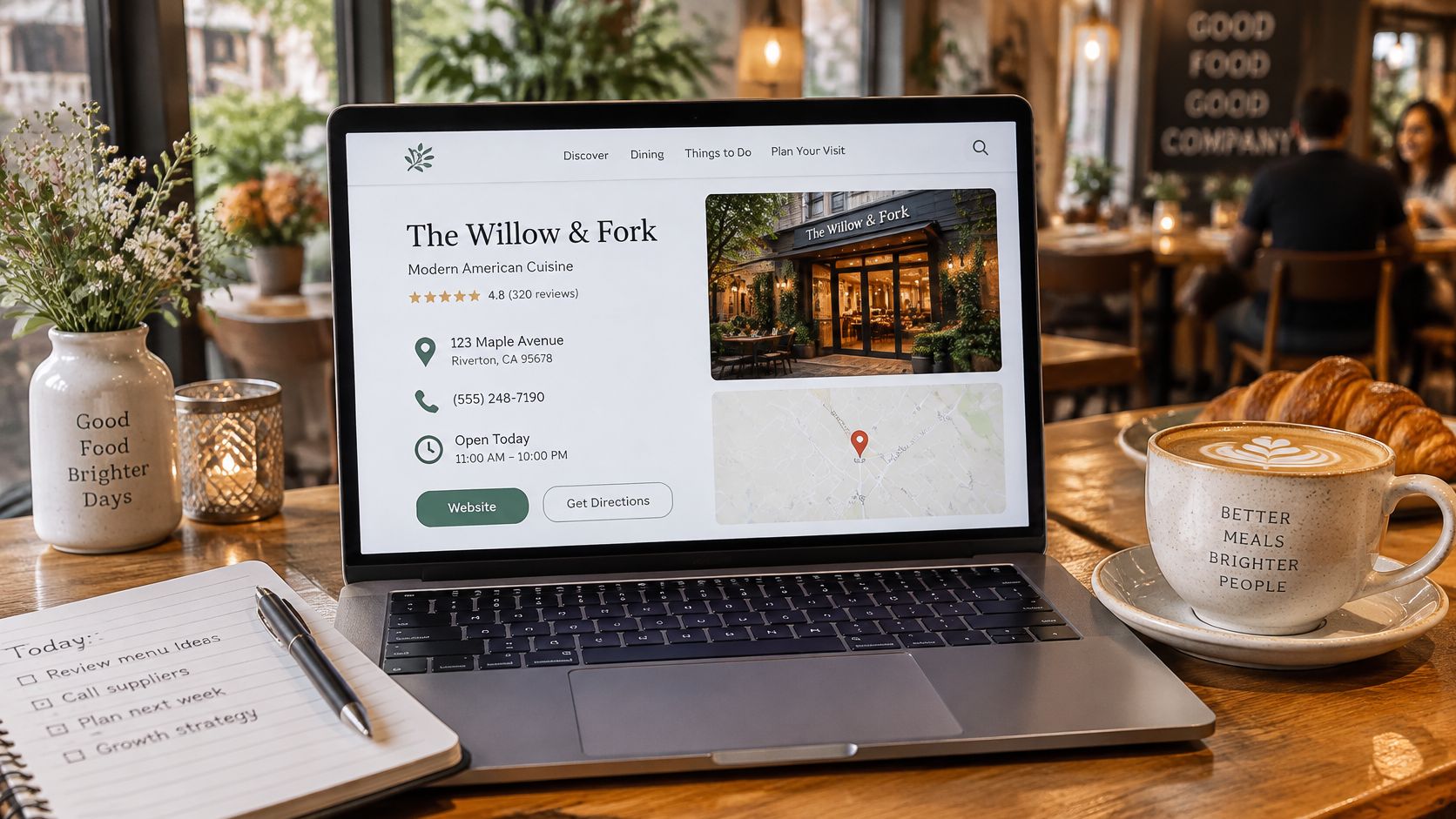
Two distinctions matter. Required properties decide whether your page is eligible for local-business rich results at all, while recommended properties help search engines interpret the entity more confidently. And the markup guarantees nothing. It's a permission slip, not a ranking button. A page missing required properties can be ruled out of those displays, though, which is the outcome you're trying to avoid.
The wider subject is covered in this guide to schema markup for SEO if you want the surrounding context.
The Five Steps
- Give each location its own page. Real address, real local phone number, real hours. A page that lists six branches in one block tells search engines very little about any of them.
- Choose the most specific schema subtype you qualify for. A restaurant is a Restaurant, not a generic LocalBusiness. Precision earns better matches.
- Add geo coordinates to at least five decimal places. Grab them from the map pin for the entrance, not the centre of the postcode.
- Complete every required property first, then the recommended ones. Required fields are the eligibility gate. Recommended fields like opening hours and price range do the interpretive work.
- Test the page and fix what breaks. Google's Rich Results Test reports errors and warnings. Clear the errors, then decide case by case whether the warnings matter.
If your site runs on a template, check that each location's page outputs its own markup rather than inheriting the head office address. That single mistake tells Google every branch is in the same building.
Audit Your Local Presence Before You Spend
You don't need a budget for the first pass. You need one afternoon, a laptop and a bit of honesty.
Start with the profile, because the gap is often bigger than owners expect. In 2025, only 35% of surveyed U.S. small and medium-sized businesses reported having a Google Business Profile, according to BrightLocal's SMB Marketing Report. If yours isn't claimed and verified, that's the fastest win available to you today.
A One Afternoon Check
- Confirm your Google Business Profile is claimed and verified. If you've moved or changed your phone number since setup, fix it now.
- Search your main service plus your town in Google Maps. Do it the way a customer would, on a phone, and note who sits above you and what their listings show that yours don't.
- Check your reviews by date. Note the most recent one and count how many arrived in the last three months. That answers the recency question faster than any dashboard.
- Verify categories, service areas and photos. Outdated photos of a previous shopfront are worse than no photos.
- Write down the three biggest gaps. Fix the ones that touch calls, hours and directions first, since those are the facts a ready-to-buy customer checks. For a longer version of this sequence in order, work through the local SEO audit checklist.
If you'd rather have a second pair of eyes on that list, Mr. Green Marketing, LLC offers a free audit you can request by entering your website, email and name in the form on the home page. And be clear about what you're getting. An audit shows you the gaps you can fix. It isn't a finished strategy, and nobody's audit, ours or anyone's, will rank you by Friday.
The work that follows is unglamorous. Correct data, recent reviews, real location pages, and a habit of checking that everything still agrees with itself. That's what local search rewards, because that's what customers are trying to find out.
Mr. Green Marketing, LLC runs local search programs built on the plain version of this work: claimed and complete profiles, matching business details across every directory, a review habit that keeps recent feedback arriving, and location pages with proper LocalBusiness schema. The team starts by listening, then maps a plan to the calls, bookings and visits you're trying to earn, and reports back against goals you set together. Request a free audit through the form at Mr. Green Marketing, LLC and you'll get a performance report showing where your visibility gaps sit and which fixes come first.
Leave a Comment
sing in to post your comment or sign-up if you dont have any account.