
On Page SEO Checklist: The most popular advice about on-page SEO is also the least useful: add a keyword to the title, repeat it throughout the copy, and wait for rankings. A page can contain the right phrase and still fail because its result looks unappealing, its content misses the searcher’s intent, its structure is confusing, or its mobile experience is frustrating.
A stronger on-page SEO checklist works as a prioritized audit sequence. Start with the search-result elements that can often be improved quickly, then inspect content relevance, page structure, media, internal links, structured data, performance, mobile usability, and user behavior. Technical fixes matter, but they shouldn’t distract you from obvious problems that users and search engines encounter before they ever reach the page.
Use the sequence page by page. Record the URL, identify the issue, assign a priority and owner, make one focused change at a time, and compare the result with the original baseline. Quick wins come first. Deeper work follows when the page deserves investment or when measurement shows that the fundamentals aren’t enough.
On Page SEO Checklist: Table of Contents
- 1. Title Tag Optimization
- 2. Meta Description Crafting
- 3. Header Tag Structure and Hierarchy
- 4. Keyword Integration and Natural Language Placement
- 5. Image Optimization with Alt Text and File Names
- 6. Internal Linking Strategy and Anchor Text
- 7. Content Depth, Length, and Topical Coverage
- 8. Schema Markup and Structured Data Implementation
- 9. Page Speed and Mobile-First Optimization
- 10. User Experience Signals and Click-Through Rate Optimization
- 10-Point On-Page SEO Comparison
- Turn the Checklist Into a Repeatable Audit
1. On Page SEO Checklist: Title Tag Optimization
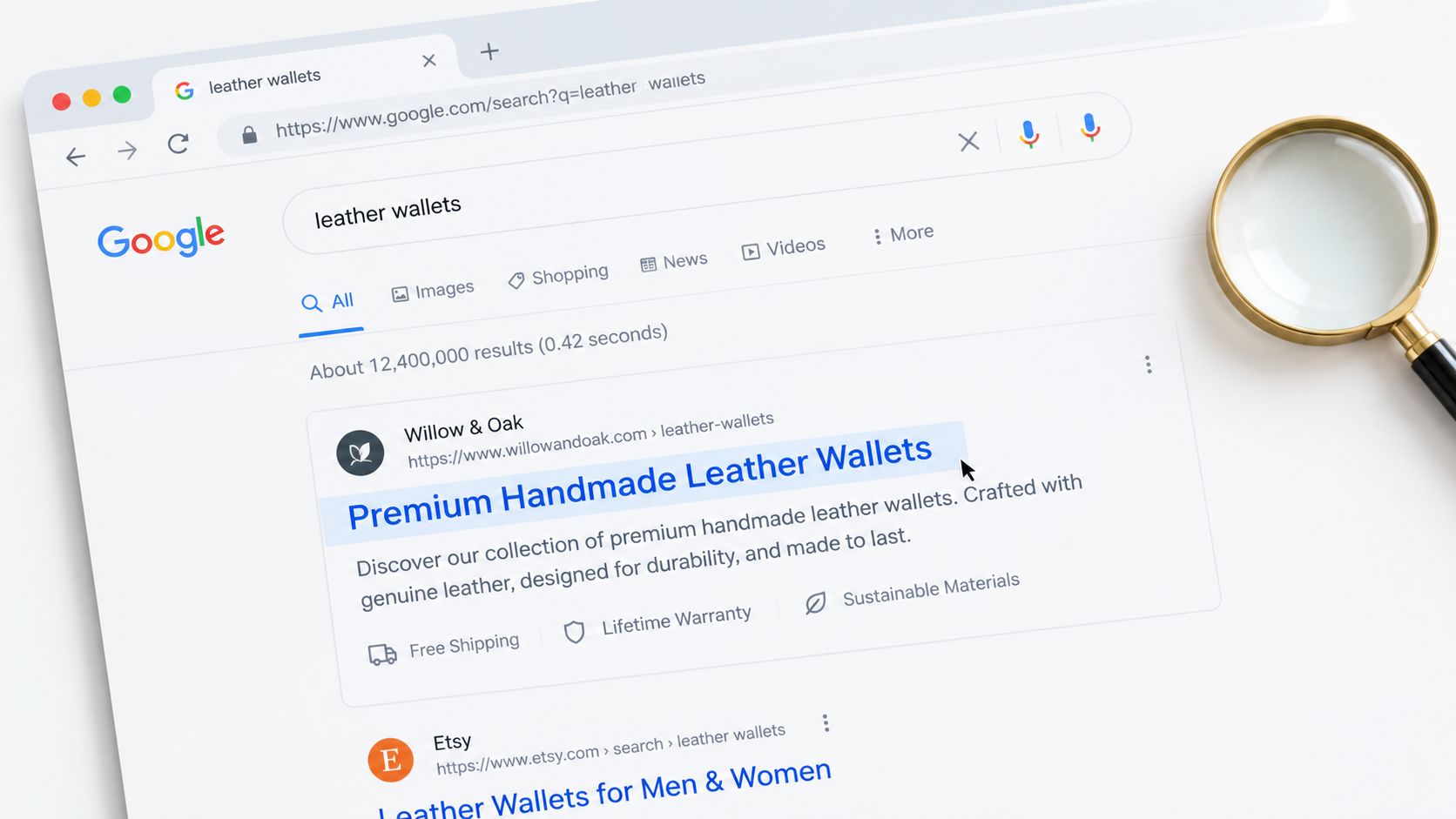
Your title tag is the clearest search-result signal you control. It appears in the browser tab and may appear as the clickable headline in Google, so it needs to explain the page accurately while giving the searcher a reason to choose it.
Put the main topic near the beginning when that reads naturally. A product page might use “Premium Handmade Leather Wallets | Free Shipping Over $50”. A local service page could use “Emergency Plumbing in Denver | 24/7 Service | Mr. Green Marketing Partner”. A software page might say “Project Management Software for Remote Teams | Free 14-Day Trial.”
These examples work because each title identifies the subject and adds a relevant differentiator. None needs a string of repeated keywords.
What to verify
- Uniqueness: Make sure every important page has a distinct title. Duplicate titles make it harder for users and search engines to distinguish page purposes.
- Accuracy: Confirm that the title describes what the page delivers. A benefit that appears only in the title creates a poor landing experience.
- Brand placement: Add the brand at the end when space and readability allow it.
- Search intent: Match the wording to the query. “Emergency plumbing” and “plumbing maintenance guide” serve different needs.
- Search performance: Use Google Search Console to compare impressions, clicks, and click-through rate after meaningful title changes.
Google’s SEO Starter Guide emphasizes that users should understand a page’s topic from signals such as titles, headings, and structured content. That makes title editing more than a copywriting exercise. It’s the first part of the page’s relevance and conversion path.
2. On Page SEO Checklist: Meta Description Crafting
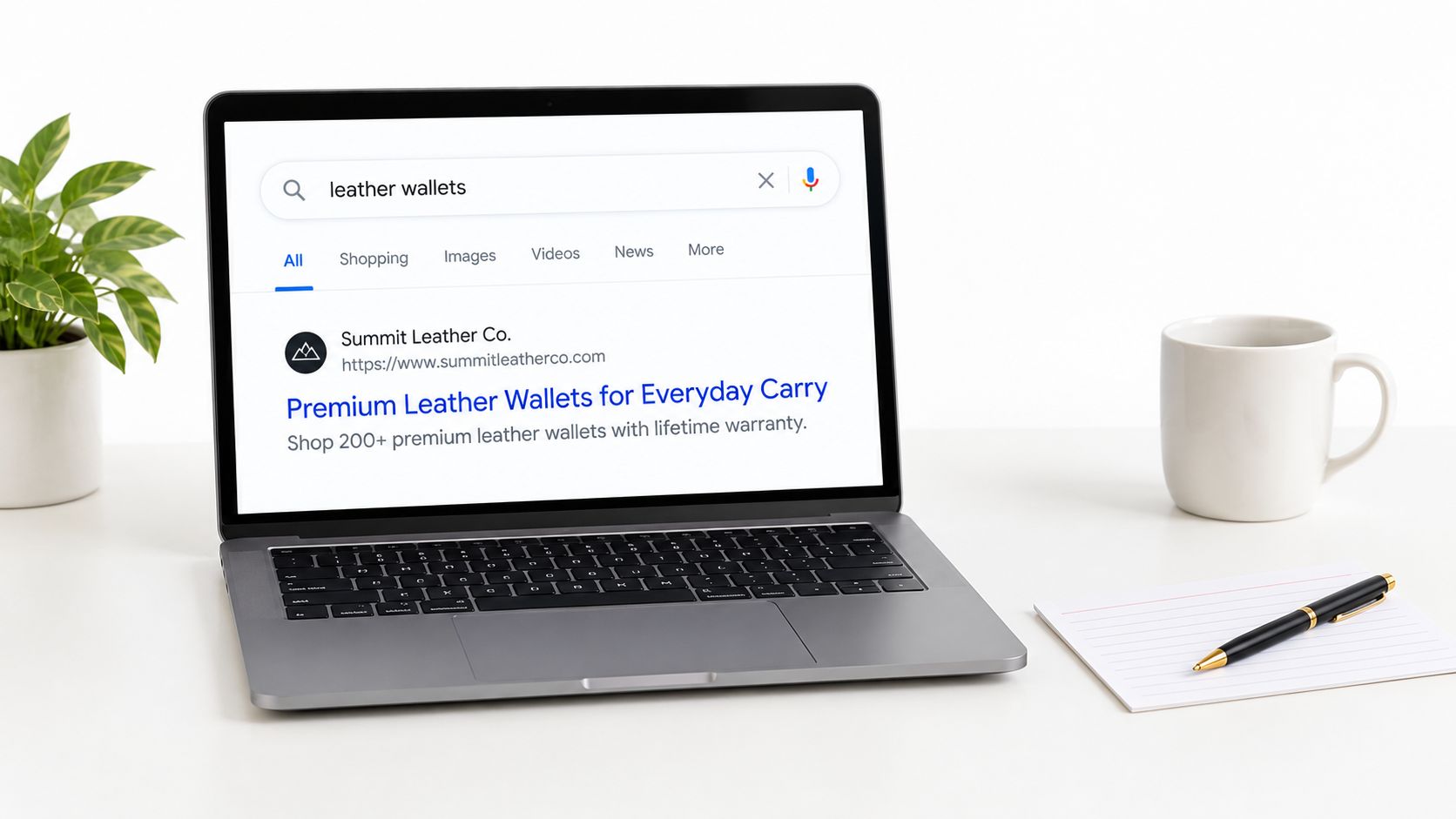
A meta description is a compact sales message beneath the title in many search results. Google may rewrite it, so you can’t control every displayed word, but a well-written description gives the search engine useful source material and gives searchers a clear reason to click.
Lead with the page’s strongest benefit. An ecommerce description could say, “Shop premium leather wallets with a lifetime warranty and free shipping. Compare styles and choose your everyday wallet.” A local business might emphasize service area, expertise, and availability. A SaaS page should explain the workflow it improves and the next step, such as starting a trial or viewing a demonstration.
Avoid turning the description into an inventory of keywords. Searchers want an accurate preview, not a compressed version of your keyword research.
A practical writing test
Read the description without looking at the page. Can you identify:
- The audience: Who is this page for?
- The problem or product: What will the visitor find?
- The differentiator: Why choose this result?
- The action: What should the visitor do next?
Use the primary phrase naturally when it fits. Matching terms may be highlighted in search results, but awkward repetition can make the snippet look unreliable. Write unique descriptions for high-value pages first, especially pages with impressions but weak click-through performance.
The Google SEO Starter Guide is useful here because it places snippets, titles, and page content within the broader task of helping users and search systems understand a page. Treat the meta description as persuasive support, not as a ranking shortcut.
3. On Page SEO Checklist: Header Tag Structure and Hierarchy
A page’s heading outline is an audit signal before it is a design choice. It lets readers scan, helps assistive technology move through the content, and clarifies how the main subject relates to supporting questions.
Start with one H1 that states the page’s central topic. It may resemble the title tag, but can provide more context. A product page could use “Premium Leather Wallets”, followed by H2s such as “Materials and Durability,” “Wallet Sizes,” and “Shipping and Returns.”
For a local service page, “Emergency Plumbing Services in Denver” can lead into H2 sections for pipe repair, water heater installation, response times, and service areas. An instructional guide should use H2s for its main subjects, then H3s for narrower questions within those sections.
Audit the outline, not the font size
Heading levels describe meaning, not appearance. CSS can make an H2 look smaller or larger without changing its role in the document.
Review the rendered page and its HTML:
- The H1 states the page topic: Replace generic labels such as “Welcome” with a specific subject.
- H2s represent major sections: Each should introduce a meaningful part of the page, rather than a decorative break.
- H3s sit beneath relevant H2s: Keep the hierarchy logical and avoid jumping from H2 to H4.
- Headings predict the following content: A heading such as “Emergency Plumbing Pricing” should be followed promptly by pricing information.
- The outline works without body copy: Read only the headings. They should still reveal what the page covers and how its answers are organized.
Use browser inspection or an accessibility audit to confirm the heading order. Correcting a skipped level matters less than clarifying a vague H1 or misleading section title, so prioritize changes that improve comprehension.
A logical outline supports both human readers and search systems. Keep the reader’s expectations as the final test.
4. On Page SEO Checklist: Keyword Integration and Natural Language Placement
Start with the phrase that defines the page, then test whether each placement helps a reader understand the subject. Keyword density is a poor editing target. A repeated phrase can make copy harder to read without improving relevance.
For a leather wallet page, supporting language might include RFID-blocking wallets, slim leather wallets, full-grain leather, and handmade wallets. A Denver plumbing page could cover emergency repairs, residential plumbing, commercial plumbing, water heaters, and local service areas. These terms show the page’s scope when they fit the information naturally.
Check the primary topic in the title, H1, opening copy, relevant subheadings, URL where appropriate, and image context. Then read the page aloud. Delete a repeated phrase if the paragraph becomes clearer without it.
Match language to intent
Choose wording based on the page’s job:
- Transactional language: Cover product attributes, availability, delivery, and purchase guidance on ecommerce pages.
- Local service language: State the service area, problem solved, response process, and qualifications.
- Informational language: Define the concept, explain the process, compare alternatives, and answer related questions.
Use this practical guide to adding keywords to a website for a placement framework, then make the final editorial judgment yourself. Ahrefs and Semrush can surface related queries, but they cannot decide whether a sentence sounds trustworthy or whether the page answers the searcher’s question more clearly than competing results. Review the draft for forced wording, missing subtopics, and terms that appear without useful context.
5. On Page SEO Checklist: Image Optimization with Alt Text and File Names
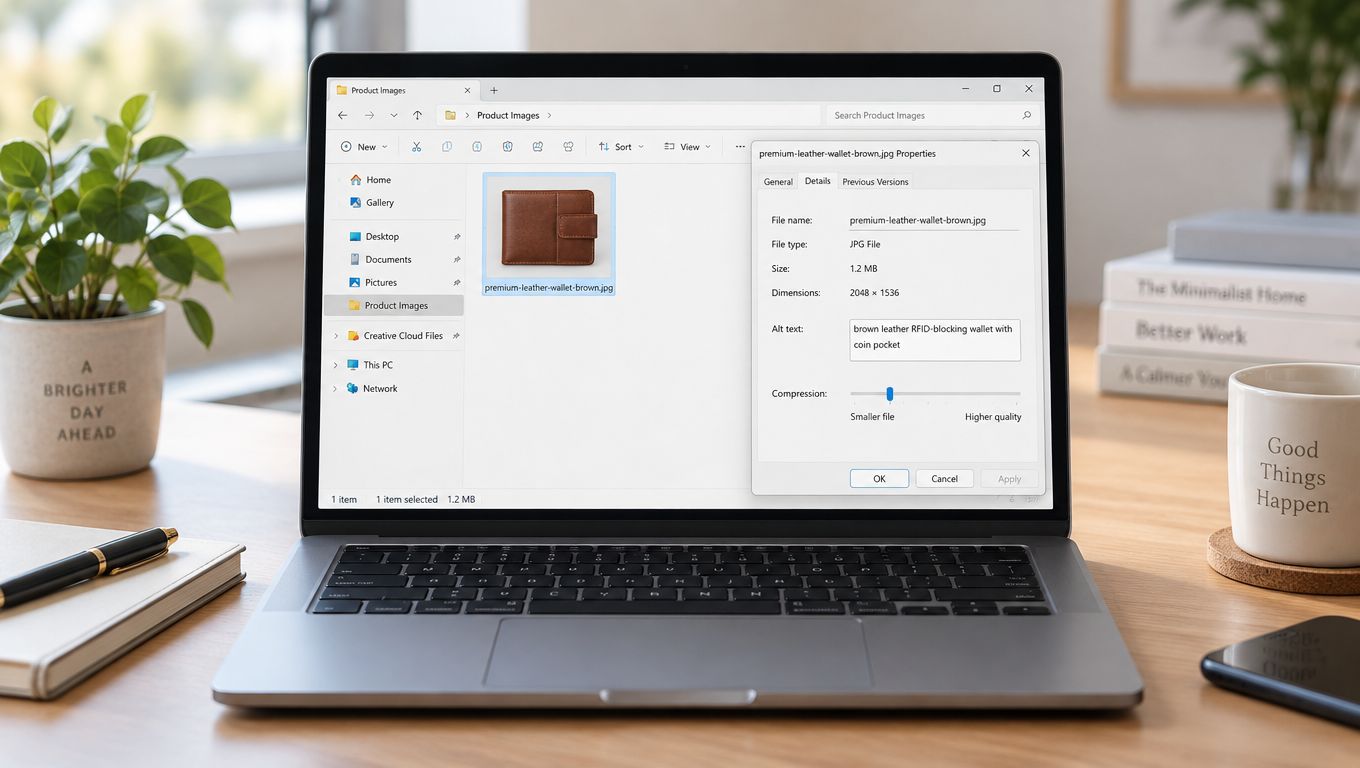
Audit images in the same order users and search systems encounter them: context, accessibility, then delivery. The file name supplies a small amount of context before the image loads, while alt text explains the image’s purpose to people who cannot see it or when loading fails.
Rename image_123.jpg to something specific, such as premium-leather-wallet-brown.jpg. Write alt text around the meaningful visual detail: “brown leather RFID-blocking wallet with coin pocket.” For a renovation page, “modern bathroom renovation with custom tile and heated floors” communicates far more than bathroom.jpg.
Decorative images need no description. Set their alt attribute to empty when they add no information, rather than inserting keywords into a background flourish.
Check accessibility before performance
Use these audit checks:
- Describe the subject: Explain the image as you would to someone on a phone call.
- Add relevant detail: Include color, product type, location, or action only when it helps identify the image.
- Remove repetition: If a caption already says the same thing, do not copy it into alt text.
- Rename before upload: Use lowercase words separated by hyphens.
- Compress responsibly: TinyPNG, ImageOptim, and Squoosh can reduce file weight.
- Serve the right size: Use responsive images and lazy-load media below the initial view.
The alt text best practices guide explains how to distinguish informative, functional, and decorative images. Verify the result in the rendered page, not only in the media library. A quick-loading, blurry product photo still weakens clarity and conversion potential. Image optimization is a quick improvement when file names, descriptions, dimensions, and visual quality are checked together.
6. On Page SEO Checklist: Internal Linking Strategy and Anchor Text
Internal links guide visitors to the next useful page and help search systems understand relationships and page importance. A link earns its place when the destination answers a clear follow-up question. “Read more” gives users and search engines little context.
Use descriptive anchors that fit the sentence. A product page might link to a materials guide with “how full-grain leather holds up over time.” A plumbing service page could point to an explanatory article through “emergency plumbing pricing.” A beginner SEO article might reference a deeper resource with “search engine optimization basics.”
Build paths, not link piles
Map the site before adding links. Mark the pages that drive enquiries or sales, then identify the guides and explanations that support those decisions. Link relevant guides to services, services to helpful explanations, and established pages to newer resources that need discovery.
Check each candidate link:
- Is the destination relevant to this sentence?
- Does the anchor describe what users will find?
- Can visitors reach the page without returning to the main navigation?
- Do priority pages receive links from relevant pages?
- Do older pages point to newer, more useful resources?
- Does the link reach the final URL without unnecessary redirects?
A small site may need only a few strong contextual links on each page. Larger sites benefit from a repeatable crawl using tools such as Screaming Frog. Review orphan pages, weakly linked URLs, broken links, and anchors used too often.
Audit the rendered links, too. Confirm that they are visible, clickable, and placed where the surrounding copy makes their purpose clear. Vary anchor wording naturally rather than forcing an exact-match phrase on every page. That balance supports discoverability without making the copy awkward.
7. On Page SEO Checklist: Content Depth, Length, and Topical Coverage
Content depth should follow the searcher’s decision, not an arbitrary word count. A concise page that answers the main question clearly can outperform a longer guide that delays the useful information.
Start by defining the page’s intent. A product page may need materials, sizing, care, warranty, shipping, and returns. A local emergency plumbing page may need service coverage, common problems, what happens after the call, preparation advice, and booking options. For a specialist topic, firsthand process details can provide value that broader competitors lack.
Cover the decision, not a word-count target
Review leading results for the questions they answer, the questions they leave open, and the evidence they provide. Then audit your page against those gaps. Add useful substance such as:
- Original explanation: Describe a confusing process in plain language.
- Decision support: Compare options, constraints, and trade-offs.
- Proof: Show relevant credentials, methods, product details, or firsthand experience.
- Practical examples: Explain how the recommendation changes by audience or situation.
- Maintenance: State when the information should be reviewed or updated.
Useful, understandable content matters more than repeating a keyword mechanically, as Google’s SEO Starter Guide explains. Search summaries may answer straightforward informational queries without a visit, so the page should make key points easy to extract while offering a clear reason to continue. That reason might be original expertise, evidence, a useful tool, or a specific next action. Verify the result by checking whether a reader can identify the answer, supporting details, and next step without wading through filler.
8. On Page SEO Checklist: Schema Markup and Structured Data Implementation
Schema markup gives search engines machine-readable context about visible content. It can distinguish a product from an article, a business from a person, and a review from ordinary page text. That context may affect how eligible results appear, but it does not replace useful content or guarantee higher rankings.
Start with the page’s primary purpose, then choose the matching Schema.org type. Product pages can describe price and availability. Local business pages can identify the business, address, opening hours, and contact details. Article markup can identify the author, headline, and publication information.
Accuracy is the main audit rule. Markup must match what users can see. Unsupported reviews, inaccurate prices, or hidden claims create data-quality problems and can make the implementation ineligible for enhanced search features.
Audit schema in a clear sequence
- Choose the relevant type: Check Schema.org documentation and select the vocabulary that best describes the page.
- Use JSON-LD: Keep structured data separate from visible HTML so developers can maintain it more easily.
- Prioritize important URLs: Begin with key product, service, local, and editorial pages rather than marking every URL at once.
- Validate before release: Run the page through Google’s Rich Results Test and resolve errors or unsupported properties.
- Review after publishing: Check structured-data reports in Google Search Console, then compare warnings with the visible page.
For implementation guidance, use this schema markup for SEO reference. A final manual check should confirm that each marked property is visible, current, and relevant to the page’s purpose.
9. On Page SEO Checklist: Page Speed and Mobile-First Optimization
A fast page can still fail users if its largest image, consent manager, or chat script blocks the first interaction. Audit performance by asking which resource delays reading, tapping, or submitting, then fix that constraint before polishing minor code.
Start with field data where available rather than relying on one desktop Lighthouse run. Google’s operational thresholds for Core Web Vitals are LCP at or below 2.5 seconds, INP at or below 200 milliseconds, and CLS at or below 0.1, as summarized in this page-experience and Core Web Vitals guide. The field assessment uses the 75th percentile, with the same thresholds described in this Core Web Vitals benchmarks reference.
Audit in this order:
- Find heavy media: Resize and compress images, serve modern formats, and match each file to its mobile display size.
- Trace interaction delays: Defer nonessential JavaScript and identify scripts that block taps, typing, or form submission.
- Prevent layout shifts: Reserve space for images, ads, embeds, and content inserted after load.
- Test mobile tasks: Use real devices to check menus, forms, checkout, sticky elements, and tap targets.
- Verify rendering: Use Google Search Console’s URL Inspection Tool to check how Google views the page.
The page speed optimization guide can support diagnosis after an audit identifies a bottleneck. Record the change, retest field and lab data, and confirm that the fix improves the user-facing experience rather than only reducing code size.
10. On Page SEO Checklist: User Experience Signals and Click-Through Rate Optimization
A page can rank well and still underperform if its search-result promise fails on the landing page. Audit the path from query to action, then separate search-snippet problems from on-page friction.
Start with an intent check. Compare the title and description with the first screen visitors see. A result promising emergency service should lead with the service and contact route, not a general company history. A product result mentioning a warranty should show that warranty near the product details. This alignment confirms relevance before visitors leave.
Inspect behavior with context
In Google Search Console, find pages that earn impressions but few clicks. Review their snippets and queries first. Then use analytics to examine engagement and exits. Hotjar or Microsoft Clarity can reveal hesitation, repeated clicks, abandoned forms, and content visitors overlook.
Use these checks:
- Above-the-fold clarity: Can a visitor identify the offer and next action immediately?
- Readable formatting: Are paragraphs short, headings descriptive, and important details easy to scan?
- Conversion friction: Can visitors contact, buy, book, or sign up without unnecessary steps?
- Intent alignment: Does the page answer the query before requesting an action?
- Accessibility: Can keyboard users, screen-reader users, and people with low vision reach and understand the same content?
Measure changes against the right stage of the journey. A weak click-through rate points toward the search result, while strong clicks followed by rapid exits point toward the landing page or intent match. A high exit rate can be appropriate for a page that fully answers a narrow question.
Use this click-through rate improvement guide to structure title, snippet, and landing-page tests. Record the query, page version, and conversion action so improvements are judged by useful visits, not clicks alone.
10-Point On-Page SEO Comparison
| Item | Implementation complexity | Resource requirements | Expected outcomes | Ideal use cases | Key advantages |
|---|---|---|---|---|---|
| Title Tag Optimization | Low, simple HTML/CMS edits | Minimal, content editor, basic SEO tool | Faster CTR improvements; modest ranking clarity | Any search-result-facing pages; product & service pages | Quick to implement; high immediate ROI; easy to A/B test |
| Meta Description Crafting | Low, short copy updates | Minimal, copywriter, analytics | Higher CTR; no direct ranking lift | Landing pages, product listings, local service pages | Controls search snippet narrative; effective CTA space |
| Header Tag Structure and Hierarchy | Low–Medium, content planning & markup | Content editor, basic SEO knowledge | Better crawlability, UX, featured snippet potential | Long-form content, guides, product/service pages | Improves readability, accessibility, and topic signals |
| Keyword Integration & Natural Language Placement | Medium, research + skilled writing | SEO tools (Ahrefs/SEMrush), experienced writer | Improved topical relevance and long-tail rankings | Competitive content, blogs, service pages | Balances user experience with SEO; captures related terms |
| Image Optimization (Alt Text & File Names) | Low–Medium, manual naming/compression | Designer/SEO, image compression tools | Faster page loads, accessibility, image search traffic | E‑commerce, portfolios, media-rich sites | Improves speed and accessibility; boosts image search visibility |
| Internal Linking Strategy & Anchor Text | Medium, sitewide planning & audits | SEO tools (Screaming Frog), editorial time | Better indexation, authority distribution, secondary rankings | Sites with growing content or many product pages | Full control over site structure; improves discoverability |
| Content Depth, Length & Topical Coverage | High, research and long-form production | Senior writers, subject experts, time | Strong topical authority, featured snippets, sustained rankings | Pillar pages, competitive keyword targets, guides | Establishes E-E-A-T; supports multiple keyword variations |
| Schema Markup & Structured Data Implementation | Medium–High, technical markup | Developer or SEO plugin, testing tools | Rich snippets, improved SERP visibility, higher CTR | E‑commerce products, local businesses, events, recipes | Enhances SERP display and voice-search readiness |
| Page Speed & Mobile-First Optimization | High, technical & design work | Developers, performance tooling, CDN | Improved rankings, conversions, reduced bounce | E‑commerce, mobile-heavy sites, high-traffic pages | Direct ranking factor; significant UX and conversion gains |
| User Experience Signals & CTR Optimization | Medium, iterative UX and testing | UX designer, analytics/heatmap tools, copywriter | Better engagement metrics, indirect ranking improvements | Landing pages, high‑traffic content, conversion funnels | Data-driven gains that improve both SEO and conversions |
Turn the Checklist Into a Repeatable Audit
An effective audit isn’t a one-time sweep through every SEO field. It’s a controlled process that separates visible weaknesses from technical constraints and gives each change a clear owner.
Start with the fastest search-result improvements. Rewrite duplicate or unclear title tags, then improve meta descriptions on pages that already receive impressions. These changes are relatively easy to review and can reveal whether the page’s search-result promise matches user intent.
Next, inspect the page itself. Resolve missing or confusing H1s, repair heading hierarchy, and compare the content with the questions a searcher needs answered. Remove padding before adding length. A shorter page with a direct answer, useful evidence, and a clear next step is often stronger than an exhaustive article that repeats familiar advice.
Then strengthen the site’s information architecture. Add contextual internal links from relevant, established pages to important destinations. Replace vague anchors, repair broken paths, and look for valuable pages that receive little internal support. Validate schema on eligible pages, but make sure every structured-data field matches visible content.
Performance and mobile usability deserve their own pass. Check field Core Web Vitals, inspect the page through Google Search Console’s URL Inspection Tool, test forms and navigation on an actual phone, and remove the largest source of delay first. A technically elegant fix that doesn’t improve the visitor’s experience shouldn’t outrank a slow product image, broken booking form, or obstructive mobile menu.
Finish with accessibility and engagement checks. Review alt text, keyboard navigation, contrast, focus states, labels, readable spacing, and the clarity of calls to action. Then compare search impressions, clicks, click-through rate, rankings, conversions, and relevant engagement indicators against the pre-change baseline. Don’t claim success from a single metric.
Keep an audit record
For every page, record:
- Page URL: Use the exact canonical URL.
- Issue: Describe the user or search problem plainly.
- Priority: Separate urgent blockers from useful improvements.
- Owner: Assign the task to a specific person or team.
- Implementation date: Note when the change went live.
- Post-change result: Record what changed after a suitable observation period.
Teams often use several tools because no single platform covers content, indexation, links, performance, and behavior equally well. Google’s SEO Starter Guide remains a sound foundation, while crawlers, analytics platforms, Lighthouse, Search Console, and accessibility testing fill in different parts of the workflow.
If you need help identifying visibility gaps and prioritizing quick wins, Mr. Green Marketing, LLC offers a free audit and performance report. Its services include on-page optimization, SEO content creation, technical SEO, and website audit support for businesses that need a practical plan rather than a list of disconnected recommendations.
Mr. Green Marketing, LLC can review your titles, content structure, internal links, schema, performance, mobile usability, and accessibility as part of a broader SEO audit. Visit Mr. Green Marketing, LLC to request a free audit and performance report, then turn the findings into an owned, prioritized action plan.
Leave a Comment
sing in to post your comment or sign-up if you dont have any account.