
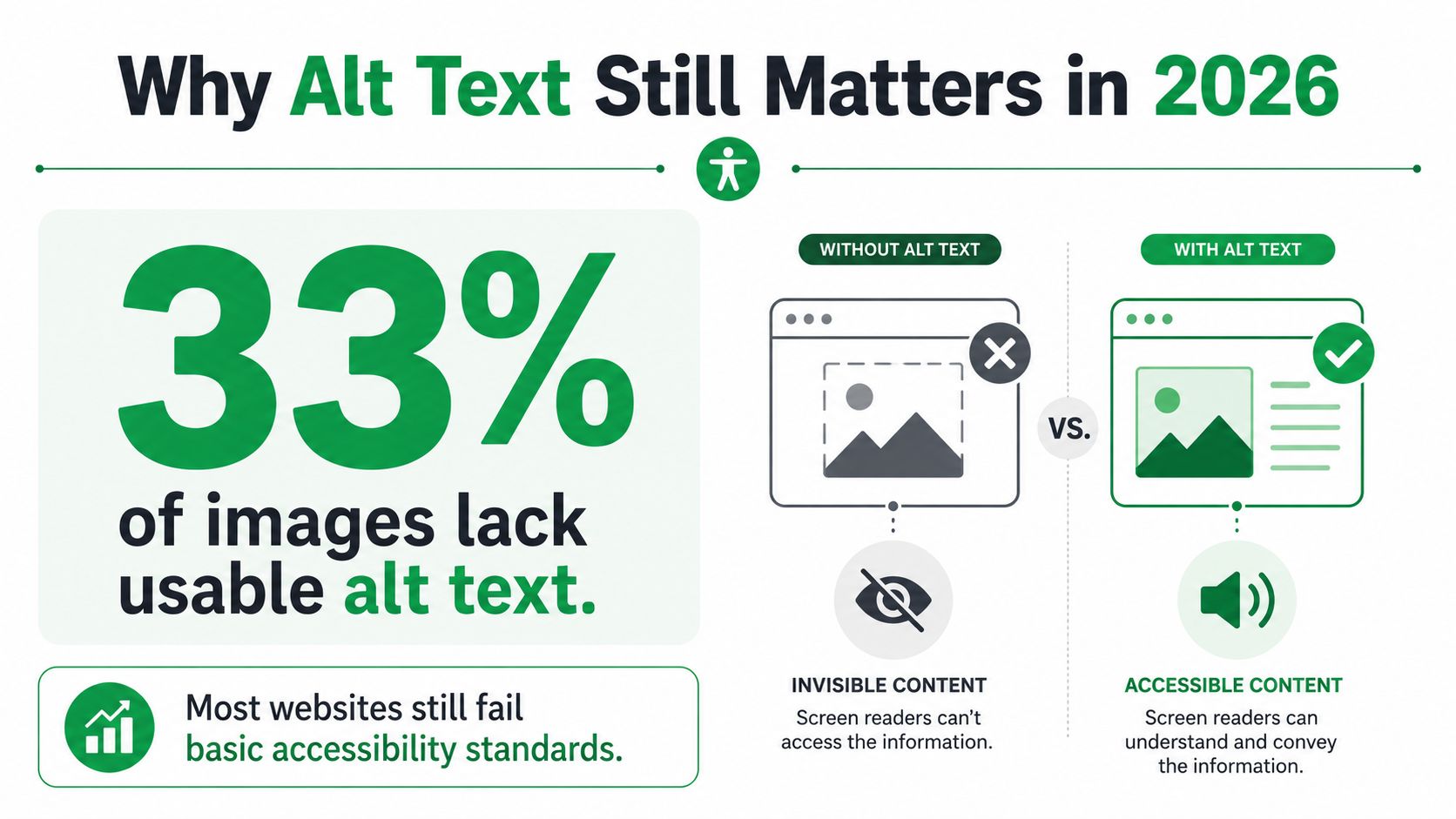
Alt Text Best Practices: WebAIM’s 2025 analysis of more than 1 million home pages and over 58 million images found that 18.5% of images had no alt text and 13.4% had repetitive or questionable alt text, meaning roughly one-third lacked a usable alternative for many users (WebAIM image accessibility findings). That’s the uncomfortable starting point for any serious discussion of alt text best practices. The problem isn’t a lack of guidance. It’s that teams still treat alt text as a last-minute SEO field instead of functional content.
The fix is practical. Write for the person who can’t see the image, preserve the image’s purpose in its surrounding context, and use search optimization only where it naturally supports that purpose. Done correctly, the same alt text can improve accessibility, clarify broken-image states, and help search engines understand an image without turning a screen-reader announcement into a keyword list.
Alt Text Best Practices for Accessibility and SEO: Table of Contents
- Why Alt Text Still Matters in 2026
- The Three Core Principles of Effective Alt Text
- Alt Text Examples for Common Image Types
- The SEO vs Accessibility Tension
- Implementation Tips for CMS and E-commerce Platforms
- Testing Tools and Team Workflows
Why Alt Text Still Matters in 2026
The hard truth is that accessibility guidance has been established for years, yet image descriptions remain unreliable across the web. In its 2025 analysis, WebAIM found that 18.5% of images lacked alt text altogether, while 13.4% contained repetitive or questionable text (WebAIM’s 2025 image analysis). Those findings come from a broad sample of public home pages, not a single industry or content platform.
Alt Text Best Practices: The gap between standards and publishing workflows
The standard itself is clear. WCAG established early in the standards era that non-text content needs a text alternative, and WCAG 2.0 became a W3C Recommendation on December 11, 2008 (WebAIM’s screen reader survey and accessibility background). That milestone formalized a principle that still governs production work: images, icons, charts, and other non-text elements need meaningful alternatives when they communicate information or perform a function.
Yet content teams often publish from fragmented workflows. A designer uploads an asset, a copywriter writes the page, an SEO specialist reviews metadata, and a developer’s template decides whether the alt attribute appears at all. Nobody owns the image’s meaning in context. The filename gets copied into the field, a product title is repeated across every image, or the field is left blank because someone assumes the image is self-explanatory.
That failure affects real users. WebAIM found that 91.3% of screen reader survey respondents use a screen reader on a mobile device, and 58.5% have used a screen reader for more than 10 years (WebAIM Screen Reader User Survey #10). Mobile layouts, product cards, menus, and linked promotional graphics all need labeling that works outside a desktop visual experience.
The business cost of treating alt text as metadata
Alt text isn’t a substitute for visible copy, but it is part of the page’s semantic layer. When an image fails to load, a user encounters a meaningful fallback instead of a filename. When an image is linked, the description can explain the action or destination. When an image is decorative, an empty attribute prevents irrelevant content from interrupting navigation.
Accessibility also intersects with discoverability and conversion. A shopper who can’t determine what a product image represents can’t evaluate the product confidently. A visitor who encounters a meaningless linked image may not know what happens after activation. And a page that forces screen-reader users to move through redundant labels wastes time and damages trust.
The broader lesson applies to optimizing content for AI search as well. Clear structure, accurate language, and meaningful context help people and machines interpret a page. Alt text is one part of that system, not a hidden place to insert marketing copy.
The Three Core Principles of Effective Alt Text
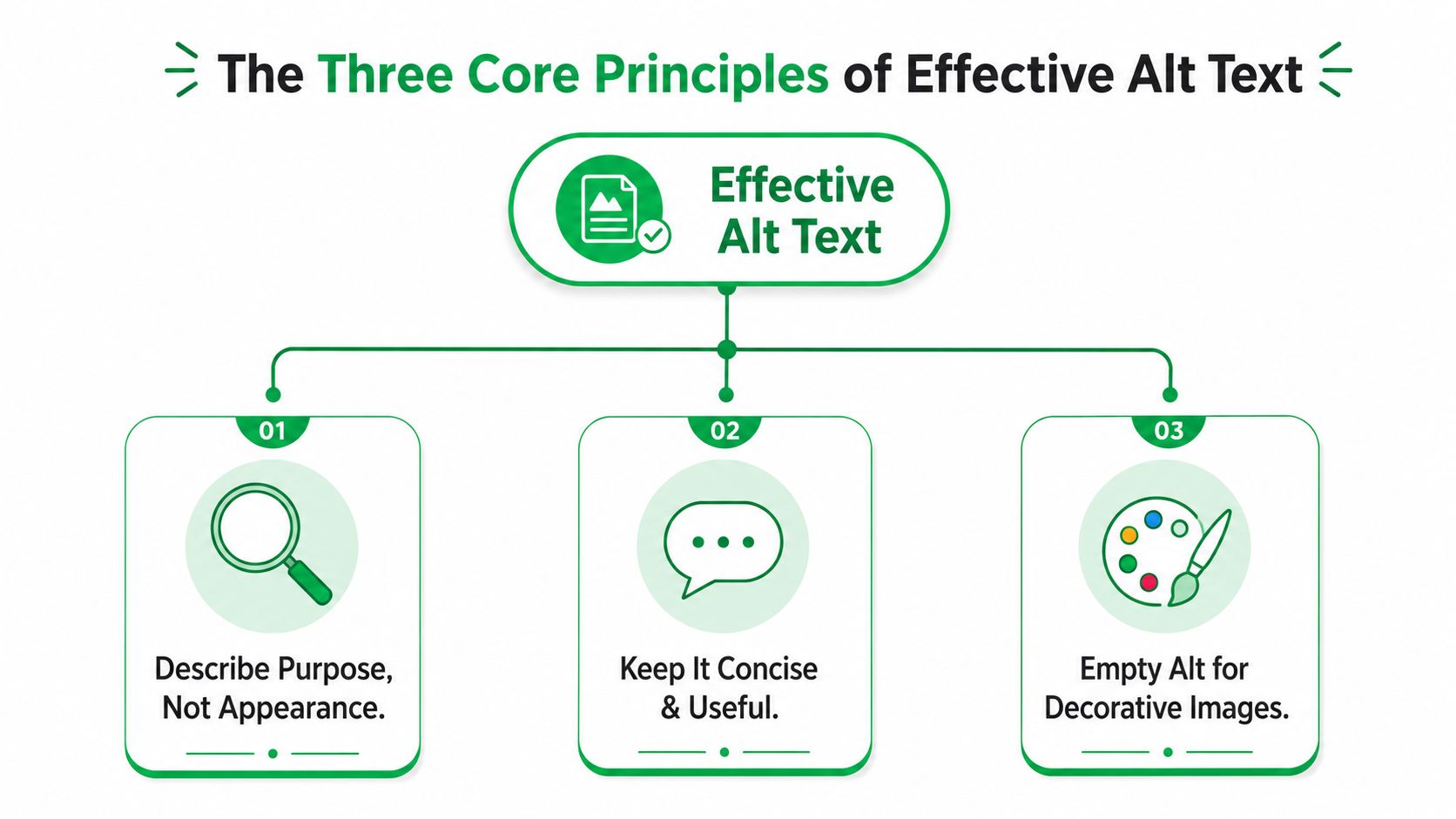
The durable alt text best practices are straightforward: describe purpose, keep the text concise, and use empty alt for decorative images. These principles reflect the accessibility expectation formalized by WCAG 2.0 and remain practical because they start with user need rather than platform preference.
Alt Text Best Practices: Describe purpose, not appearance
The right question isn’t “What objects are visible?” It’s “Why is this image on the page?”
A product image on a category page might need to identify the item and a distinguishing feature. A photo beside instructions might explain the action being demonstrated. A linked logo needs to identify the organization and, depending on context, communicate that activating it returns the user to the homepage.
Compare these approaches:
- Weak:
alt="Red shirt" - Better:
alt="Red linen button-up shirt with long sleeves" - Functional:
alt="Red linen button-up shirt, view product details"
The last version makes sense when the image itself is the link. The pixels haven’t changed. The function has.
Don’t begin with “image of” or “picture of.” Screen readers already announce that an image is present, so the phrase adds noise. The University of Iowa’s alt text guidance makes the same contextual distinction: convey the image’s purpose or meaning, not a redundant description of the medium.
Keep it concise and front-load meaning
Most guidance places useful alt text roughly within 125 to 150 characters, with the important information near the beginning (Section 508 alternative text guidance). That isn’t a license to count characters mechanically. It’s a reminder to prioritize.
Put the subject, action, or destination first. Remove brand language that doesn’t help identification, promotional adjectives, camera details, filenames, and information already stated immediately beside the image.
For a chart, a short summary may be enough to orient the user:
alt="Bar chart showing quarterly revenue rising throughout the year"
The exact values and relationships belong in nearby text, a table, or an expandable description. A complex graphic needs both a concise entry point and a longer explanation when the data matters.
Practical rule: Alt text should give the user the image’s useful meaning quickly, then let surrounding content provide the detail.
Alt Text Best Practices: Use empty alt for decoration
A decorative image adds visual atmosphere but no necessary information. Its correct markup is an explicit empty attribute, alt="". Don’t remove the attribute entirely, because assistive technology may expose the filename or treat the image unpredictably.
Examples include ornamental dividers, abstract background shapes, and a lifestyle photo that repeats information already provided in the adjacent heading and body copy. An icon beside the visible label “Download PDF” is also usually redundant and should have empty alt.
The test is simple: if removing the image leaves the message unchanged, empty alt is often appropriate. If the image communicates a fact, identifies a product, or performs an action, it needs a purposeful description instead.
Alt Text Examples for Common Image Types
The same image can need different alt text depending on placement, nearby copy, and whether it’s linked. A product photo on a product detail page carries more responsibility than the identical photo used as a decorative recommendation tile. Context decides.
| Image Type | Poor Alt Text | Effective Alt Text |
|---|---|---|
| Product photo | red shirt |
Red linen button-up shirt with long sleeves |
| Product photo used as a link | blue shoes |
Blue trail shoes, view product details |
| Chart | sales graph |
Bar chart showing quarterly sales rising throughout the year |
| Diagram | diagram |
Three-step checkout flow from cart to payment confirmation |
| Logo | company logo image |
Acme Tools |
| Linked logo | Acme logo |
Acme Tools home |
| Decorative image | blue abstract background |
"" |
| Icon beside visible text | shopping cart icon |
"" |
| Functional icon without a text label | magnifying glass |
Search products |
| Promotional linked image | people smiling in office |
Explore workplace software plans |
A product description should identify the item and the features that distinguish the image from other variations. Don’t dump every catalog attribute into the field. If color, material, or configuration matters to the buying decision, include it. If the page already states the exact product name beside the image, avoid repeating the entire heading unless the image has a separate function.
For charts and diagrams, the short alt text is an orientation point, not the complete data set. Add a nearby table or expandable text description when users need to understand values, trends, relationships, or process details. A vague label such as “sales graph” forces the user to guess what the graphic contributes.
Logos require particular care. A standalone logo can use the company name. A logo inside a link should communicate the destination or action, such as “Acme Tools home.” The visual mark matters less than what the control does.
Decorative images should be silent. alt="" is intentional, not incomplete. The same applies to icons that duplicate visible labels. But a standalone icon button needs a name that describes the action, such as “Search” or “Open menu,” not a visual inventory of its shape.
For e-commerce teams, these distinctions belong in the product publishing workflow alongside titles, specifications, and structured content. The guidance in Amazon product listing optimization is relevant to the broader principle: marketplace and website imagery should support the user’s decision, not merely carry an asset name.
Alt Text Best Practices: The SEO vs Accessibility Tension
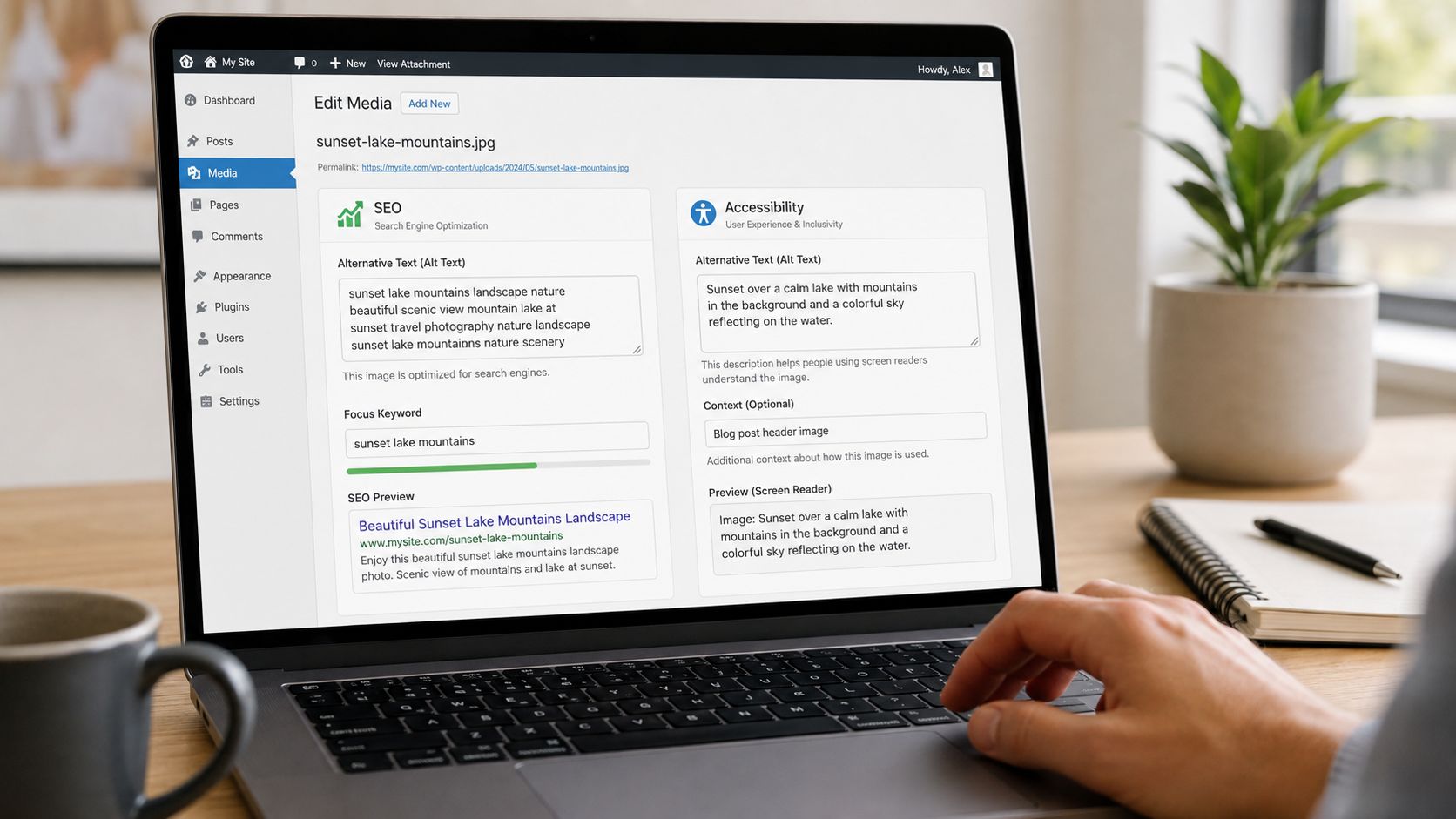
Marketing teams often approach alt text as an SEO field first. That instinct creates bad copy. A description stuffed with a product name, location, service keyword, city modifier, and sales phrase may look optimized in a spreadsheet, but it sounds unnatural when announced by a screen reader and tells search engines little about the actual image.
Google’s guidance recommends alt text that is useful and information-rich, while warning against keyword stuffing (Google’s guidance for Google Images). Accessibility guidance frames the field differently. Alt text is functional content for people who can’t see the image, not a caption and not a hidden ranking field.
What useful optimization looks like
Suppose a page sells handmade hiking backpacks. The image shows a green backpack with a front pocket and padded shoulder straps. A user-centered description might be:
alt="Green hiking backpack with front pocket and padded shoulder straps"
That text naturally contains relevant product language because the terms describe what the image shows. It doesn’t need a second sentence about “best hiking backpacks online” or a list of related search queries.
A keyword-first version fails because it prioritizes the marketing brief over the visual function:
alt="Best hiking backpack, hiking backpacks for sale, outdoor gear, camping backpack"
Nothing in that string explains the image’s distinguishing features. It also creates a poor announcement. The user has to sift through commercial language to determine whether the image contains the product they’re evaluating.
Alt Text Best Practices: Relevance beats repetition
Alt text can support image understanding when it accurately describes the image and its role on the page. It can also provide useful fallback content when images don’t load. Those are legitimate benefits. They don’t justify repeating the same phrase across every thumbnail, gallery image, and promotional placement.
Review each placement separately:
- Gallery image: identify the product view or relevant feature.
- Thumbnail link: describe the destination or selected variation.
- Decorative banner: use empty alt if visible text carries the message.
- Informational graphic: summarize the concept and provide detail nearby.
SEO work should also distinguish image alt text from captions, headings, body copy, filenames, and structured data. Schema markup for SEO can support machine-readable page information, but it doesn’t replace a functional alternative for an image. Different fields solve different communication problems.
Good alt text doesn’t compromise SEO. It removes the conflict by making the image description accurate enough for both audiences.
Alt Text Best Practices: Implementation Tips for CMS and E-commerce Platforms
A sound alt-text standard fails when the CMS hides the field or the theme drops its value during rendering. Assign ownership early. The person who understands an image’s purpose should write or approve its description, while developers confirm that the template outputs it correctly. This division supports both accessibility compliance and search performance without making SEO the sole decision-maker.
WordPress
In WordPress, open Media, Library, select the image, and enter its description in the Alternative Text field. Editors can also select an image inside a post or page and update the text through the image settings.
Audit the media library before changing templates. One attachment may appear in articles, cards, sidebars, and landing pages, so a globally stored description may not suit every placement. Review featured-image templates as well. Inspect the rendered <img> element and confirm that its alt value matches the image’s role. A populated media field does not guarantee correct output in every component.
Shopify
In Shopify, open Products, select a product, click its image, choose Add alt text, enter a contextual description, and save it. A product title can act as a theme-code fallback, but merchants still need to review the result. “Women’s jacket” may identify the item while omitting the feature that distinguishes one product image from another.
Inspect Liquid templates for product images, collection cards, banners, and image-with-text sections. Check for filename-derived values, repeated product titles, and components that omit the attribute. A polished storefront can still expose incomplete accessible names, weakening the experience for screen-reader users and providing search engines with little image context.
Custom CMS and multilingual sites
Custom systems should make alt text a clear editorial decision for informative images and provide an explicit decorative option. Do not force writers to describe every asset. Offer controls such as “Informative” and “Decorative,” then display the appropriate field.
For complex graphics, store a short summary separately from an extended description. Keep meaningful instructions in HTML instead of embedding them only in an image. Write descriptions in the language of the surrounding page, and review translated pages rather than reusing English alt text.
Production check: Inspect final browser output, not only the CMS record. Users experience rendered markup, not the editor’s form.
Bulk editing can help with legacy content, but automation should create a review queue instead of publishing guesses. Filenames such as IMG_2048.jpg and product slugs offer clues, not reliable descriptions. Connect image review with e-commerce SEO best practices so accessibility checks remain part of normal commerce content governance.
Alt Text Best Practices: Testing Tools and Team Workflows
Automated scanners catch missing attributes and suspicious patterns, but they can’t reliably determine whether a description serves the page’s purpose. Use WAVE, axe, and Lighthouse for broad checks, then test important templates manually with NVDA on Windows and VoiceOver on Apple devices.
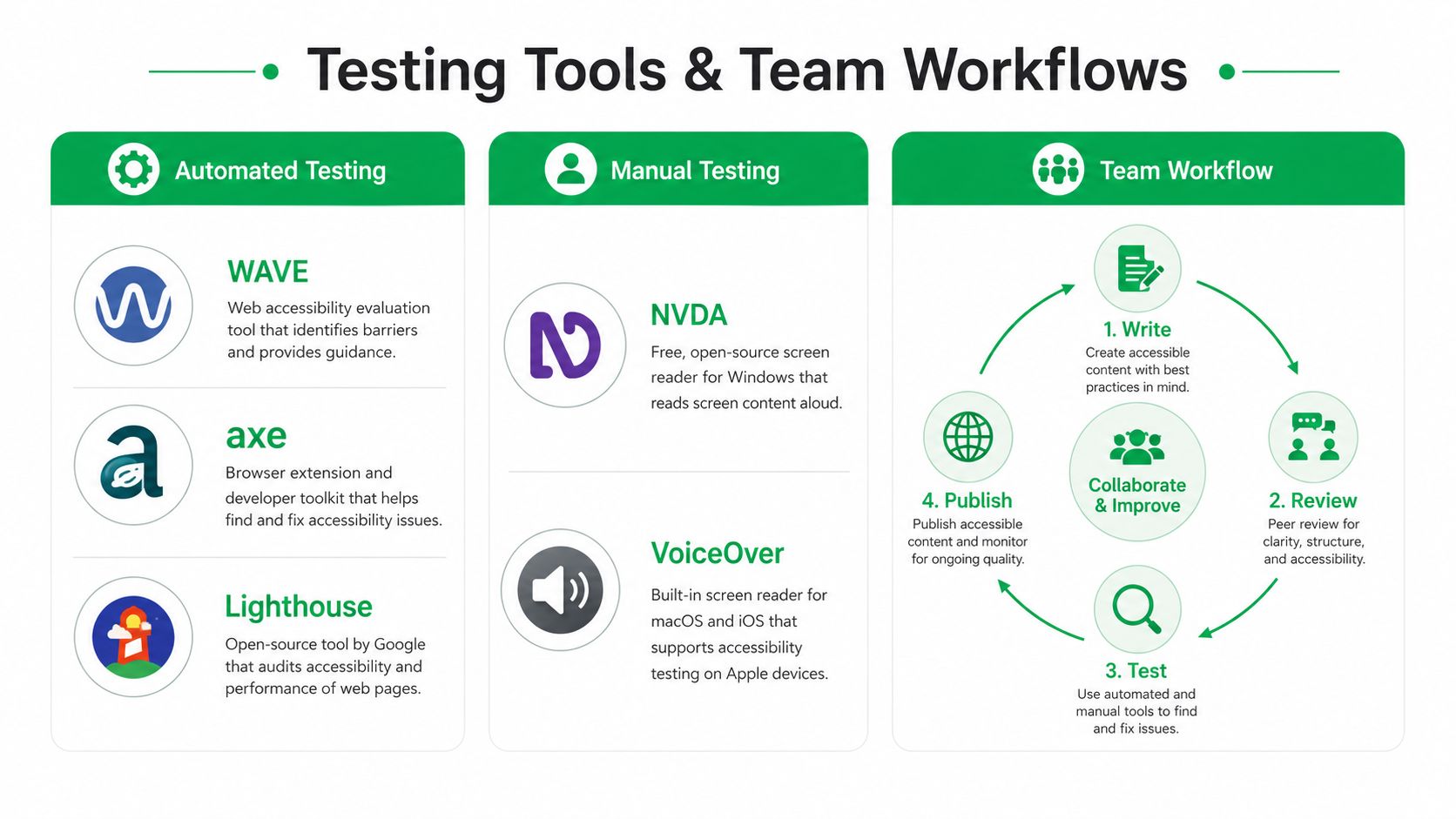
A workable publishing checklist is short:
- Identify purpose: Decide whether the image informs, functions, or decorates.
- Write contextually: Describe the useful meaning, destination, or action.
- Review placement: Check nearby headings, captions, links, and repeated images.
- Test output: Inspect rendered markup and listen with a screen reader.
WebAIM’s 2024 survey found that 71.6% of respondents use headings for navigation (WebAIM Screen Reader User Survey #10). That reinforces a broader workflow principle: accessibility depends on the semantic structure users rely on, not isolated metadata fields.
Use this website accessibility checklist to organize a wider audit, then prioritize templates with high traffic, commerce functions, forms, and repeated image components. Bring in an accessibility specialist when a chart, diagram, interactive control, or complex content pattern remains ambiguous after review.
Mr. Green Marketing, LLC helps businesses audit websites, improve accessible on-page SEO, and build content workflows that support both users and search engines. Visit Mr. Green Marketing, LLC to request a free audit and performance report, then turn alt text gaps into a practical remediation plan.
Leave a Comment
sing in to post your comment or sign-up if you dont have any account.