
And adding a city name to every page isn't a geo targeting SEO strategy. Neither is publishing a regional copy of your website and expecting a tag to make it rank. Those tactics skip the harder questions: does that market need a different page, can Google reach it, and does it generate qualified business?
Treat geographic targeting as information architecture plus measurement. Decide which audiences need distinct experiences, organize those experiences into crawlable URLs, and judge each market by leads and revenue rather than page count. Sometimes the right move is a new branch page. Sometimes it's fixing the page you already have.
Table of Contents
- Geo Targeting SEO Levers at a Glance
- How to Set Country and Regional Targeting
- How Search Engines Decide Who Sees a Local Page
- Hreflang and When a Regional Page Is Worth It
- Local Citations and Business Profile Consistency
- Localized Content and Keywords Without Doorway Pages
- Multi-Location Franchise Pages and Structured Data
- Measure Each Market and Audit the Two Biggest First
Geo Targeting SEO Levers at a Glance
Geo targeting SEO uses signals that tell search engines which country, region, or city a page serves and which searchers it should reach. Those signals live across your website, business profiles, third-party listings, and reporting tools, not in a single setting.
Geo targeting levers, what they control and where to set them
| Lever | What It Controls | Where You Set It | Typical Effort |
|---|---|---|---|
| Country or region targeting | Which market a URL or folder serves | URL structure and regional content; the former Search Console International Targeting setting is retired | Low for planning; higher for migration |
| Hreflang annotations | Which language or country version should appear | Page head, sitemap, or HTTP headers | Medium |
| Business Profile service area | Which towns or regions the business serves | Google Business Profile | Low |
| Local citations | Consistent business name, address, and phone on third-party sites | Directories and data aggregators | Medium to high, ongoing |
| Localized pages | Content for a market's needs and search terms | Your CMS, with distinct pages where justified | High |
| Structured data | Machine-readable location facts for each branch | LocalBusiness markup on the page | Medium |
| Measurement by location | Which markets earn traffic, calls, and sales | Analytics and Search Console filters | Low to medium |
The commercial stakes are concrete. Google-commissioned research involving 5,153 smartphone users, summarized by VONT, found that half of consumers who performed a local smartphone search visited a store within one day, while 18% of smartphone local searches led to a purchase within a day.
These levers need to support one another. Strong directory coverage won't fix a page offering delivery to the wrong country. A useful branch page can still lose customers if its profile shows the wrong opening hours.
Start with a visible gap, not the easiest checklist item. Investigate a market earning impressions but few clicks, or a well-reviewed branch receiving few calls. Fix the mismatch closest to the lost customer before funding more pages.
How to Set Country and Regional Targeting
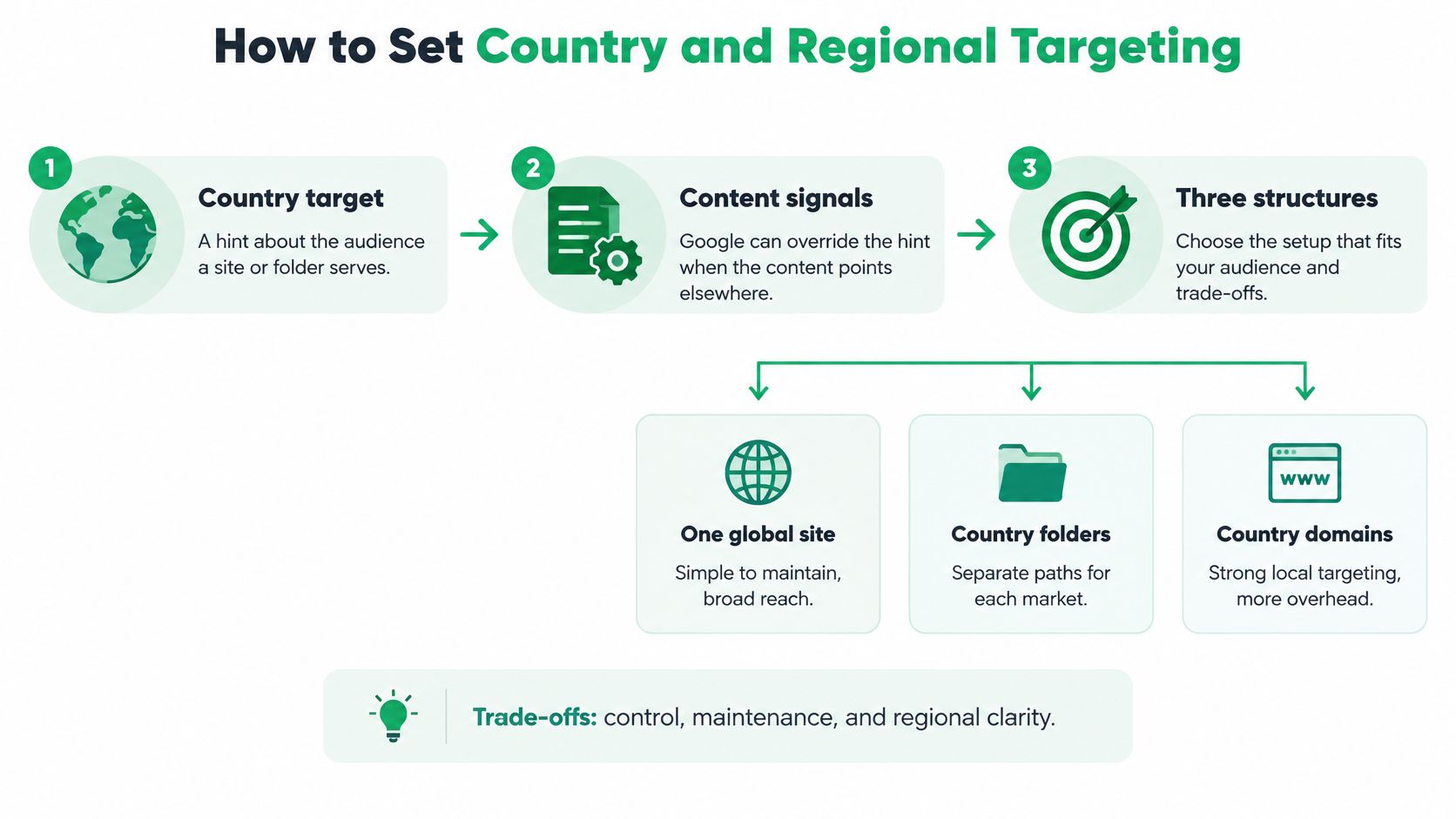
A country target expresses the audience you intend to serve. It isn't a command that forces Google to rank a page there, and a folder label won't outweigh content that clearly serves somewhere else.
First, correct an outdated instruction that still appears in SEO guides: Search Console no longer provides International Targeting settings or its former hreflang report. You can't verify a folder and then select its target country in that retired tool. Build regional clarity into the site instead.
Choose a structure you can maintain
A country-code domain makes the country focus explicit but creates another website to maintain and promote. Country folders keep market content within the main site's architecture. Subdomains provide operational separation, although they introduce another host to manage.
URL structures for country and regional targeting
| URL Structure | Country Signal | Search Console Setup | Main Trade-off |
|---|---|---|---|
| Country-code domain, such as .co.uk or .de | Strong country association | Verify the domain; no country setting is available or needed | Separate domain to build and fund |
| Country folder | Market label supported by localized content | Use a Domain property or optional URL-prefix property for focused reporting | Centralized architecture, with localization work still required |
| Regional subdomain | Market label supported by localized content | Verify through the parent Domain property or a separate property | Separate host to maintain |
| Language-only folder, such as /fr/ | Language, not a specific country | No country setting; use relevant reporting filters | Hreflang helps select the appropriate version |
A language folder doesn't automatically mean a country. French-language customers may live in different markets, with different currencies, delivery options, and legal terms. Don't split them into country pages unless those differences matter to the offer.
The distinction between local SEO and national SEO also matters here. A country-level storefront and a nearby service business need different architectures, even when both use geographic language.
Implement and verify the market experience
- Establish reporting access. Verify the site in Search Console. Add a URL-prefix property for a regional folder when a focused view or separate access would help.
- Define the audience. Document the country, language, offer, currency, and fulfillment boundaries for each regional section.
- Publish crawlable URLs. Give each justified version a stable address and accessible internal links.
- Submit the relevant sitemap. Include canonical, indexable regional URLs, not redirects or abandoned versions.
- Validate the implementation. Use URL Inspection for indexing checks and a crawler such as Screaming Frog for hreflang relationships.
Don't assign a narrow country identity to content intended for several countries. That creates an unnecessary mismatch between the architecture and the people you serve.
How Search Engines Decide Who Sees a Local Page
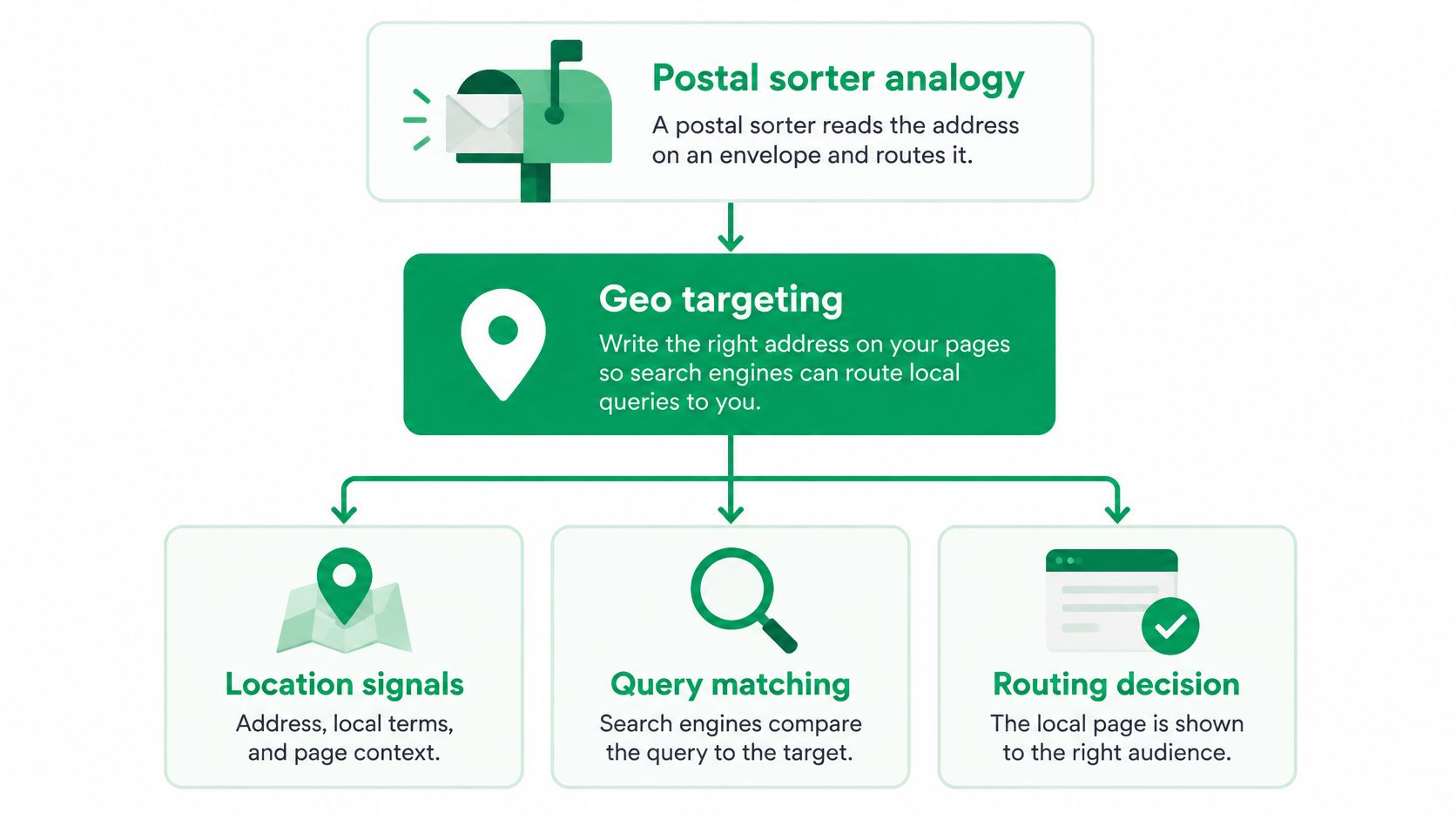
A postal sorter reads an envelope's address and routes it. Geo targeting performs a similar job: your pages and business information need to identify the right destination clearly enough for search engines to match local intent.
The analogy has a limit, though. Search engines aren't just delivering a page to an address. They're choosing among competing businesses.
Relevance, distance, and prominence
Google's local ranking guidance identifies relevance, distance, and prominence as the primary factors in local results. Google also explains that a farther-away business can outrank a closer one when it's a better match for the search.
- Relevance concerns how closely the Business Profile matches what someone needs. Accurate categories, services, and supporting page content help make that match understandable.
- Distance concerns the business's position relative to the searcher or the location specified in the query. Adding another town to a page doesn't move the business.
- Prominence concerns how well known the business is, including evidence beyond its own website, such as links, articles, and directory coverage.
These are local-result principles, not a universal formula for every organic regional page. A national e-commerce category page shouldn't be diagnosed as though it were a neighborhood repair shop.
A better match can beat a closer address
Say a Pensacola HVAC company publishes a page titled AC Repair Pensacola, but its profile leaves services unclear, it has no reviews, and there are no useful local references to the business. A hypothetical competitor twelve miles farther away explains its repair services clearly and appears in local news and chamber listings.
The competitor could win that query. Not because distance stopped mattering, and not because a chamber listing guarantees placement. The complete result may give Google a better match and customers more reasons to trust it.
A city name is a label, not proof that your business is the right local answer.
The practical response is to improve what you can control: explain the service precisely, maintain an accurate profile, and earn legitimate recognition outside your website. Don't substitute repeated location keywords for those jobs.
Hreflang and When a Regional Page Is Worth It
Hreflang doesn't raise rankings in a country. Its job is to help Google select the appropriate language or regional URL, as explained in Google's localized-version documentation.
That distinction changes the investment decision. Hreflang can connect useful regional versions; it can't supply the demand, offer differentiation, or authority that makes those versions worth maintaining.
Build the alternate relationships correctly
Each version should identify itself and its relevant alternates, and the alternate pages need reciprocal annotations. Use valid language and optional country codes. Add x-default when you have a fallback or selector intended for audiences that don't match a specified version; it isn't mandatory for every implementation.
Keep regional URLs accessible without requiring a visitor to pass a location check. Automatic IP- or browser-language redirects can prevent users and crawlers from reaching a version they need. A visible region selector preserves choice without making access conditional.
When a regional page earns its place
| Market Situation | Build a Distinct Regional Page? | Lighter Alternative |
|---|---|---|
| Market uses its own search terms | Yes, after local keyword research | Add a regional section and FAQ to the shared page |
| Different pricing, currency, or tax | Yes, if the offer changes | Show a currency or region selector on one page |
| Different product range or legal terms | Yes, where the offer differs materially | Explain the differences on the shared page |
| Different service areas or fulfillment | Yes, for genuinely distinct service experiences | List coverage on a shared page with supporting proof |
| Same language and near-identical offer | No, consolidate | Keep one page with a short country note |
| Analytics show a clear regional conversion gap | Test first; build if the evidence supports it | Improve the shared experience for that market first |
Require a business reason before expansion
A country-focused strategy, such as SEO for Sri Lanka, should begin with local search language, buying conditions, and service availability. Creating a country folder before answering those questions reverses the work.
Check search demand, pricing differences, legal requirements, language variation, and delivery or service boundaries. Then inspect conversion behavior. A regional gap might justify a distinct experience, but it might also expose an expensive shipping option or a broken payment method.
Expansion test: If a customer wouldn't notice a meaningful difference between the regional page and the shared page, improve the shared page first.
A separate URL creates ongoing obligations: updates, internal links, translation review, tracking, and technical validation. Without a customer benefit, that's maintenance rather than growth.
Local Citations and Business Profile Consistency
Think of your business information as a shop sign that needs to read correctly from every street corner. Citations are third-party mentions of those same facts, especially the business name, address, and phone number, with hours and categories providing additional context.

Claim and verify a Business Profile for each eligible location. Choose the primary category that describes the core business, and link the profile to the corresponding location page. Businesses that travel to customers should set accurate service areas and hide an address where they don't receive visitors.
Fix identity problems before adding listings
Consider a hypothetical franchise with three branches. A profile uses Suite 4, while a directory uses Ste 4. That abbreviation alone isn't evidence of an SEO problem, but a directory might also hold separate duplicate records with different phone numbers or outdated business names.
Investigate the records, not just the typography. Maintain an official location register, check the directories customers use, and resolve duplicates or materially wrong details. A focused local SEO citations audit should prioritize accuracy and customer usefulness over listing volume.
Legitimate local news coverage, relevant chamber memberships, sponsorships, and partner references can strengthen the business's public footprint. Buy those relationships for their real community or commercial value, not a promised ranking.
Review the facts each quarter
- Identity and contact details. Confirm the business name, branch address, phone, and destination URL.
- Customer access. Check regular hours, holiday hours, appointment requirements, and service boundaries.
- Tracking numbers. Make sure call tracking reaches the correct branch and doesn't leave conflicting permanent records.
- Duplicates and ownership. Confirm access credentials and resolve old or closed-location listings.
Reputation needs an owner too. A 2025 BrightLocal survey of 1,026 U.S. adults found that 89% would use a business that responds to all reviews, compared with 44% for one that responds to none. That's a self-reported trust signal, not a ranking coefficient.
Consistent facts also make the business easier to verify when generative search systems consult profiles and pages. Publish current hours, contact details, and service boundaries in accessible text rather than relying on promotional descriptions.
Localized Content and Keywords Without Doorway Pages
A useful local page helps someone make a decision in that market. A doorway page exists mainly to intercept a location query and send the visitor elsewhere.
Google's spam policies identify city- or region-targeted pages that funnel users to a single destination as an example of doorway abuse. That doesn't prohibit location pages. It requires a better reason for publishing them than another keyword combination.
Map demand to a distinct purpose
- List the services you provide. Separate meaningful offerings from synonyms. Emergency repair and planned installation may need different information; different spellings of the same service usually don't.
- Collect the market's language. Use search suggestions, customer calls, reviews, and genuine neighborhood names. Validate those terms through local SEO keyword research rather than building pages for every phrase a tool exports.
- Assign a primary destination. Map each intent to the page best equipped to satisfy it. Don't create competing city pages without a distinct customer purpose.
- Add operational substance. Include the team serving that market, relevant projects, availability, coverage boundaries, and applicable permit or service requirements. Verify local rules before publishing them.
- Compare neighboring pages. Read them side by side. Rewrite sections that contain nothing distinctive beyond the place name, unless they're shared essentials such as warranty terms.
A template is useful for layout, accessibility, and publishing controls. The problem isn't a shared design. It's a shared claim of local relevance with no local evidence.
Choose proof over coverage
Say a roofing company serves six real service areas, with project photographs, customer references, and clear scheduling coverage for each. Compare that with a hypothetical template expanded across forty towns, where only the names change.
The smaller program gives customers more useful reasons to inquire. It also gives the business a maintainable publishing process, rather than a growing inventory of pages nobody can keep accurate. That's the stronger investment, though no page count guarantees rankings.
Don't pad local pages with unrelated landmarks or generic descriptions of the town. Explain what changes for the customer: travel charges, roof types your team handles, inspection availability, or the crew responsible.
Practical rule: If staff wouldn't send the page to a customer asking about that area, it probably needs more substance.
Pages with no impressions, calls, or operational use deserve review after crawlability and demand have been checked. Merge them into a stronger destination when the purpose overlaps; remove obsolete pages when there's no useful replacement.
Multi-Location Franchise Pages and Structured Data
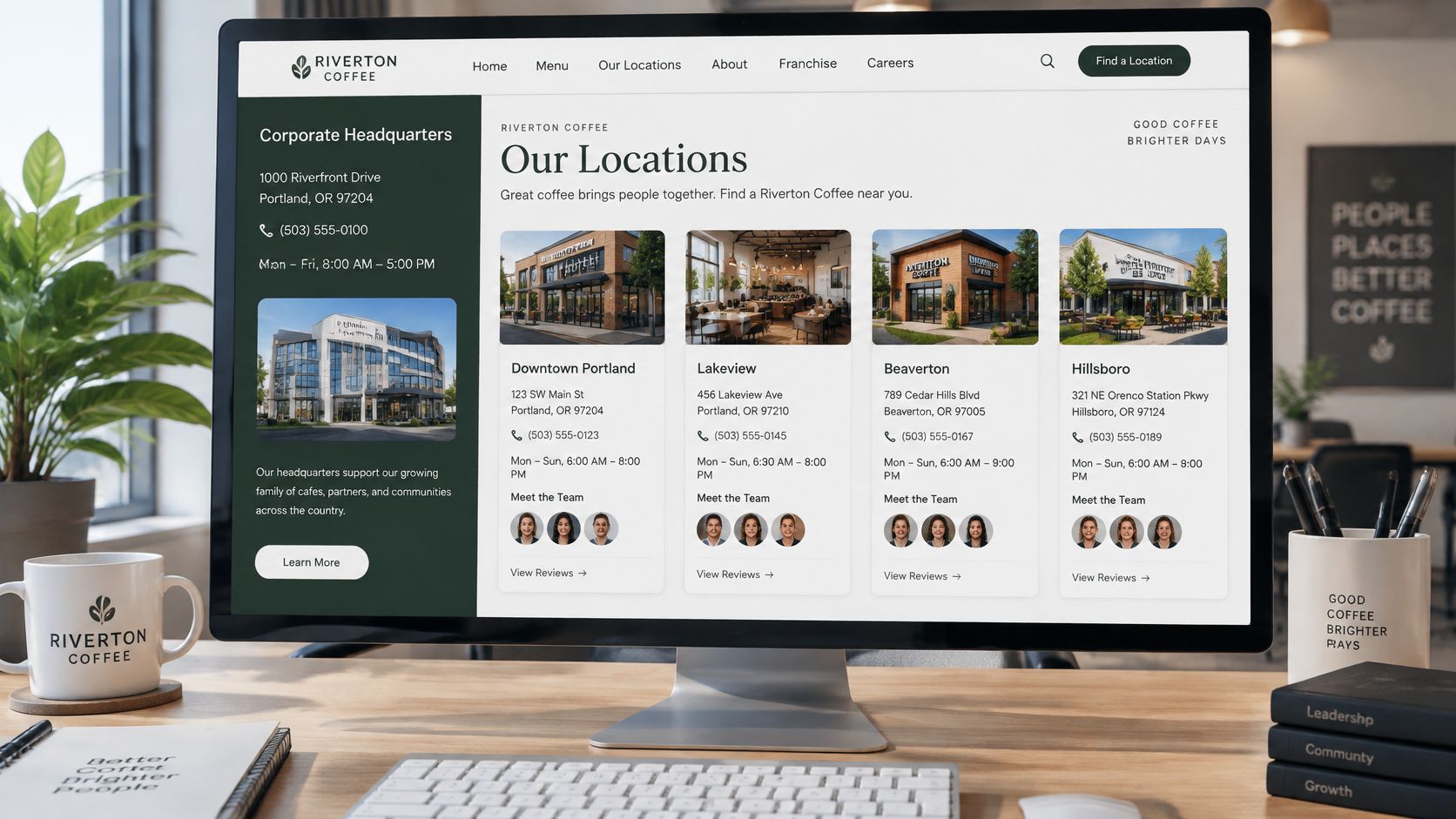
For a multi-location brand, use a corporate page to explain the organization and a canonical branch page for each real customer-facing location. Give each branch its own contact details, hours, staff information, directions, and review destination.
The locations directory helps people browse. It shouldn't force someone searching for a known branch to repeat that search inside your website.
Implement markup at branch level
- Describe the actual location. Add LocalBusiness structured data using an appropriate business subtype, with name, address, telephone, opening hours, and the branch URL. Google's LocalBusiness specification recommends a
geoobject with latitude and longitude expressed to at least five decimal places. - Use the branch's approved facts. Populate visible content and markup from the same maintained record used for its Business Profile.
- Run the Rich Results Test. Resolve errors and inspect warnings rather than assuming a plugin's successful save means valid output.
- Check URL Inspection. Confirm Google can access and render the page, including its location information.
- Submit a clean sitemap. Include the canonical branch pages so Google can discover new locations and updates.
Don't attach several branches' coordinates to a generic page unless that page clearly represents those locations. A branch page should identify that branch, not leave a parser to guess which address goes with which phone number.
Assign ownership before the next change
Consider a hypothetical franchise with four locations using a shared template. Each branch needs a named owner for hours and operational details, while a designated responder handles reviews. Corporate marketing can own template code, markup validation, and publishing standards.
Write those responsibilities into a shared guide. An effective multi-location SEO strategy specifies who approves a relocation, who updates the profile, and who checks that the website changed too.
Use centrally managed fields for facts that must stay synchronized. Give branch teams controlled ways to submit project photos, team changes, and local service information without editing technical templates.
Structured data doesn't guarantee rankings or rich results. Incorrect markup can misrepresent a branch, while blocked pages can prevent Google from refreshing its information. Validate both the facts and access to the page.
Measure Each Market and Audit the Two Biggest First
A strong site-wide average can conceal a market losing qualified inquiries. Measure each market against its own baseline, and separate the searcher's location from the branch or page selected. Someone planning a move may search from outside the service area, so their reported region does not necessarily identify where a sale belongs.
Location-level metrics and where to read them
| Metric | Where to Read It | What It Tells You |
|---|---|---|
| Impressions and clicks by country | Search Console Performance report, country filter | Search visibility and resulting clicks by market |
| Hreflang and indexing errors | Site crawler for hreflang; Search Console Page indexing and URL Inspection for indexing | Broken alternate relationships or inaccessible versions |
| Calls and direction requests by branch | Google Business Profile Performance | Customer actions, not confirmed visits or completed calls |
| Conversions by region | Analytics geographic reports plus landing-page and branch segments | Whether market traffic produces valuable outcomes |
| Review count and response rate by branch | Review platforms or reputation dashboard | Reputation activity and response coverage |
| Duplicate or near-identical pages | Site crawler with content comparison | Pages requiring consolidation or intent review |
Prioritize revenue exposure
Start with the two biggest markets by business value, not necessarily the largest traffic segments. Compare multi-month trends and annotate changes. A brief spike alone does not justify expanding a rollout or reversing it.
- Repair technical barriers. Resolve indexing problems and validate hreflang with a crawler.
- Verify branch facts. Compare profiles with the approved location register.
- Consolidate weak overlaps. Merge duplicate pages when they do not serve distinct needs.
- Schedule a 90-day review. Compare the three-month trend with the baseline, accounting for seasonality and operational changes.
Judge success by qualified calls, bookings, or attributable visits in the target market. Also check whether irrelevant-country impressions have fallen where appropriate and whether technical issues still block access to intended pages. If a region produces traffic but no valuable outcomes, review the page's purpose and market fit before creating more regional URLs.
Mr. Green Marketing, LLC offers SEO, GEO (SEO for AI) optimization, and web design for businesses expanding into local and regional markets. Businesses can request a free audit and performance report to identify visibility gaps and prioritize locations for improvement before building more pages.
Leave a Comment
sing in to post your comment or sign-up if you dont have any account.