
You've spent a full day filming a polished product video. The lighting looks excellent, the edit is clean, and the thumbnail is attractive. Then the upload goes live, and the channel still feels empty because one impressive video doesn't create a publishing system, a discovery path, or a reliable way to learn what viewers want.
That is the core challenge in video production for YouTube. The camera is only one part of the work. Topic selection, scripting, audio, editing, packaging, captions, rights management, analytics, and production capacity all determine whether a business can keep publishing useful videos without exhausting its team.
Table of Contents
- Why One Good Video Will Not Build Your Channel
- From Idea to Script Without Wasting a Shoot Day
- Shooting and Editing That Actually Holds Attention
- Reading the Retention Curve Like a Producer
- DIY, Hybrid, or Outsourced, What Actually Fits Your Team
- Thumbnails, Metadata, and Captions Working Together
- Accessibility and Localization as Production Requirements
Why One Good Video Will Not Build Your Channel
A business often approaches YouTube like a television commercial. The team hires a crew, approves a script, records one highly polished asset, publishes it, and waits for leads. When the leads don't arrive, the conclusion is usually that YouTube doesn't work.
And here's the uncomfortable part. The problem is often the production model, not the platform.
YouTube reported more than 20 billion videos available globally by 2024, while creators uploaded over 20 million new videos every day (Google's YouTube impact report). A single upload enters an enormous media environment. It needs a clear audience promise, useful packaging, a credible reason to watch, and enough related content to give the viewer somewhere to go next.
Producer's rule: Treat every video as one unit in a programming system, not as the entire marketing plan.
A practical system begins with repeatable formats. A local service company might publish customer-question explainers, process walkthroughs, team interviews, and before-and-after demonstrations. An e-commerce brand might build product comparisons, setup tutorials, troubleshooting videos, and buying guides. The formats matter less than the repeatability. Your team should know what gets researched, who appears on camera, how the shoot is organized, and which assets come out of the edit.
Consistency changes the budget conversation
A cinematic one-off concentrates money in a single production. A repeatable workflow spreads effort across a library of useful videos. That changes how you evaluate success. The question becomes less “Did this video go viral?” and more “Can this format answer a real customer question, earn qualified attention, and be produced again?”
Four watchable videos in a month can create more learning and more entry points than one elaborate video every few months. That doesn't mean production value is irrelevant. It means polish should serve clarity, trust, and the viewer's next decision.
Your operating plan should define:
- The audience: Who needs this information, and what problem are they trying to solve?
- The format: What can the team produce without rebuilding the process every time?
- The owner: Who approves the topic, script, edit, thumbnail, and final upload?
- The measurement: Which actions matter, such as qualified inquiries, product-page visits, or useful watch time?
- The next step: What related video, page, form, or conversation should follow?
A useful video marketing best-practices framework can support those decisions, but the principle is simple: YouTube production becomes valuable when it behaves like an operating system for content, not a string of disconnected shoots.
From Idea to Script Without Wasting a Shoot Day
A shoot day can't rescue an unclear idea. If the presenter doesn't know the promise, the editor will inherit rambling answers, repeated points, missing demonstrations, and B-roll that doesn't solve the story.
Start with the title. Not the final title, necessarily, but the viewer-facing promise that controls the production.
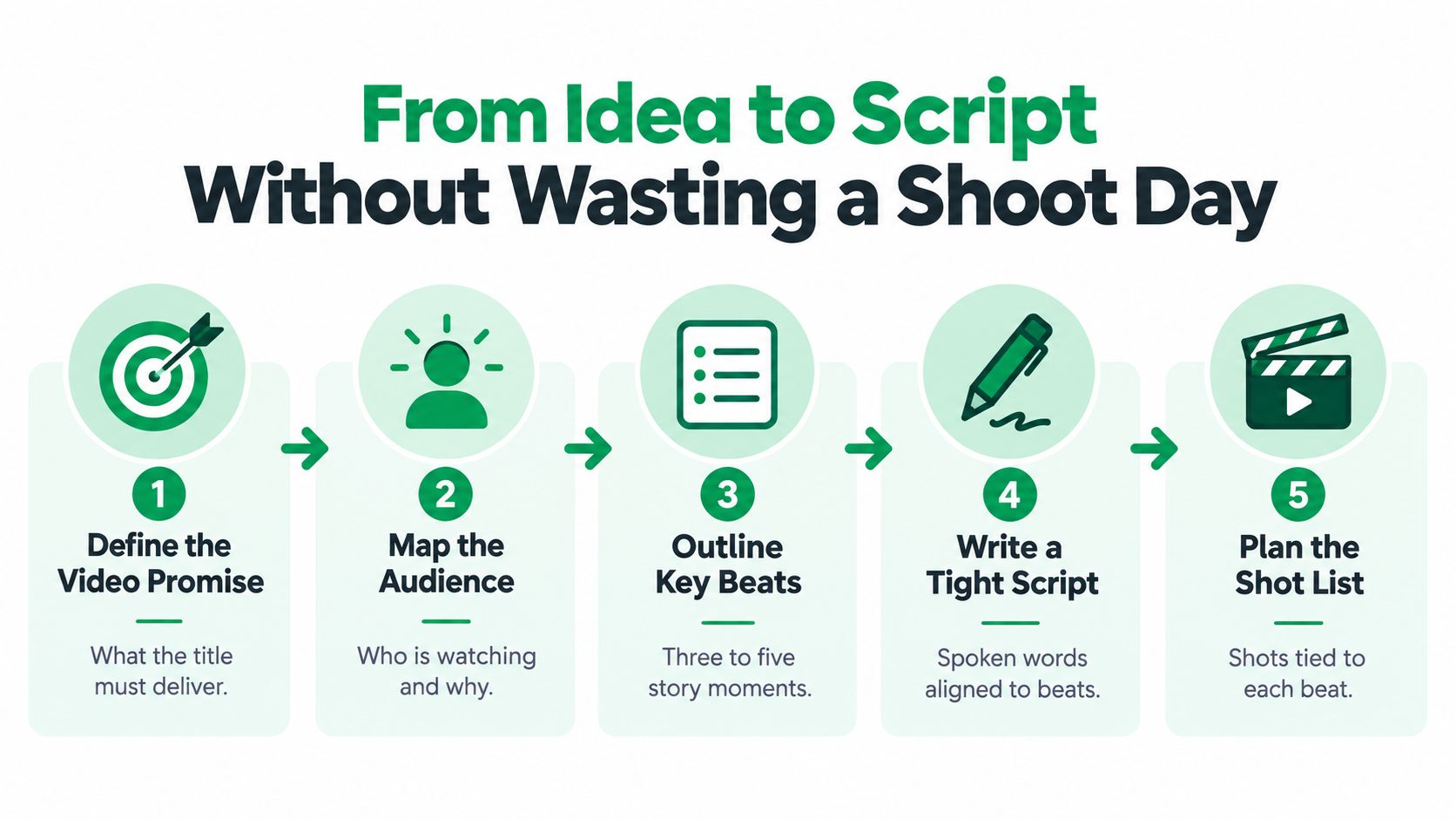
Build the promise before the script
Use a short weekly checklist:
- Define the outcome. Write one sentence describing what the viewer will understand or do after watching.
- Map the audience context. Separate a beginner looking for orientation from an existing customer looking for a fix.
- Review the search field. Examine YouTube titles, thumbnails, comments, and competing explanations. Look for unanswered questions, confusing terminology, and weak demonstrations.
- Choose the format. A tutorial, interview, product demonstration, comparison, and case-led explanation each require different footage.
- Draft the beats. Put the problem, explanation, proof, demonstration, objection, and next action in a logical order.
- Plan the coverage. Every major spoken point should have a visual option, whether that's a screen recording, close-up, process shot, diagram, or environmental detail.
The opening doesn't need theatrical language. It needs to confirm that the viewer has found the right video. State the problem, identify the result, and establish why the presenter can explain it. The first fifteen seconds should feel like a continuation of the title, not a separate introduction.
A script also needs a runtime discipline. Don't stretch a narrow question into a long video because the channel “needs” a longer upload. Give each section enough time to make its point, then remove repeated context. A short, complete explanation is more useful than a padded one.
Leave room for natural delivery
Word-for-word scripts can make subject-matter experts sound stiff. Bullet structures can produce a warmer performance, but only when the speaker understands the sequence and the editor has enough coverage.
For a technical presenter, write the exact opening, key definitions, claims that require precision, and call to action. Use bullets for examples and transitions. Record a clean version of each core answer, then capture a second pass with more natural phrasing. That gives the editor a dependable take without forcing every sentence into a memorized performance.
Before filming, confirm the location, permissions, product availability, graphics requirements, speaker pronunciation, technical terms, and release status. A practical ad script example can help teams see how a spoken message becomes a structured production document.
The final pre-production test is blunt: can someone who wasn't in the planning meeting explain the video's promise, sequence, and required shots? If not, the shoot isn't ready.
Shooting and Editing That Actually Holds Attention
Production quality starts with speech the viewer can understand. A modest camera with clean dialogue will usually serve a business better than an expensive camera pointed at a noisy room.
Place the microphone close to the speaker. A lavalier works well for a presenter who moves, while a shotgun microphone can work when it's positioned correctly outside the frame. Record room tone, monitor for clothing rustle, and listen to the first take before continuing. Fixing audio on location is cheaper than trying to reconstruct intelligibility in post.
Lighting doesn't need to look like a commercial set. Use a window as a soft key, control harsh contrast with a reflector or bright wall, and separate the subject from the background with practical depth. Keep the background relevant, not crowded. If the same setup can support several episodes, it earns its place.
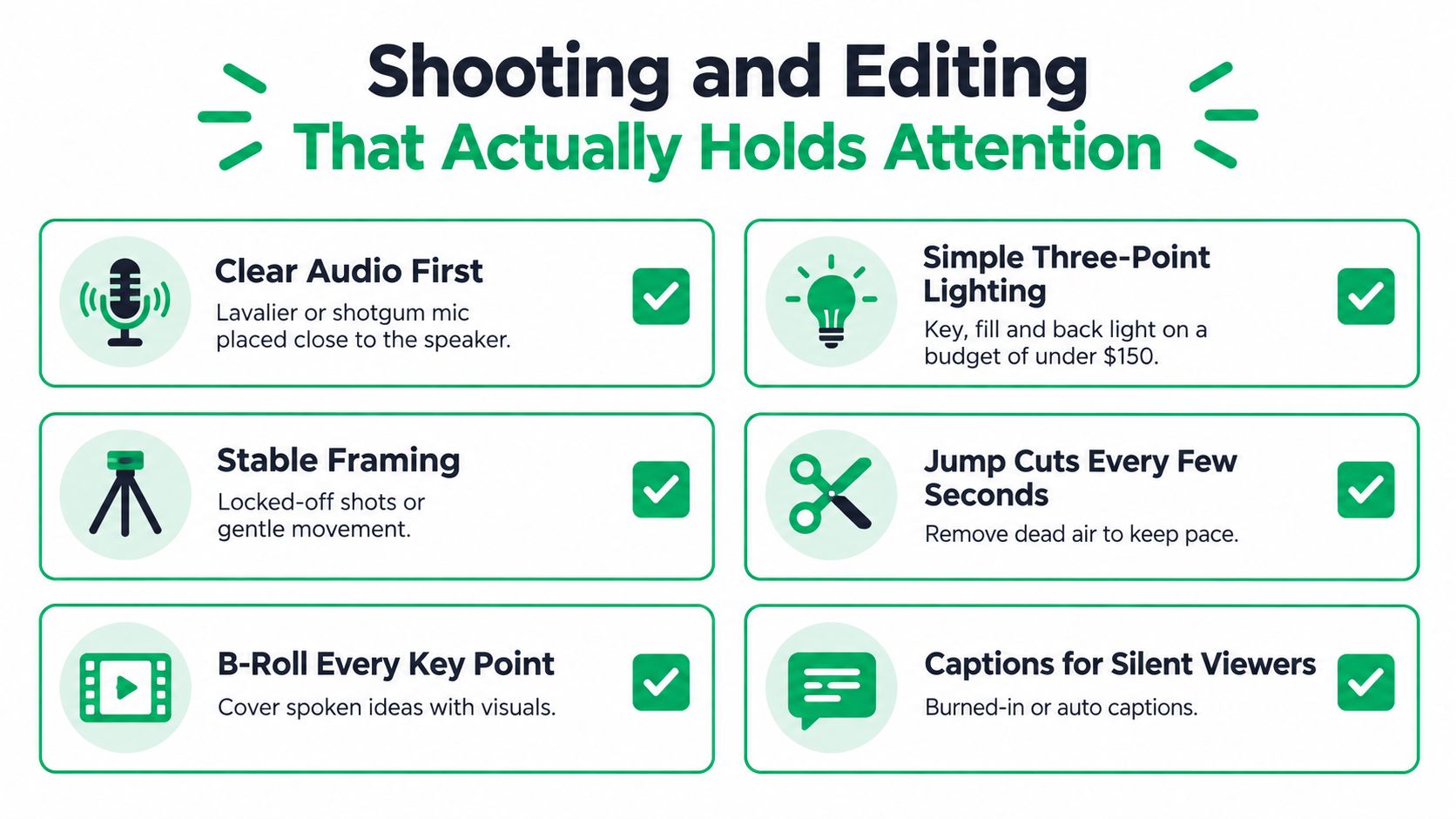
Edit the communication before the decoration
A strong cut prioritizes comprehension in this order:
- Remove dead air: Cut pauses, repeated phrases, false starts, and detours that don't help the viewer.
- Protect the argument: Keep the sequence of problem, explanation, demonstration, and conclusion intact.
- Use B-roll with purpose: Cover a spoken idea with a visual that proves, clarifies, or advances it.
- Add text selectively: Put technical terms, steps, measurements, and names on screen when they help viewers follow the explanation.
- Frame for reuse: Capture enough visual flexibility to create horizontal and vertical versions where appropriate, without placing essential information at the edge of the frame.
Jump cuts aren't automatically a flaw. They become distracting when the edit removes natural rhythm without replacing it with visual structure. A cutaway, screen recording, hand movement, or graphic can make a compressed explanation feel intentional.
Export is part of the deliverable. YouTube recommends an MP4 container with H.264 video, progressive scan, AAC-LC audio at 48 kHz, and reference bitrates of 8 Mbps for 1080p at 24–30 fps and 12 Mbps at 48–60 fps (YouTube's upload encoding guidance). Preserve the frame rate used during recording rather than converting it casually.
Run quality control before publishing
Check the master in this order:
- Confirm the source frame rate remains unchanged.
- Deinterlace legacy footage before export.
- Verify progressive scan, aspect ratio, and clean edges without embedded letterboxing.
- Confirm the H.264 video and AAC audio export.
- Watch for dialogue problems, motion artifacts, clipped highlights, and distracting background noise.
- Upload privately and inspect processing at the intended resolution.
A few Adobe Premiere Pro keyboard shortcuts can speed up repetitive editing, but shortcuts won't fix a weak story or unusable audio. The sequence does.
Reading the Retention Curve Like a Producer
Views tell you that people arrived. Audience retention tells you what happened after they arrived.
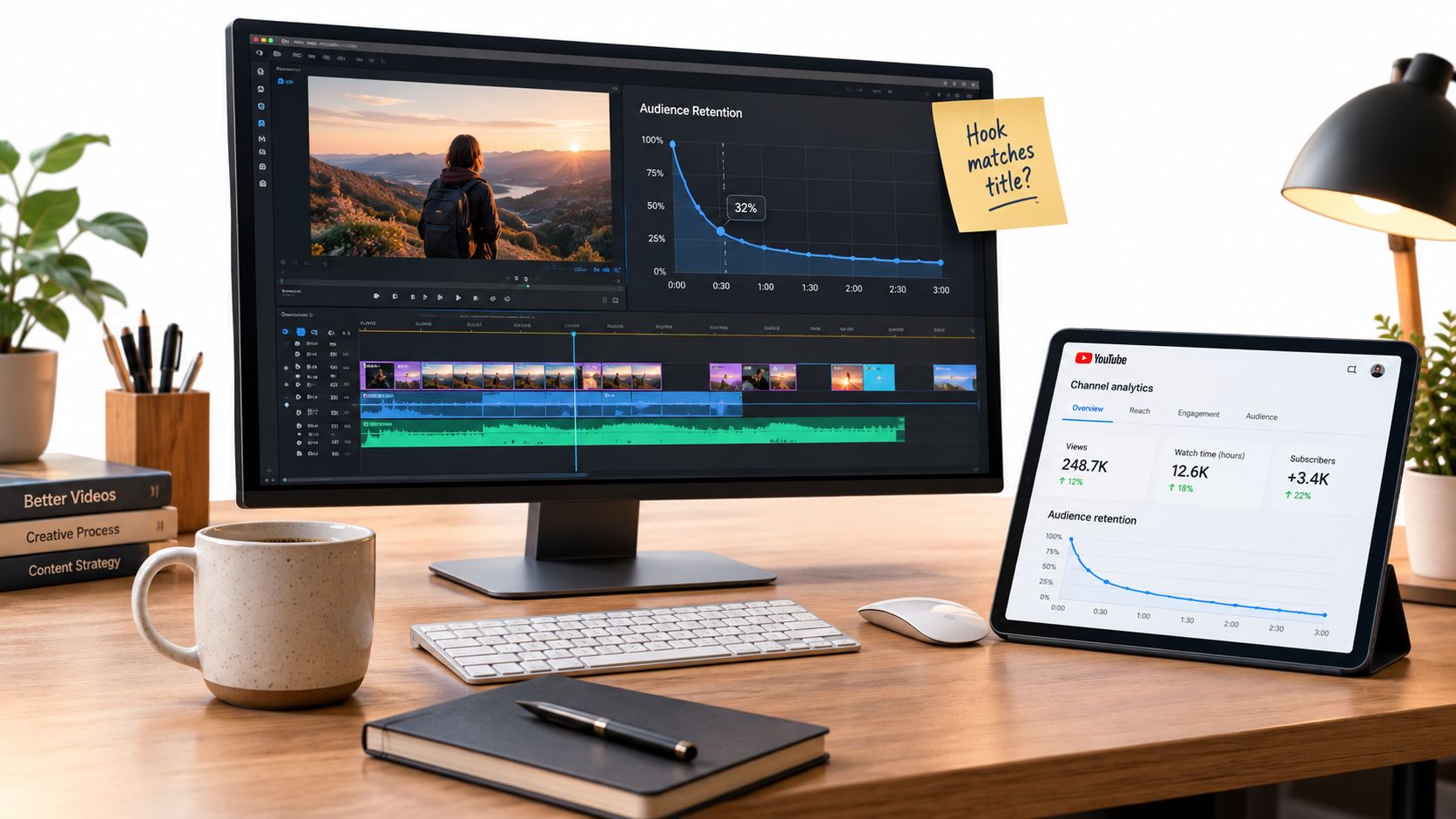
YouTube's audience retention report shows how different moments hold attention, including the intro, continuous segments, spikes, and dips (YouTube's audience-retention documentation). That makes the report a production diagnostic. It can tell you whether the opening delivered the title's promise, whether an explanation became too slow, or whether a particular demonstration made viewers rewatch.
Translate patterns into edits
A sharp early dip usually deserves a review of the opening, not a complaint about the algorithm. Did the video begin with a logo animation, a long greeting, or background that the title never promised? Did the presenter explain the problem before showing why it matters? The next cut should bring the useful material forward.
A steady decline can point to pacing, density, or weak structure. Compare the timestamp with the transcript and edit. If the presenter spends too long defining a familiar term, shorten it. If the visual doesn't change while the explanation develops, introduce a demonstration, graphic, or tighter framing.
Spikes require more curiosity. Viewers may rewatch a confusing sentence, a useful step, a visual detail, or a moment they want to remember. Don't assume every spike means success. Check the content at that timestamp, then decide whether to clarify it, expand it, or turn it into a dedicated follow-up.
Read the curve as an edit map. Every meaningful dip or spike should lead to a production question.
Use a repeatable review loop
After publication:
- Check the promise: Compare the title and thumbnail with the opening.
- Locate the friction: Mark abrupt drops and identify the exact spoken or visual moment.
- Inspect positive signals: Review rewatch spikes and continuous segments for reusable structures.
- Change one production variable: Test a tighter introduction, earlier demonstration, clearer graphic, or shorter explanation.
- Compare like with like: Evaluate videos with similar length and audience intent rather than treating one universal target as a quality score.
Optimizing only for clicks creates a dangerous mismatch. A thumbnail can create an expectation that the opening fails to satisfy, producing attention without trust. A useful YouTube watch-hours perspective should sit alongside retention review, not replace it.
DIY, Hybrid, or Outsourced, What Actually Fits Your Team
The right production model depends on capacity more than camera ownership. Industry estimates place one video at roughly 8–20 hours across research, scripting, filming, editing, and optimization, with monthly solo-channel costs around $200–$2,000 (video marketing ROI estimates).
Those figures describe workload, not a universal price list. Your real cost also includes the owner's attention, subject-matter expert availability, approval delays, rights checks, thumbnail revisions, asset storage, and the revenue-producing work that gets displaced.
Production models compared
| Model | Best For | Typical Hours/Video | Main Hidden Cost |
|---|---|---|---|
| DIY | A consistent owner or internal marketer who can learn the workflow | 8–20 | Opportunity cost and editing fatigue |
| Hybrid | A team that can provide expertise and on-camera input but needs production support | Shared across internal and external roles | Review cycles and unclear ownership |
| Outsourced | A business that needs dependable quality, speed, and accountable execution | Managed by the production partner | Briefing, approvals, and revision management |
DIY works when the format is simple, the presenter is available, and the business can tolerate a learning curve. It fails when editing repeatedly steals time from sales, service, or operations. Buying more equipment doesn't solve that constraint.
Hybrid production is often the practical middle ground. The internal team supplies customer knowledge, access, approvals, and authentic expertise. An editor or production partner handles structure, sound cleanup, graphics, captions, versions, and upload packaging. This model works only when one person has final decision authority.
Outsourcing makes sense when missed publishing dates carry a real business cost or when the channel needs a dependable editorial standard. It still requires an accountable client contact. External production can't compensate for unavailable experts, unapproved claims, or unclear positioning.
Account for AI without pretending it replaces judgment
AI can reduce mechanical work such as transcript cleanup, clip finding, caption generation, rough edits, and versioning. It doesn't remove the need for fact-checking, brand review, rights verification, human editing, or performance analysis.
Set a break-even question before choosing a model: how many qualified leads, sales conversations, product purchases, or support deflections must the video system create to justify its time and spend? The answer will vary by business. What matters is that the team measures capacity and qualified outcomes, not just upload volume.
A video marketing services engagement can be one option for teams that need help with product videos, social clips, or explainers while keeping strategy and approvals connected to business goals.
Thumbnails, Metadata, and Captions Working Together
Discoverability isn't a pile of isolated fields. It's a packaging system.
The title states the problem or outcome. The thumbnail makes that promise visually immediate. The description clarifies what the viewer will learn. On-screen text reinforces the key idea, while captions provide a searchable, accessible version of the spoken content. When those elements disagree, the click may happen, but the viewing experience starts with confusion.
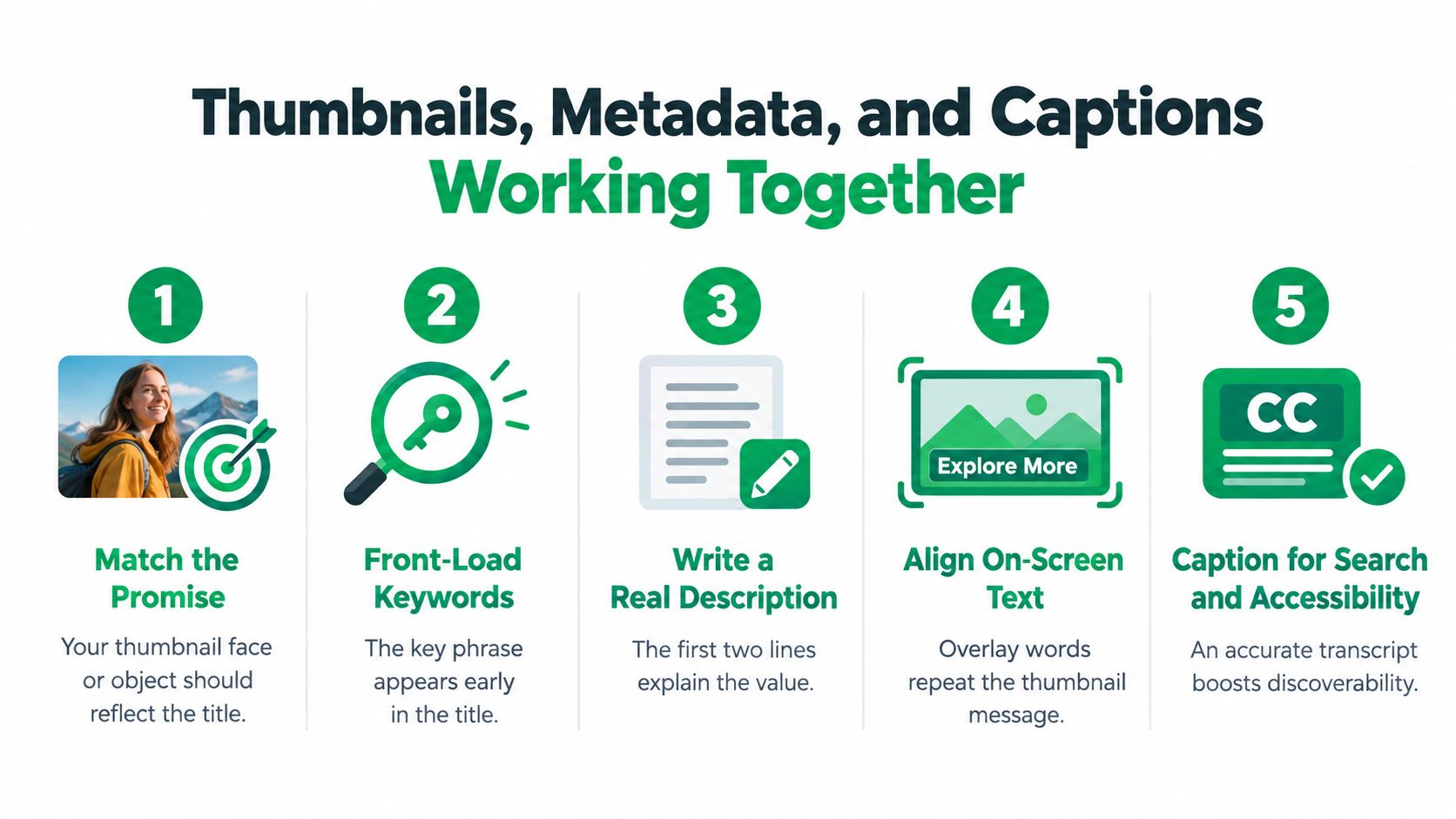
Design the package as one message
Put the core phrase early in the title when it can be done naturally. Write the first lines of the description for a person, not a keyword list. Explain the problem, the useful result, and the relevant context before adding supporting details.
Thumbnails need one readable idea. Use contrast, a clear subject, and minimal words that complement the title rather than repeating a paragraph. A product close-up, a visible problem, or a presenter's clear expression can work when it connects to the actual video.
Captions need editorial attention. Automatic captions can mishear names, product terms, acronyms, accents, and speaker changes. Review the transcript against the final audio, correct technical language, identify speakers when multiple people talk, and remove timing errors that make the text difficult to follow.
Run a packaging review
- Promise check: Does the thumbnail reflect what the title promises?
- Search check: Does the title use the language the audience would use?
- Description check: Do the opening lines explain the value without hype?
- Screen-text check: Does the overlay reinforce the same idea?
- Caption check: Are names, terms, punctuation, and speaker labels accurate?
- Accessibility check: Can viewers understand the essential information without relying on color or audio alone?
Captions aren't only a post-production courtesy. They help viewers follow technical explanations, watch in sound-sensitive environments, and access content across language contexts. That makes caption review part of YouTube SEO, retention, and conversion design, not an optional finishing touch.
Accessibility and Localization as Production Requirements
The assumption that a more cinematic video will always perform better is too simple for small businesses. Clear speech, accurate captions, readable graphics, useful visual context, and a straightforward structure can create more practical value than expensive movement or elaborate scenery.
YouTube-reported 2025 data from India found that 77% of Gen Z viewers watched dubbed or translated content, while 76% used YouTube to understand major events (Storyboard18's report on YouTube viewing behavior). The implication for an SMB isn't that every video needs a full localization program. It's that language access should enter the production conversation before the final export.
Assign accessibility to a real owner
Captions need a named reviewer. That person should compare the transcript with the audio, correct industry terminology, distinguish speakers, and verify that captions don't obscure important graphics or product details. Automatic captions can provide a starting point, but human review matters when accuracy affects safety, trust, or technical meaning.
Write visual context into the script. If the presenter says “this setting,” show the setting and label it. If a chart appears, give viewers enough spoken or written explanation to understand its point. Don't communicate critical information through color alone. Keep on-screen text readable and avoid placing it behind platform controls or outside safe framing.
Audio description can be useful when essential action isn't explained through speech. It doesn't mean narrating every visual. It means making important context available to viewers who can't see the screen clearly.
Choose localization according to the business case
A simpler video with accurate captions and translated versions may be more useful than a polished single-language film when the audience spans regions or language communities. Start with content that already answers a clear customer question. Review translated terms with a qualified human, especially for product names, legal language, technical instructions, and industry vocabulary.
Measure accessibility as part of business performance. Review completion behavior, translated watch time, qualified leads, and support requests alongside standard engagement metrics. The objective isn't to make every video more elaborate. It's to remove avoidable barriers so more of the intended audience can understand and act.
Mr. Green Marketing, LLC offers strategy-led video production for product videos, social media clips, explainers, and YouTube publishing support, including titles, descriptions, tags, and thumbnails. Visit Mr. Green Marketing, LLC to request a free audit and performance report, then build a video system around accessibility, retention, and measurable business goals.
Leave a Comment
sing in to post your comment or sign-up if you dont have any account.