
And you've probably experienced the moment already. You approve a sleek new website, admire the homepage, and wait for enquiries to improve. Instead, visitors complain that pages feel slow, the contact form gets little use, and your team discovers that the agency optimized the presentation while ignoring the commercial engine underneath.
Choosing a web design company requires more than comparing portfolios. You need a partner that can connect design, technical performance, accessibility, analytics, search visibility, security, and conversion paths. A website can look expensive and still cost you opportunities every day.
The right question isn't, “Which agency makes the prettiest websites?” It's, “Which company can prove that its work will support the way my business earns money?”
Table of Contents
- The Beautiful Website Trap Most Businesses Fall Into
- Defining Your Goals and Budget Before You Look
- Evaluating Performance Over Pure Aesthetics
- Vetting Technical Capabilities and CMS Proficiency
- Asking the Right Questions and Spotting Red Flags
- Finalizing the Contract and Planning for Growth
The Beautiful Website Trap Most Businesses Fall Into
A business owner stares at a new homepage on a large desktop monitor. The hero image is sharp, the animation is smooth, and the typography feels premium. Then a customer opens the same page on a phone using a weak mobile connection and waits. And waits.
That gap between the presentation you approve and the experience your customers receive is where many projects go wrong. Agencies naturally show their strongest visual work because a portfolio is easy to judge in seconds. Speed, accessibility, clean tracking, and conversion quality are harder to display, so buyers often give them less attention.
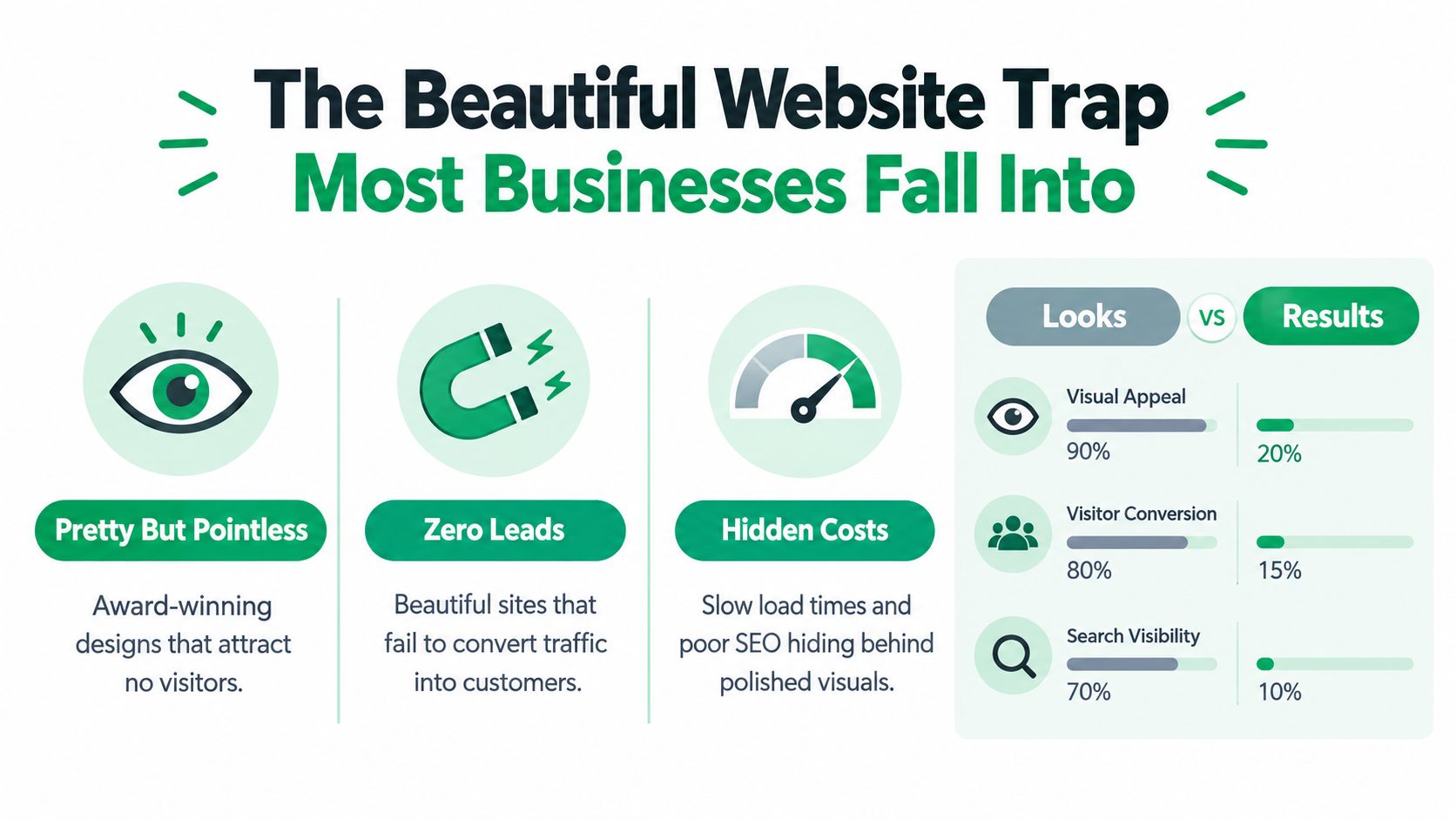
A portfolio is not a business case
A portfolio piece proves that an agency can produce a visual outcome. It doesn't prove that the agency understands your customers, your sales process, or the technical constraints that affect performance.
A restaurant site, a B2B manufacturer's site, and an e-commerce store may all look polished in a presentation. They still require very different decisions around navigation, product information, forms, checkout, integrations, content management, and measurement. Ask what happened after launch. Did the agency establish a baseline? Did it test critical journeys? Does it know which actions represent a qualified lead or a profitable order?
Website performance belongs near the top of your selection criteria because speed affects retention and business outcomes. In Google's mobile page speed benchmarks, a 2017–2018 analysis found that the average mobile landing page took approximately 15 seconds to fully load. The analysis also found that 70% of pages took more than 5 seconds to show above-the-fold visual content and more than 7 seconds to load all visual content.
Google's predictive analysis found that increasing load time from 1 second to 10 seconds raised the probability of a mobile visitor bouncing by 123%. Increasing page complexity from 400 to 6,000 elements reduced the predicted probability of conversion by 95%. Earlier Google research involving 900,000 mobile sites globally found that 53% of users would leave when a mobile page took longer than 3 seconds.
Those figures aren't a reason to reject every visually ambitious design. They are a reason to ask whether the agency can control the trade-off.
Practical rule: If an agency can explain the animation but can't explain its effect on loading, interaction, and conversion, you aren't evaluating a complete website solution.
Before shortlisting a vendor, read this guide to web design for conversion and use it to challenge portfolio-led conversations. Ask for evidence of responsive development, image and code optimization, hosting configuration, Core Web Vitals monitoring, and testing on realistic mobile connections. You should also know who owns ongoing optimization after launch.
A beautiful website can be a valuable asset. It becomes a liability when visual decisions hide slow templates, confusing journeys, weak SEO foundations, or forms that don't work properly.
Defining Your Goals and Budget Before You Look
Start with your business requirements, not an agency shortlist. If you begin by browsing portfolios, you'll unconsciously adapt your goals to whatever a vendor happens to display. That's how businesses end up paying for impressive features that don't solve their actual problems.
Write a short project brief before the first meeting. It doesn't need to be elaborate. It needs to make priorities visible.
Answer these questions first
- Primary outcome: Do you need more qualified enquiries, online purchases, stronger brand trust, easier recruitment, or a clearer digital presence?
- Audience: Who uses the site, what do they already know, and what objections prevent them from taking the next step?
- Critical journeys: Which paths matter most, such as a product page to checkout, a service page to consultation request, or a location page to phone call?
- Content responsibility: Who will supply copy, photography, product data, technical documentation, case studies, and legal content?
- Platform needs: Do you need WordPress, Shopify, BigCommerce, WooCommerce, Magento, Wix, or a custom solution?
- Integration requirements: Will the site connect to a CRM, email platform, inventory system, payment provider, booking tool, or marketing automation workflow?
- Internal capacity: Who will approve work, maintain content, review analytics, and make decisions when the project gets complicated?
The budget conversation should include more than the build fee. Separate the initial design and development work from content production, migration, hosting, analytics configuration, accessibility remediation, support, security updates, and future experimentation.
Define must-haves and preferences
Create two lists. The first contains requirements that affect revenue, compliance, operations, or launch readiness. The second contains enhancements that would be useful if the budget and timeline allow them.
For example, a lead-generation company may classify a mobile-friendly form, CRM integration, editable service pages, analytics ownership, and search-friendly templates as essential. An elaborate motion system or custom illustration library may be desirable, but not worth delaying the launch.
A useful budget test: If removing a feature would not change a customer's ability to understand, trust, or buy from you, it probably belongs in the optional column.
Give every shortlisted company the same brief. You'll receive more comparable proposals, and you'll quickly see who asks intelligent questions versus who only recommends the most expensive package. A serious agency may challenge your assumptions. That's healthy. You want someone to identify a weak conversion path before it becomes expensive code.
Don't ask only, “How much will the website cost?” Ask what the price includes, what it excludes, which decisions could change the cost, and what happens when your team needs a new template or integration later. A transparent proposal makes trade-offs visible before the contract, not after the first change request.
Evaluating Performance Over Pure Aesthetics
Performance evaluation starts with measurement, not opinions about whether a page feels modern. A capable web design company should connect each important design decision to a commercial outcome and explain how the team will determine whether the change helped.
That means asking for a baseline before development begins. The baseline should include relevant analytics, conversion events, important landing pages, form completions, purchases, calls, and other actions that matter to your business. Without that foundation, a post-launch report can show activity without proving impact.

Ask what the agency measures
Google and Deloitte's Milliseconds Make Millions study examined 37 retail and travel brand websites and analyzed more than 30 million user sessions. The research found that a 0.1-second improvement in mobile load time was associated with an 8.4% increase in retail conversions and a 9.2% increase in average order value. Travel businesses recorded an approximately 10.1% conversion increase.
These are historical research findings, not a promise that your redesign will produce the same result. They do show why small technical improvements deserve attention during procurement. A tenth of a second may sound too minor to justify agency scrutiny, but a web design company should understand how performance changes can affect revenue at scale.
Ask each vendor to explain:
- The baseline: Which metrics will the team record before making changes?
- The tracking plan: How will it measure purchases, qualified leads, phone calls, submissions, revenue per visitor, or average order value?
- The attribution approach: How will the agency separate the effect of the website from paid advertising, seasonal demand, pricing, or changes in sales follow-up?
- The testing method: Will the team form hypotheses and run controlled experiments, or just report that engagement “looks better”?
- The reporting process: Who sees the data, how often will reviews happen, and what decisions will follow from the results?
Read the proposal for commercial thinking
A weak proposal talks about pages, colors, and deliverables. A stronger one describes customer journeys and measurement points. It might recommend simplifying a lead form, improving product comparison, clarifying shipping information, or reducing unnecessary scripts because those changes support a defined business objective.
Budget decisions become clearer when the agency identifies what to test first. You may not need every visual enhancement at launch. You do need the page templates and user journeys that support revenue to work reliably.
For a practical look at the relationship between user experience and lost visitors, review this resource on how to reduce bounce rate on a website. The best partner won't promise vague “better engagement.” It will explain what success means, how it will be measured, and who will act when the evidence says something isn't working.
Vetting Technical Capabilities and CMS Proficiency
The CMS decision affects your team long after the designers leave. A platform that looks flexible in a sales presentation may become frustrating if editors can't update content, developers rely on fragile workarounds, or routine changes require an expensive support request.
Compare platforms against the work your business performs. WordPress can suit organizations that need flexible publishing and a broad ecosystem. Shopify and BigCommerce can support commerce operations with platform-specific strengths. WooCommerce and Magento may fit different catalog, integration, or customization requirements. Wix can work well for simpler operational needs. The correct choice depends on content, commerce, internal skills, integrations, governance, and long-term maintenance.
Use a decision matrix, not a platform preference
Ask the agency to demonstrate the CMS in a staging environment. Don't accept a generic claim that your team will be able to manage it. Have the people who will publish content create a page, edit a heading, update an image, correct a form error, and preview a mobile layout.
| Capability Area | Key Question to Ask | Red Flag Warning |
|---|---|---|
| CMS proficiency | Can our team update the required content types without developer help? | The vendor demonstrates only the public-facing design |
| SEO foundation | How will you manage indexable templates, redirects, metadata, structured data, and crawlable navigation? | SEO is described as a later add-on |
| Integrations | Which systems will connect to the website, and how will failures be monitored? | The agency assumes every connection can be solved with a plugin |
| Accessibility | What manual testing, assistive technology testing, and remediation process are included? | An overlay or automated score is presented as proof |
| Performance | How will image weight, JavaScript, hosting, and third-party scripts be controlled? | The proposal says only “fast and responsive” |
| Security | Who manages updates, access control, backups, and incident response? | Security responsibilities remain informal |
Treat accessibility as ongoing engineering
Accessibility deserves particular scrutiny because many agencies claim capability without showing evidence. Require a documented workflow that includes manual keyboard testing, screen-reader testing, testing with users with disabilities, accessible content guidance, and remediation for future updates.
Set a target such as WCAG 2.2 Level AA and define which templates, components, content types, and user journeys it covers. W3C defines conformance through testable success criteria organized under four principles: perceivable, operable, understandable, and reliable. Level AA requires satisfying all Level A and Level AA criteria. Review the WCAG 2.2 recommendation when evaluating the agency's proposal.
Recent evidence makes verification especially important. In web accessibility statistics from February 2026, 95.9% of the top one million home pages had at least one detectable WCAG failure, compared with 94.8% in 2025. The same source reports 3,117 U.S. federal website accessibility cases in 2025, a 27% increase from 2024, and says one 2025 analysis found that 78% of accessibility lawsuits targeted e-commerce companies.
The answer isn't to add an accessibility overlay and declare victory. Automated tools cannot verify every interaction, content decision, or assistive-technology behavior. Ask to see a sample audit, observe fixes in staging, and include retesting and ownership in the maintenance agreement. If WordPress is under consideration, compare vendors through a WordPress website development company evaluation that includes these operational questions, not just theme examples.
Asking the Right Questions and Spotting Red Flags
The interview is where a polished proposal either becomes credible or falls apart. Don't ask, “Can you build a fast website?” Every agency will say yes. Ask the vendor to define how fast, under what conditions, measured with which evidence, and who fixes the problem if performance declines.
Put the answers in writing. A confident agency shouldn't object to objective acceptance criteria.
Use measurable acceptance criteria
For mobile and desktop pages, require targets for the three Core Web Vitals:
- Largest Contentful Paint, or LCP: 2.5 seconds or less
- Interaction to Next Paint, or INP: 200 milliseconds or less
- Cumulative Layout Shift, or CLS: 0.1 or less
Google's Core Web Vitals guidance classifies performance using these thresholds. A site passes Core Web Vitals only when at least 75% of real-user visits meet the relevant threshold for each metric over the measurement window.
Those thresholds should apply to more than the homepage. Include product templates, landing pages, checkout flows, lead forms, search results, and any other journey where users make a decision. Testing a high-end desktop tells you very little about customers using older phones, crowded networks, or a different geographic market.
Request both lab and field evidence. Lighthouse can help identify technical issues in a controlled test, but real-user data reflects device mix, hosting, third-party scripts, image weight, JavaScript execution, and geographic latency. A pre-launch report gives you a baseline. A post-launch report shows whether the live site preserved the result.
Ask about ownership before you admire the mockups
Use direct questions:
- Who owns the domain and hosting account?
- Who owns the analytics property, advertising accounts, source files, and customer data?
- Will the agency use subcontractors, and will those parties have access to customer information?
- How quickly will the agency report a security incident?
- Who handles performance remediation after launch?
- Which tool detects regressions, and who receives the alert?
- What happens to administrator access when the relationship ends?
- What support is included after the warranty period?
A red flag is a vendor that treats access and ownership as administrative details. They are business continuity issues. If the agency controls the only administrator account, retains source files, or refuses to define a handover process, the low initial quote may become an expensive dependency.
The uncomfortable question: “Show me the report you'll give me if the live site fails its performance target after launch.”
Also be wary of a generic “fast website” guarantee, a portfolio tested only on a high-end desktop, a site optimized around one template while the checkout remains slow, or an average score presented as a pass. For broader vendor-selection questions, this guide to choosing a digital marketing agency provides useful context, but your web design contract still needs project-specific criteria.
Finalizing the Contract and Planning for Growth
The contract should turn good intentions into responsibilities. “We'll keep the site secure” is not a useful clause unless it explains which controls apply, who performs updates, how incidents are handled, and what happens when the relationship ends.
The U.S. Federal Trade Commission recommends that small businesses include security provisions in vendor contracts and create plans to evaluate and update controls as threats change. Its small-business cybersecurity guidance also recommends defining required security standards, controlling how vendors may use, share, or sell data, setting retention periods, establishing deletion procedures, and creating processes to confirm that vendors follow the rules. A third-party assessment can help verify compliance.
Put ownership and data handling in plain language
Your agreement should identify the owner of:
- The domain and hosting account
- The CMS and administrator credentials
- Analytics, advertising, and tag-management properties
- Source files, design files, code, and documentation
- Customer, prospect, order, and form-submission data
- Backups and exported project data
It should also define subcontractor access, breach notification, retention, deletion after termination, backup handling, and the process for transferring accounts. Don't assume these points are covered because the agency has a privacy policy. Your contract needs to address your project and your data.
Plan for the website after launch
A launch is a milestone, not a maintenance strategy. Content changes, CMS updates, integrations, third-party scripts, new campaigns, accessibility requirements, and browser changes can affect the experience over time. Decide whether the agency will provide monthly maintenance, emergency support, conversion reviews, accessibility retesting, performance monitoring, and content assistance.
Set a communication cadence and name the decision-makers on both sides. Define how requests are prioritized, how urgent issues are escalated, and how the agency documents changes. Include a process for approving new templates, integrations, and tracking events so the site doesn't become a collection of unreviewed additions.
Use this guide to writing an RFP for website design to organize requirements before you sign. Your RFP and contract should make vendors answer the same questions, provide comparable evidence, and disclose exclusions.
The strongest choice usually isn't the agency with the flashiest presentation or the lowest quote. It's the company willing to define performance, accessibility, ownership, measurement, security, and post-launch responsibility before development begins. That discipline protects the budget because it reduces expensive surprises and gives your team a clear standard for judging the finished work.
Start by writing your business outcomes, critical customer journeys, platform requirements, and essential acceptance criteria. Then ask a short list of agencies to respond with evidence, not promises. A website should look credible, but it also needs to load, work, remain accessible, support search, protect data, and help your business move customers toward a valuable action.
Mr. Green Marketing, LLC offers conversion-focused website design, development, mobile optimization, SEO, analytics support, and ongoing website maintenance across platforms including WordPress, Shopify, BigCommerce, WooCommerce, Magento, and Wix. Visit Mr. Green Marketing, LLC to request a free audit and performance report, then use the findings to choose a web design partner with clearer evidence and stronger commercial accountability.
- Tags:
- agency ,
- Business ,
- guide ,
- web design
Leave a Comment
sing in to post your comment or sign-up if you dont have any account.