
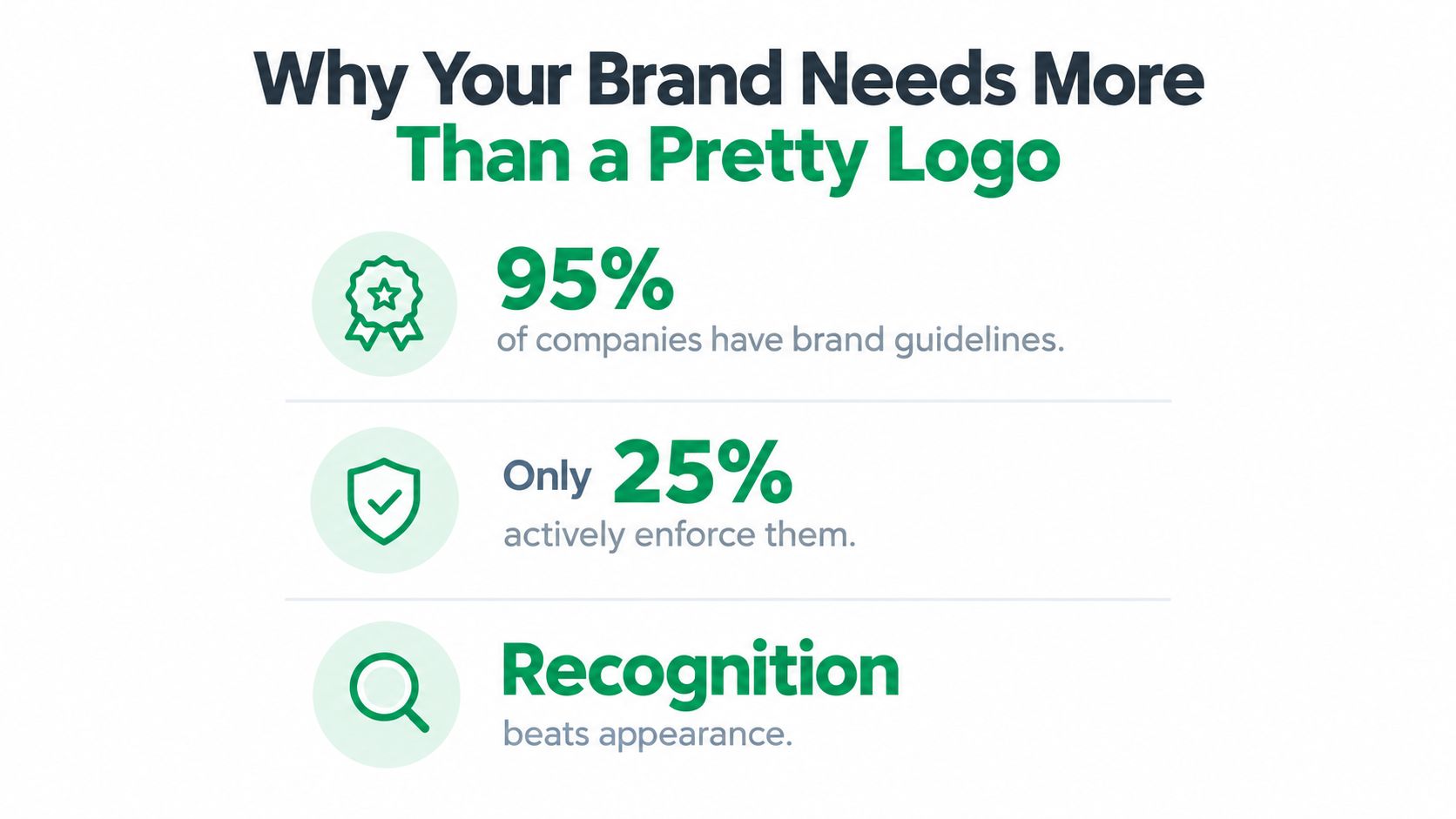
How to Create Brand Guidelines: 95% of companies have some form of brand guidelines, but only 25% actively enforce them, according to recent branding statistics. That gap explains why so many businesses look polished in one channel and improvised in the next. A logo may be correct on the website, while a marketplace listing uses the wrong color, a sales deck changes the typeface, and an AI-generated social post sounds like it came from a different company.
And that’s the core challenge in learning how to create brand guidelines. You’re not producing a decorative PDF. You’re building a practical governance system that helps employees, freelancers, agencies, vendors, and software apply the same identity without guessing.
A useful system defines the rules, shows the rules in action, makes approved assets easy to find, and gives someone responsibility for keeping everything current. It also accounts for accessibility and AI-assisted production from the beginning, rather than adding them after the visual work is finished.
How to Create Brand Guidelines: Table of Contents
- Why Your Brand Needs More Than a Pretty Logo
- Defining the Core Elements of Your Brand Identity
- Making Guidelines Accessible and AI-Ready
- Building Templated Assets for Everyday Use
- Rolling Out and Governing Your Brand System
- Your Practical Brand Guidelines Checklist
Why Your Brand Needs More Than a Pretty Logo
A logo can identify a business, but it can’t carry the entire customer experience. Recognition depends on repeated signals, including color, typography, language, imagery, layout, and the way a company responds across channels. If those signals change from one interaction to the next, customers have to work harder to understand who they’re dealing with.
A widely cited branding report found that organizations report an average revenue increase of 23% when a brand is presented consistently. The same branding consistency report says firms with formal, enforced guidelines are more than twice as likely to present their brand consistently, while 71% of participants reported market confusion as the most common result of inconsistent brand usage.
How to Create Brand Guidelines: The difference between having rules and using them
A document can define the right logo and still fail operationally. Teams may not know where the current version lives. Contractors may receive outdated files. A sales representative may recreate a slide instead of opening an approved template. An AI tool may produce copy that follows the company’s subject matter but misses its tone.
That’s why brand guidelines should answer practical questions:
- Who approves new assets?
- Where do people find current logos, templates, and fonts?
- Which rules are mandatory across every channel?
- What changes for print, ecommerce, email, social media, and paid advertising?
- How should teams handle exceptions?
Small businesses feel this problem quickly because one person often plays several roles. A founder may write product descriptions, a freelancer may design ads, and an agency may manage the website. Your small business logo ideas matter, but they only become valuable when the entire presentation reinforces them.
Build a control system, not a shelf document
A useful guideline system has four layers:
- Identity rules, which define what the brand is.
- Application rules, which show how those elements work in real situations.
- Production tools, such as templates, libraries, and structured assets.
- Governance, which controls approvals, ownership, updates, and exceptions.
The attractive PDF still has a role. It can introduce the brand and provide a convenient reference. It just shouldn’t be the only mechanism keeping the brand consistent. The document explains the standard. The workflow makes the standard repeatable.
Practical rule: If a team member has to interpret a rule before using it, the guideline needs a clearer example, template, or decision path.
How to Create Brand Guidelines: Defining the Core Elements of Your Brand Identity
Start with strategy before opening a design application. Write down your purpose, positioning, audience, personality, and the promise you want customers to associate with the business. These choices give the visual and verbal rules a reason to exist. Without them, teams tend to choose colors and fonts because they look appealing, not because they support a defined position.
Four foundational elements deserve precise treatment.
Logo rules should remove guesswork
Show every approved logo variation, including full lockups, symbols, horizontal versions, and single-color treatments where relevant. Define clear space around the mark, minimum readable sizes, approved backgrounds, and file formats for common uses.
Include a visible “don’t” panel. Show examples of stretching, rotating, recoloring, adding effects, placing the logo over a busy image, or squeezing it into a space that’s too small. People remember visual examples faster than paragraphs of prohibition.
How to Create Brand Guidelines: Color needs production-ready specifications
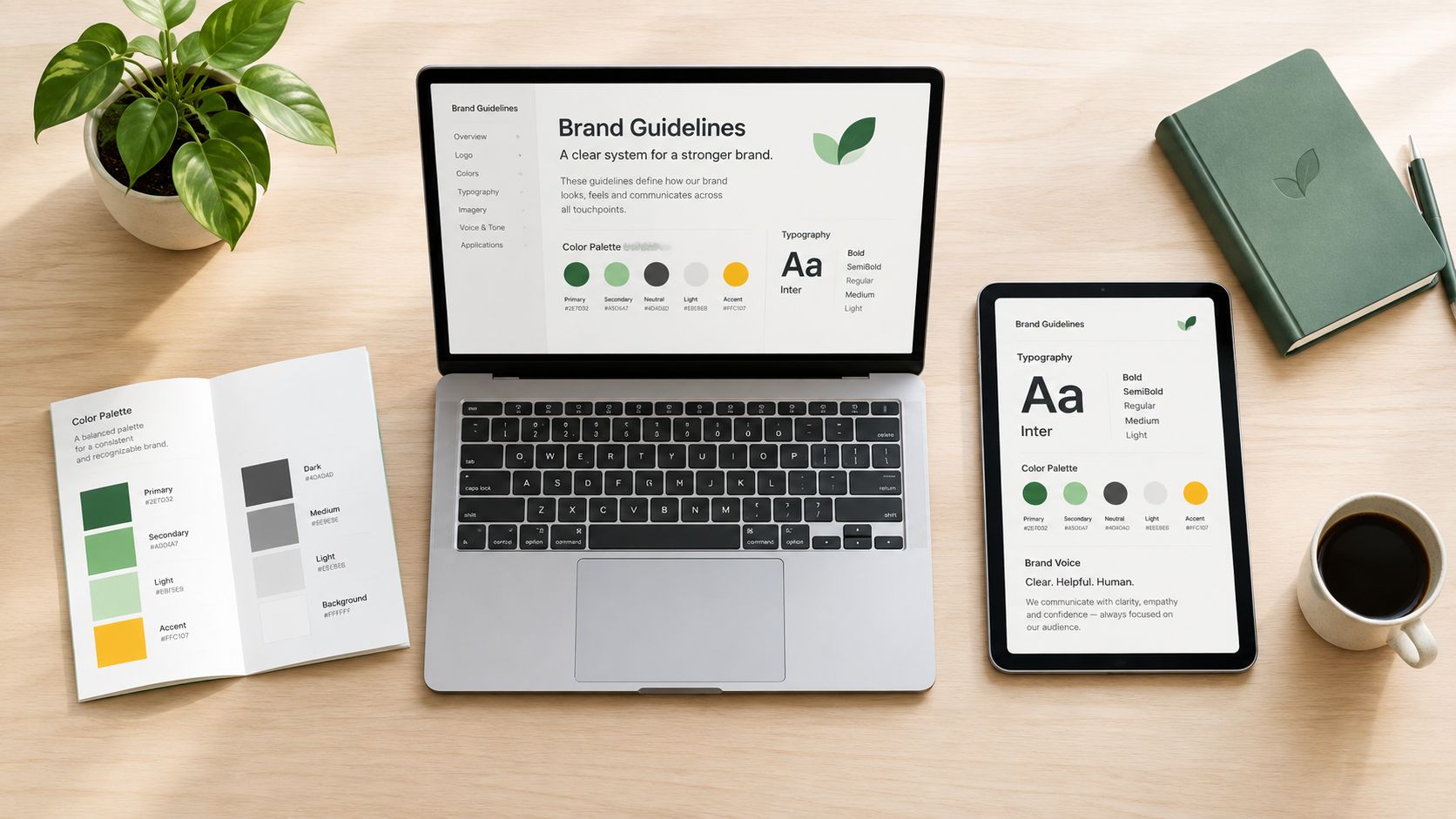
Name the primary palette, supporting colors, neutrals, and functional colors such as success, warning, or error states. Add HEX, RGB, and CMYK values so digital and print teams aren’t forced to approximate the same color.
Don’t present a palette as a row of attractive swatches and stop there. Explain which colors can appear together, which one should dominate, and where contrast restrictions apply. A marketplace image, website button, packaging panel, and printed brochure may need different applications of the same system.
Typography creates hierarchy
Specify the primary and secondary typefaces, approved weights, fallback fonts, and hierarchy for headings, subheadings, body copy, labels, captions, and buttons. If licensing limits font use, state the permitted applications and alternatives.
Your rules should make a page easier to assemble. A writer should know how a headline differs from body text. A designer should know when a display face is inappropriate. A developer should know which fallback maintains the intended character when the primary font isn’t available.
How to Create Brand Guidelines: Voice turns identity into behavior
Define how the brand sounds, not just whether it’s “friendly” or “professional.” Those labels are too broad to guide a real sentence. Describe the preferred level of directness, vocabulary, humor, formality, sentence length, and point of view.
Use before-and-after examples. Show a product description, customer-service reply, social caption, and sales message that fit the brand. Then show common failures, such as inflated claims, unnecessary jargon, passive phrasing, or a tone that sounds too casual for a serious purchase.
| Element | Key Specifications |
|---|---|
| Logo | Variations, clear space, minimum size, approved backgrounds, prohibited treatments, file formats |
| Color | Primary and secondary palettes, HEX, RGB, CMYK, combinations, contrast rules |
| Typography | Typeface roles, weights, hierarchy, fallbacks, licensing guidance |
| Voice | Personality, tone, vocabulary, grammar, punctuation, good and bad examples |
For a deeper foundation, connect these decisions to brand identity development. The strongest guidelines don’t merely list assets. They explain how each asset expresses the company’s position and how teams should apply it in everyday work.
How to Create Brand Guidelines: Making Guidelines Accessible and AI-Ready
Accessibility should sit inside the brand system, not in a separate appendix that teams forget to open. Color choices, imagery, motion, text alternatives, layouts, and approval workflows all affect whether people can understand and use your communications.
For color, use at least a 4.5:1 contrast ratio for body text and 3:1 for large text and UI components, as outlined in accessible branding guidance. Treat those values as design constraints from the first palette review. Don’t wait until a campaign is complete and discover that the approved brand color disappears against the approved background.
Accessibility belongs in every rule
A practical accessibility layer should cover:
- Color dependence: Don’t communicate meaning through color alone. Pair status colors with labels, patterns, icons, or text.
- Text alternatives: Define what useful alt text looks like for product images, editorial images, charts, and decorative graphics.
- Motion: Set boundaries for animation, flashing, transitions, autoplay, and motion-heavy social content.
- Cognitive load: Prefer clear hierarchy, predictable layouts, plain language, and restrained visual density.
- Template reviews: Check the template library regularly, including the quarterly review recommended in the accessibility guidance.
This approach helps accessibility become part of normal production. A designer checks contrast while building the asset. A copywriter writes meaningful alternative text with the image. An approver verifies that the experience works without requiring a separate compliance specialist.
How to Create Brand Guidelines: Make the system readable by machines
Brand guidelines are shifting from static PDFs toward design tokens, structured data, and APIs, while small and mid-sized teams still need practical ways to version rules and keep human editors aligned when AI creates content, as discussed in current branding-system coverage.
Design tokens can store values such as colors, spacing, type sizes, and borders in a format that design and development tools can reuse. Structured content fields can define approved product claims, audience descriptions, prohibited phrases, and tone attributes. Version labels can show which rules are current and which assets need updating.
AI systems also need boundaries. Write an approved prompt context that explains the audience, positioning, voice, claims policy, and words to avoid. Give human editors a review checklist for factual accuracy, tone, accessibility, image descriptions, and compliance before publication. AI can accelerate production, but it shouldn’t become the unappointed owner of your identity.
Your AI search optimization work should follow the same principle. Machine-readable information supports discovery, but human judgment still determines whether the resulting experience sounds credible and inclusive.
How to Create Brand Guidelines: Building Templated Assets for Everyday Use
Rules become useful when people can apply them under pressure. A sales manager preparing a presentation or an ecommerce operator updating a product listing usually won’t open a long document to calculate the correct spacing around a logo. They’ll use whatever is easiest.
Give them an approved starting point.
Build templates around recurring tasks rather than abstract brand categories. A social template should include the correct dimensions, type hierarchy, logo position, contrast-safe colors, and image treatment. An email template should establish the header, button style, content width, footer, and accessible link treatment. An Amazon A+ content block should show how product benefits, lifestyle imagery, and supporting text work together without crowding the layout.
Design the template for safe customization
Each template needs a short usage note. Identify what users can change, what they must not change, and where they can find approved replacements.
For example, a social post might allow users to replace the photograph and headline while locking the logo position, typeface, color tokens, and spacing. A presentation deck might allow new slides within a fixed grid while preserving title treatment, chart styling, and footer information. This is more effective than telling non-designers to “stay on brand” without giving them boundaries.
Use real content in examples. Placeholder text hides problems. A long product name may break the hierarchy. A translated headline may need more room. A dark photograph may make the approved text color unreadable. Test templates with the situations your team encounters.
How to Create Brand Guidelines: Organize the library around production
| Category | Examples |
|---|---|
| Social media | Feed posts, stories, reels covers, profile graphics, campaign variations |
| Newsletter headers, promotional modules, event invitations, automated messages | |
| Sales | Presentation decks, proposal covers, one-page PDFs, case-study layouts |
| Ecommerce | Product image frames, comparison blocks, marketplace content modules |
| Advertising | Display formats, paid social variations, retargeting graphics |
| Internal communication | Hiring posts, team announcements, meeting backgrounds, briefing documents |
Keep the library easy to search and clearly mark approved versions. Archive old templates instead of leaving duplicates beside current files. Pair each category with an owner who can answer questions and report recurring problems.
A content calendar framework can help connect templates to planned campaigns. That connection matters because teams often create off-brand assets when deadlines arrive before anyone has prepared the required format.
Rolling Out and Governing Your Brand System
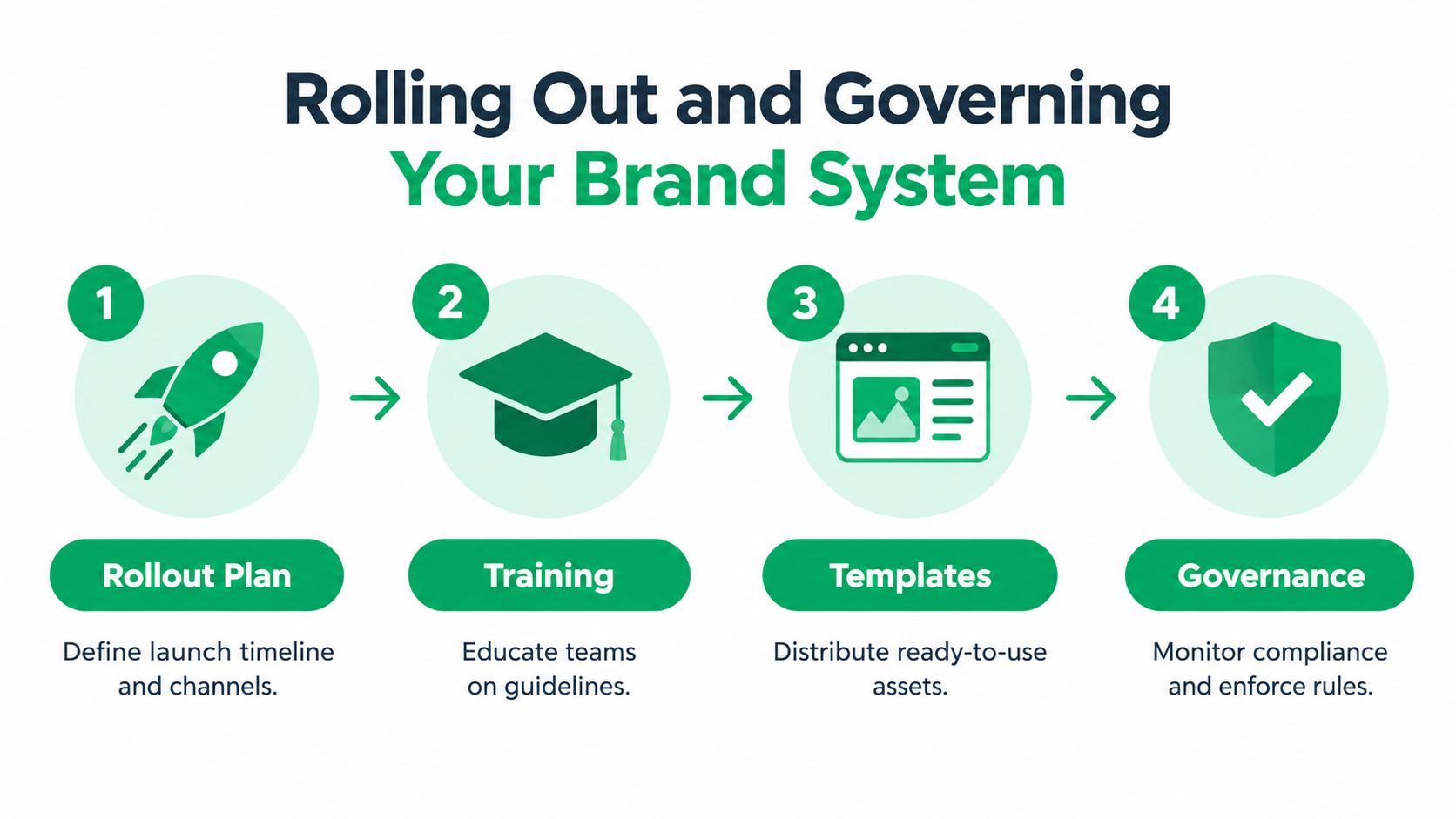
A brand system succeeds when people can use it correctly under deadline pressure. A static PDF asks them to remember rules. Governance gives them current assets, clear decisions, and a reliable route for exceptions.
The common failure is predictable. Leadership approves a document, sends an announcement, and treats publication as adoption. Months later, old logos remain in presentation folders, contractors use inconsistent colors, and campaign teams still do not know who approves a new asset. The document exists, but the operating system does not.
Remember the enforcement gap raised at the start of this guide? Governance is where that gap closes. Possession of guidelines is not operational control. A working system connects rules to owners, templates, review steps, and the tools people already use.
Compare the two operating models
| Static document model | Governed brand system |
|---|---|
| One PDF is treated as the source of truth | Rules, assets, templates, and owners form one documented system |
| Teams search for files or recreate assets | Teams use a maintained, searchable library |
| Approval happens informally | Each asset type has a defined review path |
| Updates are announced once | Changes are versioned, explained, and added to working tools |
| Problems surface after publication | Reviewers address recurring issues before release |
Start with an inventory of live touchpoints. Review the website, product pages, packaging, email signatures, sales materials, social profiles, paid ads, and partner-created assets. Record the inconsistency, its business risk, and the person responsible for fixing it. Replace high-visibility errors first rather than waiting for a perfect system-wide cleanup.
Use a phased rollout with explicit outputs. Independent SME guidance recommends inventory over 2–3 weeks, strategy over 3–4 weeks, creation over 4–6 weeks, documentation over 2–3 weeks, rollout over 4–8 weeks, and ongoing optimization, as described in this implementation guidance. Treat those ranges as planning inputs, not a reason to delay a small, high-priority release. A focused first release can cover the channels creating the most customer exposure, then expand as the team learns where instructions fail.
Assign ownership before launch
Name a brand owner, an operational backup, and approvers for legal copy, accessibility, product claims, and channel requirements. Record these responsibilities where contributors will find them. Create an exception process as well. Legitimate edge cases will appear, and a system with no decision path encourages silent improvisation.
Training should use the actual tools and templates in production. Ask contributors to correct an off-brand social post, choose a compliant color pairing, or adapt a template for a new product. Follow the exercise with searchable guidance and a question channel. Review recurring questions monthly. They often reveal missing rules, poor template design, or instructions that AI tools cannot apply reliably.
The milestone is not the day the PDF is published. It is the day people know where to go, what to use, and who decides when the rules change.
Review the system on a planned cycle. Accessibility guidance recommends quarterly review of template libraries, while the broader system needs review when products, audiences, channels, or positioning change. Maintain version history so AI prompts, design tokens, templates, and human-facing documentation stay aligned. Otherwise, an AI-generated draft may follow an outdated rule while the approved template follows another.
If public feedback and brand risk are part of your remit, connect governance to social reputation management. Consistency includes response standards, escalation routes, and approved language, not only the appearance of graphics.
Your Practical Brand Guidelines Checklist
A working brand system should let a new contributor produce a credible asset without relying on tribal knowledge. That doesn’t mean removing judgment. It means reserving judgment for decisions that actually require it, while making routine execution straightforward.
Use this checklist as a working document:
Audit what already exists
- Collect live assets: Gather website pages, product listings, packaging, presentations, email templates, social profiles, ads, and partner materials.
- Mark inconsistencies: Note incorrect logos, mismatched colors, changing typefaces, uneven image treatment, and different interpretations of the brand voice.
- Identify risk: Prioritize customer-facing assets, high-traffic templates, important marketplace content, and materials created by multiple contributors.
- Assign owners: Record who manages each channel, asset library, template group, and approval decision.
Define the identity
- Write the strategy: Document purpose, positioning, audience, personality, promise, and boundaries.
- Document the logo: Include variations, clear space, minimum sizes, approved backgrounds, file formats, and incorrect uses.
- Specify color: Add production values, combinations, functional states, and contrast requirements.
- Set typography: Define typefaces, weights, hierarchy, fallbacks, and licensing limits.
- Describe the voice: Provide tone attributes, vocabulary, grammar preferences, sample copy, and failure examples.
- Guide imagery: Explain photography, illustration, icon, chart, data visualization, and motion choices.
Make the rules usable
- Bake in accessibility: Include contrast checks, alt-text guidance, color-independent meaning, motion boundaries, cognitive clarity, and scheduled template reviews.
- Prepare for AI production: Store reusable values as design tokens where practical, structure key brand information, version prompts and rules, and require human review.
- Build templates: Cover social, email, sales, ecommerce, advertising, and internal communication needs.
- Add instructions: State what users can customize, what stays fixed, and where approved assets live.
- Test real scenarios: Use long headlines, new products, dark images, different screen sizes, and content created by non-designers.
Launch and maintain
- Train contributors: Include employees, freelancers, agencies, vendors, and partners who create public-facing material.
- Create approval paths: Set reviewers for routine assets, high-risk claims, accessibility questions, and exceptions.
- Version the system: Date changes, archive outdated assets, and explain what changed.
- Review performance and adoption: Look for repeated questions, recurring errors, missing templates, and channels that still drift.
- Refresh deliberately: Update the system when strategy, products, audiences, technology, or accessibility requirements change.
For SMEs and ecommerce sellers, don’t wait for a complete enterprise-grade system. Start with the channels that influence buyers most, then expand as the team’s needs become clear. A compact, enforced set of rules is more valuable than an impressive document nobody opens.
The central test is simple: can someone find the right asset, understand the rule, apply it correctly, and get approval without slowing the business to a halt? If the answer is no, improve the workflow rather than adding more pages.
Mr. Green Marketing, LLC helps businesses develop branding systems, logo applications, product labels, and practical guidelines that support consistent execution across digital and marketplace channels. Visit Mr. Green Marketing, LLC to request a free audit and identify the visibility and brand-consistency gaps worth addressing first.
Leave a Comment
sing in to post your comment or sign-up if you dont have any account.