
Technical SEO Best Practices: Build the Technical Foundation Search Engines Can Trust
Technical SEO is less about isolated tweaks than the system that helps search engines access, interpret, index, and confidently present a website. A site can publish excellent content and still lose visibility when crawlers encounter blocked resources, duplicate URLs, unstable layouts, weak mobile templates, or insecure connections.
And the surprising part is that many websites still struggle with the basics. The latest published CrUX-based summaries report that only 55.7% of origins globally pass all three Core Web Vitals thresholds, with a persistent mobile gap of 49.7% on mobile compared with 57.1% on desktop in one HTTP Archive-based summary, as reported by this technical SEO statistics summary. That makes technical SEO a practical opportunity, especially for small and medium-sized businesses competing with larger brands.
The priority is clear. Start with blockers affecting crawlability, indexation, mobile access, performance, and site security. Then improve discovery, semantic signals, internal architecture, and search presentation. A technical audit can reveal visibility gaps before you invest heavily in broader SEO work.
Technical SEO Best Practices: Table of Contents
- 1. Site Speed and Core Web Vitals Optimization
- 2. XML Sitemap Structure and Optimization
- 3. Mobile-First Indexing Implementation
- 4. Structured Data Markup and Schema Implementation
- 5. Robots.txt and Meta Robots Configuration
- 6. URL Structure and Canonical Tag Management
- 7. Internal Linking Strategy and Crawlability
- 8. HTTPS Implementation and Security Signals
- 9. Crawl Budget Optimization and Server Response
- 10. Heading Tag Hierarchy and Semantic HTML
- 10-Point Technical SEO Best Practices Comparison
- Turn the Checklist Into a Technical SEO Roadmap
1. Technical SEO Best Practices: Site Speed and Core Web Vitals Optimization
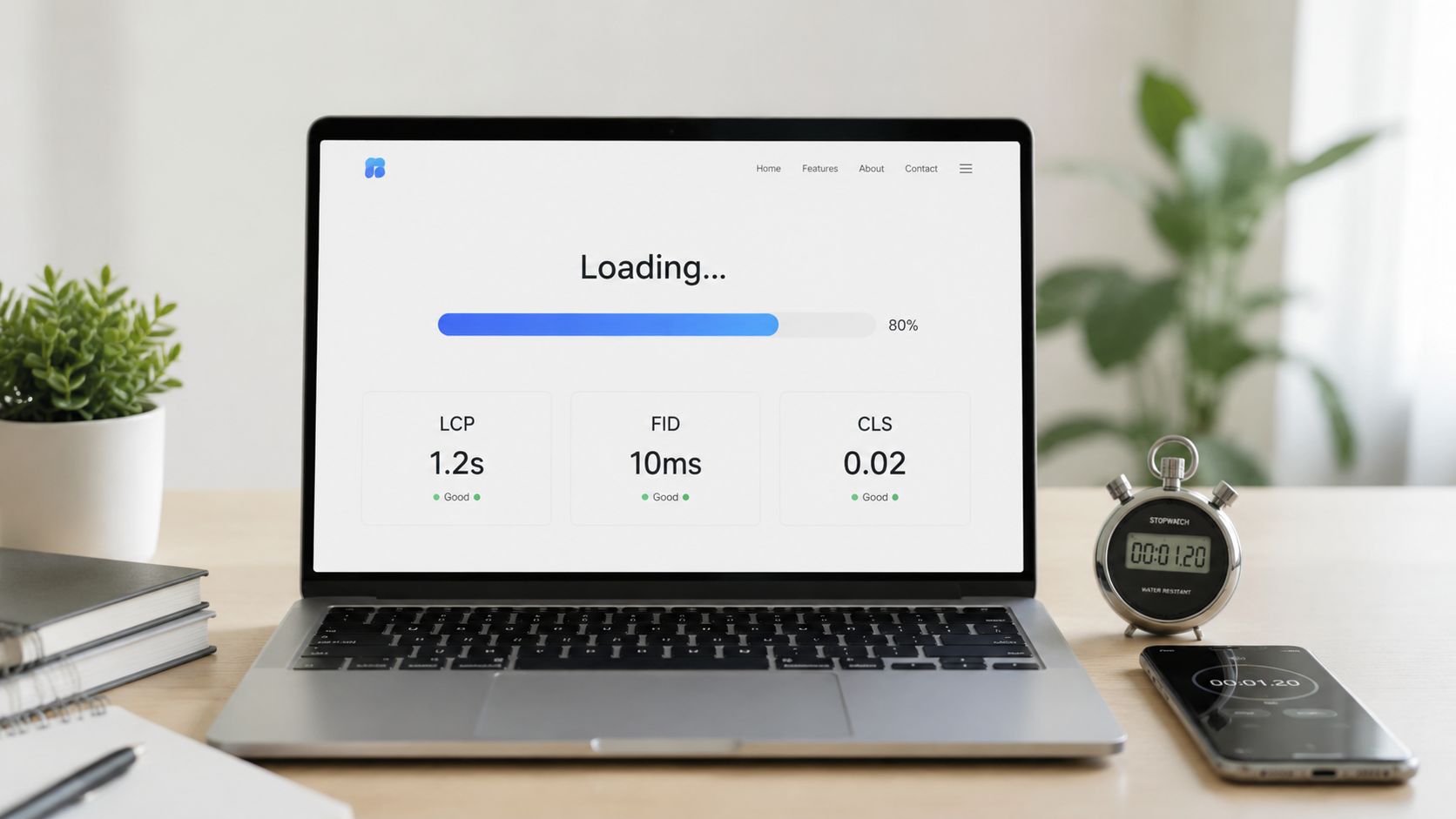
Performance affects both search presentation and user behavior. Google began rolling out page experience signals in May 2021, with the rollout starting in mid-June and reaching full effect by the end of August 2021, according to its page experience rollout announcement. The signal set included performance, mobile usability, HTTPS, safe browsing, and intrusive interstitial control.
Google first used Largest Contentful Paint, First Input Delay, and Cumulative Layout Shift as Core Web Vitals. Current audits should measure Interaction to Next Paint, which replaced FID as the responsiveness metric. Use these operating thresholds: LCP at 2.5 seconds or less, INP at 200 milliseconds or less, and CLS at 0.1 or less, assessed at the 75th percentile of real page loads, as explained in this Core Web Vitals guide.
Diagnose real users, then fix the largest bottleneck
PageSpeed Insights and Lighthouse expose JavaScript, image, and rendering problems under controlled conditions. Field data shows whether visitors encounter them across devices, networks, and regions. Use both. A strong lab result does not guarantee acceptable mobile performance.
Fix issues in this order:
- Largest content: Compress hero images, preload only critical assets, and reduce server response time.
- Interaction delay: Break up long JavaScript tasks and defer scripts that are not needed for initial use.
- Layout stability: Reserve dimensions for images, ads, embeds, and dynamic interface elements.
- Mobile templates: A 2026 industry summary reports median LCP of 3.8 seconds on mobile versus 2.1 seconds on desktop, an 87% slowdown, making mobile templates a practical starting point, as reported in this technical SEO statistics report.
Apply page speed optimization guidance to image compression, caching, CDN delivery, and JavaScript reduction. Each change has a trade-off. Aggressive deferral can delay interactive features, while excessive preloading can compete for bandwidth. Validate releases in Search Console’s Core Web Vitals report, compare field trends over time, and retain changes that improve real-user performance rather than only lab scores.
2. Technical SEO Best Practices: XML Sitemap Structure and Optimization
An XML sitemap helps search engines discover important URLs, but it isn’t a substitute for internal links or a clean architecture. Treat it as a controlled feed of pages you want crawled and evaluated, not as a complete export of every URL your system generates.
A strong sitemap contains canonical, indexable URLs that return a successful response. Remove redirects, error pages, blocked URLs, duplicate variants, and thin parameter combinations. For an ecommerce business, separate product, category, and editorial sitemaps can make diagnostics easier. A multi-location company may segment location pages so teams can identify which group has discovery or indexation problems.
Respect the protocol and make updates meaningful
A single XML sitemap file can contain no more than 50,000 URLs and must be no larger than 50 MB uncompressed. Sitemap index files share the same 50 MB ceiling, according to this 2026 sitemap and Core Web Vitals guide. Split large files before they approach those limits, then submit the sitemap or sitemap index in Google Search Console and Bing Webmaster Tools.
Avoid arbitrary priority values. The sitemap should reflect your site’s canonical structure and accurate modification dates, not promise that every URL deserves equal attention. A product sitemap that lists discontinued inventory creates noise. A blog sitemap with inaccurate update dates weakens the usefulness of the feed.
Use sitemap validation guidance before submission, then inspect the submitted sitemap report for discovered and indexed URL patterns. If important pages are present but remain unindexed, investigate internal links, content quality, canonical signals, and server responses rather than repeatedly resubmitting the same file.
Practical rule: A sitemap should describe the site’s preferred index, not expose every URL the site can technically generate.
3. Technical SEO Best Practices: Mobile-First Indexing Implementation
Google’s mobile-first approach means the mobile version deserves the same content, links, structured data, and metadata as the desktop version. Responsive design is usually the safest implementation because one URL serves an adaptable experience, but the framework matters less than consistency and accessibility.
Start with the pages that generate business value, such as service pages, product templates, location pages, and lead forms. Compare the mobile and desktop versions for missing headings, collapsed product information, hidden internal links, altered canonical tags, and content loaded only after interaction. If the mobile template omits important material, search engines may not evaluate the page the way your desktop team expects.
Technical SEO Best Practices: Test the experience people actually use
Browser emulators are useful for quick checks, but they won’t reproduce every issue caused by a real device, touch interaction, viewport behavior, or mobile network. Test representative phones and tablets, including the navigation menu, filters, forms, checkout, accordions, sticky elements, and consent interfaces.
A practical mobile review should cover:
- Tap targets: Make buttons and links comfortable to use without accidental clicks.
- Above-the-fold content: Load the main heading, value proposition, and primary action without unnecessary visual delay.
- Responsive content: Keep essential text, links, images, and structured data available on the mobile page.
- Rendering: Use Search Console’s URL Inspection tool to compare the rendered mobile page with the intended experience.
- Performance: Check field data by device rather than relying on desktop improvements.
Use mobile website optimization guidance when reviewing templates and interaction patterns. AMP isn’t a default requirement for modern sites, so implement it only when a specific publishing workflow and distribution need justify the added maintenance. The trade-off is simple: a lightweight responsive site is usually easier to maintain than parallel mobile versions.

4. Technical SEO Best Practices: Structured Data Markup and Schema Implementation
Structured data clarifies what a page represents. It can identify a product, article, local business, organization, or event, helping search engines interpret details and assess eligibility for enhanced search features. It does not guarantee a rich result or higher rankings.
Implementation accuracy matters more than schema volume. A 2026 audit of 5,000 sites found that 71% deployed at least one schema type, while only 22% passed the Rich Results Test cleanly across every emitted schema type, according to the schema markup audit. Incorrect, incomplete, or misleading properties can create validation issues and weaken the page’s search presentation.
Build from the page’s primary entity
Map each template to the entity it visibly supports. Product pages can use Product and Offer properties when price, availability, and ratings appear on the page. Local service pages can provide LocalBusiness details that are accurate and visible. Articles should identify the author, dates, and publisher only when the content supports those claims.
JSON-LD usually simplifies deployment because it separates structured data from presentation code. Add it at the template level, then test representative URLs in the Rich Results Test and review enhancement reports in Search Console. Validation catches syntax and property errors. It does not confirm that Google will display an enhancement.
Use this implementation path:
- Template inventory: Record the schema types each page template generates.
- Property checks: Verify required and recommended fields, formats, and relationships.
- Entity alignment: Keep names, locations, authors, and brand references consistent with visible content.
- Release testing: Re-test after redesigns, CMS changes, and plugin updates.
- Search review: Check eligibility and enhancement status without treating appearance as guaranteed.
For search experiences beyond traditional result pages, review guidance on optimizing for AI search. Structured data can improve machine interpretation, but accessible HTML and clear page content remain the foundation. The practical trade-off is maintenance: precise markup supports discovery and presentation, while unnecessary types increase testing and update work.

5. Technical SEO Best Practices: Robots.txt and Meta Robots Configuration
Robots.txt manages crawler access, while meta robots manages indexation. Google describes robots.txt as a file that specifies which URLs crawlers may request, as explained in this technical SEO guide. A meta robots directive controls page-level behavior after the crawler can access the HTML.
That distinction affects search visibility. Blocking a URL in robots.txt does not reliably remove it from search results, because Google may still discover the URL without fetching its content. For a page that should stay out of the index, keep it crawlable and apply noindex, provided the page remains accessible to crawlers. A robots rule can prevent Google from seeing that directive.
Block waste, not rendering resources
Use robots.txt to limit crawl requests for URL patterns with no unique search value, such as internal search results, session paths, and unhelpful parameter combinations. Use meta robots for page-specific choices, including thank-you pages, private utility pages, and obsolete versions that users may still need to access.
Do not block CSS, JavaScript, or images required to render the primary content. Those resources help crawlers interpret the page and its user experience. Protect staging and administration areas with authentication or other access controls. Robots.txt provides crawl guidance, not security.
Set up the rules, then validate them against real templates:
- Test priority URLs: Review important pages in Search Console and run a controlled robots testing workflow.
- Check rule order: Confirm user-agent-specific rules do not override broader instructions unexpectedly.
- Review crawl activity: Use Search Console’s Crawl Stats report to examine request patterns, responses, and download timing.
- Audit releases: Compare blocked paths with business-critical templates after deployments, migrations, and CMS changes.
The trade-off is precision. Overblocking can hide pages that should be discovered or prevent Google from receiving noindex. Underblocking leaves low-value URL families available for crawling. Document each rule’s purpose, owner, and affected path pattern so future changes do not remove access by accident.
6. Technical SEO Best Practices: URL Structure and Canonical Tag Management
URL design affects discoverability, reporting, redirects, and internal linking. Use concise, readable slugs that describe the page, such as /commercial-roofing/, instead of generated paths containing IDs or unnecessary parameters. Separate words with hyphens and include the main topic when it reads naturally.
Canonical tags solve a different problem. If several URLs contain identical or substantially similar content, rel="canonical" indicates the preferred version. Treat that tag as a signal, not a command. The chosen URL should remain accessible, indexable, internally linked, and appropriate for search results.
Set rules for parameters and migrations
Faceted navigation requires page-level decisions. A sort order that leaves the content meaning unchanged may not need its own crawlable URL. A filter that produces a useful landing page may merit indexation and supporting links. Define these rules by parameter and template, rather than applying one blanket setting across the site.
For complex environments, use absolute canonical URLs. During a migration, send each old URL directly to its closest relevant replacement, update internal links, and remove references to obsolete paths. Keep useful legacy URLs available through direct redirects instead of deleting them without a replacement.
Run a combined validation pass:
- Compare signals: Confirm that sitemap URLs, internal links, and canonical tags identify the same preferred versions.
- Inspect destinations: A canonical should not point to a redirect, error page, or
noindexURL. - Classify parameters: Record which parameters create unique content and which only duplicate existing pages.
- Review legacy paths: Test migration redirects and confirm they resolve in one step.
- Check new templates: Verify that newly published pages receive canonical tags and links from the site architecture.
The trade-off is control versus flexibility. Too many indexable variations can dilute signals and create unnecessary URL maintenance. Canonical tags cannot compensate for unclear architecture. Give each content variant one deliberate preferred path, then verify that the site consistently supports it.
7. Technical SEO Best Practices: Internal Linking Strategy and Crawlability
Internal links shape both user journeys and crawl paths. They connect broad topics with specific services, products, locations, and supporting resources, while signalling how pages fit together and which URLs matter within the site architecture.
Map links around commercial priorities. A homepage should point to core service hubs. Those hubs can lead to detailed services, location pages, proof points, and conversion paths. An ecommerce category can connect products with buying guides and related categories. The structure should follow customer decisions, not the CMS hierarchy alone.
A useful link is specific, contextual, and easy to reach. “Commercial roofing inspections” explains the destination more clearly than “click here.” A relevant sentence in the main content also gives users a clearer route than a footer packed with repeated links.
Review the site by asking where valuable pages sit in the crawl path:
- Prioritize important pages: Link from the homepage, high-value guides, and strong service pages.
- Connect related content: Join articles, product recommendations, and location pages where the relationship helps users continue their research.
- Recover older assets: Add links to useful pages that have become difficult to discover or lost visibility.
- Find orphan pages: Locate URLs with no meaningful internal links, then support, consolidate, or remove them based on their value.
- Audit failures: Crawl the site quarterly with tools such as Screaming Frog to identify broken links and links that lead through redirects.
Use relevance rather than a fixed link count. A short page may need only a few strong connections. A detailed guide can support more links when each one answers a likely next question. Excessive linking makes important paths harder to distinguish and can distract visitors from the page’s primary action.
Validate the changes with a crawl, then inspect key templates manually. Confirm that priority pages are reachable, anchor text matches the destination, and no important links point to errors or unnecessary redirect chains. Internal linking succeeds when users and crawlers reach valuable content without detours.
8. Technical SEO Best Practices: HTTPS Implementation and Security Signals
HTTPS encrypts traffic between a visitor’s browser and your server. It protects forms, account data, payment details, and browsing activity, while reducing security warnings that can make visitors leave. It also prevents insecure resource requests from undermining page functionality.
For SEO, HTTPS gives search engines and users a consistent secure version of each URL. The larger business impact is trust. An insecure warning can discourage form submissions, and mixed content can stop scripts, stylesheets, or images from loading correctly.
Finish the migration across the whole site
Install a certificate from a reputable provider or use a supported free option such as Let’s Encrypt. Then redirect each HTTP URL to its matching HTTPS URL. Update canonical tags, internal links, XML sitemaps, analytics settings, APIs, and other third-party integrations so they reference the secure version directly.
Audit the migration in this order:
- Redirect coverage: Test old HTTP pages, subdomains, images, and common URL variants. Confirm that each resolves to the intended HTTPS destination without loops or unnecessary hops.
- Mixed content: Review browser console warnings and replace HTTP references for scripts, styles, images, fonts, and embedded resources.
- Canonical alignment: Ensure canonical tags point directly to HTTPS URLs, not HTTP pages or redirected destinations.
- Security headers: Consider HSTS only after HTTPS works reliably across the required subdomains and services.
- Monitoring: Check Search Console, browser reports, and server logs after deployment for HTTP requests, redirect errors, blocked assets, and certificate problems.
The main trade-off is migration risk. An incomplete switch can create duplicate protocol versions, broken integrations, redirect loops, or inaccessible assets. Crawl the site before and after release, stage changes where possible, test important templates manually, and keep a rollback plan. HTTPS supports secure search presentation, but its direct value also lies in protecting the people using the site.
9. Technical SEO Best Practices: Crawl Budget Optimization and Server Response
Crawl efficiency depends on two connected systems: the URLs a site exposes and the speed at which its server returns them. Search engines have limited crawling capacity, so large or complex sites should direct it toward pages that can earn visibility. Google Search Console’s Crawl Stats report shows requests per day, average download time, and request purpose, as outlined in Google crawl management guidance.
The main waste often comes from URL generation rather than one slow template. Filters, parameters, duplicate pages, redirect chains, soft 404s, and unstable server responses can consume crawl activity while leaving important URLs less frequently visited. Industry estimates have reported that 35% of websites contain critical technical issues that can block crawling or indexing, and that large sites may spend 30% to 40% of crawl budget on duplicates, parameters, or low-value pages. Treat these figures as investigation prompts, not predictions for your site.
Start with evidence. Compare Search Console crawl trends with server logs where log analysis is practical, test priority URLs individually, and review performance after releases or template changes. Reduce redirect hops, correct intermittent failures, remove soft 404s, and apply caching where it improves time to first byte.
For ecommerce and multi-location sites, apply controls by URL purpose:
- Control facets: Prevent non-unique filter combinations from creating unlimited crawl paths.
- Remove waste: Choose
noindex, canonicalization, or crawl controls based on whether a URL should be crawled, indexed, or consolidated. - Protect important pages: Link products, services, and location pages from relevant templates, then include indexable priorities in XML sitemaps.
- Fix status confusion: A page returning a successful response while showing “not found” can waste crawl activity and distort indexation reports.
- Validate changes: Recheck status codes, response times, rendered content, and log patterns after deployment.
Broken destinations need a clear resolution. Use 404 file not found guidance to decide whether a URL should return a genuine 404, redirect to a relevant replacement, or remain available. Do not block every parameter automatically. Some filtered URLs may serve distinct search intent, so crawl optimization requires prioritization rather than just reducing the URL count.
10. Technical SEO Best Practices: Heading Tag Hierarchy and Semantic HTML
Heading hierarchy and semantic HTML clarify a page’s purpose for users, browsers, assistive technology, and search systems. Use one H1 for the primary subject, H2s for major sections, and H3s for supporting subsections. Pair those headings with elements that match their function, including main, nav, article, lists, forms, links, and buttons.
The SEO value comes from reducing ambiguity, not enlarging text or repeating keywords. A service page should make its main offering, supporting questions, process, service areas, and next action easy to locate. Clear headings can support search presentation when the page answers a defined query directly, although no heading pattern guarantees a featured result.
Build the document outline before styling
Draft the content structure first. Keep each H3 within the relevant H2, and do not select heading levels for their visual size. CSS should control appearance, while the HTML preserves the page’s meaning and reading order.
Use this review during implementation:
- Heading accuracy: Confirm that every heading describes the material immediately below it.
- Logical order: Keep the hierarchy sequential. Do not jump from H1 to H3 for visual effect.
- Keyword restraint: Include the primary topic naturally, then write useful supporting headings for visitors.
- Content completeness: Keep important information in accessible HTML rather than hiding it in scripts or decorative elements.
- Accessible controls: Use actual buttons for actions and actual links for navigation.
A local service page could place the service in the H1, then use H2s for benefits, process, service areas, and FAQs. H3s can group individual process steps or locations beneath those sections. Validate the rendered DOM, keyboard behavior, and mobile presentation after template changes, then inspect priority pages individually. This catches headings that appear correct in a visual editor but become duplicated, skipped, or misleading in production.
Semantic HTML usually requires modest development effort, yet it improves scanning, accessibility, rendering interpretation, and the clarity of search-facing content.
10-Point Technical SEO Best Practices Comparison
| Item | Implementation complexity | Resources required | Expected outcomes | Ideal use cases | Key advantages | Key limitations |
|---|---|---|---|---|---|---|
| Site Speed and Core Web Vitals Optimization | Moderate–High (frontend + backend tuning, ongoing) | Dev time, performance tools, CDN, image tooling, RUM | Faster load times, improved CWV scores, higher conversions | E‑commerce, SMBs competing with larger brands, mobile-heavy sites | Better rankings, higher conversions, lower bounce | Ongoing maintenance; third‑party scripts and large media are challenging |
| XML Sitemap Structure and Optimization | Low–Moderate (generate & maintain) | CMS/plugin or automation, Search Console/Bing submission | Faster discovery and indexation of important pages | Large sites, catalogs, multi‑location businesses, content platforms | Guides crawlers, improves discovery, supports media sitemaps | No guarantee of indexation, must be updated; can bloat with too many URLs |
| Mobile-First Indexing Implementation | Moderate (responsive design + extensive testing) | Design/dev, QA on multiple devices, mobile UX resources | Improved mobile rankings and engagement | Sites with majority mobile traffic, local businesses, apps | Better mobile visibility, simplified maintenance vs separate sites | Requires thorough device/browser testing; limited screen space complicates UX |
| Structured Data Markup and Schema Implementation | Low–Moderate (JSON‑LD markup per content type) | Dev or CMS support, testing tools, ongoing updates | Rich snippets, higher CTR, eligibility for knowledge/featured features | E‑commerce, local businesses, events, recipes, publishers | Increased CTR, clearer content context, voice/featured snippet support | Incorrect markup can harm results; Google may not always display rich snippets |
| Robots.txt and Meta Robots Configuration | Low (simple files/tags) but high risk if wrong | Knowledge of directives, Search Console testing | Controlled crawler access, preserved crawl budget | Large sites, staging environments, admin/duplicate areas | Prevents crawling low‑value pages, protects sensitive areas | Mistakes can block important pages; not all bots obey directives |
| URL Structure and Canonical Tag Management | Moderate (planning, possible migrations) | Dev/SEO time, redirects, CMS changes | Reduced duplicate content, clearer ranking signals | E‑commerce with parameters, syndicated content, migrations | Prevents ranking dilution, improves shareability, reduces crawl waste | URL changes risky; incorrect canonicals can hide content |
| Internal Linking Strategy and Crawlability | Low–Moderate (content work + audits) | Content editors, SEO tools, periodic audits | Better indexation, distributed authority, improved navigation | Content-heavy sites, e‑commerce catalogs, multi-location services | Guides crawlers to priority pages, boosts target rankings, improves UX | Over-optimization/too many links dilute value; broken links harm crawlability |
| HTTPS Implementation and Security Signals | Low–Moderate (certificate + migration) | SSL/TLS cert, devops for redirects, testing, HSTS setup | Ranking boost, user trust, secure data transfer | Any site handling data/payments, e‑commerce, SaaS | Improved trust/security, required for PCI, enables HTTP/2/3 | Migration risks, mixed content issues, certificate renewal/management |
| Crawl Budget Optimization and Server Response | High (server and site architecture changes) | Devops, server tuning, monitoring tools, technical audits | More efficient crawling, faster indexation of priority pages | Very large sites, large e‑commerce catalogs, archival content sites | Preserves crawl budget, improves discovery of important content | Requires technical expertise; results can be gradual and need ongoing monitoring |
| Heading Tag Hierarchy and Semantic HTML | Low (content/editor discipline) | Content editors, minor dev/CMS adjustments | Clear content hierarchy, improved relevance, potential snippets | Blogs, long-form content, service and FAQ pages | Better readability, stronger topical signals, featured snippet eligibility | Keyword stuffing risk; some CMSs limit semantic control |
Technical SEO Best Practices: Turn the Checklist Into a Technical SEO Roadmap
Technical SEO works best as a sequence, not a pile of simultaneous fixes. Begin with the issues that can prevent search engines from accessing or indexing valuable pages. Inspect robots.txt, meta robots directives, HTTP status codes, server errors, sitemap contents, canonical tags, redirects, and internal links. A beautiful page that returns the wrong response or remains inaccessible to crawlers won’t create the visibility your content deserves.
Next, secure and consolidate the site. Move every intended URL to HTTPS, remove mixed content, redirect obsolete protocol variants, and make sure canonical tags point to the preferred indexable versions. During migrations, keep a URL mapping document and test high-value pages before and after launch. Redirects should preserve a clear path for users and crawlers, not create chains that obscure the destination.
Then focus on the experience search engines and visitors encounter. Mobile access should be treated as the baseline, not a secondary version of the desktop site. Compare mobile and desktop content, links, structured data, and rendering. Improve server response time, reduce unnecessary JavaScript, optimize image delivery, reserve layout space, and assess field data by device. The Core Web Vitals thresholds are concrete, but passing a lab test isn’t the finish line. Real-user data shows whether the change works outside your development environment.
After the blockers and experience issues are under control, strengthen discovery and interpretation. Maintain clean XML sitemaps, connect important pages through contextual internal links, use semantic HTML, and implement structured data that accurately represents visible content. Validate every template after releases. A schema deployment that works on one product page can still fail across a category, location, or editorial template.
Use Google Search Console as the central validation layer. Review URL Inspection for representative pages, Crawl Stats for request patterns, indexing reports for excluded URLs, sitemap reporting for discovery, and Core Web Vitals for field performance. Pair those reports with PageSpeed Insights, Lighthouse, a structured data validator, and a site crawler such as Screaming Frog when you need broader coverage.
The strongest technical SEO best practices are measurable and prioritized. They connect a diagnosed problem to a specific implementation, a trade-off, and a validation step. If your team lacks the time or development capacity to build that sequence, a technical audit or performance report from Mr. Green Marketing, LLC can help identify visibility gaps and organize the work into a practical plan.
Mr. Green Marketing, LLC provides technical SEO support focused on website structure, performance, crawlability, and search visibility, along with audits and performance reports that help prioritize implementation. Visit Mr. Green Marketing, LLC to request an audit and turn technical SEO issues into a focused roadmap.
Leave a Comment
sing in to post your comment or sign-up if you dont have any account.