
Facebook Search Optimization: You’re probably doing what many teams do on Facebook. Posting when there’s time, boosting a few winners, maybe updating the cover image once a year, and mostly ignoring the fields tucked inside the Page settings.
That’s usually where visibility leaks start.
Facebook search optimization isn’t glamorous. It won’t feel as exciting as a new ad creative test or a fresh Reels concept. But when a Page is incomplete, poorly worded, or technically closed off from search, even good content has to fight uphill. And when the foundation is tight, organic discovery gets easier. Better yet, it gives paid campaigns a cleaner runway because you’re amplifying signals that already work.
Facebook Search Optimization: Why Facebook Search Still Matters and How It Works
A lot of businesses still treat Facebook like a posting channel, not a search engine. That’s outdated.
As of 2025, Facebook has surpassed 3 billion monthly active users globally, and that scale matters because people use the platform to look up businesses, products, and services every day, not just scroll a feed, according to Sixth City Marketing’s Facebook stats roundup. If your Page name, About section, and posts don’t clearly describe what you do, you’re making discovery harder than it needs to be.
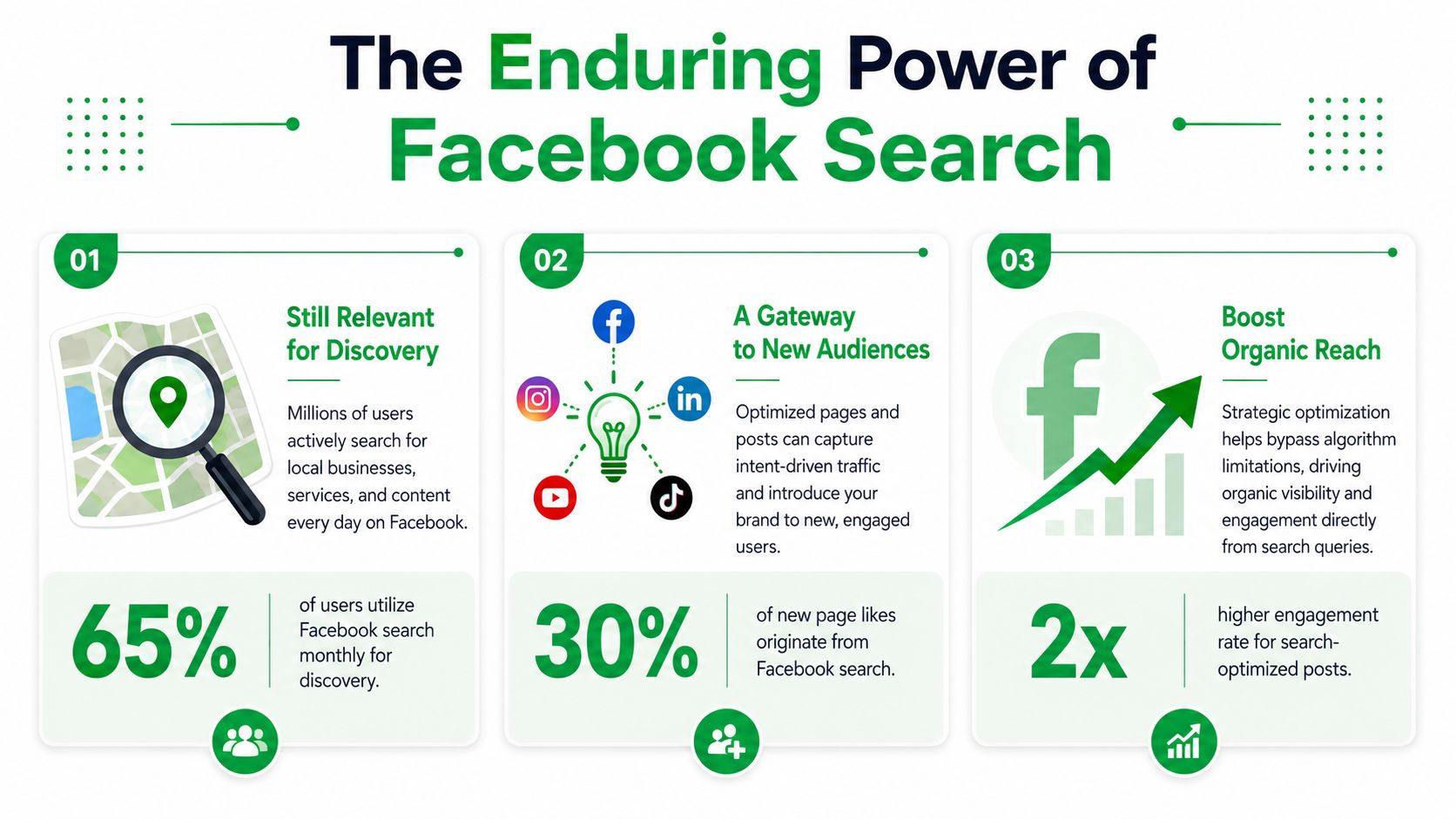
There’s another reason this matters. Facebook doesn’t rank Pages and posts the way a traditional website crawler does. It leans heavily on relevance plus interaction. That means your wording matters, but so does what people do after they see your content.
The ranking signals that matter most
Facebook search tends to reward Pages and posts that send clear signals:
- Topical clarity: Your Page name, short bio, and About text should match what real customers search for.
- Complete business details: Contact info, service descriptions, hours, and website links help build trust and make the Page easier to categorize.
- Engagement activity: Comments, shares, reactions, reviews, and ongoing interaction all reinforce relevance.
- Content alignment: Posts that use audience language naturally are easier for Facebook to understand and surface.
Practical rule: If a stranger lands on your Page and still can’t tell what you sell, where you operate, or who you help within a few seconds, your Facebook SEO is underbuilt.
This is also where organic and paid stop being separate conversations. The best paid social teams don’t use ads to rescue weak messaging. They use ads to scale content and positioning that already earns attention. That’s one reason smart marketers are blending search intent, social listening, and workflow automation into one operating model. If you want a broader framework for that, this guide to AI and social media strategy is worth reading.
For a deeper look at how Facebook visibility overlaps with broader search thinking, see this piece on SEO and Facebook strategy.
Facebook Search Optimization: Your Foundational Facebook Page Audit
Before changing a single line of copy, audit the Page itself. Most underperforming Pages don’t have a creative problem first. They have a setup problem.

A fast audit catches the boring stuff that blocks discoverability. Boring, yes. Important, absolutely.
The four checks I’d do first
- Claim a clean username
If your URL still looks auto-generated, fix it. A concise, brand-relevant username is easier to remember, cleaner to share, and stronger for authority signals later.
- Confirm the primary category
Don’t get cute here. Pick the category that most accurately describes the business. Facebook needs a clear understanding of what kind of entity the Page represents.
- Fill every core business field
Add contact details, website, hours, location, service descriptions, and any other relevant fields. In practice, incomplete Pages feel less trustworthy and give Facebook less context.
- Check external search visibility
This one gets missed all the time. To ensure your Facebook Page appears in both internal search and Google results, you must explicitly enable the setting “do you want search engines outside of Facebook to link to your profile” by toggling it to “yes” in the “how people find and contact you” privacy section. That specific toggle is the only mechanism Meta provides to connect your profile to external search indexing, as shown in this walkthrough on search engine visibility for Facebook profiles and pages.
If that toggle is off, you can optimize everything else and still stay harder to find outside Facebook. That’s a painful way to lose free visibility.
Facebook Search Optimization: What usually needs cleanup
Here’s the pattern I see most often:
| Audit item | What works | What doesn’t |
|---|---|---|
| Username | Short, branded, readable | Random numbers or extra punctuation |
| Category | Specific and accurate | Broad or mismatched categories |
| About fields | Fully completed | Half-filled or outdated info |
| Search visibility | External indexing enabled | Hidden from outside search |
Teams managing multiple admins or workflows often run into messy permissions while trying to fix this stuff. If that’s your situation, this Facebook Page API management guide is a useful operational reference.
And if you need to clean up access before making changes, this walkthrough on how to add a manager to a Facebook Page covers the handoff side clearly.
Facebook Search Optimization: Optimizing Your Page for Keyword Discovery
Keyword optimization on Facebook works best when your Page is clear, specific, and written in the same language your market already uses. The goal is simple. Help Facebook connect your Page to relevant queries, and help real people understand what you do within seconds.

Sprout Social’s Facebook SEO guide points to three fields that carry the most weight for discovery: the Page name, the short bio, and the extended About section. In practice, I treat those as the core message stack. If they say the same thing in slightly different ways, Facebook gets a cleaner signal, and your paid campaigns also benefit because visitors hit a Page that matches the ad promise.
That last part matters more than many teams realize. A well-optimized Page does not just help organic visibility. It improves ad efficiency too. Branded search traffic, profile visits from ad viewers, and retargeting audiences all perform better when the Page explains the offer clearly instead of forcing people to guess.
Put keywords in the fields that shape relevance
Start with the fields Facebook can read quickly and users can scan even faster.
- Page name: Add a descriptive modifier only if it fits the brand and stays readable. “Mr. Green Digital Marketing” gives Facebook and visitors more context than “Mr. Green.”
- Short bio: State who you help and the main service you provide in plain language.
- About section: Add detail on services, audience, location, and the kinds of problems you solve.
- Services and products fields: Name offers the way customers describe them, not the way your internal team labels them.
- Location and contact fields: Fill them out fully if local intent matters to your business.
A useful rule is consistency without repetition. If your Page name says “digital marketing,” your bio can narrow that to “for local service businesses,” and your About section can add services like SEO, PPC, and web design. That creates relevance across the Page without reading like keyword stuffing.
| Field | Weak example | Better example |
|---|---|---|
| Bio | “Helping businesses grow online” | “Digital marketing agency for local service businesses and e-commerce brands” |
| About | “We do websites, ads, SEO, and more” | “We build websites, manage SEO and PPC, and support brands that want more qualified leads” |
| Services | “Marketing help” | “Local SEO, PPC management, web design, social media management” |
Write for clarity first. Then check whether your target phrases appear in the places that matter.
This quick video gives a useful visual walkthrough of how to think about Page optimization in practice.
One mistake I see often is copying the same high-volume keyword into every field. That usually weakens the Page instead of improving it. The copy starts sounding forced, trust drops, and the Page stops feeling aligned with the actual offer. Better results come from using one primary phrase, a few close variations, and wording that reflects how customers describe the problem in their own words.
That customer language is the raw material for a stronger optimization system. It sharpens your Page copy, improves post topics, and gives your ad team better angles for hooks and audience testing. For SaaS brands in particular, Facebook groups can surface phrasing you will not get from a traditional keyword tool. This guide on how to discover hidden pain points for SaaS through Facebook group search is a smart example of that process.
Facebook Search Optimization: Structuring Content and Posts for Search
A well-optimized Page gets you into the game. Your posts decide whether you stay visible.
Facebook’s internal search algorithm in 2026 is projected to heavily prioritize content that generates high engagement, which means posts with strategic keywords, relevant hashtags, and active community interaction rank higher in search results, according to Metricool’s Facebook SEO analysis. That changes how you should build posts. Not just what you say, but how you package it.

Build posts around search intent
Most weak Facebook posts are vague. They assume the audience already knows the context.
Search-friendly posts do the opposite. They put the topic in plain language near the front of the caption, connect it to a clear use case, and invite a response that keeps the thread alive.
For example:
- Weak: “Big things coming this week. Stay tuned.”
- Better: “Need help choosing a website platform for a local service business? Here are the trade-offs we see most often.”
The second version gives Facebook a topic, gives the reader a reason to stop, and opens the door to comments.
Facebook Search Optimization: Small content choices that move visibility
Use the post structure below as a working standard:
- Lead with the searchable topic: Put the main phrase early in the caption.
- Add relevant hashtags sparingly: Use hashtags that fit the subject. Don’t pile them on.
- Use location tags for local intent: Especially useful for service businesses, events, and multi-location brands.
- Prompt real interaction: Ask for an opinion, a question, or a direct response.
- Write descriptive image captions and alt text: This helps Facebook understand the asset and can extend discoverability beyond the platform.
- Name video files before upload: Clean metadata supports context.
Choose formats with staying power
Not every content type carries equal search value.
| Format | Best use | Common mistake |
|---|---|---|
| Text post | Questions, opinions, tips | Saying too little to be discoverable |
| Image post | Visual proof, before-and-after, branded education | Generic captions with no search language |
| Video | Explanations, demos, walkthroughs | Slow intros that hide the topic |
| Event post | Local visibility, launches, promotions | Missing location or purpose details |
And one more thing. Don’t treat paid as a replacement for this work. Use ads after you identify which organic topics, hooks, and formats earn comments, saves, shares, or clicks. That’s the system. Organic search visibility gives you the signal. Paid spend gives you the amplifier.
Facebook Search Optimization: Beyond the Post Social Signals and Authority
Keyword placement gets you indexed. Authority helps you stay competitive.
That authority shows up in social behavior. Reviews. Replies. Shares. Mentions from other platforms. Group activity. A clean, customized URL. All of it adds context that your Page is active, credible, and worth surfacing.
According to Dia Creative’s Facebook SEO overview, Facebook search optimization relies heavily on social signals and backlink profiles, and the success rate for ranking in top Facebook search results increases by 55% when the Page URL is customized to a concise, brand-relevant username. That’s not a cosmetic detail. It’s an authority signal.
What authority looks like on Facebook
You can usually spot the difference between a strong Page and a weak one within a minute.
A stronger Page tends to have:
- A custom username: Short, branded, easy to cite.
- Active comment management: Questions get answered. Threads don’t sit untouched.
- Reviews or recommendations: Social proof matters because prospects read it and Facebook can interpret the engagement around it.
- Backlinks from owned channels: Website footer, contact page, email signatures, directory listings, other social bios.
- Relevant group participation: Helpful contributions in niche communities, not copy-paste promo drops.
The businesses that win Facebook search rarely look passive. They look present.
Groups and backlinks are underrated
Groups deserve more attention than they get. People use them to validate vendors, compare options, and ask practical questions in public. If your team participates well, you build both visibility and trust. If your team barges in with sales copy, you burn both.
Backlinks matter for a similar reason. When your website, blog, YouTube channel, or other social profiles point back to your Facebook Page, you reinforce the relationship between brand entities. It’s simple, but useful.
For teams trying to keep response quality high at scale, strong social media community management processes make a real difference. Fast, helpful replies aren’t just customer service. They support discoverability.
Measuring and Iterating Your Optimization Efforts
Don’t measure Facebook search optimization by vibes. Measure it by movement.
Inside Facebook Insights, I’d watch a tight set of indicators rather than drowning in dashboards. The useful question isn’t “Did this post perform?” It’s “Did this topic, structure, or Page change improve discoverability and action?”
What to watch inside Insights
Focus on signals like these:
- Impressions: Useful for spotting whether visibility is expanding.
- Reach: Helps separate broad distribution from repeated views.
- Clicks: Tells you whether searchers and scrollers find the post compelling enough to act.
- Engagement activity: Comments, shares, and reactions reveal whether the content is earning the kind of response Facebook tends to reward.
How to use the data
Run simple tests. Change one thing at a time when possible.
You might revise a bio line, rework Page naming, tighten caption intros, or shift the timing of posts based on audience activity patterns. Then compare performance over a reasonable window. Not one day. Not one lucky post.
Treat Facebook SEO like a feedback loop. Adjust the inputs, watch the signals, and keep the changes that improve qualified visibility.
The strongest workflow is straightforward. Optimize the Page. Publish content built around searchable topics. Watch which themes earn interaction. Put paid spend behind proven winners. Repeat.
Frequently Asked Questions about Facebook SEO
A common pattern shows up fast. Teams spend on Facebook ads before the Page is clear enough to rank for the right searches, then wonder why paid traffic converts worse than expected. Facebook SEO works better as part of a system. Clean up discoverability first, then use paid to scale what already earns attention and clicks.
How many keywords should I use in my bio?
Use a small number of relevant terms and write for humans first. In practice, one primary phrase and one supporting phrase are usually enough for most Pages.
If the bio starts reading like a list of search terms, fix it. Facebook users notice awkward copy fast, and weak Page language can hurt both trust and response.
Do hashtags still matter on Facebook?
Yes, in moderation.
Hashtags can help reinforce topic relevance, especially on posts tied to a specific product, service, event, or local category. Stuffing a caption with broad or repetitive tags usually adds noise, not visibility. I treat hashtags as supporting context, not the core optimization play.
Should I optimize organic first or run ads first?
Start with organic signals, then put budget behind what already shows traction.
That approach gives you better input for paid campaigns. You see which wording earns clicks, which topics generate conversation, and which posts match user intent. Then ads stop functioning like expensive guesswork and start scaling proven angles.
If your Facebook Page isn’t pulling its weight, Mr. Green Marketing, LLC can help you find the gaps fast. The team builds strategy-led systems across SEO, PPC, web design, social media, and related channels, with a focus on measurable improvements instead of vanity reporting. A free audit and performance report is a smart first step if you want a clearer picture of what to fix first.
Leave a Comment
sing in to post your comment or sign-up if you dont have any account.