
Best designed e-commerce sites: What makes an ecommerce site worth studying. The visuals, or the revenue mechanics underneath them?
Plenty of galleries reward glossy branding and dramatic homepages. That misses the point. The sites in this list earn their place because they reduce hesitation, make product discovery easier, surface trust signals at the right moment, and keep checkout from turning into work.
That distinction matters in practice. A polished interface can still underperform if shoppers have to hunt for sizing, returns, compatibility, shipping costs, or payment options. I see that problem constantly in audits. Brands spend heavily on art direction, then bury the information that closes the sale.
So this is not a beauty pageant. It is a strategic review of how strong ecommerce teams use structure, copy, hierarchy, speed, mobile behavior, and accessibility to support conversion. If you want a broader foundation first, this guide to creating engaging online experiences through website design is a useful companion.
You’ll see seven very different stores here. Some win with product education. Some with trust-building. Some with search, service, or post-purchase clarity. The useful part is not admiring them. It is spotting the specific choices you can adapt to your own catalog, margin profile, and customer journey.
These examples were chosen for that reason. Each one gets something commercially important right.
1. Best Designed Ecommerce Sites: Apple Online Store
Visit the Apple Online Store.
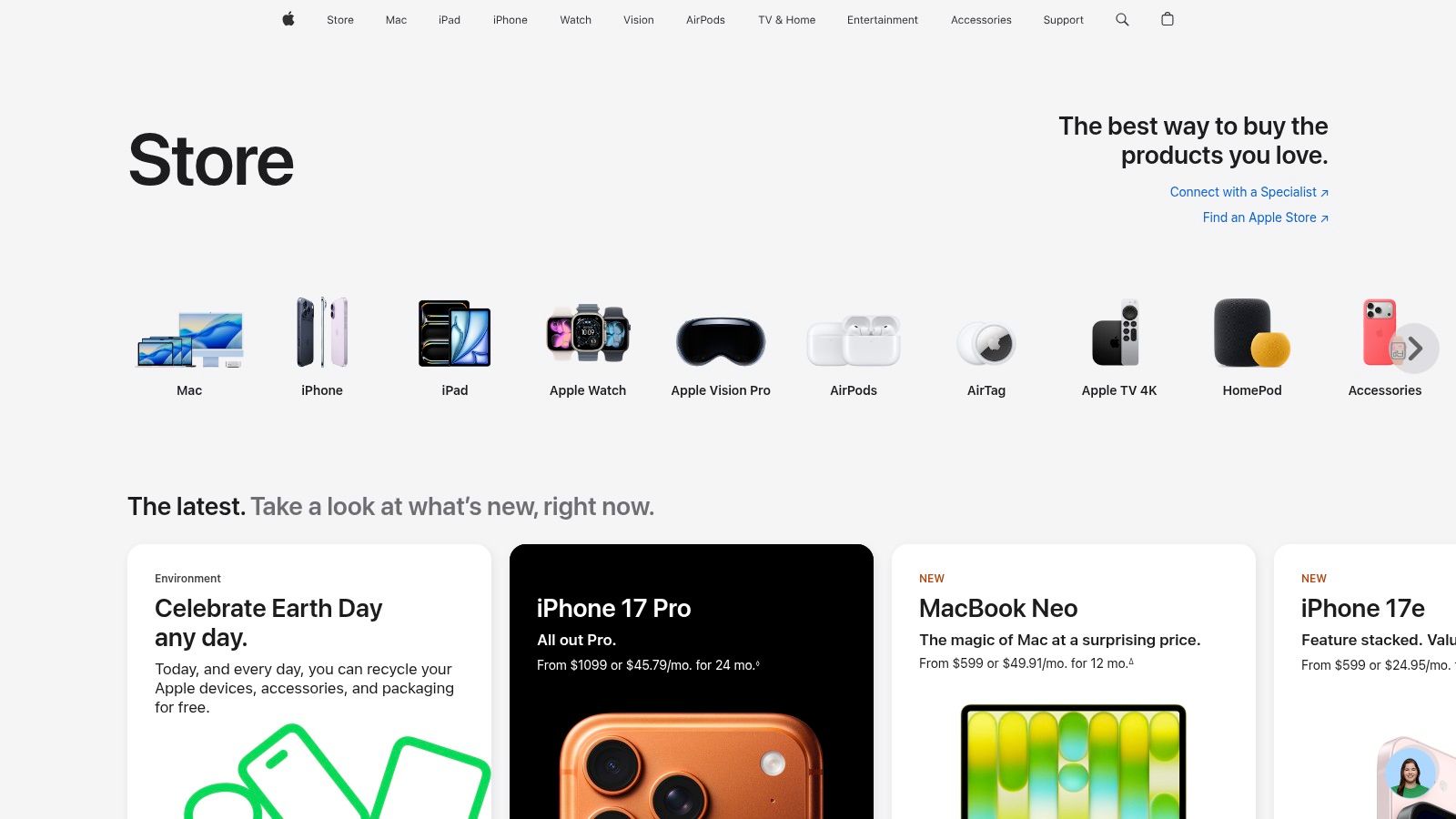
Apple’s store is one of the best designed ecommerce sites because it sells expensive products without making the experience feel heavy. That’s harder than it looks. High-consideration purchases usually create clutter. Comparison tables. Financing notes. storage options. Trade-in questions. Accessibility concerns. Apple keeps all of that in play without making the page feel crowded.
The product pages are highly effective. Rich media shows the product clearly, model comparisons reduce hesitation, and configuration flows keep the shopper moving. You don’t feel like you’re filling out a form. You feel like you’re narrowing toward the right device.
What Apple gets right
Apple is especially strong at confidence-building layers that appear at the exact moment a shopper needs them.
- Trade-in support: Apple integrates trade-in estimation into the buying flow so buyers can frame the purchase around net cost, not just sticker price.
- Financing visibility: Monthly payment options appear in places that support decision-making instead of hiding at the final step.
- AR preview: “View in AR” helps shoppers judge scale and finish in their own space when that context matters.
- Accessibility support: Apple treats accessibility as part of the shopping experience, not a compliance footer.
That last point matters more than most brands realize. Shoppers don’t separate product confidence from site usability. They experience them as the same thing.
Practical rule: If you sell premium products, don’t make shoppers assemble confidence on their own. Put comparison tools, payment framing, and support paths directly inside the product journey.
Trade-offs worth noticing
Apple’s approach works because the ecosystem is tightly controlled. Most smaller brands can’t replicate that level of hardware, software, financing, and support integration. And some Apple financing and AR options are product-specific, so the experience isn’t perfectly uniform.
Still, the lesson is portable. Use the page to reduce mental load. Don’t dump every answer into a long product description and call it done. Structure the page so the next logical question is already answered.
Apple also shows why clean design isn’t the same as minimalist design. There’s a lot on these pages. A lot. But it’s sequenced well. The hierarchy is doing the heavy lifting.
For teams trying to build more persuasive shopping experiences, this kind of sequencing matters just as much as visuals. Good website design for engaging online experiences usually comes down to one thing. The right information appears before friction turns into abandonment.
2. Best Designed Ecommerce Sites: Nike
Browse Nike.
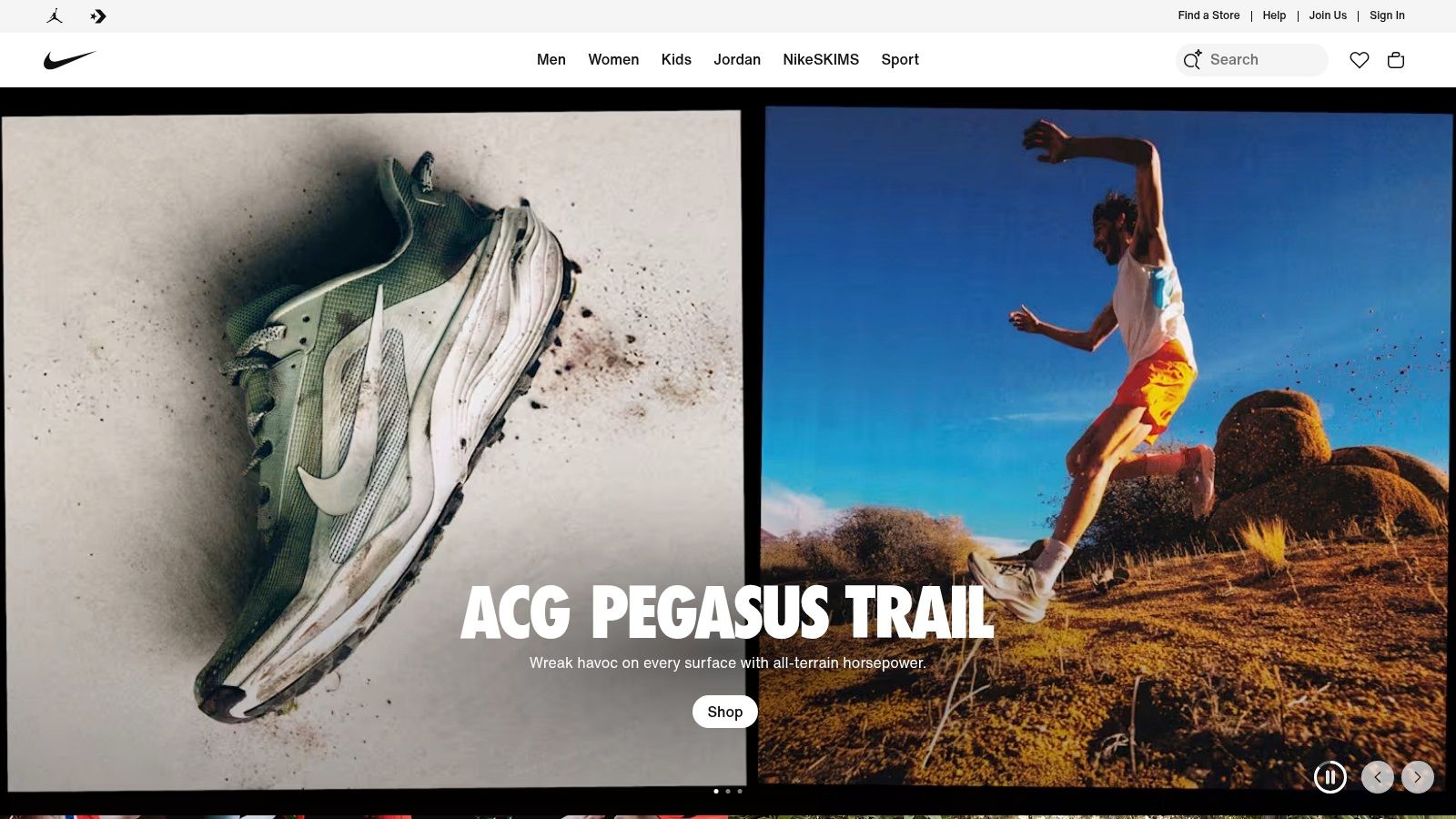
Nike has a huge catalog, aggressive brand energy, and plenty of product variation. That combination can break a site fast. The common failure point is simple. Brands lean so hard into campaign visuals that practical buying information gets buried. Nike usually avoids that trap.
Its product pages balance aspiration with utility. Strong imagery pulls you in, but size guidance, returns information, and product configuration options stay easy to scan. That matters because category complexity tends to create hesitation. Footwear especially. If people aren’t sure about fit, they delay.
Where the UX earns its keep
Nike By You is the clearest example of good complexity management. Customization can become a usability mess if every option feels equally important. Nike’s live-rendered workflow keeps the shopper oriented. Change a color, see it update. Move to the next choice, keep momentum.
That same discipline shows up across the broader store. Filters are clear, product tiles stay consistent, and the visual system feels mobile-first instead of desktop-shrunk. That’s not optional anymore. According to Core dna’s ecommerce case study roundup, YETI achieved a 63% year-over-year increase in mobile conversion rates through a platform redesign focused on stronger mobile-first user experience architecture.
Nike benefits from that same principle. The site doesn’t ask mobile users to tolerate a compromised experience.
- Customization flow: Complex choices stay understandable because Nike shows changes as the user makes them.
- Return reassurance: The return policy reduces fit anxiety, especially for shoppers trying a product category or silhouette for the first time.
- Fit guidance: Size and fit tools support decision-making where purchase hesitation is highest.
Nike’s real strength isn’t the visuals. It’s that the visuals don’t interrupt the purchase path.
What smaller brands should copy
Don’t copy Nike’s aesthetic. Copy its discipline.
Many small stores think modern design means oversized banners, mood-heavy lookbooks, and sparse product pages. That usually hurts conversion. What works better is a tight relationship between imagery and reassurance. Show the product well. Then answer size, delivery, returns, and usage questions without making people scroll through fluff.
And if you offer customization, keep the flow linear. Don’t force users to manage too many variables at once.
A lot of that comes down to the fundamentals of e-commerce website development. Architecture first. Visual treatment second. Brands that reverse that order usually end up redesigning twice.
3. Best Designed Ecommerce Sites: Warby Parker
Shop Warby Parker.
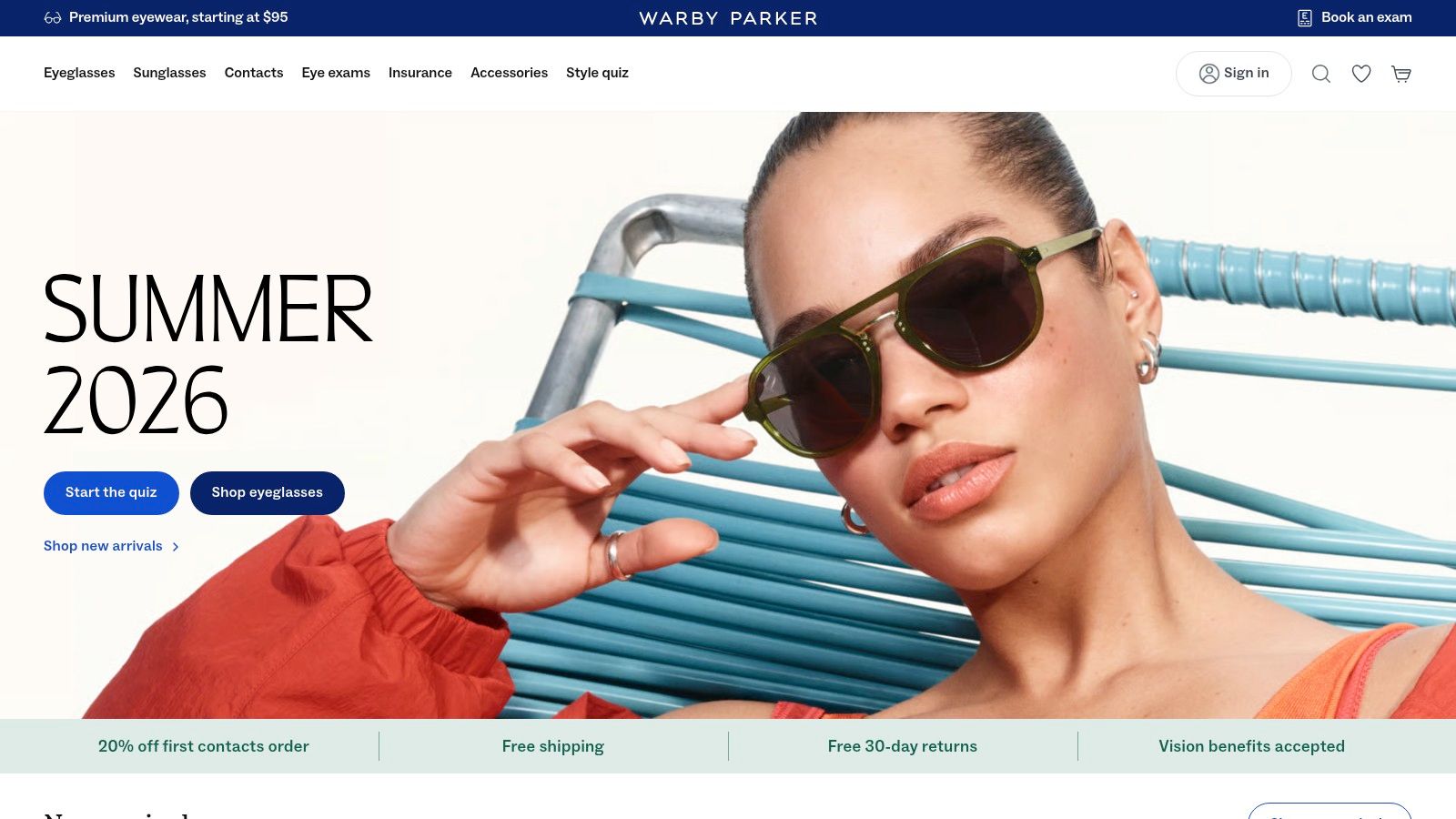
Warby Parker has always been good at one thing that a lot of ecommerce brands still fumble. It turns a complicated purchase into a guided decision. Eyewear isn’t just style. It’s fit, lens type, measurements, prescription details, and a lot of uncertainty if the shopper doesn’t know the category well.
Instead of pretending that complexity doesn’t exist, Warby Parker organizes it.
The site and app ecosystem walk shoppers through frame shape, width, lens options, and try-on support in a way that feels calm. Clean pages help, sure. But the primary win is instructional clarity. Every step feels like a decision aid, not an upsell trap.
Why the flow works
Warby Parker’s product architecture is disciplined. Lens add-ons are explained clearly. Fit workflows are structured enough to guide new shoppers without slowing down people who already know what they want. And the visual consistency across listings and product pages lowers cognitive friction.
That’s a big reason minimalist design can work so well in ecommerce when it’s done properly. Not because it looks refined. Because it removes nonessential noise from decision-heavy pages.
If you want a feel for that approach, these minimalist website design examples show how restraint can improve usability when the hierarchy is strong.
What to borrow, and what not to
Warby Parker’s strongest idea is guided selling. Most brands need more of it.
- Use decision pathways: Help shoppers choose based on context, not just filters.
- Explain add-ons plainly: Shoppers should understand what changes and why it matters.
- Keep product imagery consistent: Consistency makes comparison easier, especially on mobile.
There are trade-offs. Some try-on and fit features lean on the mobile app and device capabilities, so the full experience isn’t identical everywhere. And some lens upgrades noticeably increase the final cost, which can create a bit of sticker drift if the page doesn’t frame those choices well.
Still, this is one of the best designed ecommerce sites for guided buying. Warby Parker understands that when people feel uncertain, they don’t need louder branding. They need a better path.
4. Best Designed Ecommerce Sites: Away
Visit Away.
Away is a good reminder that restrained design doesn’t have to feel cold. The site is minimal, yes, but it still sells emotion. Travel identity, organization, premium utility, gifting, personalization. It just doesn’t bury the practical stuff underneath mood.
That’s why the store works.
Away’s product pages do a strong job balancing form and function. You get the polished visuals and lifestyle framing, but you also get clear explanations of what the bag does, how personalization works, what returns look like, and what support exists after purchase. For premium luggage, that mix matters. People aren’t buying on aesthetics alone.
The reassurance is built into the product story
Away reduces friction by making policies part of the shopping narrative instead of legal fine print. Free shipping on luggage orders and the return window remove some purchase risk, while monogramming creates a higher-perceived-value upsell that still feels aligned with the product.
There’s also a subtle lesson here for brands selling premium categories. Don’t overload the page with technical detail just because the product is expensive. Pick the details that support confidence and show them well.
- Personalization flow: Monogramming adds value without turning the page into a configuration maze.
- Post-purchase guidance: Care and support content tell shoppers the relationship doesn’t end at checkout.
- Returns framing: Trial-friendly policy messaging lowers anxiety on a category people may compare heavily.
Good premium ecommerce doesn’t just justify the purchase. It justifies the decision process.
Where brands can overdo this model
The risk with a minimal, polished approach is under-explaining. Some brands copy the layout pattern and strip away too much information. Away mostly avoids that, but it’s a line worth watching. Warranty and coverage terms can also shift over time, so shoppers still need to confirm the current language at purchase.
For smaller ecommerce teams, the takeaway is simple. Edit harder. Don’t confuse “more content” with “more confidence.” Product education should be selective, visible, and tied to buying intent.
Away proves that one of the best designed ecommerce sites doesn’t need to feel feature-heavy. It needs to feel decisive.
5. Best Designed Ecommerce Sites: Chewy
Go to Chewy.
Chewy is almost the opposite of Apple in visual tone, but strategically it solves the same problem. It removes uncertainty fast. For pet supplies and pharmacy orders, that matters more than sleekness. Shoppers often arrive with urgency, recurring purchase needs, or prescription questions. Utility wins.
Chewy’s design succeeds because it respects those contexts. Navigation is broad but manageable, reorder paths are obvious, and support is always close. The site knows many customers aren’t browsing for inspiration. They’re trying to get the right thing for a pet, quickly, without making a mistake.
Why it works for large catalogs
Huge assortments usually create two common UX failures. Search feels disconnected from category browsing, or the product detail pages become generic templates with weak guidance. Chewy handles both better than most. Autoship is integrated as a core behavior, not a bolt-on subscription widget, and pharmacy workflows explain what happens next in plain language.
That explanatory layer is what separates decent utility design from strong utility design. People can tolerate a lot of visual density if the path is clear.
- Autoship UX: Repeat purchase behavior is treated as a primary journey, not a secondary upsell.
- Pharmacy workflow clarity: Prescription steps and vet coordination are explained before confusion starts.
- Always-visible support: Help options build trust in a category where timing and accuracy matter.
The practical takeaway
If your catalog is large, stop obsessing over the homepage first. Fix the path from search or category page to reorder, support, and checkout. That’s where friction usually lives.
Chewy also highlights something many smaller brands miss. “Friendly” design isn’t about rounded corners and cute icons. It’s about reducing the effort required to do something important.
There are limitations, of course. Prescription fulfillment can still slow down when veterinary coordination requires extra steps or mail-in processes. Design can’t eliminate operational complexity completely. But it can set expectations well, and Chewy does that consistently.
For stores with many SKUs, replenishment behavior, or regulated purchase steps, Chewy is one of the best designed ecommerce sites to study because it prioritizes function without feeling transactional.
6. Best Designed Ecommerce Sites: Crutchfield
Explore Crutchfield.
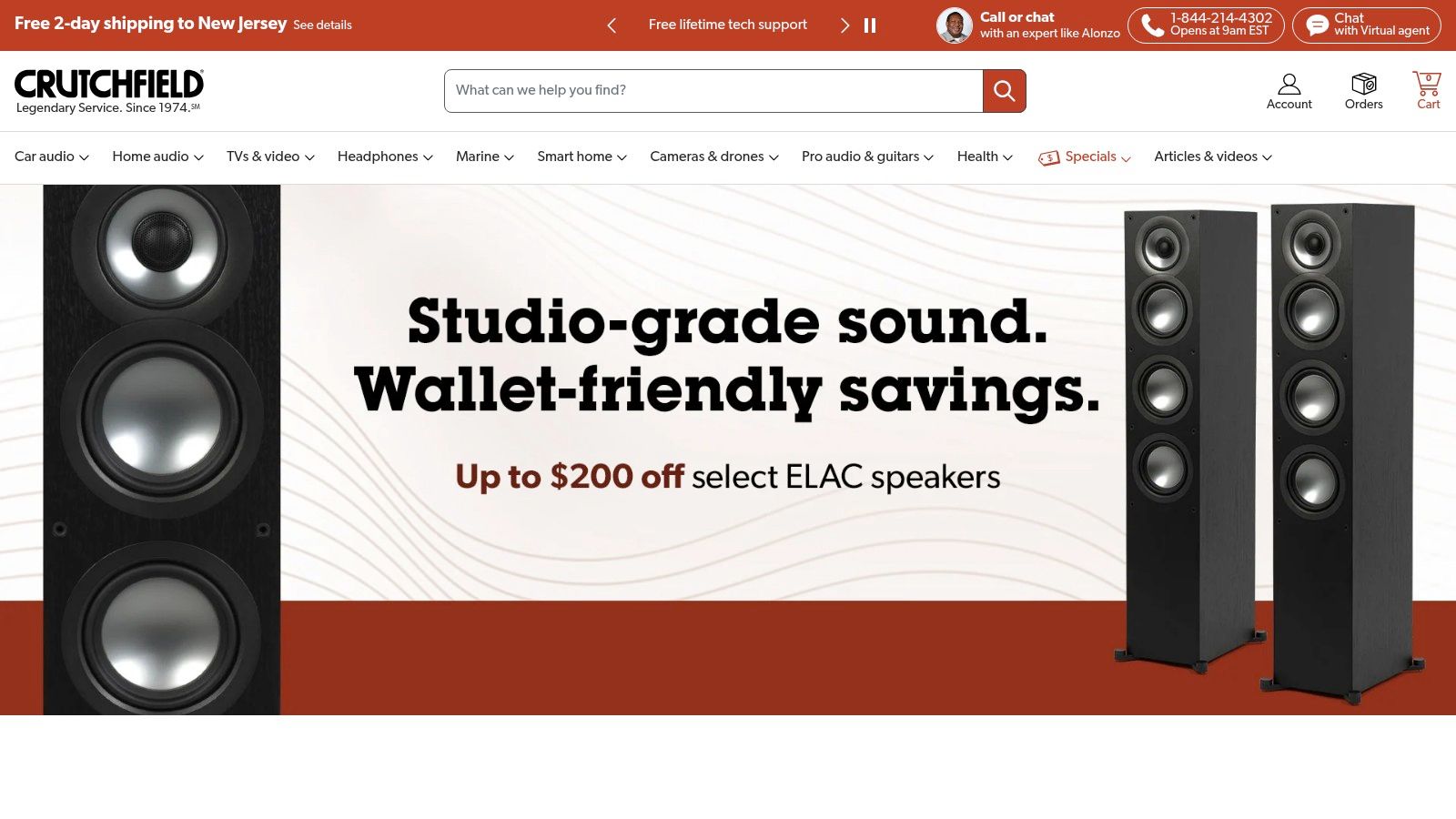
Crutchfield is what happens when a store decides that education is part of the product. For technical categories, that’s often the right call. Car audio, speakers, receivers, installation gear. People don’t just need a product page. They need help understanding compatibility, trade-offs, and setup.
Crutchfield leans into that need instead of hiding it behind glossy merchandising. The pages are dense, yes, but they’re intentionally dense. Fit tools, buying guides, comparisons, and access to live advisors work together to move buyers from uncertainty to action.
Dense isn’t bad if it’s organized
A lot of ecommerce teams overcorrect against clutter and accidentally remove the very content that drives conversion in technical categories. Crutchfield shows a better approach. Keep the information. Improve the scannability.
The compatibility tools are especially strong. “KitFinder” and vehicle fit databases reduce one of the biggest sources of purchase hesitation. Will this work with my setup? If the site answers that early, the shopper keeps moving. If not, they leave and open three competing tabs.
The right amount of information depends on the cost of making a bad purchase. In technical categories, under-explaining is usually the bigger mistake.
Lessons worth stealing
- Decision-support tools: Compatibility checks beat generic reassurance every time.
- Human backup: Chat, phone, and email access matter when product stakes are high.
- Risk reduction: Return windows and lifetime tech support lower the fear of post-purchase regret.
There are real trade-offs. Information-heavy product pages can overwhelm casual shoppers if hierarchy gets sloppy. And return shipping on large or freight items may still be a factor depending on the product. But that doesn’t weaken the design. It reinforces the point that good ecommerce isn’t always sparse or simple-looking.
Crutchfield is one of the best designed ecommerce sites because it understands the category’s actual job. Not to entertain. To help buyers make technically sound decisions with confidence.
7. Best Designed Ecommerce Sites: Patagonia + Worn Wear
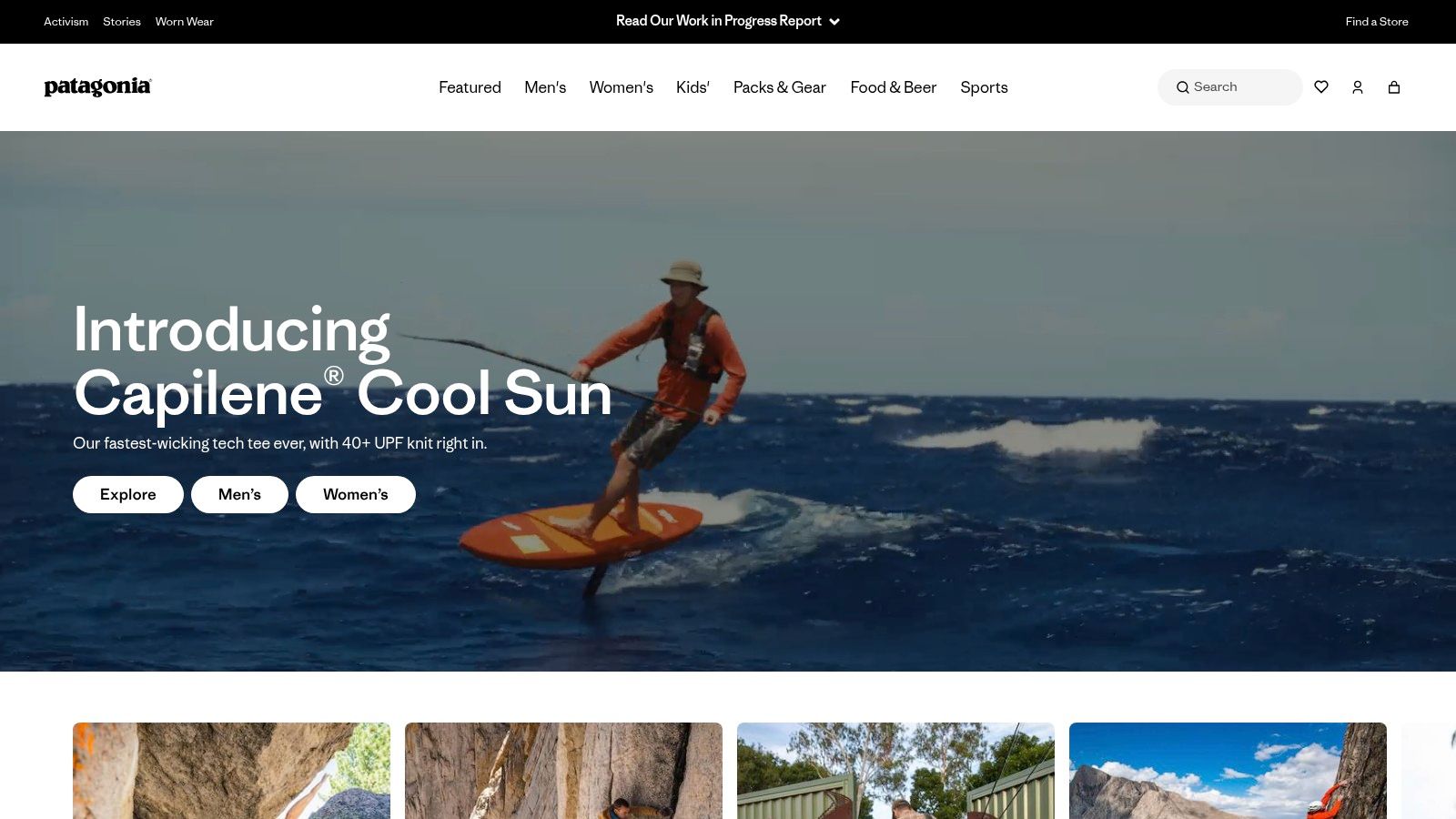
Shop Patagonia.
Patagonia does something many mission-driven brands struggle to do. It keeps the values visible without letting them smother the shopping experience. That balance is rare. A lot of purpose-led sites drift into editorial sprawl and make buying harder than it needs to be.
Patagonia mostly avoids that. The core commerce experience stays usable, while Worn Wear extends the brand into resale, repair, and trade-in without feeling bolted on. The circular commerce story is integrated into the customer journey, not relegated to a side initiative.
Why this design model works
The main site uses strong photography, clear product categorization, and helpful support content around sizing and gear decisions. Then Worn Wear adds another kind of trust signal. Longevity. A brand willing to facilitate repair, resale, and trade-in sends a different message than a brand pushing replacement at every turn.
That has strategic implications beyond sustainability messaging. It reframes the purchase as longer-term ownership.
- Trade-in pathways: Mail-in and in-store options support circular shopping without making the process mysterious.
- Repair positioning: Repair routes reinforce confidence in product durability.
- Mission integration: Activism and environmental messaging are present, but they don’t bury core shopping tasks.
The caution for other brands
Don’t copy Patagonia by adding a “values” page and some earthy photography. That’s the superficial version, and shoppers can spot it immediately.
What makes this system work is operational follow-through. Worn Wear exists as an actual buying and trade-in experience with its own UX. The design supports a believable promise. Without that substance, mission-first design starts to feel decorative.
There are practical constraints. Worn Wear inventory changes constantly, trade-in values vary, and some processes take patience. That’s normal for resale. The important thing is that the site sets the expectation that this is a different kind of transaction.
Patagonia earns its place among the best designed ecommerce sites because it proves that strong commerce design can support brand purpose without sacrificing clarity, trust, or usability.
Top 7 Ecommerce Design Comparison
| Example | Implementation complexity | Resource requirements | Expected outcomes | Ideal use cases | Key advantages |
|---|---|---|---|---|---|
| Apple Online Store | High, AR, financing, accessibility integrations | Large, rich media, AR tech, finance partners, support teams | Higher AOV and conversion for premium products; inclusive access | High‑consideration product launches and premium device sales | Best‑in‑class product storytelling, trade‑in & financing, robust accessibility |
| Nike | Medium‑high, customization flows and size/fit systems | Significant, live render engines, mobile performance, logistics | Strong engagement and scalable conversions across large catalogs | Apparel and footwear with customization and fit guidance needs | Configurable product flows, mobile‑first UX, clear size/return info |
| Warby Parker | Medium, app‑centric virtual try‑on and guided fit | Moderate, app AR, optical expertise, omnichannel touchpoints | Improved fit confidence and lower returns; streamlined purchases | DTC products where fit/visualization is critical (eyewear) | Virtual try‑on, guided selling, omnichannel try‑on/fit workflows |
| Away (Luggage & Travel) | Low‑medium, personalization and post‑purchase flows | Moderate, personalization tooling, customer service, warranty ops | Reduced friction on premium purchases; higher perceived value | Premium single‑category retail with personalization (luggage) | Minimalist PDPs, personalization, clear trial/returns and care info |
| Chewy | Medium, subscriptions and pharmacy compliance workflows | Significant, subscription platform, inventory, pharmacy integrations, 24/7 support | High repeat purchase rates and strong retention for replenishment items | Large catalogs with recurring purchases and time‑sensitive needs | Autoship subscriptions, integrated pet pharmacy, always‑on support |
| Crutchfield | Medium, compatibility databases and expert support channels | Moderate, data for fit tools, content creation, live advisors | More informed purchases and fewer returns on technical goods | Complex electronics requiring compatibility and education | Decision‑support UX, vehicle‑fit tools, real‑time human advisors |
| Patagonia + Worn Wear | Medium, commerce + resale/repair integration | Moderate, trade‑in logistics, repair networks, sustainability content | Increased loyalty, circular revenue, stronger trust signals | Values‑led brands prioritizing repair, resale, and longevity | Values‑driven storytelling, trade‑in/resale UX, repair & guarantee programs |
Best Designed Ecommerce Sites: From Inspiration to Implementation Your Action Plan
What should you copy from great ecommerce sites, and what should you leave alone?
Start there, because copying surface-level design is where teams waste time. Apple’s restraint, Nike’s energy, Warby Parker’s guidance, and Chewy’s convenience are all category-specific expressions of the same discipline. They reduce the exact hesitation that blocks the sale.
That is the fundamental pattern.
Strong ecommerce design is a decision system built into the interface. It answers the questions that stop purchase momentum. Will this fit? Will this work with what I already own? Can I return it? How fast will it arrive? Who helps me if something goes wrong? The brands above handle those questions differently because their margins, products, customer expectations, and support models are different. The strategy changes by category. The principle does not.
For smaller brands, that trade-off matters. A polished homepage can help first impressions, but revenue usually moves when product pages, navigation, search, cart flows, and support cues get clearer. I have seen stores spend heavily on visual refreshes while leaving sizing confusion, weak filtering, and buried return policies untouched. Traffic stayed flat in value because the buying journey still asked shoppers to do too much work.
As noted earlier, mobile usability is table stakes now. Being responsive is not a differentiator. The stores that win on mobile reduce decision load, keep high-intent information visible, and make checkout feel short.
Speed deserves the same level of scrutiny. Analysts at Business of Fashion point out in their ecommerce UX gap analysis that mobile traffic dominates, while many retail sites still underperform on usability and load time. For an SMB, that changes the order of operations. Fix the pages closest to purchase first. Usually that means collection pages, product detail pages, cart, and mobile checkout before brand storytelling pages.
A practical action plan looks like this:
- Clarify the hard decisions: Add fit guidance, compatibility details, material specifics, care information, or use-case explanations where drop-off is highest.
- Place reassurance where doubt appears: Put returns, shipping timing, warranty terms, and support access beside the add-to-cart action, not buried in the footer.
- Trim mobile friction: Cut extra taps, shorten forms, simplify sticky actions, and keep the next step obvious on smaller screens.
- Use trust cues that carry weight: Clear specs, consistent page structure, accurate photography, visible contact options, and honest policy language do more than decorative polish.
- Prioritize one revenue bottleneck at a time: Improve one high-intent template, one navigation path, or one checkout step before starting a full redesign.
That last point is where a lot of ecommerce teams get stuck. They want a full rebuild because the site feels dated. Sometimes that is the right call. Sometimes the faster win is much less dramatic: cleaner variant selection, better filters, stronger search logic, tighter shipping copy, or a product template that answers obvious objections before they become support tickets.
If you want a page-by-page framework, these actionable conversion rate optimization best practices are a useful place to start. Apply them to your highest-intent pages first. Measure what changes. Keep what improves conversion, average order value, or support burden. Cut what only looks good in a design review.
Mr. Green Marketing helps brands find those friction points and rank the fixes by business impact. Sometimes the answer is a redesign. Sometimes it is a sharper information hierarchy, stronger product page content, or a better mobile checkout flow. Different store, different diagnosis.
Mr. Green Marketing, LLC helps brands turn ecommerce inspiration into conversion-focused execution. If your store looks decent but isn’t pulling its weight, request a free audit from Mr. Green Marketing, LLC and get a clear view of your biggest UX, SEO, and revenue opportunities.
Leave a Comment
sing in to post your comment or sign-up if you dont have any account.