
Video Production for Social Media: You’re probably in the same spot a lot of SMB owners hit. You know video matters, you’ve seen competitors post constantly, and every platform keeps pushing video harder. But when you sit down to make it happen, the process turns into a mess fast. What do you film, how polished should it be, which platform matters most, and how do you know whether any of it is driving business instead of just racking up views?
That’s where most social media video efforts go sideways. Teams start with cameras and editing apps before they’ve made a few basic decisions. Wrong order.
Look, here’s the deal. Video production for social media isn’t a gear problem first. It’s a strategy and workflow problem. In 2025, short-form video under 60 seconds delivered the highest ROI among marketing formats and generated 2.5 times more engagement per impression than long-form video according to Harro’s 2025 video marketing roundup. That doesn’t mean every business should blindly crank out trendy clips all day. It means short-form has earned priority, but only when the message, format, and distribution match the job.
Video Production for Social Media: Your Game Plan Before You Hit Record
A common SMB scenario looks like this. The team blocks off half a day to film, pulls out a phone tripod, records six clips, then realizes no one agreed on what any of those videos were supposed to do. That is how usable footage turns into wasted budget.
A video built to drive booked calls should not be planned the same way as a video built to get local awareness or answer a common objection. The objective changes the hook, the proof you include, the call to action, and even whether the video should feel polished or native to the platform.
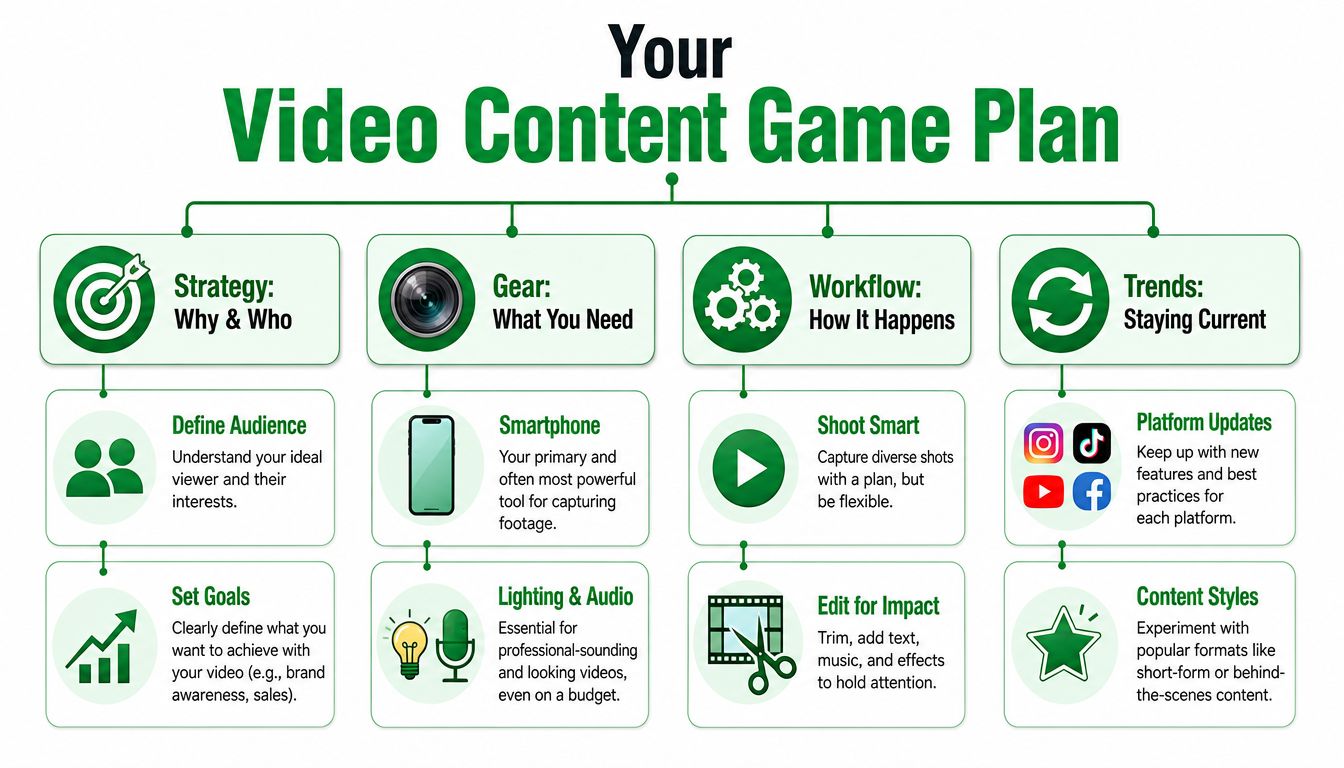
Start with the business goal
Pick one primary outcome per video and make every production choice support it.
- Awareness: Get in front of the right audience and make the brand or problem memorable.
- Engagement: Start conversations, answer objections, or build familiarity with the business.
- Lead generation: Send viewers to a form, booking page, or direct message.
- Sales: Show the offer, remove friction, and make the next step obvious.
One video can contribute to more than one outcome, but one goal should drive the brief. Look, here’s the deal. If the team cannot answer, “What do we want the viewer to do next?” filming should wait.
Match the audience to the platform
Platform choice is not a posting decision at the end. It affects the whole plan upfront.
A home services company might need direct, problem-solution videos on Facebook and Instagram, while a B2B firm may get better results from expert-led explainers on LinkedIn. Same company. Different buyer mindset, different context, different edit. Posting the same cut everywhere saves time in the short term, but it usually lowers watch time and weakens response.
If your team needs a cleaner system before production starts, this guide on how to master your video production workflow is useful because it breaks planning, shooting, and post into clear stages.
Build a practical content mix
A steady social video program usually needs three buckets.
- Proven formats
These are your repeatable winners. Product demos, FAQ answers, customer objection videos, service walkthroughs, testimonial clips. - Experimental formats
Use these to test new hooks, opening shots, edits, offers, and trend-driven ideas without betting the whole calendar on them. - Reactive content
Fast-turn videos tied to comments, seasonal demand, common sales questions, or a topic people are already discussing.
A simple operating rule works well here. Put most of your effort into formats that already help the business, reserve a smaller share for tests, and leave room for quick response content when timing matters. That balance keeps the channel useful without turning the whole strategy into trend-chasing.
Decide what to make in-house
This is one of the biggest ROI decisions in social video. Native, phone-shot content often performs well because it feels timely and platform-appropriate. Professional production earns its place when the message needs more control, better lighting, stronger audio, cleaner brand presentation, or footage you can repurpose across paid and organic channels.
Use in-house production for recurring content your team can make quickly and consistently. Bring in outside help for campaign launches, polished brand pieces, product shoots, or when internal bandwidth is already stretched. If you want a practical reference point, video marketing services from Mr. Green Marketing show how agencies typically package strategy, production, and promotion.
Keep the scope honest. Two purposeful videos a week with a clear job will usually beat a daily posting plan built on filler.
Video Production for Social Media: From Idea to Storyboard Formats and Scripting
At this point, owners often freeze. They’ve got a goal, but they don’t know what to make. The easiest fix is to stop thinking in terms of “creative genius” and start thinking in formats.
Different social formats do different jobs. Some are built for reach. Some are better for explanation. Some are there to catch attention and move people to a more detailed asset.
Video Production for Social Media: Social Video Format Cheat Sheet 2026
| Format | Platform(s) | Aspect Ratio | Optimal Length | Best For |
|---|---|---|---|---|
| Reels | Vertical 9:16 | 15–30 seconds | Reach, product highlights, fast hooks | |
| Feed video | Usually vertical or square | 30–60 seconds | Slightly deeper storytelling, promos, testimonials | |
| Standard video | Horizontal or vertical depending setup | 1–3 minutes | Expertise, service explanations, B2B messaging | |
| Stories | Instagram and Facebook | Vertical 9:16 | Short sequence style | Timely updates, polls, offers, behind-the-scenes |
| Shorts | YouTube | Vertical 9:16 | Short-form | Discovery, repurposed clips, educational snippets |
The platform-specific length guidance matters. For Instagram Reels, the optimal target is 15 to 30 seconds, Instagram Feed videos should be 30 to 60 seconds, and LinkedIn videos work best at 1 to 3 minutes, based on Prodshort’s social media video production benchmarks.
Choose the format by job, not by trend
A few quick examples:
- Use Reels when you need quick reach and a simple message.
- Use Feed videos when the audience already knows you and can handle a little more context.
- Use LinkedIn video when trust depends on expertise, nuance, or a clear point of view.
- Use Stories when speed matters more than polish.
That’s why content planning matters so much. If you need more examples of what to publish across channels, this roundup of types of content for social media is a useful way to map formats to actual business goals.
The best-performing idea on one platform often becomes the wrong asset on another once the viewing context changes.
Use a simple script structure
You do not need a screenplay. You need a structure that keeps people watching and gives them one clear takeaway.
The simplest reliable framework is Hook, Value, CTA.
Hook
The opening needs to stop the scroll. Usually that means one of these:
- A direct pain point: “Still posting videos that get views but no clicks?”
- A sharp opinion: “Most small businesses are overediting the wrong videos.”
- A visual trigger: Show the result, product, or mistake first.
- A curiosity gap: Start with the question your buyer already has.
Value
This is the middle. Keep it tight.
Give one lesson, one comparison, one process, or one proof point. Too many SMB videos die here because the speaker rambles, repeats themselves, or front-loads biography nobody asked for. Get to the useful part faster.
CTA
The close should tell the viewer what to do next. Not five options. One.
Examples include:
- Send a message
- Visit a landing page
- Comment with a keyword
- Save the post
- Book a consultation
A good CTA fits the funnel stage. Asking cold viewers to buy immediately often underperforms compared with asking them to learn more, save the post, or click for details.
Video Production for Social Media: Storyboard without overcomplicating it
A workable storyboard for social media can fit on half a page:
- Opening line or visual
- Main talking point
- Supporting B-roll
- On-screen text
- CTA
- Caption idea
That’s enough. Fragments are fine. Bullet prompts are fine. The point is clarity, not perfection.
Video Production for Social Media: The Nuts and Bolts of Production
A bad production setup creates expensive problems later. Cropped heads, muddy audio, glare on a product shot, or a cluttered background all make editing harder and performance weaker. Look, here’s the deal. Production is where a lot of SMB content either gets efficient or gets messy.
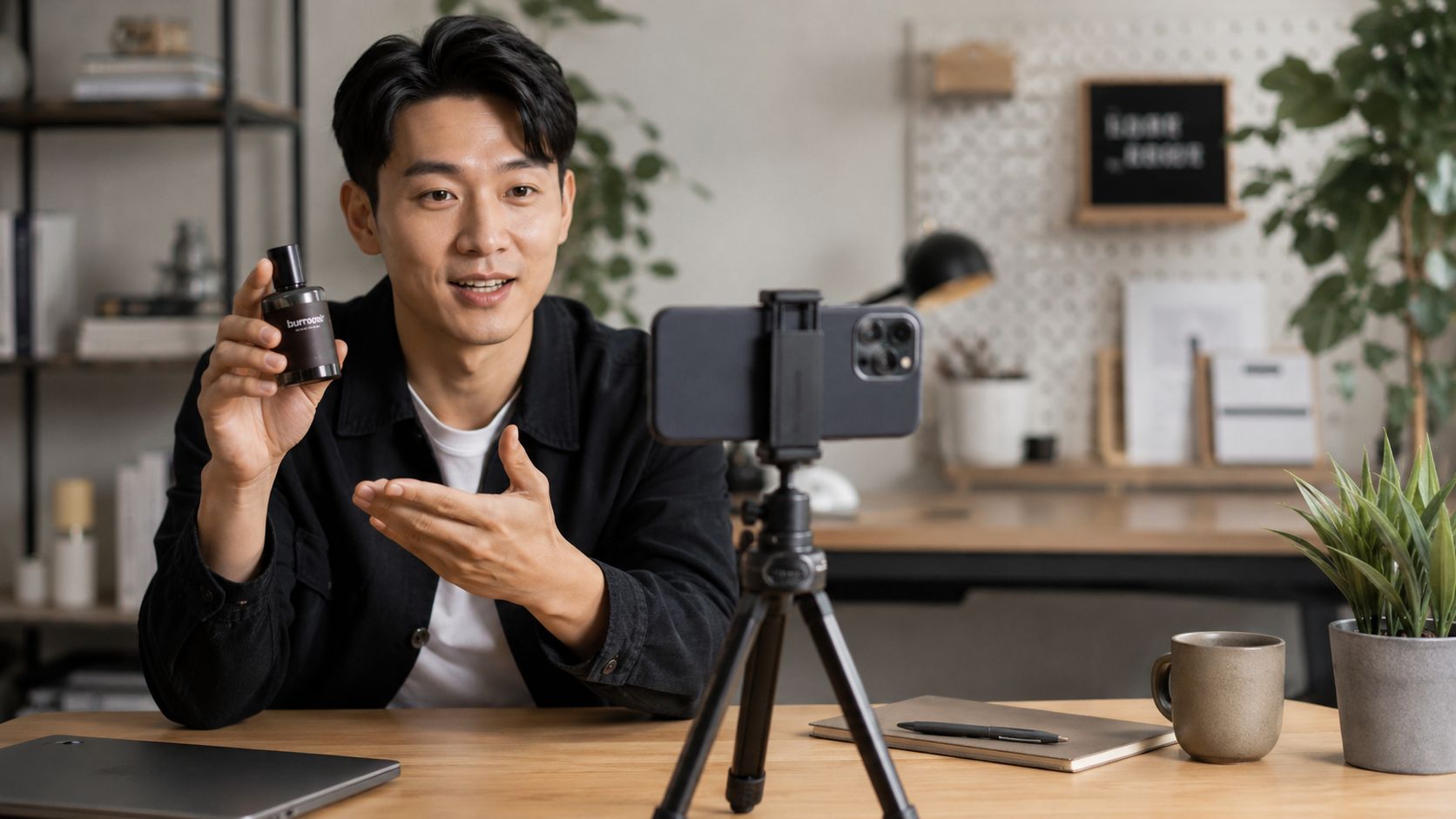
Get the technical setup right first
For social video, vertical framing usually wins. Shoot 9:16 at 1080×1920 if the content is meant for Reels, TikTok, Shorts, and most story placements. As noted earlier, platform specs should shape the shoot before the camera rolls, not after.
That sounds basic, but it affects everything. Camera distance, where text can sit on screen, how much room you leave above the subject, and whether a product demo still reads clearly once platform buttons cover part of the frame.
A practical setup for most SMB teams looks like this:
- Phone on a tripod: Stable footage reads as more intentional and gives editors cleaner cuts.
- Front-facing light source: Window light works. A basic LED works too. Put it in front of the subject or slightly off-angle.
- External microphone: A lav or small shotgun mic usually improves perceived quality faster than a camera upgrade.
- Simple background: Office corner, shelf, workspace, or product table. Keep only what supports the message.
The trade-off on gear is straightforward. If the team needs speed and volume, a smartphone setup is usually the right call. If the brand sells high-ticket services, detailed products, or polished campaigns with a long shelf life, a dedicated camera setup can make sense. Even then, lighting and sound still do more work than the camera body.
Video Production for Social Media: Lighting and sound carry more weight than gear
Viewers will forgive a phone camera. They rarely forgive hard-to-hear audio.
That matters because many business owners film in the worst possible places for sound. Conference rooms with glass walls, kitchens with hard surfaces, open offices with HVAC noise. The footage may look acceptable, but the echo makes the video feel cheap and harder to trust.
Use this order:
- Fix light first. Face a window or place a small light at eye level.
- Fix sound second. Move closer to the mic, turn off noise sources, or use a lav.
- Fix framing third. Eye level works for most talking-head videos.
- Fix background last. Remove clutter, stray packaging, visible cords, and anything that pulls attention away from the point.
A smartphone with clean light and clear audio will usually outperform a better camera used in a bad room.
Shoot for the edit, not just the recording
Production gets easier when every clip has a job. One clip grabs attention. One explains. Another shows the product. Another closes with the offer. If you record one long monologue, the editor has fewer options and the final piece usually drags.
Capture these on every shoot:
- A-roll: Main presenter footage
- B-roll: Product use, hands, workspace, process, screen recordings, packaging, customer moments
- Alternate hooks: Two or three opening lines or opening visuals
- CTA variations: Different closes based on the goal, such as a click, message, save, or call
SMBs need to make smart trade-offs. If the content is trend-led and disposable after a week, shoot quickly and keep coverage light. If the video supports a paid campaign, a service explainer, or an evergreen FAQ, get more angles and cleaner B-roll. That extra half hour in production can save a lot of time in post and improve the final result.
Video Production for Social Media: Batch production without making everything look the same
Batching works because it reduces setup time and decision fatigue. It can also make a brand feed feel repetitive if every video uses the same chair, shirt, camera angle, and tone.
The fix is simple. Keep the production system consistent, but vary the creative inputs.
A solid batch day usually looks like this:
- Lock the setup
Set tripod height, light position, audio, and framing once. - Record by format
Film all talking-head clips together, then all demos, then all testimonial-style clips. - Capture B-roll in clusters
Product shots together. Team shots together. Screen actions together. - Change one visual variable every few videos
Switch jacket, move to a second background, change lens distance, or swap props. - Log clips as you go
Label takes clearly so editing stays fast.
For busy owners, this is usually the best production model. One focused afternoon can produce weeks of content without turning the whole week into a shoot schedule. The point is not to crank out volume for its own sake. The point is to build a repeatable system that gives you enough quality, enough variation, and enough usable footage to support the business goals behind the content.
Video Production for Social Media: Editing for Attention and Action
A lot of social media advice says you should edit everything inside the platform or in native-style tools and call it a day. That’s incomplete.
For trend-driven clips, native workflows are often exactly right. Faster turnaround, easier access to platform conventions, and less friction when a trend is still hot. But for educational content, higher-ticket services, and products that need explanation, generic edits can flatten the message.
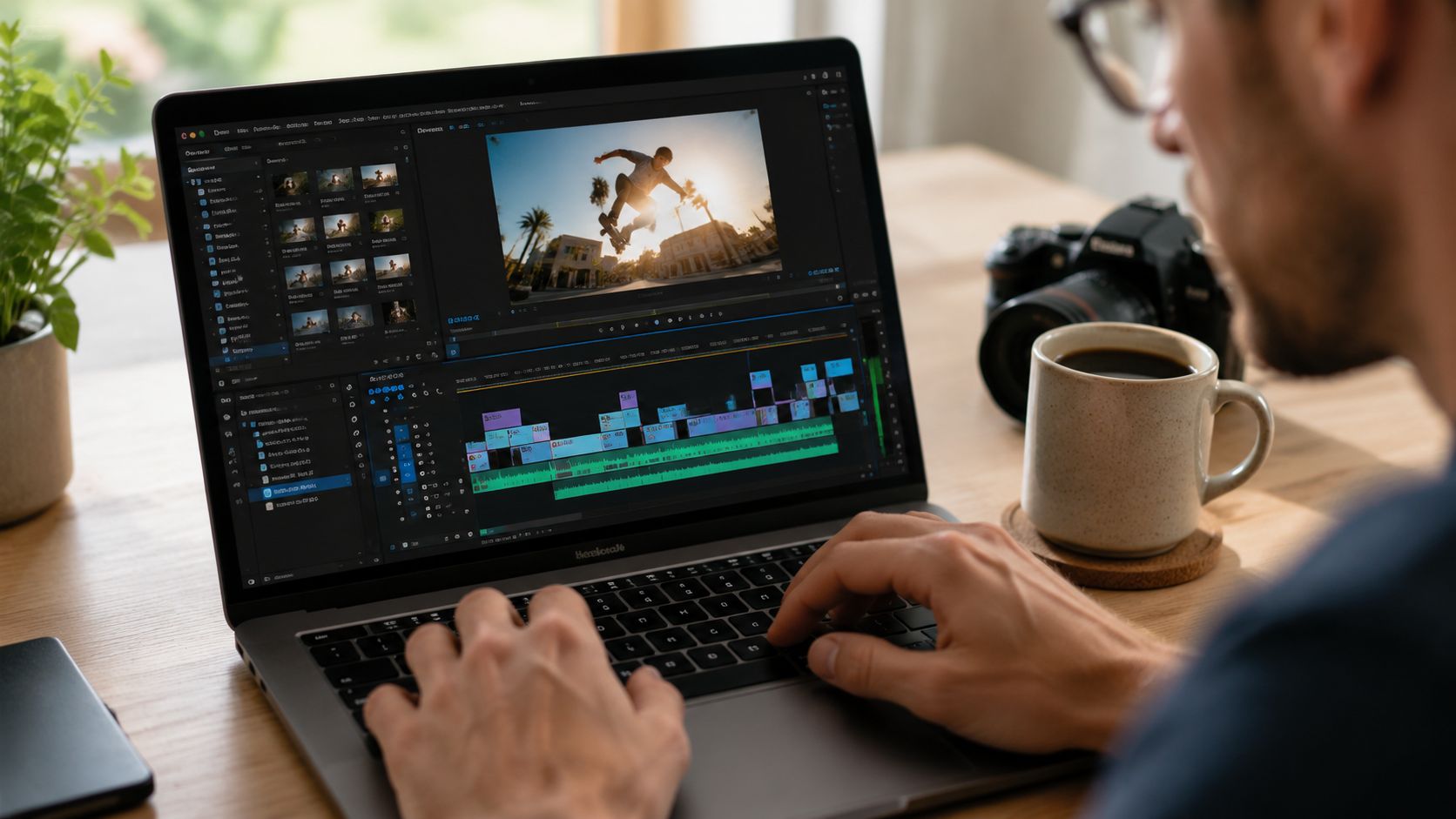
Native editing versus professional editing
Here’s the trade-off.
Native tools like CapCut and in-app editors are strong for:
- Trend participation
- Fast hook testing
- Quick reposts
- Light text overlays
- Music and timing that feel platform-native
Professional tools like Adobe Premiere Pro and Final Cut Pro are stronger for:
- Brand consistency
- Cleaner pacing control
- Better audio cleanup
- Custom motion graphics
- Product education and data visualization
That difference shows up in retention. For educational or complex product content, professionally edited videos with custom motion graphics produce 22 to 35 percent higher watch-through rates and 40 percent more saves, based on Girard Media’s analysis of social media video production.
That doesn’t mean native editing is bad. It means the smarter move is hybrid.
Use native-style editing for distribution. Use professional editing when retention, clarity, and brand trust matter more than chasing a trend.
Edit for retention first
People don’t quit videos because your transitions weren’t cinematic enough. They leave because the video takes too long to say something useful.
A strong edit does a few things well:
- Cuts fast at the beginning: The opening has to earn the next few seconds.
- Removes dead air: Pauses, filler phrases, repeated lines.
- Adds visual change: Zooms, B-roll, text, product shots, pattern interrupts.
- Keeps one message front and center: Don’t pile three videos into one.
If your footage feels slow, trim harder. Then trim again.
For teams that need a visual sense of pacing and post-production decisions, this breakdown is worth watching before your next edit review:
Captions are not optional
A large share of people watch social video without audio. So captions aren’t a nice extra. They’re basic usability.
Captioned videos are 40 percent more likely to be watched for extended periods according to Motion Play Studio’s social media video statistics. That aligns with what most editors see in practice. If people can understand the point without sound, more of them stay.
Keep captions:
- Large enough to read on a phone
- High contrast
- Timed cleanly
- Broken into short phrases instead of giant text blocks
Video Production for Social Media: Brand the video lightly
Businesses often overdo it with intro logos, long animations, excessive lower-thirds, too many colors. All of that can slow the opening and weaken the hook.
A better approach is subtle branding:
- Consistent font choice
- Repeated color accents
- Product or packaging visibility
- On-screen name or handle
- Consistent CTA card
And yes, interrupt yourself a little if it helps the rhythm. Social video should feel deliberate, not corporate.
Distribution and Measuring What Matters
A lot of SMBs lose the return on social video after the edit is done. They post once, watch the view count for a day or two, then move on. That approach wastes good creative and hides what is working.
Distribution needs a plan. Measurement needs context.
Strong social teams treat publishing as a testing phase. Organic reach gives the first read on message-market fit. Paid support comes after that, once a video proves it can hold attention or drive action. Look, here’s the deal. Boosting weak creative rarely fixes it. It usually just helps you spend money faster.
Put support behind the right videos
Use organic performance to decide what deserves budget.
That means looking at early signals such as hold rate, saves, shares, profile visits, clicks, and comment quality. A video that gets average reach but strong saves or qualified clicks can be a better candidate for paid support than a post with cheap views and no business response.
For SMBs, the trade-off is usually simple. Native platform tools are fine for quick tests, audience retargeting, and basic boosts. If you are scaling spend across multiple audiences, offers, and creative variations, use Ads Manager or a professional media buyer so you can control targeting, exclusions, frequency, and attribution. The platform shortcut is faster. The full setup gives you cleaner decision-making.
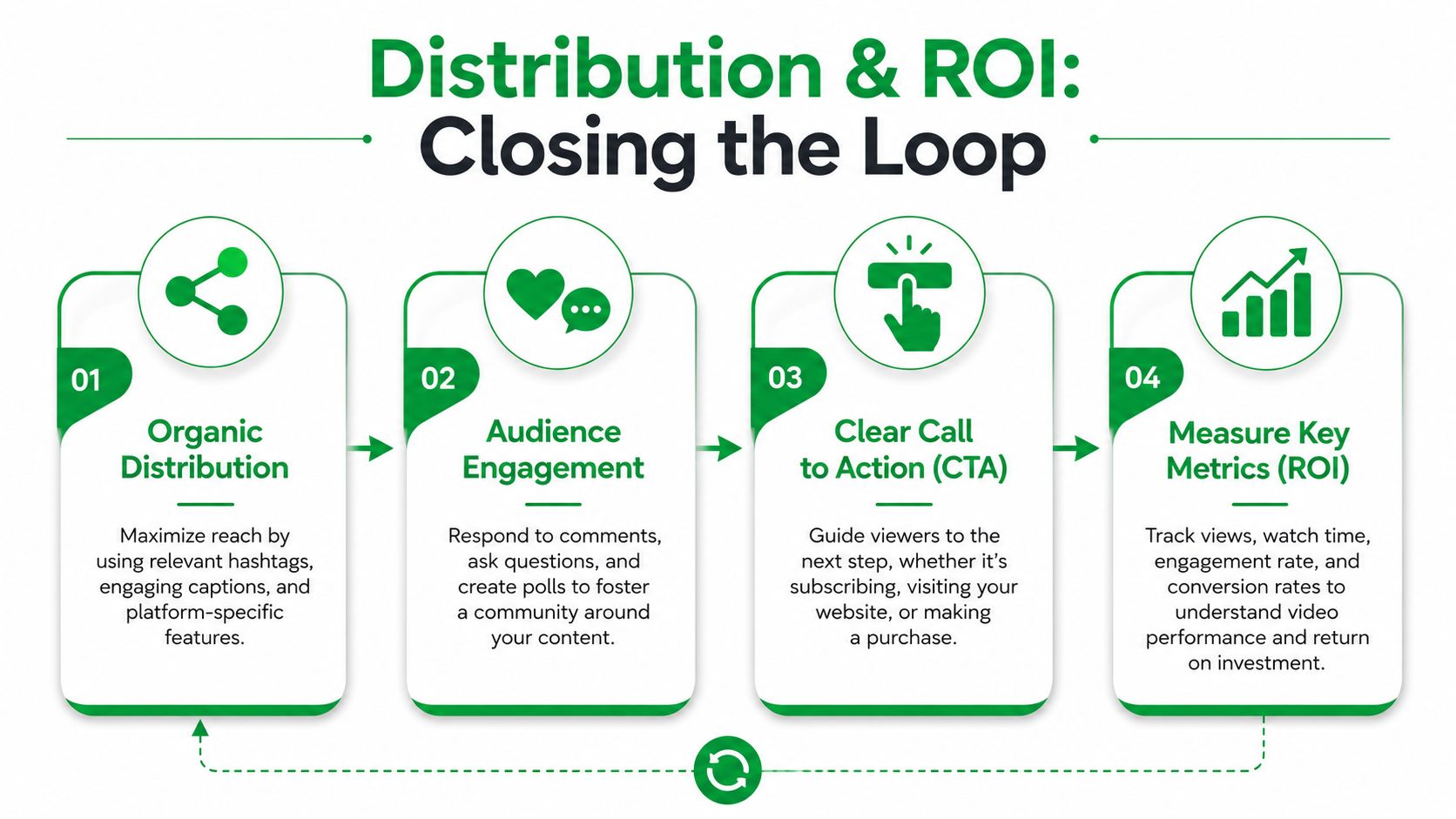
Track a metric set, not one vanity number
Views do not tell you whether the video did its job. A clip can rack up reach and still produce zero pipeline.
Measure the video against the outcome you want. For a local service business, that may be calls or form fills. For an ecommerce brand, it may be product page visits, add-to-carts, and purchases. For a founder-led brand, replies and DMs may matter more than raw impressions.
A practical scorecard includes four numbers:
- Viewing time: Did people stay long enough to catch the point and the offer?
- Engagement rate: Did the post earn saves, shares, comments, or replies that suggest real interest?
- CTR: Did the message create enough intent to drive a click?
- Conversion rate: Did those clicks turn into leads, bookings, or sales?
For a fuller framework, use this guide on how to measure marketing campaign effectiveness.
One quick read on performance helps. If watch time is healthy but CTR is soft, the CTA, offer, or next step is probably weak. If CTR looks good but conversions are poor, fix the landing page, checkout flow, or follow-up before blaming the video.
Close the loop every month
Do not review social video one post at a time. Review it in batches by topic, hook style, offer, audience, and format. Patterns show up faster that way.
Ask a few hard questions:
- Which hooks keep producing qualified traffic?
- Which topics drive saves or replies from people who fit the customer profile?
- Which videos perform well organically but stall once paid traffic hits them?
- Which trend-based videos gave you a short spike but no lasting value?
- Which evergreen videos deserve a refresh, repost, or paid test?
That last point matters. Trend-chasing can help with reach, but evergreen content usually gives SMBs the better long-tail return. The right mix depends on your sales cycle, content capacity, and how often your offer changes.
A useful monthly review is rarely glamorous. It is a working session where you cut weak formats, keep proven angles, and reallocate budget based on outcomes. That is how video production for social media starts acting like a revenue channel instead of a content treadmill.
If you want help building a social video system that ties creative decisions to measurable business outcomes, Mr. Green Marketing, LLC works with brands on strategy-led video production, promotion, and reporting so your content does more than fill a calendar.
Leave a Comment
sing in to post your comment or sign-up if you dont have any account.