
New Site SEO Checklist: Launch day usually feels like the finish line. Then two weeks pass, branded searches are flat, key pages are missing from Google, and the site that looked ready to win is already behind.
That pattern is common because websites do not rank on design polish alone. They rank when launch is handled as a sequence. Get the technical setup right before release, publish pages built around actual search demand, and track what happens in the first 30, 60, and 90 days so early mistakes do not turn into three-month setbacks.
Google’s own SEO Starter Guide and the Search Essentials documentation both make the same point in plain terms. Search performance starts with crawlability, indexability, useful content, and clear site signals. There is no shortcut where you launch first and “do SEO later” without paying for it in lost time.
That is the point of this new site SEO checklist. It is a single-pass launch plan, not a random grab bag of tasks. You are setting the technical base, assigning keyword targets, tightening on-page signals, and putting a monitoring cadence in place while the site is still young enough to correct fast. If you want a second set of eyes before launch, a professional website SEO audit service can catch the problems that usually slip through design QA.
And do not overcomplicate the tooling. A crawler, Search Console, analytics, and a few reliable validators are enough to make smart decisions early. For quick checks during setup, PeerPush’s Seocheckr platform is a practical option.
If you’re still finalizing launch details, this guide for a flawless Elementor site launch is a useful companion for the web build side.
1. New Site SEO Checklist: Conduct a Technical SEO Audit and Fix Critical Issues
Launch week usually goes the same way. The site looks polished, forms work, stakeholders approve the design, and then search traffic stalls because the staging noindex tag never came off or canonicals point to the wrong version of the domain.
That is why the technical audit comes first in a single-pass launch plan. If crawl and index signals are wrong at launch, every later SEO task gets weaker. Content will not earn the visibility it should, internal links pass less value, and early performance data becomes harder to trust.
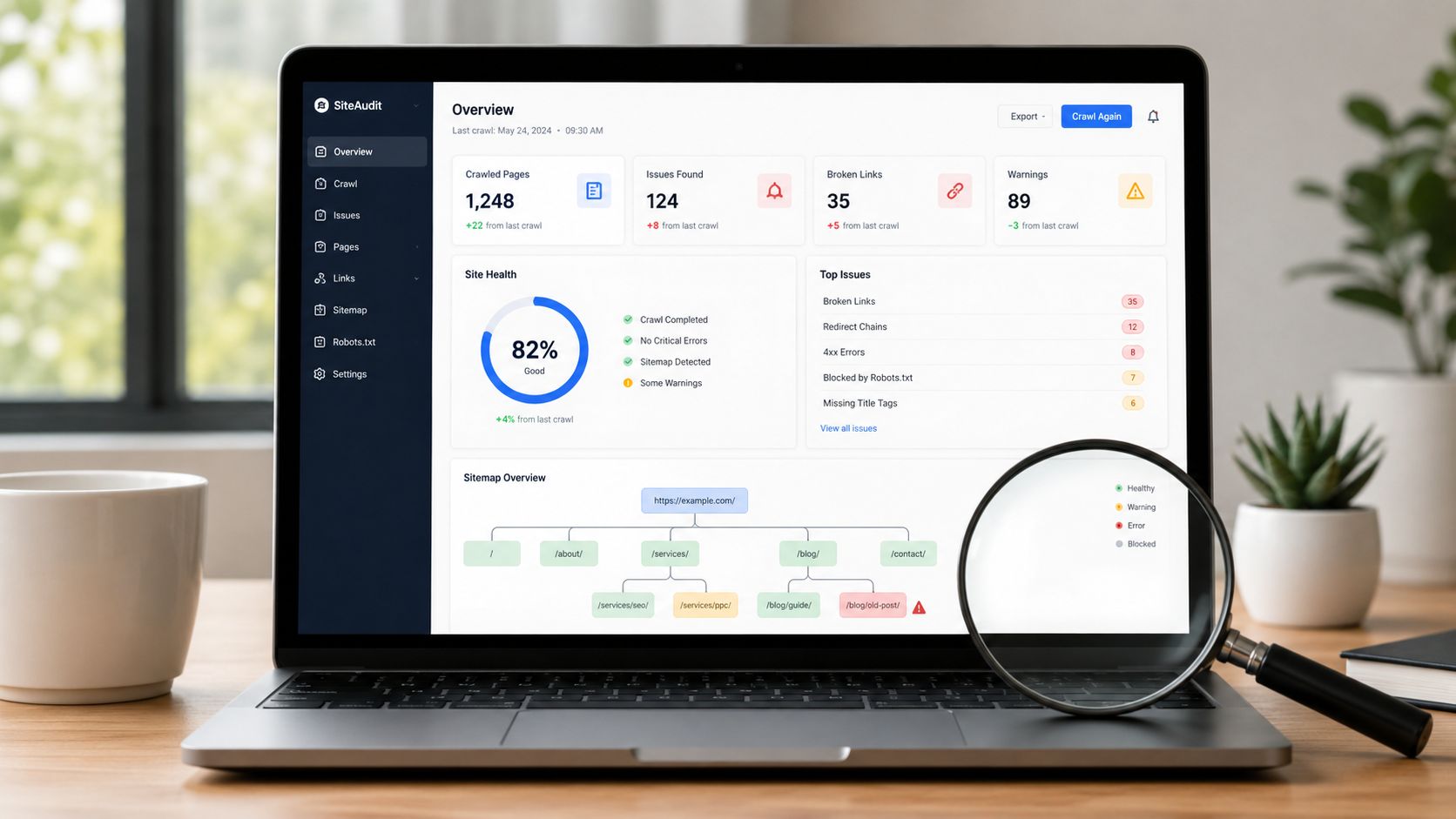
What to check before launch
Set up Google Search Console before the site goes live, then crawl staging with Screaming Frog and verify the live environment again after launch. The goal is simple. Confirm that search engines can reach the right pages, understand which version of each page should index, and move through the site without hitting broken paths or mixed signals.
I look for the issues that delay growth in the first 30 to 90 days:
- Robots and index controls: Remove accidental
noindextags, staging blocks, and robots.txt rules that hide revenue pages. - Status codes and redirects: Fix 404s, replace temporary 302s with 301s where the move is permanent, and clean up redirect chains.
- Canonical signals: Make sure canonicals match the preferred live URL and are not pointing back to staging, parameter URLs, or duplicate variants.
- Duplicate metadata and thin templates: Check title tags, meta descriptions, faceted pages, tag archives, and placeholder copy that creates low-value indexable URLs.
- Internal linking and orphaned pages: Confirm key service, category, product, and location pages are linked from navigation or contextual links, not stranded in the CMS.
- XML sitemap alignment: Make sure the sitemap contains only indexable, canonical URLs, not redirects, blocked pages, or draft content.
A common failure is simple. An ecommerce site launches with products visible in navigation, but a leftover robots.txt rule blocks /product/. Users can browse the catalog. Googlebot cannot. That one line can cost weeks while the site waits to be crawled correctly again.
If your team wants another set of eyes before launch, a professional website SEO audit service can catch the gaps that design QA and dev testing usually miss.
One practical rule matters here. Track every issue in one sheet with the URL, problem, owner, priority, date found, and date fixed. Without that, teams close tickets in Slack, reopen the same bug twice, and still ship the error.
And keep the tool stack lean early. Search Console, PageSpeed Insights, Lighthouse, a crawler, and PeerPush’s Seocheckr platform are enough to get a reliable pre-launch read and a clean baseline for post-launch monitoring.
2. New Site SEO Checklist: Perform Keyword Research and Build a Tiered Content Roadmap
A new site without keyword research usually ends up saying what the company wants to say, not what customers search for. That’s how you get pages called “Solutions” and “Capabilities” that rank for nothing.
Keyword research for a launch works best when it’s tiered. One layer is bottom-of-funnel pages like service, category, and product pages. One layer is supporting educational content. And one layer is specific long-tail searches that are easier to win early while the site is still building authority.
Build the roadmap in layers
Start with the pages tied directly to revenue. For a local service company, that might be emergency services, financing pages, and city pages. For an ecommerce brand, it’s collection pages, product comparison pages, and buyer-intent guides. For SaaS, it’s feature pages, solution pages, and use-case pages.
Then build out support topics around real questions people ask in sales calls, support tickets, and search suggestions. Google’s autocomplete and People Also Ask are still useful here because they reveal phrasing your audience uses.
- Commercial terms first: Map one primary target to each money page so pages don’t compete with each other.
- Informational support next: Create blog and resource content that answers adjacent questions and internally links back to conversion pages.
- Long-tail early wins: If broad phrases are dominated by massive brands, go narrower and more specific.
- Sales-team input matters: The language customers use on calls often beats whatever comes out of a keyword tool.
A practical example. A plumbing company shouldn’t launch with one generic “Plumbing Services” page and call it done. It needs separate pages for urgent problems, common service categories, and service-area intent. Specificity creates relevance. Relevance gets you indexed, clicked, and contacted.
New Site SEO Checklist: What works and what doesn’t
What works is matching one page to one clear intent. What doesn’t is forcing ten variations of the same keyword onto one page and hoping Google sorts it out.
And don’t build a 12-month content calendar in a vacuum. Build the first 90 days tightly. Launch pages first, then publish supporting content in clusters around the pages you need to rank.

3. New Site SEO Checklist: Optimize Core On-Page SEO Elements
A new site can launch with the right pages, the right keywords, and still miss early traction because the page signals are messy. I see it all the time. Templates ship with weak titles, generic headers, and copy that hides the main point halfway down the page.
This stage is where the launch plan becomes page-level execution. Before the site goes live, each priority URL needs a clean title, a clear heading structure, and copy that matches the intent you mapped in the roadmap. If those elements are off, Google gets a weaker relevance signal and searchers get a weaker reason to click.
Tighten the page signals
Start with the title tag. Put the primary topic first, then add the modifier that helps qualify the page, then the brand if there is room and the brand adds value. On a new site, branding usually matters less than clarity. A page titled “Home” or “Our Services” wastes one of the strongest on-page fields you control.
Meta descriptions do not carry the same direct ranking weight people used to assign them, but they still influence click quality. Write them like ad copy for the exact page, not like a company summary. Front-load the value. If the first line does not tell the user what the page offers, rewrite it.
Headers need to reinforce the page topic, not fight it. Use one clear H1 that matches the main intent of the page. Then use H2s and H3s to organize the content in the order a visitor would expect to read it.
- Title tag: Lead with the core topic and keep it specific to the page.
- Meta description: Explain the benefit early and give the searcher a reason to choose your result.
- H1: Use one main heading that reflects the page’s primary purpose.
- H2s and H3s: Break the page into sections that answer the next logical questions.
Good on-page SEO is not about stuffing variations into every element. It is about alignment. The title, H1, intro, subheads, and body copy should all point to the same intent. That consistency makes the page easier to parse, easier to scan, and easier to improve later during the first 30, 60, and 90 days of post-launch review.
If an H2 says “Pricing,” the first sentence under it should explain pricing. Skip the filler and get to the answer.
One launch problem shows up constantly in page builders. The template inserts the company name, logo text, or a generic slogan as the H1 across every page. That breaks the content hierarchy before Google even finishes crawling the site. Fix it before launch, because once bad templates spread across dozens of URLs, cleanup gets slower and more expensive.
There is a trade-off here. Brand teams often want clever headlines. SEO needs descriptive ones. On key landing pages, descriptive usually wins. Save the creative phrasing for supporting copy, testimonials, visuals, and calls to action. The main page elements should do their job fast.
4. New Site SEO Checklist: Build a Content Strategy Around Topic Clusters and Pillar Pages
A new site usually launches with five to ten pages, a blog category, and a plan to “publish more later.” That is how content gaps turn into SEO gaps.
The better approach is to map the site as a topic system before launch, then fill it in over the first 90 days. Start with the pages that can rank, support sales, and give the rest of the site context. A pillar page covers a primary commercial topic. Cluster pages handle the specific questions, use cases, comparisons, and objections around that topic. Together, they create a structure Google can crawl and users can follow.
If you sell home security systems, one pillar might target “home security systems” or a core service category. The supporting cluster should not be random blog ideas. It should cover installation options, monitoring plans, smart-home compatibility, equipment comparisons, apartment vs. house setups, and buyer questions your sales team hears every week. That gives you a launch-ready content map instead of a pile of disconnected posts.
Build clusters in the order a new site actually needs them
For a new domain, I do not start with “publish 50 articles.” I start with revenue topics, then work outward.
- Pillar pages first: Core services, product categories, or solution pages tied to leads and sales
- Decision-stage cluster pages second: Comparisons, pricing factors, alternatives, FAQs, and use-case pages
- Trust-building support content third: Setup guides, glossary terms, checklists, maintenance content, and post-purchase education
- Internal links by role: Cluster pages should point to the pillar, and pillars should route visitors to the right service or conversion page
That order matters. It gives the site a clear commercial center on day one, then adds supporting depth without diluting focus.
One common mistake is building a giant pillar page and calling the job done. Google rarely sees one page as proof you cover a subject well. Topic authority usually comes from a connected set of useful URLs, each with a clear job.
Write for retrieval, not just ranking
Search visibility now depends on more than blue links. Your content also needs to be easy to extract, quote, and summarize. Google’s own guidance on creating helpful, people-first content supports that approach by rewarding clear, useful pages built for real users, not pages designed only to manipulate rankings: Google Search guidance on helpful, reliable, people-first content.
That changes how new sites should format cluster content. Put the answer near the top. Use descriptive subheads. Define terms plainly. Break out steps, comparisons, and requirements so both users and search systems can identify the page’s main point fast. If a page buries the answer under brand filler, it is harder to rank and harder to cite.
And keep the plan connected to the rest of launch. Your keyword roadmap from section two should feed these clusters. Your internal links should support the pillar structure. Your outreach later will work better if you already have linkable supporting assets in place. If you need ideas for those assets, these backlink building techniques for content-led outreach pair well with a cluster model because they give other sites something specific to reference.
Refresh the pillars as the site matures. Add real customer questions, examples from sales calls, comparison tables, screenshots, and links to new supporting pages during your 30, 60, and 90 day reviews. That is how a new site starts small without looking thin.
5. New Site SEO Checklist: Acquire High-Quality Backlinks Through Strategic Link Building
A new site can have clean technical SEO, solid keyword targeting, and well-built pages, then still stall because nobody reputable is pointing at it. That is why link building belongs in the launch plan itself, not as a vague task for later.
For a new domain, the first goal is credibility, not volume. A supplier profile, trade association listing, chamber directory, local news mention, industry partner page, or podcast guest page usually does more for early trust than a stack of irrelevant links from sites that never send qualified traffic.
Start with the links that fit a first 30-day launch window. Use relationships and profiles you already have, then build outreach around assets that deserve citations.
- Claim relationship-based links first: vendors, distributors, software partners, memberships, founder bios, sponsorships, and professional associations
- Prioritize relevance over authority metrics alone: a niche site in your field often carries more weight than a larger site with no topical connection
- Keep a focused prospect list: track the site, contact, page type, why the link makes sense, and which asset you plan to pitch
- Create pages worth citing: original guides, comparisons, templates, calculators, research summaries, and local resource pages outperform generic opinion posts
- Use local opportunities if you serve a region: community organizations, local business journals, event pages, and neighborhood partnerships are often the fastest wins
The sequence matters. In the first month after launch, clean up the easy links you control or can request directly. In days 30 to 60, pitch resource pages, guest contributions, and expert commentary. In days 60 to 90, review which pages picked up impressions and links, then expand outreach to the assets that are already showing traction. That is how link building fits a single-pass launch plan instead of becoming a disconnected side project.
If you want a process you can execute, these backlink building techniques for content-led outreach line up well with a new-site rollout because they connect assets, prospecting, and outreach in the right order.
What fails is predictable. Bought links on junk sites. Outreach to pages with no clear reason to cite you. Chasing domain authority scores while ignoring whether the linking page is topically relevant or even indexed.
There is one more launch issue that gets missed. If the business existed before on another domain, a subdomain, or an old CMS, some authority can get lost even when redirects are in place. SE Ranking covers that risk in its SEO migration checklist. Old mentions, directory listings, and partner links do not always update themselves. During launch, audit those legacy references and request updates where you can. That work often produces some of the highest-value links a new site can get because the brand connection already exists.
6. New Site SEO Checklist: Implement Structured Data Markup for Rich Results and Better Context
A new site launches, Google crawls it, and the pages are technically reachable. But the search engine still has to infer what each page represents, which business owns it, how pages relate to one another, and whether a result is eligible for enhanced treatment. Structured data reduces that guesswork.
In a single-pass launch plan, schema sits after your page templates, content types, and site architecture are set. That order matters. Markup works best when it reflects decisions you’ve already made about page purpose, hierarchy, and entity details. If those inputs are messy, the schema layer will be messy too.
Match the schema to the actual page type
Start with the page classes that carry the most value. The homepage usually gets Organization or LocalBusiness markup. Product pages get Product markup with accurate pricing, availability, and identifiers if you have them. Articles get Article markup plus clear author and publish data. Service, category, and location pages often benefit from BreadcrumbList and other page-specific properties when they are valid for that template.
Breadcrumb schema deserves more attention than it usually gets because it reinforces site hierarchy in a machine-readable format. On ecommerce sites, multi-location businesses, and service sites with parent-child page structures, that added context helps search engines interpret relationships between sections. It also keeps your markup aligned with how real users move through the site.
- Homepage: Organization or LocalBusiness schema
- Category, service, and location pages: Breadcrumbs and valid page-type markup
- Product pages: Product schema with accurate details pulled from the page
- Articles: Article schema with author, date, and publisher information
New Site SEO Checklist: Keep the markup honest
Schema should describe visible, supportable facts on the page. If there are no public reviews, do not add review markup. If the page has one short answer block, do not force FAQ markup onto it just to chase a rich result. Google has been clear for years that structured data needs to match on-page content, and inflated markup creates validation issues you do not need during launch.
I see this mistake often on new builds. A plugin or developer adds the same schema block sitewide, every page gets labeled the same way, and no one checks whether the fields are true for each template. That saves time in week one and creates cleanup work in week four.
Validate before launch, then recheck after launch on live URLs. Use Google’s Rich Results Test and Schema Markup Validator to confirm eligibility, required fields, and syntax. Bad schema will not save a weak page, and inaccurate schema can create confusion you then have to sort out in Search Console later.
7. New Site SEO Checklist: Create an XML Sitemap and Submit It to Google Search Console
Launch week usually goes like this. The site is live, the pages look fine, branded searches work, and then someone asks why the core service pages still are not showing up. A clean XML sitemap will not guarantee rankings, but it does speed up discovery and gives Google a clearer list of the URLs that matter on day one.
Treat the sitemap as part of the launch sequence, not a cleanup task for later. In a single-pass rollout, this step connects the work you already finished. Technical fixes, canonical setup, content priorities, and site architecture only help if search engines can efficiently find and process the right URLs.
Build the sitemap around indexable business pages
Include pages you want indexed and able to rank. Exclude pages that create noise, such as filtered URLs, internal search pages, duplicate archives, utility screens, and anything blocked by noindex or robots rules. If a URL should not appear in search, it should usually stay out of the sitemap too.
That sounds obvious, but new sites get this wrong all the time.
CMS platforms and SEO plugins can generate sitemaps automatically, and for most builds that is the right call. Custom sitemap work makes sense on unusual stacks, large ecommerce catalogs, multilingual builds, or setups where rendering and URL generation are more complex. If your site architecture is also shifting toward a decoupled front end, the operational trade-offs in implementing headless commerce for DTC are worth reviewing before launch, because sitemap generation and indexation monitoring often need more deliberate handling in that setup.
A launch-ready sitemap check is straightforward:
- Submit the sitemap in Google Search Console on launch day
- Confirm every listed URL returns a 200 status and matches the canonical version
- Remove staging URLs, redirecting URLs, parameter variations, and thin utility pages
- Split sitemaps logically if the site is large, such as posts, products, categories, or locations
- Recheck after deployment to catch template or plugin issues that did not appear in staging
New sites do not need a bigger sitemap. They need a cleaner one.
After submission, watch Search Console during the first week, then review again at 30, 60, and 90 days. If key URLs are discovered but not indexed, the problem is usually not the sitemap itself. It is more often weak internal linking, duplicate signals, thin launch content, or a mobile experience that slows crawling and page evaluation. If that last point is a concern, start with this guide on how to optimize a mobile website for SEO and usability.
This is the practical sequence I use on new builds. Generate the sitemap before launch, validate it the day the site goes live, submit it immediately, and then compare indexed pages against the actual revenue pages that matter most. That keeps the sitemap tied to the 30/60/90-day monitoring plan instead of turning it into a one-time box check.
8. New Site SEO Checklist: Optimize for Core Web Vitals and Mobile-First Experience
Launch day goes fine. The site is live, pages are indexed, and then a significant problem shows up. Mobile users hit a slow homepage, the hero image jumps as scripts load, the menu fights the screen, and conversion pages bleed traffic before rankings have a chance to settle.
That is why performance belongs in a launch plan, not in a cleanup sprint three months later. Google evaluates the mobile version of your site, and users do too. If the site feels slow or unstable on a phone, you create friction for crawling, engagement, and conversion at the same time.
Google’s Core Web Vitals benchmarks are straightforward: Largest Contentful Paint should stay under 2.5 seconds, Interaction to Next Paint under 200 milliseconds, and Cumulative Layout Shift under 0.1. Those are the thresholds Google uses in its Core Web Vitals documentation, and they are a practical standard for new sites because they force teams to address rendering speed, interactivity, and visual stability together.
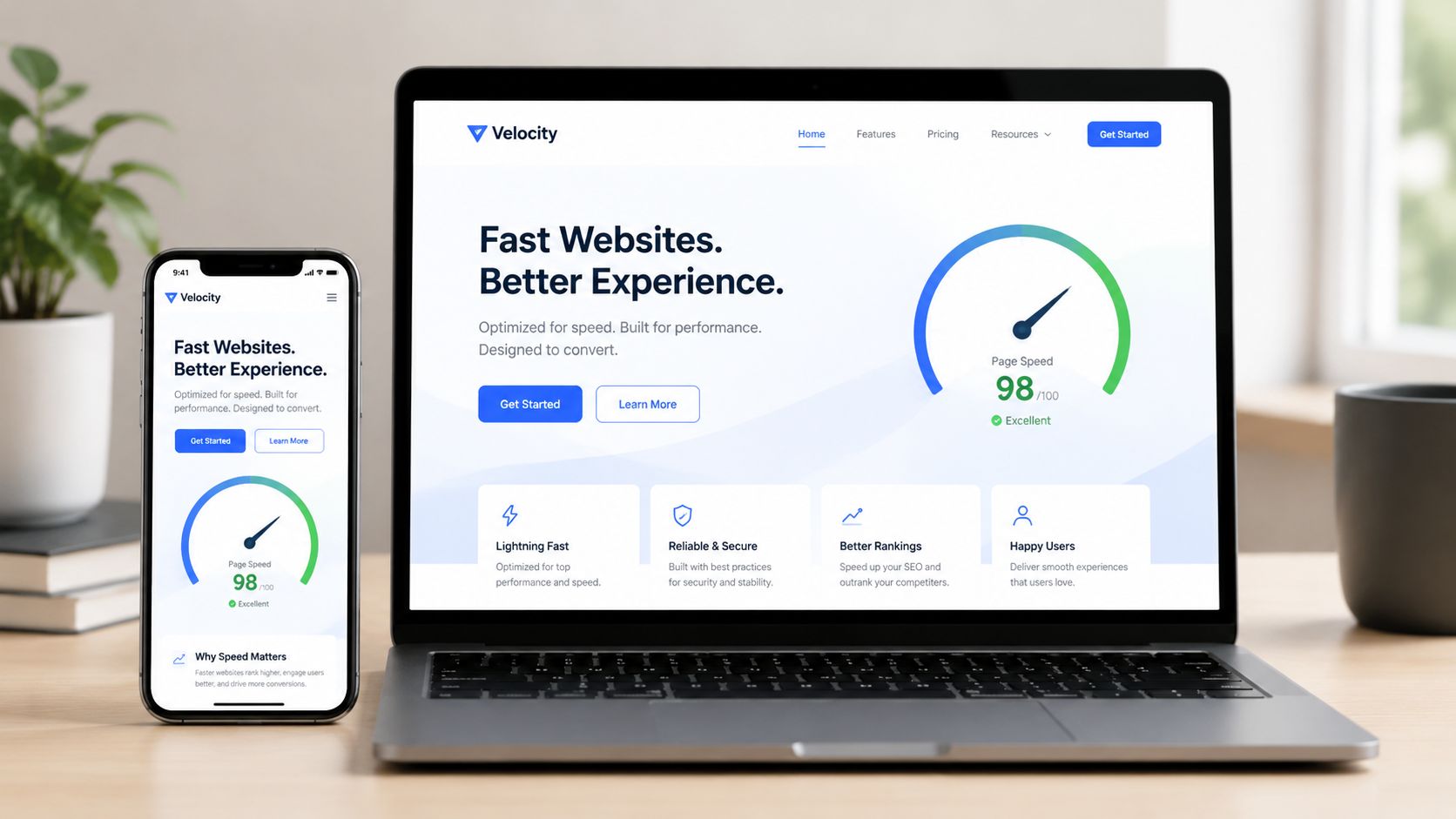
New Site SEO Checklist: Fix the heavy stuff first
On new builds, I usually find the same issues: oversized images, too many third-party scripts, weak hosting, and templates that shift around while assets load. Teams often waste time tuning minor CSS issues before fixing the files and scripts doing significant damage.
Start with the changes that move both speed and usability:
- Compress and resize images: Serve images at the size the layout needs, and use modern formats where they make sense.
- Audit third-party scripts: Chat tools, tag managers, heatmaps, reviews, and embedded apps can add seconds to load time.
- Reserve space for media and embeds: Define dimensions so banners, videos, and product images do not push content down the page.
- Review your hosting and caching setup: Cheap shared hosting and poor cache rules can drag down an otherwise clean build.
- Test key templates, not just the homepage: Product, service, location, and blog templates often carry the main performance problems.
Architecture matters too. If your storefront is carrying too much front-end weight from ecommerce plugins and custom app logic, the stack itself may be the constraint. This article on implementing headless commerce for DTC is worth reviewing if you are trying to reduce front-end bloat without limiting merchandising flexibility.
Mobile-first experience is broader than responsive design. Buttons need enough spacing. Forms need to be easy to complete with one thumb. Sticky bars cannot cover calls to action. Menus need to open and close cleanly, and your primary content needs to appear before popups and promo layers start competing for attention. For a practical review process, use this guide on how to optimize a mobile website for SEO and usability.
HTTPS is part of this baseline as well. It is a trust and browser requirement, and there is no reason to launch a new site without it fully configured, including canonical tags, internal links, redirects, and mixed-content checks.
If you want a quick explainer to share internally, this video helps frame the basics before the dev team starts tuning.
9. New Site SEO Checklist: Build Local SEO Fundamentals
A common launch scenario looks like this. The new site goes live, the homepage mentions five cities, and the business expects to show up across the whole region. Then the calls go to competitors with real local pages, verified profiles, and clearer location signals.
If you serve specific cities, counties, or neighborhoods, local SEO needs to be built into the launch plan. Do it before launch if possible, because cleaning up location architecture after indexing starts is slower and usually more expensive.
What local pages actually need
The homepage cannot carry local intent by itself. Give each real location its own page if that office, storefront, or team exists. For service-area businesses, build pages around real markets you can support, not every city on a map.
Each page should answer three questions fast. Where are you? What do you do there? Why should a local customer trust this page over ten near-identical competitors?
That means adding details that only belong to that market:
- Local business name, address, and phone number if the location is staffed
- Services available in that market
- Local staff, photos, testimonials, or case examples
- Office hours, parking or service-area details, and a clear call to action
- Embedded map or driving context where it makes sense
Template-swapped city pages are a waste of crawl budget and often create duplicate or thin content problems. I usually tell clients to launch fewer location pages with real local proof rather than fifty weak pages that all say the same thing.
Schema helps search engines connect those pages to your business details, but it is support work, not the strategy. Use the appropriate local business schema where it fits, keep your NAP consistent, and make sure the same business information appears on your site, your Google Business Profile, and your main citation sources.
- Claim and verify Google Business Profile: Set up one profile per legitimate location.
- Keep NAP consistent: Use the same business name, address, and phone format across the site and listings.
- Publish unique location pages: Build one page per real office or service market with distinct local content.
- Collect reviews on an ongoing basis: Reviews support both trust and conversion, especially for branded and map-pack searches.
A home service company with three branches should launch with three verified profiles and three strong location pages first. If those branches serve nearby towns, mention those service areas on the relevant branch pages. Do not create dozens of thin city pages on day one unless each page has enough unique value to stand on its own.
New Site SEO Checklist: Don’t forget multilingual and multi-region details
Some launches also need local SEO and international targeting at the same time. If the site serves multiple languages or countries, set that up cleanly from the start. Use separate localized URLs, translated metadata, and hreflang only when you have alternate language or regional versions to map together.
The trade-off is straightforward. A simple single-region site can move faster with a tight local structure. A multi-region launch needs more QA because one hreflang or canonical mistake can send the wrong page into the wrong market. That is why I treat local targeting as part of the full launch sequence, not a task you tack on later.
10. New Site SEO Checklist: Establish E-E-A-T Signals, Track Results, and Optimize Conversions
The site is live. Pages are indexed. Traffic starts to trickle in. This is the point where a lot of new sites stall, not because the keyword plan was wrong, but because visitors cannot quickly verify who you are, why they should trust you, and what to do next.
E-E-A-T work should be built into launch, not treated as cleanup for later. On a new domain, Google has limited history to work with, and users have none. Your job is to remove doubt fast. Show the business behind the site. Show the people behind the content. Show proof that you do the work you claim to do.
For YMYL sites, that bar is higher. For every other site, it still affects conversion. A strong About page, real author bios, clear service details, contact information, policies, testimonials, and case studies all help. And they work best when they are placed near decision points, not buried in footer links or hidden on low-traffic pages.
Start with the pages that carry the most commercial intent and the most risk. If a service page asks for a consultation, add trust elements beside the form or CTA. If a blog post is meant to rank for problem-aware queries, make the author easy to verify and connect that person to related articles. If the company has certifications, licenses, or years of direct experience, state them plainly.
A practical launch setup usually includes:
- Real author pages: Name, photo, role, experience, credentials where relevant, and links to published content
- Company trust pages: About, contact, privacy policy, terms, refund or service policies, and clear business details
- Proof near conversion points: Testimonials, case studies, client logos, review snippets, guarantees, or process details
- GA4 conversion tracking: Form submissions, phone clicks, purchases, booked demos, and any lead action that matters to revenue
- Search Console and rank tracking: Index coverage, impressions, clicks, CTR, landing page trends, and query movement
- Monthly review cadence: Check what ranks, what gets clicked, what converts, and what attracts traffic but produces weak business outcomes
A page that ranks and fails to produce leads is a traffic asset with a conversion problem. Treat it that way. Improve the offer, tighten the copy, reduce friction in the form, and test trust placement before you decide the keyword is bad.
I also plan this section as the handoff from launch to the first 90 days. In the first 30 days, verify that tracking is firing correctly and that key landing pages are getting indexed and clicked. By day 60, review early winners, weak CTR pages, and pages with traffic but no conversions. By day 90, you should know which content deserves expansion, which commercial pages need stronger proof, and where UX is blocking revenue.
One more point. If you want visibility in both traditional search and AI-driven answer surfaces, structure matters. Anonymous content, vague sourcing, and weak entity signals make that harder. Clean headings, direct answers under each subheading, consistent author attribution, and explicit company information give both search engines and users a clearer read on what the site is about and who stands behind it.
New Site SEO: 10-Point Checklist Comparison
| Item | Implementation complexity | Resource requirements | Expected outcomes | Ideal use cases | Key advantages |
|---|---|---|---|---|---|
| Conduct a Technical SEO Audit and Fix Critical Issues | Medium–High (technical & dev access) | SEO crawler tools, Search Console, developer/hosting access, time for fixes | Improved indexability, fewer crawl errors, faster time-to-rank | New launches, migrations, sites with indexing or crawl problems | Removes blockers; improves UX and crawl efficiency |
| Perform Keyword Research and Build a Tiered Content Roadmap | Medium | Keyword tools (Ahrefs/SEMrush), analyst time, 2–3 weeks for research | Targeted content calendar, prioritized keyword targets, quick-win opportunities | Planning 6–12 month content strategy, product or market entry | Aligns content to search demand; clarifies ROI priorities |
| Optimize Core On-Page SEO Elements (Title Tags, Meta, Headers) | Low–Medium | Copywriter, CMS access, batch editing time | Higher CTR, clearer content hierarchy, modest ranking gains | Existing pages needing immediate improvement, SMB sites | Fast, low-tech wins that boost click-through and UX |
| Build a Content Strategy Around Topic Clusters and Pillar Pages | High | Significant content production (15–25 pieces/pillar), editorial planning, SEO writers | Topical authority, compounded organic growth, reduced cannibalization | Competitive niches, authority brands, long-term growth plans | Creates durable content assets and improves engagement |
| Acquire High-Quality Backlinks Through Strategic Link Building | High | Outreach resources, content for link targets, PR/outreach skills, backlink tools | Ranking lifts for competitive keywords, referral traffic, brand mentions | Competitive keyword targets, brand awareness campaigns | Strong off‑site authority signal with lasting impact |
| Implement Structured Data Markup (Schema) for Rich Snippets | Medium | Developer or CMS plugin, testing tools (Rich Results Test), time to implement | Rich snippets, higher CTR, clearer search result representation | E‑commerce, local businesses, articles with reviews/FAQs | Increases SERP visibility and click-through with targeted markup |
| Create an XML Sitemap and Submit to Google Search Console | Low | CMS/plugin or sitemap generator, Search Console account, periodic monitoring | Faster indexation, coverage insights, easier discovery of orphan pages | New or very large sites, e‑commerce catalogs, frequent content updates | Ensures discovery and provides actionable indexing data |
| Optimize for Core Web Vitals and Mobile-First Experience | High | Performance audits, developer time, CDN/hosting upgrades, image/code optimization | Better rankings, lower bounce, improved conversions and UX | Mobile-heavy sites, e‑commerce, SaaS platforms | Direct ranking and conversion benefits from improved UX |
| Build Local SEO Fundamentals (Google Business Profile, Citations, Reviews) | Low–Medium | GBP setup, citation listing, review management, time for outreach | Higher local visibility, increased qualified local leads and calls | Brick‑and‑mortar, service-area businesses, multi-location brands | High-conversion visibility via free local listings and reviews |
| Establish E-E-A-T Signals, Track Rankings/Traffic, and Optimize Conversions | Medium–High | Expert content/authors, analytics (GA4), rank-tracking tools, reporting resources | Stronger trust signals, better rankings for YMYL, measurable ROI and conversion improvements | YMYL sites (health/finance), B2B, brands aiming for credibility | Builds long-term authority and enables data-driven optimizations |
New Site SEO Checklist: Your Launch is Just the Beginning
Look, getting through this checklist is a huge win. You’ve now done more for your new site’s SEO than 90% of your competitors. But the work doesn’t stop at launch. It begins.
The right way to use a new site SEO checklist is as a timeline, not a one-time worksheet. Before launch, you handle the technical foundation. On launch day, you verify indexing, crawlability, analytics, and performance. Then in the first 30 days, you watch Search Console, coverage, page speed, and conversion tracking like a hawk. In the next 60 and 90 days, you tighten internal linking, expand content clusters, refine weak page titles, build authority signals, and start earning the right links.
That sequence matters because SEO is cumulative. A sitemap without strong pages won’t do much. Strong pages without crawl access won’t matter. Backlinks pointed at weak architecture won’t deliver what they should. The whole system has to work together.
And that’s why this single-pass launch plan matters more than a random list of tips. It connects the pre-launch checks to the content strategy and then to post-launch monitoring. That’s how a new site starts building momentum instead of spending months recovering from preventable mistakes.
If you’re launching on a fresh domain, be especially careful with trust and authority. Technical redirects are important, but they aren’t the whole story. Existing brand mentions, partner citations, directory listings, profile links, supplier references, and old press mentions often need attention too. That’s the part many businesses miss because it doesn’t look like “traditional SEO work.” It still affects performance.
Same with AI visibility. More businesses are waking up to the fact that ranking in classic search results isn’t the only visibility layer anymore. If your pages are well-structured, clear, factual, and tied to real entity signals, you’re setting yourself up for both search and AI discovery. If they’re vague and generic, you make it harder for both systems to trust and surface your content.
For the first 90 days, keep your operating rhythm simple:
- In the first 30 days: Check indexing, crawl errors, analytics, redirects, and page performance.
- By 60 days: Review early ranking movement, improve weak CTR pages, and publish supporting cluster content.
- By 90 days: Expand authority signals, strengthen internal links, and evaluate which pages are driving leads, not just visits.
That last part matters a lot. Traffic is useful. Revenue is better. A page with modest traffic but strong lead quality is usually more valuable than a page with broad impressions and no business outcome. So don’t grade your launch on vanity metrics alone.
If you need a partner to manage the technical details, build the content, and track the results, the team at Mr. Green Marketing is ready to help. We turn checklists into compounding growth.
If you’re launching a new site and want experienced hands on the technical SEO, content planning, local visibility, conversion tracking, and ongoing growth strategy, Mr. Green Marketing, LLC can help. The team builds custom plans around real business goals, from pre-launch audits and indexing setup to content production, GEO optimization, PPC support, and performance reporting. If you’d like clarity on what’s holding your site back before or right after launch, request a free audit and performance report and get a practical roadmap for the next move.
Leave a Comment
sing in to post your comment or sign-up if you dont have any account.