
UX Testing Services: You’ve probably heard the term ‘UX’ thrown around, but what does it actually mean for your business? In short, UX testing services figure out if people can easily use, understand, and even enjoy your website or app. This isn’t about making things look pretty—it’s about making them work for your users so they work for your bottom line. And it’s one of the most important investments you can make.
UX Testing Services: What Are UX Testing Services and Why Do They Matter?
Think of your website as a physical store. If the layout is confusing, the signs are unreadable, and the checkout line is a disaster, customers will just leave. Frustrated and empty-handed. Your website is no different.
UX testing is like a health check-up for your digital presence. It’s a professional evaluation that analyzes how real people interact with your site, uncovering friction points that hurt your user experience and—ultimately—your sales.
Pinpointing Problems Before They Cost You
The main job of UX testing is to find these digital roadblocks before they do more damage. These services identify the exact moments of frustration that cause visitors to abandon their carts or leave your site. Things like:
- A confusing navigation menu.
- A broken form.
- A button that’s impossible to find.
These aren’t just minor annoyances; they are direct leaks in your revenue pipeline. For small and medium-sized businesses, especially in e-commerce, ignoring user experience is no longer an option. A solid foundation in ecommerce UX best practices shows just how much detail goes into creating a smooth customer journey.
This is what separates a visitor who becomes a negative statistic in your bounce rate reports from one who becomes a loyal, repeat customer. If you’re seeing high bounce rates, it’s a major red flag that your UX has problems. You can learn more in our guide on how to reduce bounce rate on your website.
A bad user experience will send potential customers straight to your competitors. A good one builds trust, loyalty, and a stronger bottom line by making sure your digital storefront is as welcoming and efficient as possible.
The Growing Importance of User Experience
And the market is screaming this from the rooftops. The global UX services market isn’t just growing; it’s exploding. Valued at USD 6.40 billion in 2025, it’s projected to surge to an incredible USD 77.18 billion by 2034.
This massive jump, driven by a 31.20% compound annual growth rate (CAGR), proves how critical user-centered design has become. North America is leading the way, holding a dominant 32.50% market share in 2025, as reported by Fortune Business Insights. Businesses are finally realizing that investing in how users feel is one of the smartest investments they can make. A very smart investment.
UX Testing Services: The Essential Types of UX Testing You Should Know
When we talk about “UX testing,” we’re not talking about one single thing. It’s really a whole toolkit filled with different methods, each one designed to answer a specific question about your user experience. Think of it like a mechanic’s toolbox—you wouldn’t use a wrench to check the tire pressure.
The same logic applies here. Choosing the right UX testing services depends entirely on what you’re trying to figure out and what problem you need to solve.
Let’s unpack the most common and effective types of testing you’ll come across.
This decision tree helps visualize how different user problems, like frustration or lost sales, point toward specific UX testing needs.
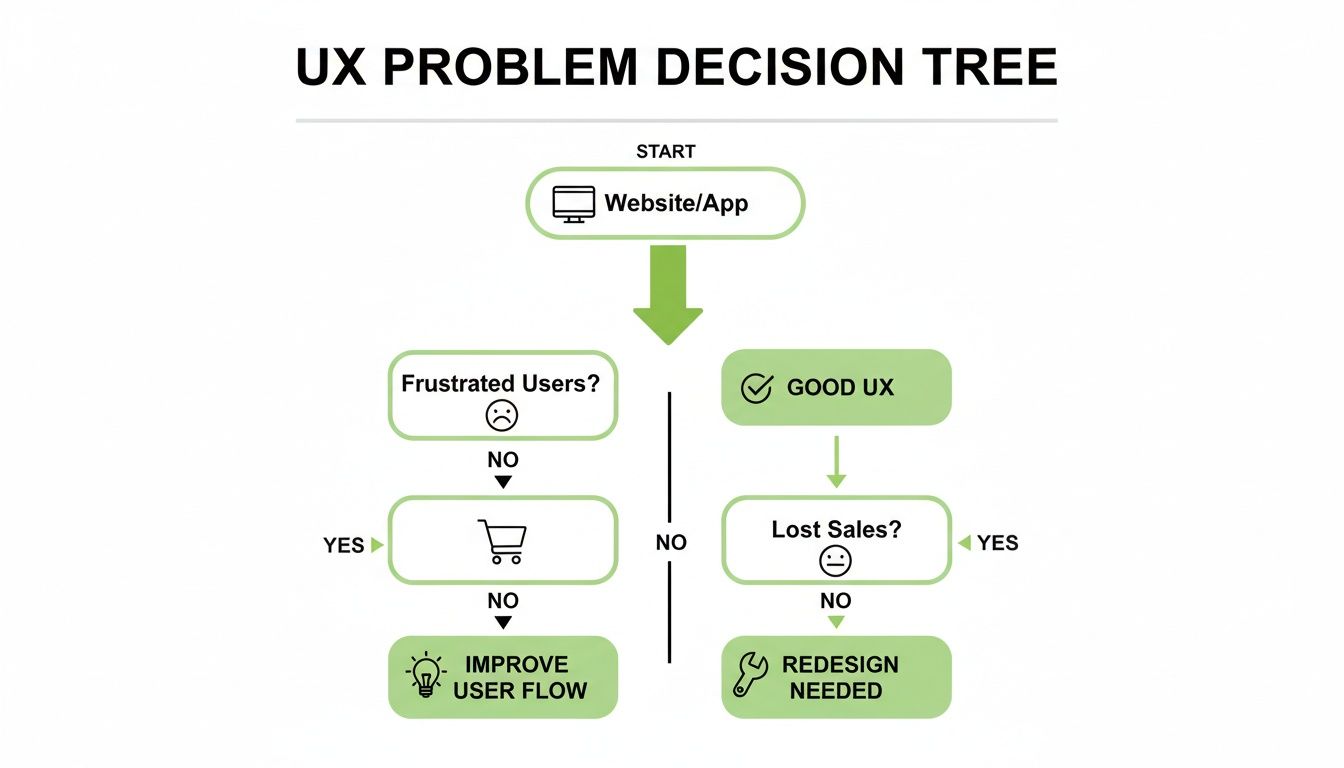
The key takeaway is that business symptoms, like a high cart abandonment rate, are direct signals that a deeper user experience issue is happening. A specific testing method is needed to diagnose it properly.
Usability Testing: Moderated and Unmoderated
This is the big one. The foundation of almost all UX work. At its core, usability testing is about watching real people try to complete specific tasks on your website or app. The goal is simple: find out where they struggle, get confused, or hit a dead end.
It comes in two main flavors:
- Moderated Testing: A trained facilitator guides a user through tasks in real-time, either in person or remotely. This lets us ask follow-up questions like, “I noticed you paused there, what were you thinking?” to get rich, qualitative insights. It’s personal and incredibly revealing.
- Unmoderated Testing: Users complete tasks on their own time while their screen and voice are recorded. This method is faster and lets you gather behavioral data from a larger group of people, often at a lower cost.
So, which one is better? It’s not about better—it’s about your goals. Moderated testing is for digging into the “why,” while unmoderated testing is great for understanding the “what.”
A/B Testing
Ever wondered if a green “Buy Now” button would convert better than a blue one? That’s A/B testing. It’s a simple but powerful method where you show two different versions of a single element—like a headline, image, or button—to different segments of your audience at the same time.
The version that drives more conversions (clicks, sign-ups, or sales) is the winner. This process takes all the guesswork out of design choices and replaces gut feelings with hard data. This is especially critical when you want to optimize your mobile website for better performance, since even small changes can have a huge impact on smaller screens.
Tree Testing and Card Sorting
These two methods are all about your site’s navigation and information architecture. They answer one crucial question: does my site structure actually make sense to my users?
- Card Sorting: Imagine giving someone a stack of cards with your website’s topics written on them and asking them to organize the cards into groups that feel logical. That’s card sorting. It helps you understand your users’ mental models so you can build a navigation that feels natural to them.
- Tree Testing: This is the reverse. You show users your proposed site structure (like a simplified sitemap) and ask them where they would click to find a specific piece of information. It’s the perfect way to validate whether your navigation is effective before you build it.
Think of card sorting as asking customers to organize the aisles in your grocery store. Tree testing is then watching to see if they can find the milk.
Accessibility Testing
This one is absolutely non-negotiable. Accessibility testing ensures your website is usable by people with disabilities, including those with visual, auditory, motor, or cognitive impairments. This isn’t just about meeting legal standards; it’s about inclusive design and reaching the widest possible audience.
Testing involves checking for things like proper screen reader compatibility, sufficient color contrast, keyboard-only navigation, and clear labeling. A site that’s accessible is almost always more usable for everyone.
Which UX Testing Method Is Right for You?
Choosing the right method can feel overwhelming, but it all comes down to the questions you’re trying to answer. This table breaks down common methods and what they’re best suited for.
| Testing Method | What It Answers | Best For |
|---|---|---|
| Moderated Usability Testing | “Why are users getting stuck on the checkout page?” | Getting deep, qualitative feedback and understanding user motivations. |
| Unmoderated Usability Testing | “What are the most common friction points in our onboarding flow?” | Quickly gathering behavioral data from a large number of users. |
| A/B Testing | “Will a red button or a green button get more clicks?” | Optimizing a specific element on a page for better conversion. |
| Card Sorting | “How would our users group our blog content categories?” | Designing or redesigning a website’s information architecture. |
| Tree Testing | “Can users easily find ‘Account Settings’ in our new navigation?” | Validating a proposed site structure or navigation menu. |
| Accessibility Testing | “Is our site usable for someone relying on a screen reader?” | Ensuring your site meets WCAG standards and is usable by all. |
By matching the method to your goal, you can get targeted, actionable insights instead of just generic feedback.
The broader field of application testing services—a market set to grow from $47.77 billion in 2025 to $54.83 billion in 2026—is leaning heavily on these methods. The market explicitly calls out UX, accessibility, and A/B testing as vital to modern quality assurance, proving just how critical they’ve become. You can explore the complete research on how user experience is shaping the testing market to see these trends for yourself.
UX Testing Services: How a Professional UX Testing Process Works

This is where the magic really happens. A professional UX audit isn’t about gathering random opinions or asking a few people if they “like” your website. It’s a structured, repeatable process designed to produce clear, actionable results.
A true partnership with a UX testing services provider demystifies why your users behave the way they do. It transforms vague problems like “low conversions” into specific, fixable issues. Let’s walk through what a typical engagement looks like from start to finish. A three-phase journey.
Phase 1: The Discovery and Planning
Everything starts with a solid plan. Before a single user is recruited, we work with you to define what success actually looks like. This isn’t a step to be rushed; it’s the foundation for the entire project.
The goal here is to move from broad business objectives to specific, answerable research questions.
- Defining Goals: Are you trying to boost lead form submissions? Reduce shopping cart abandonment? Improve user onboarding? The goals must be specific and measurable.
- Identifying Target Users: Who are we testing with? We need to define precise user personas. Testing with the wrong audience gives you interesting—but ultimately useless—data.
- Crafting Scenarios and Tasks: Instead of a vague prompt like “explore the website,” we create realistic scenarios. Think: “You need to find a pair of running shoes in your size, add them to your cart, and find the return policy.” This tests real-world usability.
This initial phase ensures the entire test is laser-focused on your most pressing business questions. It’s the difference between a random experiment and a scientific investigation.
Phase 2: The Testing and Data Collection
With a plan locked in, it’s time to actually conduct the tests. This is where we get to observe real users interacting with your website or app. How this data is collected is crucial and depends entirely on the testing methods we’ve chosen together.
The facilitator’s job is to make the participant feel comfortable while guiding them through the predefined tasks. The focus is on observation, not interrogation. We want to see natural behaviors. Stumbles and all.
The most powerful moments in UX testing are often the silent ones—a long pause, a frustrated sigh, or an unexpected click. These are the moments that raw analytics data can never show you.
Phase 3: Analysis and Actionable Reporting
Finally, we get to the most important part of any UX testing service. Raw data is just noise. The real value comes from expert analysis and clear, prioritized reporting. A good agency doesn’t just hand you a pile of session recordings and wish you luck.
A high-quality deliverable should include:
- A Summary of Key Findings: A concise overview of the most critical usability issues we uncovered. No fluff, just the facts.
- Prioritized Recommendations: This isn’t just a list of problems. It’s a roadmap for fixes, categorized by severity and the effort required to implement them. For example, a “High Priority” issue might be one that prevents 100% of users from completing a purchase.
- Video Evidence: Short, powerful clips that show users struggling at key moments. Nothing motivates a development team to make a change like watching a real person get frustrated with their product.
- A Clear Path Forward: The report should empower your team with clear next steps, turning abstract findings into a concrete action plan for improvement.
This final step is what turns an audit into an investment. It provides the strategic direction needed to make meaningful changes that improve user experience and, ultimately, drive your business forward.
Choosing the Right UX Testing Partner
So, you’re sold on UX testing and ready to dig up some game-changing insights. Now for the big question—who do you hire to do it? And what’s this all going to cost?
This is a critical step. Picking the right partner for UX testing services is just as important as the decision to test in the first place. You need a team that doesn’t just run generic tests but truly understands your world, whether you’re in e-commerce, local services, or B2B software.
Who Should You Hire?
You’ve got a few main options, and each comes with its own set of trade-offs. There’s no single “best” choice; the right fit depends entirely on your budget, timeline, and how complex your project really is.
Let’s break them down:
- Freelancers: This can be a great, budget-friendly option for smaller, well-defined projects. A freelance UX researcher is perfect for running a quick round of usability tests or a one-off audit. The main challenge? Finding someone with deep, specific industry expertise and access to the right tools.
- Specialized UX Agencies: For many businesses, this is the sweet spot. These firms live and breathe user research. They come to the table with established processes, a full suite of testing tools, and a dedicated team of experts. You get more structure than a freelancer and more focused attention than a massive, full-service firm.
- Large Marketing or Development Firms: These big, all-in-one agencies often have a UX department. The upside is seamless integration—they can handle testing, design, and development all under one roof. The risk is that UX might just be a side-offering, not their core focus, so you may not get the specialized depth a boutique agency provides.
When you’re vetting potential partners, look past the slick homepage. You need to dig into their case studies. Do they show real, measurable results? Do they have a track record with businesses like yours? A great portfolio isn’t just about pretty designs—it’s about proven problem-solving.
The Elephant in the Room: Pricing Models
And then there’s the money question. The cost of UX testing services can vary wildly, so it’s crucial to understand the common pricing models you’ll run into.
Your final price tag will hinge on things like the complexity of the tests, the number of participants you need, and the depth of reporting you require.
- Per-Project: This is a simple, flat fee for a defined scope of work, like a complete usability audit of your checkout process. It’s predictable and makes budgeting easy.
- Hourly Rate: You pay for the actual time researchers spend on your project. This model is common for smaller tasks or ongoing consulting where the scope might be more fluid.
- Retainer: For businesses that want continuous UX support, a monthly retainer gives you ongoing access to a UX team for regular testing, analysis, and strategy.
This is all powered by a booming market for testing software. The user research and testing software market is projected to leap from $2.1 billion in 2024 to an incredible $8.7 billion by 2033. This explosion in growth shows just how essential these tools have become. Data proves it: UX-focused firms are 2.5 times more likely to succeed, demonstrating a direct ROI. You can read more about the user research software market trends to see exactly where the industry is headed.
It’s an Investment, Not an Expense
It’s easy to look at the cost as just another line item on a spreadsheet. But that’s the wrong way to think about it.
Think of it this way—if a single, simple fix from one usability test stops 10% of your customers from abandoning their carts, how quickly does that pay for the entire project? The answer is usually: very, very fast. That’s the real ROI of UX testing. You’re not just spending money; you’re investing in a smoother customer journey that directly builds your bottom line.
Our Approach to Data-Driven UX Testing
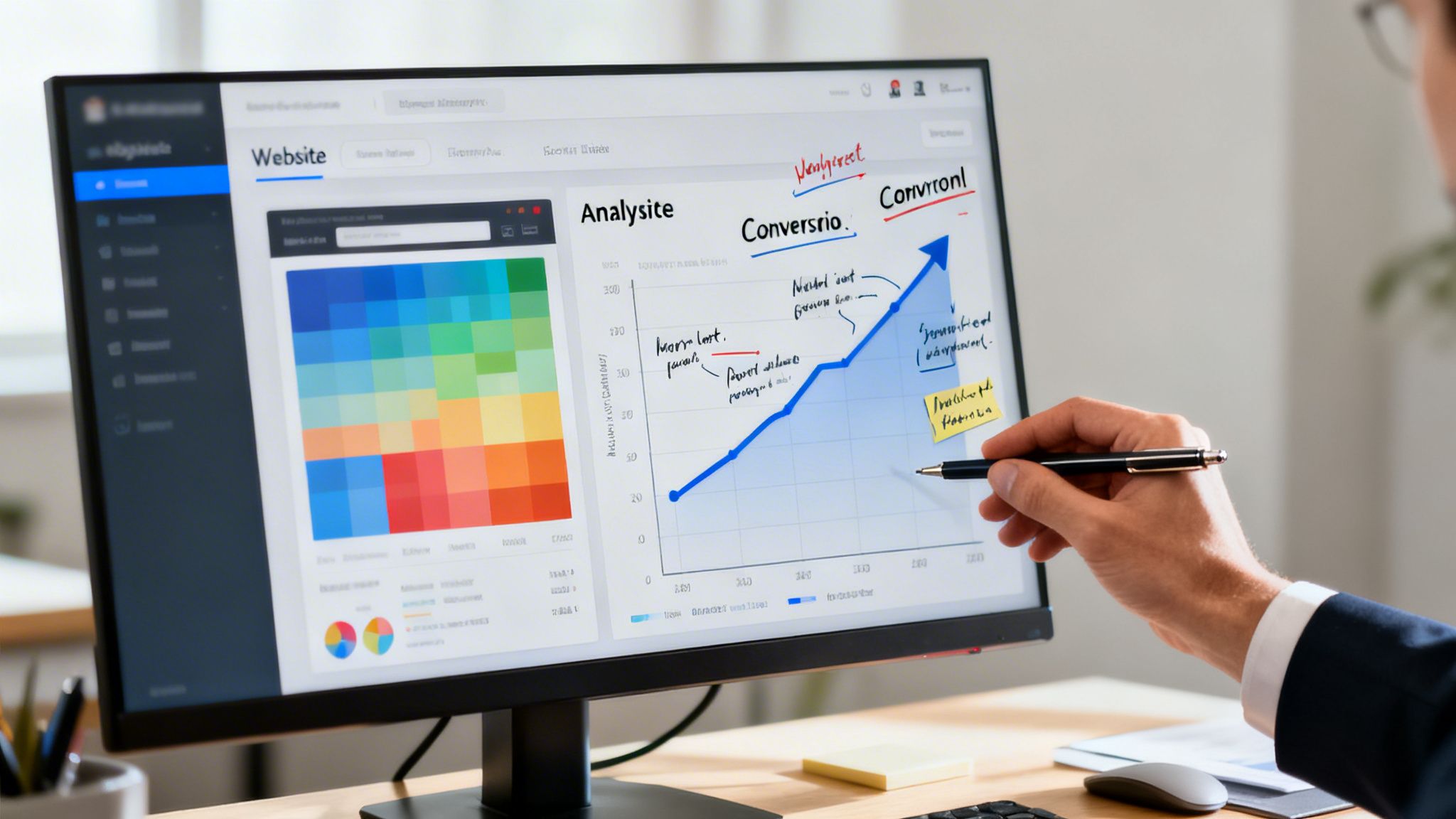
Running tests is easy. Getting real, measurable business results from those tests is what separates the pros from the amateurs. At Mr. Green Marketing, our approach to UX testing services isn’t a rigid, one-size-fits-all checklist—it’s a strategy built around your specific business goals.
We don’t start with assumptions. We start by listening.
Whether you’re aiming for more qualified leads, a jump in sales, or a website that simply works better, our first step is to understand what success looks like for you. That goal becomes the compass that guides every single test we run.
Our Methodology: A Mix of Strategy and Tools
We operate like a boutique agency with an enterprise-level toolkit. This means you get a completely custom testing plan that combines the right methods to solve your unique challenges, not just a boilerplate report.
For example, we might blend different tactics like:
- Heatmap Analysis: To see exactly where users are clicking—and more importantly, where they aren’t.
- Unmoderated Usability Testing: To get rapid-fire feedback on a new landing page from a dozen real users.
- In-depth Moderated Interviews: To dig into the “why” behind a confusing checkout flow or high cart abandonment rate.
This tailored approach ensures we’re not just finding random problems. We’re pinpointing the exact issues that will have the biggest impact on your bottom line. We’re big believers in data-driven tactics, a topic we cover more in our article on conversion rate optimization best practices.
A Mini Case Study in Action
Theory is fine, but results are what matter. Here’s a quick, real-world example of how this process works.
We recently partnered with an e-commerce client who was frustrated with a low conversion rate on their product pages. They had plenty of traffic, but sales were flat. Their team was stumped because, on the surface, the page looked perfectly fine.
We started with heatmap and scroll map analysis. And the problem jumped right out at us. Over 80% of users never scrolled far enough down the page to see the main “Add to Cart” button. They were getting distracted by a huge, un-clickable banner image and then bouncing.
The data was crystal clear: the most important button on the page was effectively invisible to the majority of users.
Based on that one insight, we proposed a simple A/B test: move the call-to-action above the fold and shrink the banner. The result? A 22% increase in conversions within the first month. It was a simple fix, but one that was only obvious once we looked at how real people were actually using the site.
Our Commitment to You
This story gets to the core of our philosophy. We’re here to build digital experiences that work—for your users and for your business. That boils down to three key commitments:
- Data, Not Guesswork: Every recommendation we make is backed by hard evidence from user behavior. We trade assumptions for facts.
- Clear, Actionable Reporting: You won’t get a 50-page data dump. You’ll get clear reports, video clips of user struggles, and a prioritized roadmap for what to fix first.
- Accessible and Inclusive Design: We believe websites should work for everyone. Our solutions focus on accessibility, which broadens your audience and is a positive signal for search engines.
Ultimately, our UX testing services are designed to find your biggest conversion blockers and hand you the quick wins that drive immediate impact.
Your Questions About UX Testing Answered
You’ve got questions, and that’s a good sign. It means you’re thinking critically about how to make your website or app work better for your customers. When it comes to something as important as UX testing, getting clear answers is everything.
Let’s cut through the jargon and tackle the most common questions business owners ask about investing in professional UX testing services. My goal is to clear up any confusion and give you the confidence to move forward.
How Many Users Do I Need for a Usability Test?
This is the classic question, and the answer usually surprises people—it’s far fewer than you think. It feels like you’d need a huge sample size for the data to be valid, but that’s not how qualitative testing works.
For finding the most critical, show-stopping usability problems, years of research has shown that testing with just 5 users can uncover about 85% of the issues. The goal isn’t statistical significance; it’s about gaining deep, qualitative insights into real user behavior. You’re looking for patterns in how people struggle, not percentages on a chart.
After that fifth user, you start to see the same problems and hear the same feedback over and over. The point of diminishing returns. This approach gives you a clear, actionable list of the most important things to fix without a massive budget.
A much better approach is iterative testing. Test with a small group, fix the major problems you find, and then test the improved version again. This cycle is far more efficient and cost-effective than one giant, expensive test.
The magic number is 5. Testing with just five users is often enough to reveal the most significant usability flaws in your design, providing a clear and prioritized list for immediate action.
What’s the Difference Between UX and UI Testing?
Great question. These two get mixed up all the time, but they focus on completely different things. It’s one of the most common points of confusion when discussing UX testing services.
Think of it like building a car.
- UI (User Interface) testing is like checking the car’s dashboard. Do the buttons work? Is the radio knob attached properly? Does the speedometer show the right speed? It’s focused on the specific, individual components—the what. UI testing ensures every element functions as designed.
- UX (User Experience) testing, on the other hand, is about the entire experience of driving that car. How does it feel to sit in the driver’s seat? Can you easily reach the controls? Is the trip from point A to point B smooth and enjoyable, or is it frustrating and confusing?
A website can have a perfect UI where every single link and button works. But if users can’t figure out the checkout process or find what they need, that’s a catastrophic UX failure. UI is a piece of the puzzle; UX is the whole picture.
Can UX Testing Improve My SEO and PPC Performance?
Absolutely. This is a critical connection that many people miss, but it’s where you can get incredible value. Google’s algorithms are smarter than ever and increasingly prioritize user experience signals to determine rankings.
When a user clicks on your site from a Google search and immediately hits the “back” button—a behavior known as ‘pogo-sticking’—it sends a powerful signal to Google. It tells the search engine your page wasn’t a good answer to their query.
By using UX testing to create a more engaging and intuitive experience, you can dramatically increase the time users spend on your site and reduce those bounce rates. Both are strong, positive signals that can improve your SEO rankings over time.
For Pay-Per-Click (PPC) advertising, the impact is even more direct.
You’re paying for every single click. A better user experience on your landing pages means a higher conversion rate. It’s that simple. UX testing ensures more of those expensive clicks turn into actual leads or sales, which directly improves your return on ad spend (ROAS).
It makes your entire marketing budget work harder. A great UX turns traffic into revenue, making both your SEO and PPC efforts far more profitable.
How Often Should I Conduct UX Testing?
Finally, a key question about timing. UX testing isn’t a one-and-done task you check off a list. It should be an ongoing, integrated part of your digital strategy. Think of it less like a massive overhaul and more like regular maintenance.
Here’s a good rhythm to follow:
- Before a Major Redesign: This is non-negotiable. Testing your current site establishes a baseline and ensures your new design actually solves existing problems instead of just creating new ones.
- Right After a Launch: You need to validate that your changes had the intended effect. Post-launch testing confirms your new design works in the wild and catches any unexpected issues that cropped up.
- On an Ongoing Basis: This is where the real champions of UX are made. Conducting smaller, iterative tests on a quarterly or semi-annual basis allows you to continually optimize key user flows—like your checkout process, lead forms, or user onboarding.
For an e-commerce site, even small, regular tests on the checkout flow can yield huge returns. It’s like getting your car’s oil changed; it’s a small investment that prevents major, costly breakdowns and keeps your business running smoothly.
At Mr. Green Marketing, LLC, we build our strategies around these very principles, turning user insights into measurable growth. If you’re ready to stop guessing and start knowing what your customers truly need, we can help. Request a free audit and performance report to uncover your biggest opportunities today. Find out more at Mr. Green Marketing, LLC.
Leave a Comment
sing in to post your comment or sign-up if you dont have any account.